











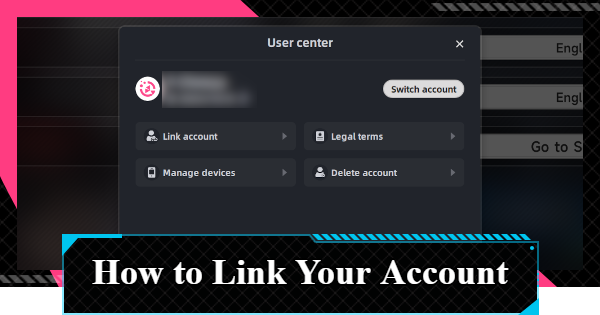
How to link your account in NTE (Neverness to Everness). See the step-by-step guide to account linking, benefits of linking, and how to delete your account.
| Related Articles | |
| How to Change Name | How to Change Gender |
| Points of No Return | How to Link Your Account |
| Server Guide | |
How to Link Your Account
Link Through Account Settings
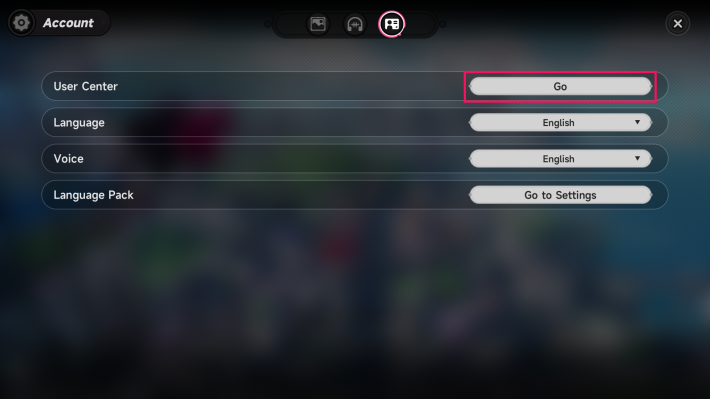

To link your NTE account, select "Link Account" from the Settings Menu. You can access this from either the Menu in the top right of the login screen or from the in-game Menu.
Account Linking Steps
- Select Settings (gear icon) from the Menu screen
- Go to Account tab
- Open User Center
- Select Link Account
| 1. | 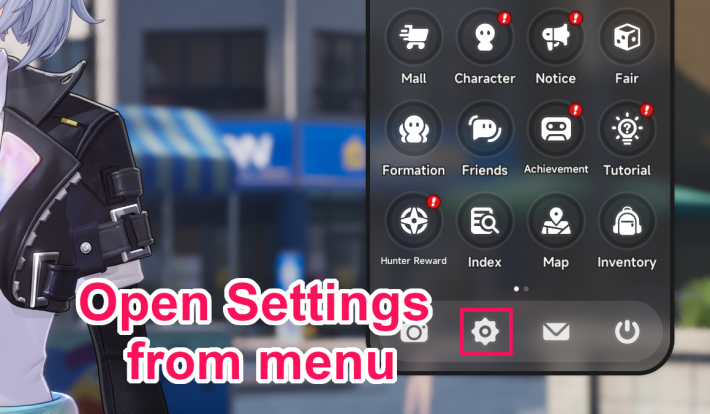 |
| 2. | 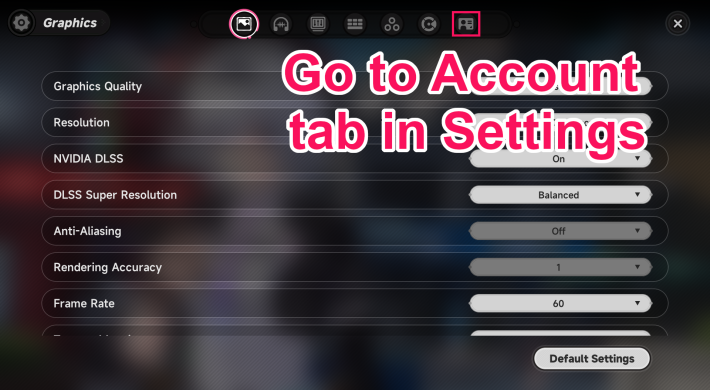 |
| 3. | 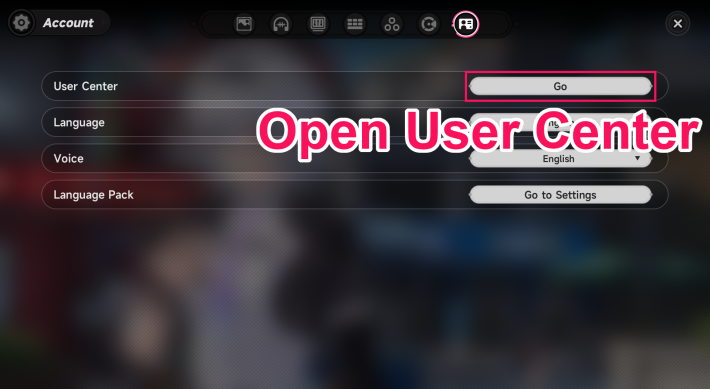 |
| 4. | 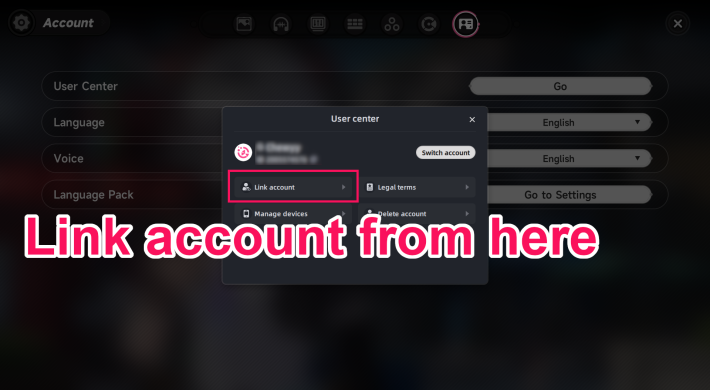 |
Benefits of Account Linking
Useful for Playing on Multiple Devices
NTE's account linking is a useful feature for players who want to play across multiple devices. By linking your account, you can smoothly switch between devices. For example, playing on your smartphone while outside and continuing on your PC at home.
How to Delete Your Account
Delete Account from the User Center
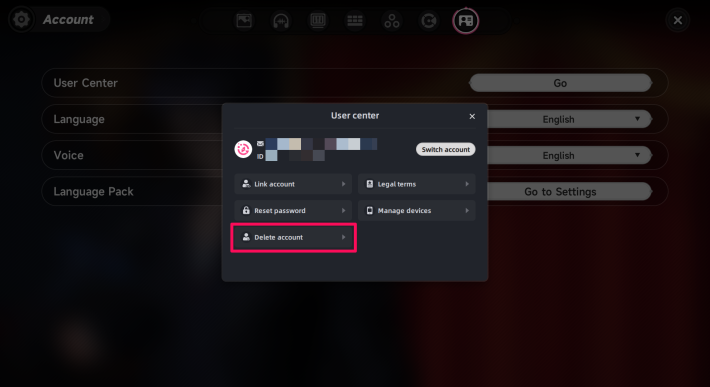
Account deletion, like account linking, can be done from the User Center. Once the deletion process is completed, your account will be permanently removed after 30 days.
Enter "DELETE" to Confirm Account Deletion
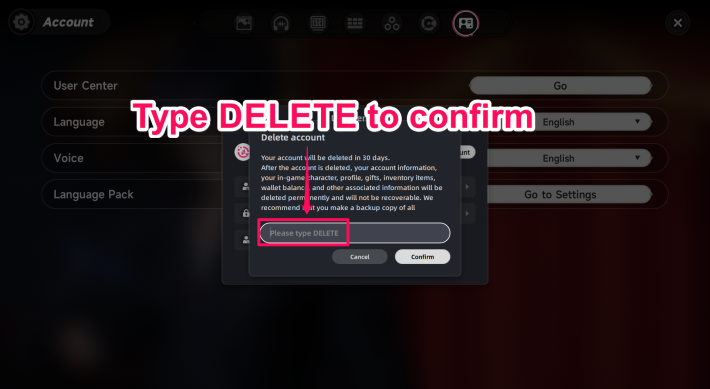
Enter "DELETE" in the final confirmation field to delete your account. Once deleted, all account information will be permanently erased and cannot be restored.
NTE Related Articles
Return to HomeRecommended Articles
Recommended Guide Articles
 Early Game Guide
 Mid-Game Guide
 Daily Things to Do
 Team Building Tips
 Hunter Level
 Appraisal Level
 Anomaly Commission List
 Beyond the Rails
 Get Chiz for Free
 Get Free S-Rank Arcs
 Mall Guide
 Oracle Stone
 Interactive Map
 Best In-Game Purchases
 How to Min-Max Consoles
 Hunter Exchange
 Latest Updates
Database
  All Items List All Items List |  All Furniture List All Furniture List |  Fish List Fish List |
 Vehicles List Vehicles List |  Hidden Achievements Hidden Achievements |  Voice Actor Cast Voice Actor Cast |
 Outfits and Skins Outfits and Skins |  Arcs Weapon List Arcs Weapon List |  All Cartridges List All Cartridges List |
 Gacha Machine Locations Gacha Machine Locations |  Achievements List Achievements List |  Common Enemy List Common Enemy List |











