











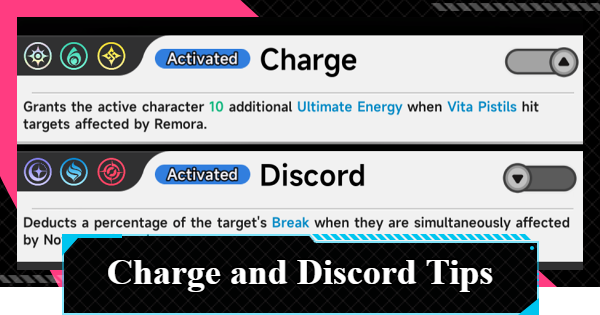
Tips for activating Charge and Discord in NTE (Neverness to Everness). This guide explains how Charge and Discord Esper Cycles work, including how to trigger and tips to activate.
| Related Articles | |
|---|---|
| How to Dodge and Parry | Break Gauge |
| Attributes | Esper Cycle |
| Party Building Tips | Best Team Builds |
| Cycle Intensity Guide | Charge and Discord Guide |
What are Charge and Discord
Triggered by Combining Two Esper Cycles
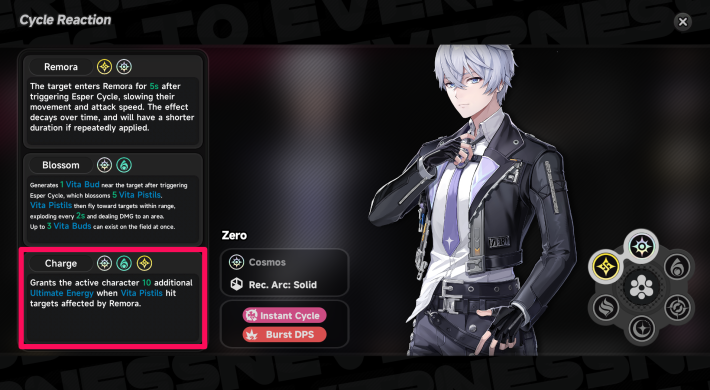

Charge and Discord are advanced Esper Cycles that are triggered when two designated Esper Cycles activate at the same time. Due to their strict activation conditions, they are more difficult to trigger than regular Esper Cycles, but they offer considerably more powerful effects.
| Esper Cycle | Effect |
| Charge | Grants the active character 10 additional Ultimate Energy when Vita Pistils hit targets affected by Remora. |
| Discord | Deducts a percentage of the target's Break when they are simultaneously affected by Nova and Scorch. |
Esper Types & Esper Cycle Explained
Passives Boost Esper Cycle Effects
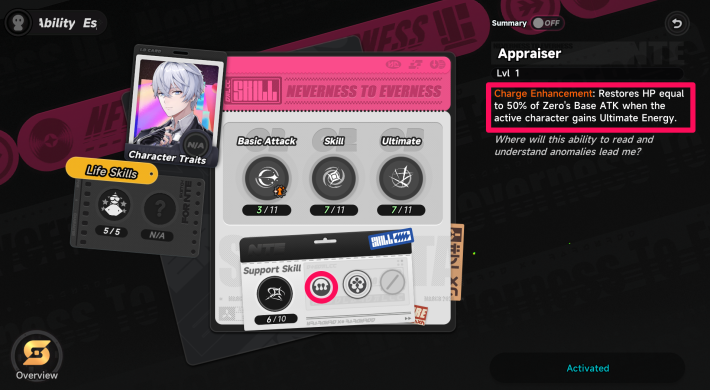
The effects of Charge and Discord can be further enhanced by unlocking character passive skills. In general, Charge is strengthened through the passive skills of Cosmos characters, while Discord is strengthened through the passive skills of Chaos characters.
Tips for Activating Charge
Team Setup for Activating Charge
| Esper Cycle | Anima Esper | Lakshana Esper | Benefits from Charge |
 Esper Zero Esper Zero |  Nanally Nanally |  Hathor Hathor |  Chiz Chiz |
The protagonist (Esper Zero) can immediately trigger an Esper Cycle after using their Redirect Skill. This makes it significantly easier to activate Charge, making them a valuable party member when building around the mechanic.
Include a Character to Benefit from Charge
Charge is an Esper Cycle that restores Ultimate Energy to the currently controlled character upon activation. To maximize its effectiveness, include a character whose Ultimate Skill benefits from frequent use.
How to Activate Charge
- Build Up the Cycle Gauge of Any Character
- Activate the Esper Cycle
- Activate the Protagonist's Redirect Skill
- Activate a Different Esper Cycle Than Before
- Switch to the Character You Want to Charge
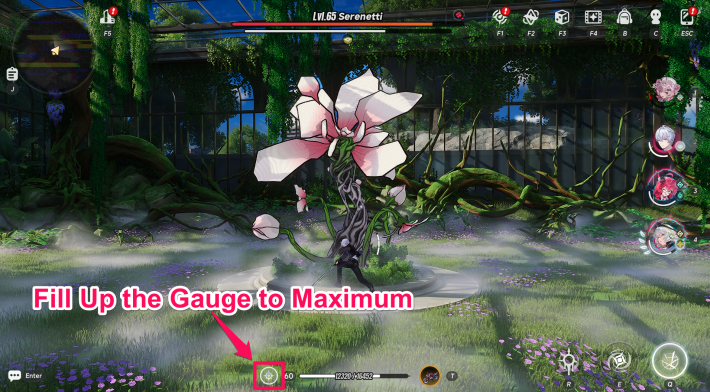
Attack enemies to fill your Character's Cycle Gauge to the maximum. Any Cosmos, Anima, or Lakshana character can be used to build it, but avoid using the Protagonist's Redirect Skill until you're ready to activate Charge.
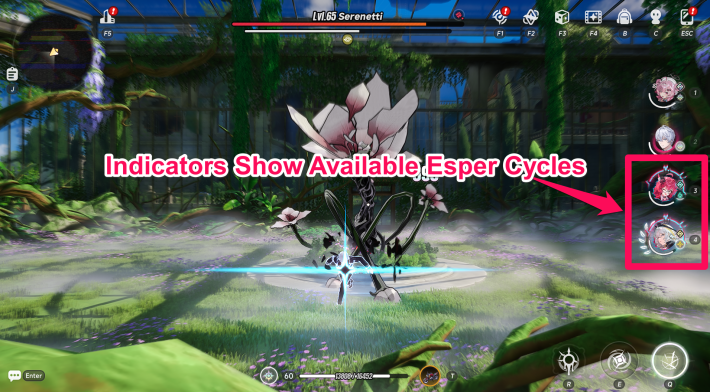
Once the Cycle Gauge is full, switch to the character with the glowing indicator on the icon to activate Esper Cycle. When starting an Esper Cycle with a Cosmos character, you can activate either Blossom or Remora.
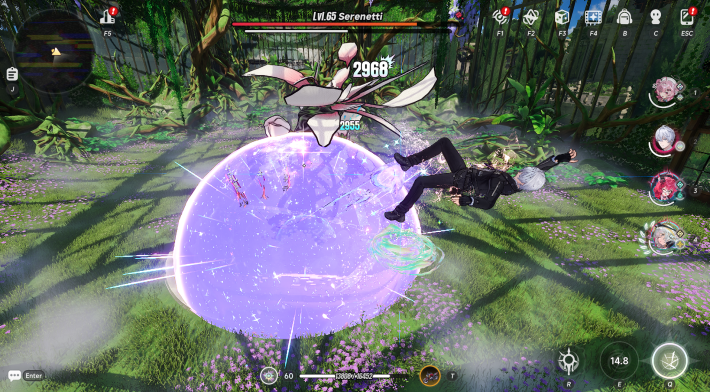
Switch to the Protagonist (Esper Zero) and use their Redirect Skill. Its effect will immediately fill their Cycle Gauge to the maximum.
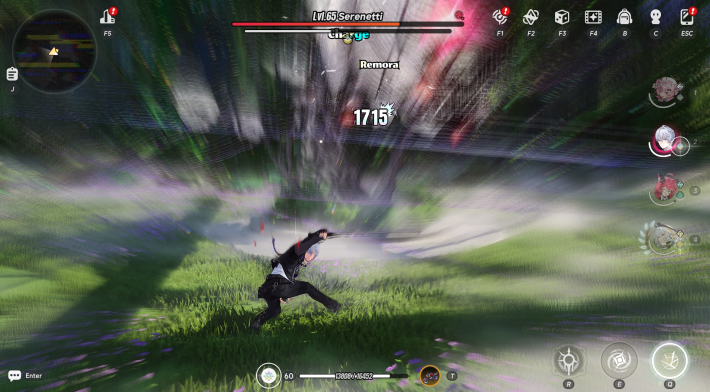
After activating Blossom, switch to a Lakshana character. If you activated Remora, switch to an Anima character, then trigger the Esper Cycle.
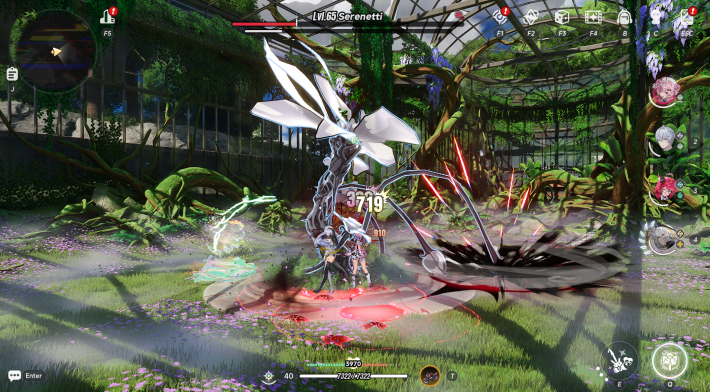
Since Charge was activated in the previous step, switch to the character whose Ultimate you want to charge. Charge will restore Ultimate Energy to the currently controlled character.
Tips for Activating Discord
Team Setup for Activating Discord
| Chaos Esper | Incantation Esper | Psyche Esper | Discord Enhancement |
 Lacrimosa Lacrimosa |  Sakiri Sakiri |  Haniel Haniel |  Daffodill Daffodill |
By unlocking Lacrimosa's Awakening Effect "Morning Spell," she can perform the same role as the protagonist. She also enhances the effects of Discord, making her a strong choice for Discord-focused team compositions.
Timing for Activating Discord
Discord is an Esper Cycle that greatly reduces an Enemy's Brake upon activation. It will not apply its Brake Reduction Effect if the target is already in a Break State. However, when Lacrimosa is in the party, the effect is modified to deal damage to Broken enemies, making its activation timing much more flexible.
Lacrimosa's Passive Skill "Tomato Banquet"
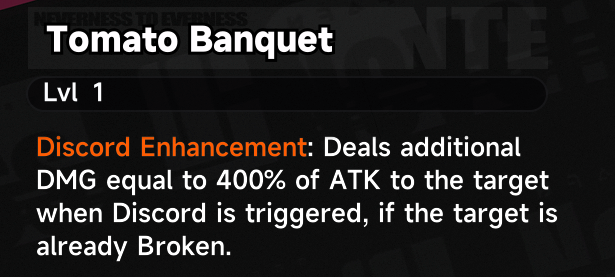
Lacrimosa's Passive Skill, Tomato Banquet, deals additional DMG when Discord is triggered, making the cycle effective even if the target is already in a Break state. Be sure to level up her Passive 1 Skill to maximize its benefits.
How to Activate Discord
- Build Up the Cycle Gauge of Any Character
- Switch Characters Without Activating Esper Cycle
- Build Up Another Character's Cycle Gauge
- Activate Two Esper Cycles
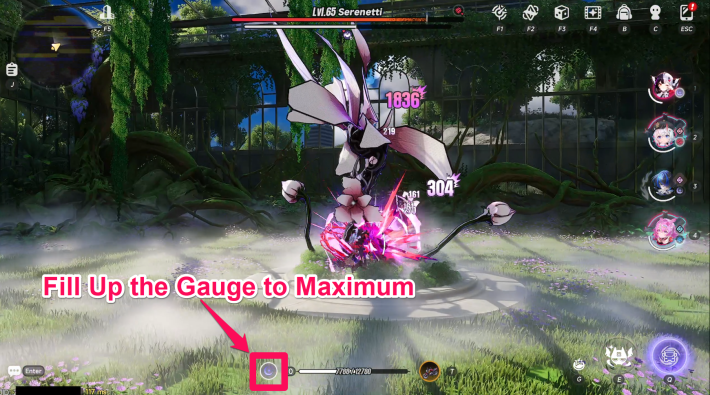
Attack enemies to fill their Cycle Gauge to the maximum. Any Chaos, Incantation, or Psyche character can be used to build it.
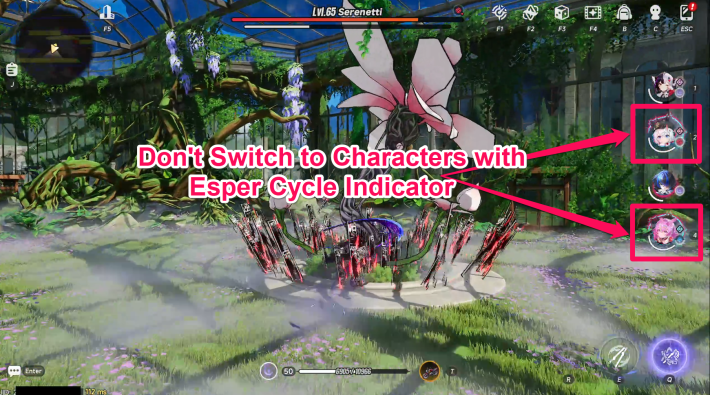
Once the Cycle Gauge is full, switch to a character whose icon does not have a glowing indicator. Keep one character's Cycle Gauge at maximum to set up Discord activation.
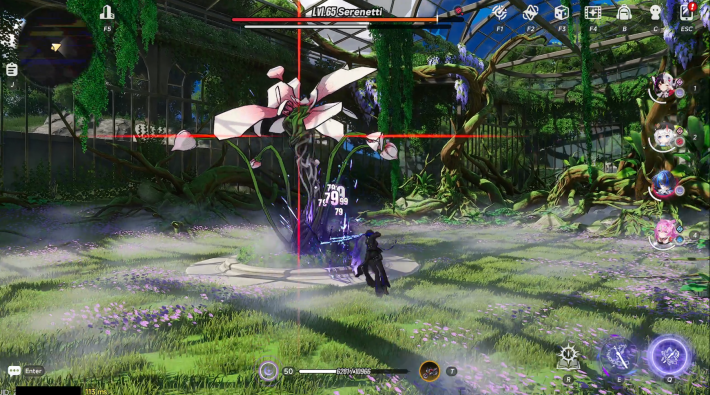
After switching characters, use one of the remaining three party members to fill their Cycle Gauge. If the character whose Cycle Gauge was just maximized belongs to the Incantation or Psyche category, make sure the next gauge is built by a character with a different Esper Ability.
Once the Cycle Gauge is full, switch to the character with the glowing indicator icon and activate their Esper Cycle. Then, switch to the character whose Cycle Gauge was filled earlier and activate the other Esper Cycle. Be careful not to activate the same Esper Cycle twice.
| Esper with Full Cycle Gauge | Switching Order |
| Chaos 1, Chaos 2 | - Chaos 1 → Incantation → Chaos 2 → Psyche - Chaos 1 → Psyche → Chaos 2 → Incantation |
| Chaos, Incantation | - Incantation → Chaos → Psyche - Chaos → Psyche → Incantation → Chaos |
| Chaos, Psyche | - Psyche → Chaos → Incantation - Chaos → Incantation → Psyche → Chaos |
| Incantation, Psyche | - Incantation → Chaos → Psyche → Chaos - Psyche → Chaos → Incantation → Chaos |
NTE Related Articles
Return to HomeRecommended Articles
Recommended Guide Articles
 Early Game Guide
 Mid-Game Guide
 Daily Things to Do
 Team Building Tips
 Hunter Level
 Appraisal Level
 Anomaly Commission List
 Beyond the Rails
 Get Chiz for Free
 Get Free S-Rank Arcs
 Mall Guide
 Oracle Stone
 Interactive Map
 Best In-Game Purchases
 How to Min-Max Consoles
 Hunter Exchange
 Latest Updates
Database
  All Items List All Items List |  All Furniture List All Furniture List |  Fish List Fish List |
 Vehicles List Vehicles List |  Hidden Achievements Hidden Achievements |  Voice Actor Cast Voice Actor Cast |
 Outfits and Skins Outfits and Skins |  Arcs Weapon List Arcs Weapon List |  All Cartridges List All Cartridges List |
 Gacha Machine Locations Gacha Machine Locations |  Achievements List Achievements List |  Common Enemy List Common Enemy List |











