











Find out what you can and can't change in Neverness to Everness! Our NTE guide covers server locks, setting your birthday, changing the protagonist's gender, and more.
Table of Contents
| Related Articles | |
| How to Change Name | How to Change Gender |
| Points of No Return | How to Link Your Account |
| Server Guide | |
Irreversible Elements
Server Choice & Crossplay Restrictions


Your account progress is strictly tied to the server you choose at the start. Your progress cannot be transferred between servers. If you decide to play on a different server later, you will have to start the game completely over from the beginning.
How to Switch ServersNo Cross-Server Multiplayer
You cannot play co-op with players who are on different servers. For example, if you create an account on the Asia server but your friend is on the Europe server, you will not be able to play together.
Multiplayer Mode - How to Play Co-opStory Cannot Be Replayed
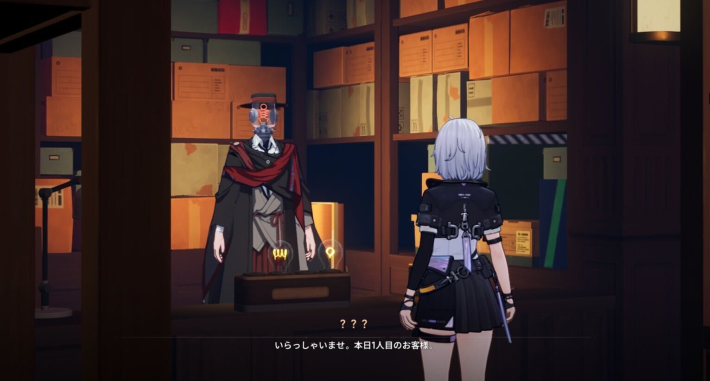
The story in NTE cannot be replayed. If you're enjoying the story, be carefulnot to accidentally press Skip while progressing through the Main Story or Side Quests.
| Story-Related Articles | |
 Main Story Walkthrough List Main Story Walkthrough List |  Side Quest Walkthrough List Side Quest Walkthrough List |
Collect Items During the Story
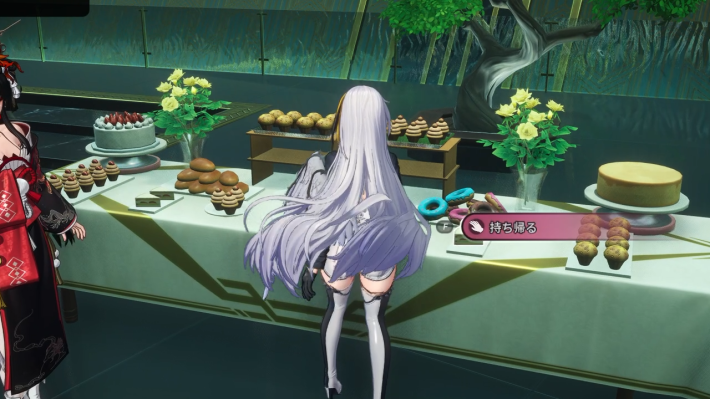
During the story, you'll come across collectible items such as food placed throughout certain scenes. Since they cannot be collected after you progress the story, make sure to pick them up whenever you spot them.
| Note! | Food can be used as gifts for characters or as recovery items! |
Your Account Birthday
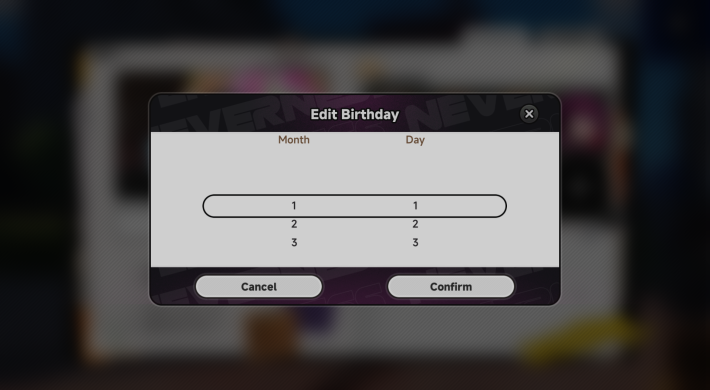
In NTE, you will be prompted to set your birthday. Once your birthday is set, it is locked in forever and cannot be edited. To set your birthday, go to the Menu > click the "..." (Edit Profile) icon next to your character portrait > select Set Birthday.
Enhancement Material Spending

Any EXP or enhancement materials used to level up your characters or Arcs cannot be refunded or transferred. Once the resources are spent, they are gone. We highly recommend focusing your materials only on the core characters you actively use in your main party to avoid wasting resources early on.
Adjustable Elements
Your Player Name

Unlike your birthday, you are free to change your Player Name! You can edit your name by going to the Menu > clicking the "..." (Edit Profile) icon next to your portrait > selecting Change Name. Please note that changing your name triggers a strict 72-hour cooldown before you can change it again.
How to Change Player NameThe Protagonist's Gender

NTE allows you to freely swap the Protagonist's gender at any time during your playthrough! You can toggle this by going to the Menu > Settings > Other. Swapping your gender triggers a 24-hour cooldown.
How to Change GenderGame Difficulty (Appraisal Level)

If your current Appraisal Level feels too difficult, you can lower it by going to Menu > ! icon next to the character icon > Appraisal Level Adjustment.
About Appraisal Level
In NTE, your Appraisal Level increases by 1 when your Hunter Level reaches 10, 20, 30, 40, 45, 50, and 55. Higher Appraisal Levels provide better rewards, but enemies also become stronger. If the increased difficulty becomes too challenging, you can lower your Appraisal Level at any time.
How to Level Up Hunter & Appraisal LevelCross-Platform Progression
| Supported Platforms | |||
| PC / Mac | PS5 | iOS | Android |
NTE supports full cross-platform progression. Your account data is saved to your login, meaning you can easily swap between platforms at will. For example, you can play on your PC at home, log out, and then immediately log into your smartphone to continue playing on the go!
Supported Platforms & DevicesActivating Character Awakenings
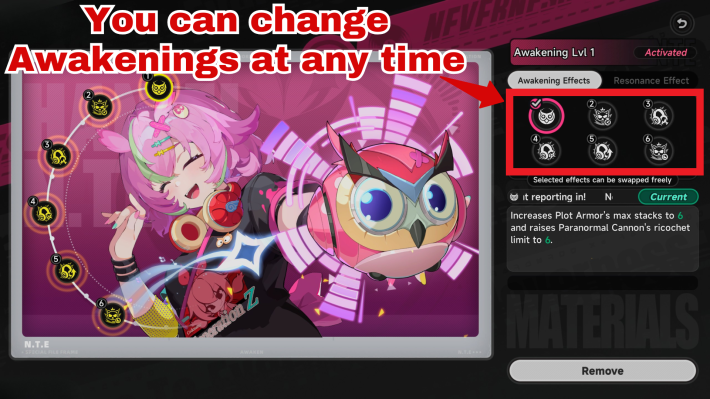
When you acquire duplicate copies of a character, you can unlock powerful nodes on their Awakening screen. Interestingly, NTE allows you to freely toggle these Awakening Effects on and off! This is incredibly useful for players who want to test out character damage or compare no-awakening builds against a fully awakened setup.
Awakening GuideResonance Effects Are Always Active

Resonance Effects unlocked at the 3rd and 6th Awakening are permanently active. Keep in mind that once unlocked, these Resonance Effects cannot be turned off.
NTE Related Articles
Return to HomeRecommended Articles
Recommended Guide Articles
 Early Game Guide
 Mid-Game Guide
 Daily Things to Do
 Team Building Tips
 Hunter Level
 Appraisal Level
 Anomaly Commission List
 Beyond the Rails
 Get Chiz for Free
 Get Free S-Rank Arcs
 Mall Guide
 Oracle Stone
 Interactive Map
 Best In-Game Purchases
 How to Min-Max Consoles
 Hunter Exchange
 Latest Updates
Database
 All Items List All Items List |  All Furniture List All Furniture List |  Fish List Fish List |
 Vehicles List Vehicles List |  Hidden Achievements Hidden Achievements |  Voice Actor Cast Voice Actor Cast |
 Outfits and Skins Outfits and Skins |  Arcs Weapon List Arcs Weapon List |  All Cartridges List All Cartridges List |
 Gacha Machine Locations Gacha Machine Locations |  Achievements List Achievements List |  Common Enemy List Common Enemy List |











