











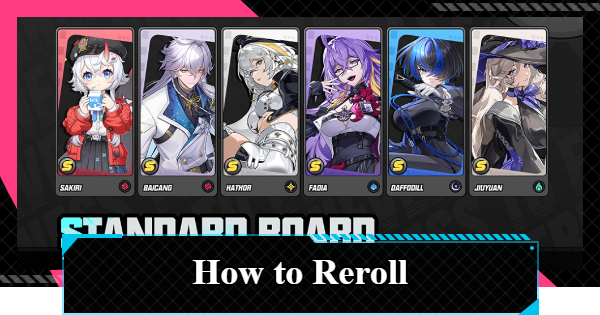
Reroll fast in NTE (Neverness to Everness). See ultimate guide for fastest reroll method, how to reroll, beginner rerolling time, best reroll targets, and should you reroll in NTE.
| Reroll Related Articles | |
|---|---|
 Reroll Tier List Reroll Tier List | How to Reroll |
Table of Contents
How to Reroll
Rerolling Time Required
| Time Required | Watching cutscenes: approx. 40 minutes Skipping cutscenes: approx. 20 minutes |
|---|---|
| Number of Pulls | [Standard Board] - 30 Pulls: Requires 24 Fabricated Dice - *20% off for the first 50 pulls - *A 10-pull costs 8 Fabricated Dice [Limited Board] - 1 Pull: 180 Annulith available (160 needed per pull) - 5+ pulls: Exchange for 5 Solid Dice - *Up to 5 can be exchanged at the Lost Exchange - *+α depending on the number of Warp Pieces |
Emails containing redemption code rewards or pre-registration bonuses may take a few minutes to arrive. If they do not appear immediately, try checking again after a short while.
- Download the game from the store
- Select character’s gender
- Start the Tutorial
- Go to the Bureau of Anomaly Control
- Enter your character's name
- Proceed through the stage
- Defeat the Vending Machine (Oddity)
- Defeat the Picture Frame boss
- Unlock gacha
- Use Redeem Codes
- Collect Annulith from Achievements
- Get Solid Dice at the Lost Exchange
- Pull from the gacha
- Repeat steps 2–13 as needed
A single reroll attempt in NTE takes about 20 minutes, which will allow you to pull on the Limited Board several times. There is no need to reroll on the standard or weapon gachas.
First, download NTE from the platform that matches your gaming environment.
| Official Store Links | |
|---|---|
| PC | PS5 |
| GooglePlay | AppStore |

Immediately after starting, you will need to select your protagonist's gender. You can change it later, so feel free to choose whichever you like.
How to Change Gender
With a few exceptions, the cutscenes that play before the gacha is unlocked are generally skippable. A warning will appear when you skip, but if you already know the content, prioritize saving time.

After selecting your gender and the cutscene ends, a simple combat command tutorial will begin. Learn the combat methods while using three different characters.

The cutscene after the combat tutorial is skippable, but the cutscene after the scene change is not skippable.

Follow the yellow markers to advance the story. Nelly will guide you along the way, but you can save time by running past her and heading straight for the marker location.

You can now control your character and open the Menu screen, but the gacha menu is not yet available at this stage.

You will set your player name by signing a contract. You can change your name later.
How to Change Player Name
You will solve problems together with Mint. Here, you will proceed while receiving a more detailed introduction to the system, so make sure to understand it as you go.

There is a section inside the Vehicle where you control the game in first-person view. You can read the lore by investigating objects here, but you can also just head straight to the quest marker.

A Vending Machine Oddity will appear as an enemy on the way. Defeat it while learning about Dodge and Critical Riposte.
How to Dodge and Parry Guide
The Picture Frame will appear as the boss. In this battle, you can learn about Parry Attack and Break..

After defeating the boss and watching several unskippable cutscenes, you will arrive at the entrance of Hethereau. At this stage, you can access the gacha function and mailbox from the Menu screen.

You can get additional Annulith from available redemption codes, so make sure to enter them before pulling.
All Active Redemption Codes List
After entering the codes, remember to claim the rewards from your Mailbox. Pre-registration rewards and other bonus items are also sent here.

You can obtain a small amount of Annulith from the Achievements you've completed through gameplay up to this point.
All Achievements List
Use the Fabricated Dice you have to pull on Strange Encounters (Standard Board), and then exchange the Lost Pieces you obtain for Solid Dice at the Lost Exchange in the Mall.
Strange Encounters Gacha
Use Annulith and Solid Dice to pull on the Limited Board. If you are satisfied with the results, your reroll is complete.
Gacha SystemIf you didn't get the character you wanted, prepare another email address and repeat steps 2-13 until you get a satisfactory result.
You Can Reroll with One Gmail Account
With Gmail, you can reroll using a single Google account by using email aliases. An email alias is a feature that allows you to add +○○ (any string)
before the @ symbol to have it treated as a different email address.
Sample Gmail Aliases
For an address like ◯◯◯◯◯@gmail.com
, you can use an email alias such as ◯◯◯◯◯+1@gmail.com
. All emails sent to this address will be delivered to the original address.
How Many Pulls for Rerolling?
Detailed Number of Gacha Pulls
| Number of Pulls | [Standard Board] - 30 Pulls: Requires 24 Fabricated Dice - *20% off for the first 50 pulls - *A 10-pull costs 8 Fabricated Dice [Limited Board] - 1 Pull: 180 Annulith available (160 needed per pull) - 5+ pulls: Exchange for 5 Solid Dice - *Up to 5 can be exchanged at the Lost Exchange - *+α depending on the number of Warp Pieces |
|---|---|
| How to Obtain | - During the process of unlocking the gacha -Annulith x60 -Fabricated Dice x25 - [url {"article_id":"554142","text":"Redemption Codes"}] -Annulith x80 - Achievements -Annulith x40 (+α after gacha pulls) |
After unlocking the gacha, obtain Annulith (gacha currency) and Fabricated Dice from mail, redemption codes, and Achievements. The Lost Pieces and Warp Pieces you get from gacha pulls can be exchanged for dice at the Mall's exchange shop.
| Note! | When exchanging at the Mall, prioritize "Solid Dice," which can be used for the Limited Board. |
|---|
20% Off for First 50 Standard Board Pulls

For the Standard Board, you can do a 10-pull for 8 Fabricated Dice for your first 50 pulls. If you continue playing and collect 40 Fabricated Dice, you can reach the point where you can select one S-Rank standard character.
Gacha System Pity & Drop RatesReroll Goal
Aim for the Featured Limited Character

For rerolling in NTE, it is recommended to pull on the Limited Board that is currently running. Limited Boards often feature powerful characters, so obtaining one will make both combat and Exploration easier.
Prioritize the Limited Board Gacha
Characters other than limited ones are a lower priority to obtain when rerolling. Even if you have leftover resources after getting a limited character, it is recommended to continue pulling on the Limited Board because your pull count is carried over.
Best Banner for Rerolling
Prioritize the Limited Board

While rerolling in NTE is generally not recommended, if you do decide to reroll, it's best to prioritize the current Limited Board. Pull on the Standard Board only as much as your Fabricated Dice allow, and use all your Annulith on the Limited Board.
Skip Rerolling for Standard Characters

We don't recommend rerolling for standard characters. Even if there's a character you really want, you can select and obtain one standard character using the Rookie Hunter Benefits from the Standard Board.
Best Free S-Rank Characters to PickYou Can Get Over 120 Free Gacha Pulls

In NTE, by combining pre-registration rewards and event distributions, you can get a total of over 120 free gacha pulls at launch.
How to Get 120 Free PullsRerolling for Arcs Is Not Recommended

In NTE's gacha, you can also obtain equipment items called Arcs, but rerolling for them is also not recommended. Even if there is an Arc you really want, you can exchange for it with a Tri-Key in the Arc Shop.
Arc Research Project Gacha GuideWhat to Do After Rerolling
Progress Through the Main Story

Once you've finished rerolling, start by progressing through the main story. Clearing the main story's Prologue II will unlock the main content, Hethereau Hobbies.
Beginner Early Game GuideIncrease Your Tycoon Level

Once you unlock Hethereau Hobbies, earn Fons through Hethereau Hobbies to raise your Tycoon Level. Increasing your Tycoon Level will unlock new minigames and allow you to obtain the S-Rank character Chiz.
How to Raise Tycoon LevelNTE Related Articles
Return to HomeRecommended Articles
Recommended Guide Articles
 Early Game Guide
 Mid-Game Guide
 Daily Things to Do
 Team Building Tips
 Hunter Level
 Appraisal Level
 Anomaly Commission List
 Beyond the Rails
 Get Chiz for Free
 Get Free S-Rank Arcs
 Mall Guide
 Oracle Stone
 Interactive Map
 Best In-Game Purchases
 How to Min-Max Consoles
 Hunter Exchange
 Latest Updates
Database
 All Items List All Items List |  All Furniture List All Furniture List |  Fish List Fish List |
 Vehicles List Vehicles List |  Hidden Achievements Hidden Achievements |  Voice Actor Cast Voice Actor Cast |
 Outfits and Skins Outfits and Skins |  Arcs Weapon List Arcs Weapon List |  All Cartridges List All Cartridges List |
 Gacha Machine Locations Gacha Machine Locations |  Achievements List Achievements List |  Common Enemy List Common Enemy List |











