











This guide explains how to change your player name in NTE (Neverness to Everness). Covers the step-by-step process, the 72-hour cooldown, and important rules about player names.
Table of Contents
| Related Articles | |
| How to Change Name | How to Change Gender |
| Points of No Return | How to Link Your Account |
| Server Guide | |
How to Change Your Player Name
Access the Profile Menu


You can update your player name directly from the in-game Menu. The best part is that changing your name is completely free and does not require any items. However, please note that there is a strict 72-hour cooldown between name changes.
Step-by-Step Instructions
| 1. |  Open the main Menu by clicking the icon in the top right corner of the screen. |
| 2. |  Click on the "..." (three dots) icon located in the top right corner of the Menu interface and select Edit Profile. |
| 3. |  Select the smaller "..." icon sitting just to the left of your player icon/avatar. |
| 4. |  Select "Change Name", which is the very first option at the top of the dropdown list. |
| 5. | Type in your new desired name and hit Confirm to save the changes! |
Important Name Change Rules
72-Hour Cooldown

Once you confirm a new player name, a 72-hour lock goes into effect. You will not be able to edit your name again until those 3 days have fully passed. Always double-check for typos before pressing the Confirm button.
Your Name is Public
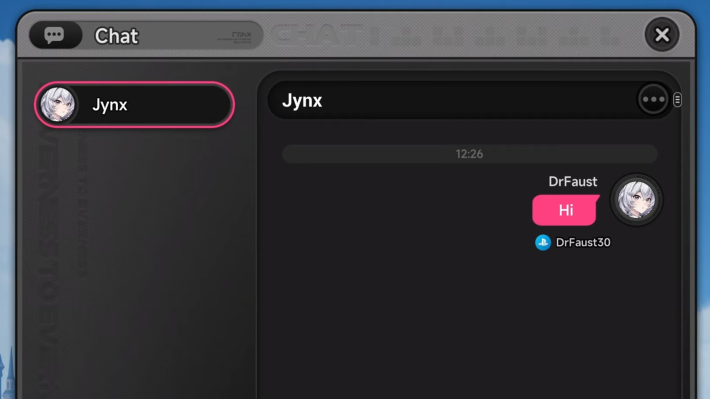
Your NTE player name is visible to everyone in the game. It will appear on Friends lists, in chats, and on the public Arcade leaderboards. Make sure you choose a name that you are comfortable sharing with the community.
Profanity Filters Are Active

The game uses a strict profanity filter. If you try to use inappropriate or offensive words, the blocked text will be replaced with asterisks (*) and the game will not let you save the name.
NTE Related Articles
Return to HomeRecommended Articles
Recommended Guide Articles
 Early Game Guide
 Mid-Game Guide
 Daily Things to Do
 Team Building Tips
 Hunter Level
 Appraisal Level
 Anomaly Commission List
 Beyond the Rails
 Get Chiz for Free
 Get Free S-Rank Arcs
 Mall Guide
 Oracle Stone
 Interactive Map
 Best In-Game Purchases
 How to Min-Max Consoles
 Hunter Exchange
 Latest Updates
Database
 All Items List All Items List |  All Furniture List All Furniture List |  Fish List Fish List |
 Vehicles List Vehicles List |  Hidden Achievements Hidden Achievements |  Voice Actor Cast Voice Actor Cast |
 Outfits and Skins Outfits and Skins |  Arcs Weapon List Arcs Weapon List |  All Cartridges List All Cartridges List |
 Gacha Machine Locations Gacha Machine Locations |  Achievements List Achievements List |  Common Enemy List Common Enemy List |











