











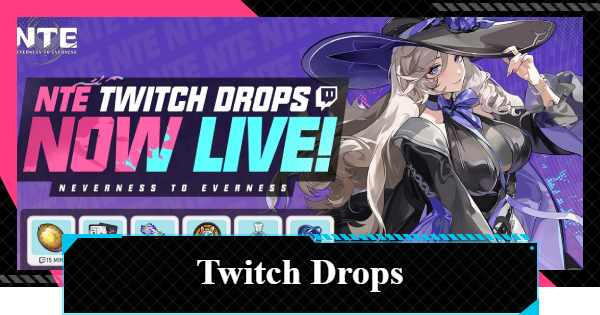
NTE's How to claim Twitch drops guide for NTE (Neverness to Everness). Read about how to link your NTE account and register for Twitch to claim the rewards.
What are Twitch Drops?
Campaign to Participate in on Twitch


| Event Period | Until May 13, 15:59 (UTC) |
| Reward Examples | Annulith Beetle Coin, etc. |
Twitch Drops is a campaign where you can earn rewards by watching streams related to NTE on the live streaming site "Twitch". This campaign runs until 0:59 on May 13 (UTC), and you can receive luxurious rewards such as Annulith.
Rewards Increase According to Viewing Time

Drops rewards increase based on the cumulative watch time during the event period.You can receive all the rewards by watching a stream for 2.5 hours, so be sure to watch NTE streams on Twitch as much as possible during this time.
Rewards and Required Viewing Time
| Viewing Time | Items |
| 15 minutes | Beetle Coin ×20000 Currency used for leveling up. |
| 30 minutes | Elite Hunter Guide ×2 Gain 20,000 EXP, which can be used to level up characters. |
| 1 hour | Chaotic Dye x2 Arc level up material. Grants 10,000 Arc EXP. |
| 1 hour 30 minutes | Manhole Boss x2 Grants Exp x20000 to a Console's Module or Cartridge. |
| 2 hours | De-noise Solution x1 Recovers 60 Character Pixel after use. |
| 2 hours 30 minutes | Annulith×50 A valuable currency that holds special energy. |
How to Link Twitch and Claim Rewards
Steps to Receive Rewards
| 1 | Search for "Twitch" and create an account from "Sign Up". ▶Visit the Twitch site (links to external site) |
| 2 | 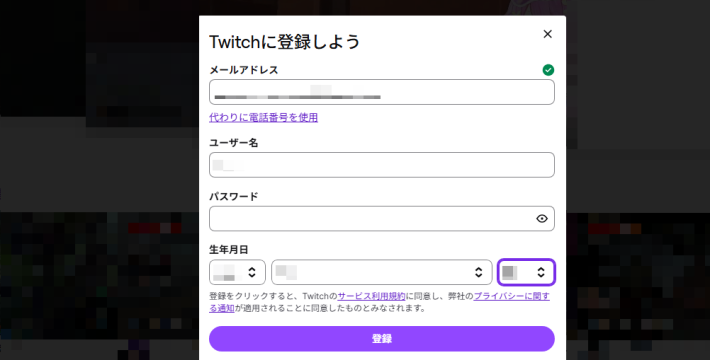  |
| 3 |  Log in to your NTE account from the NTE Twitch Drops event page. Log in to your NTE account from the NTE Twitch Drops event page.▶Click here for the TwitchDrops event page (external site) |
| 4 |  Similar to Step ③, log in to your Twitch account as well. Similar to Step ③, log in to your Twitch account as well. |
| 5 |  Select your in-game character from Account Linking and link them. Select your in-game character from Account Linking and link them. |
| 6 |  Watch NTE streams on Twitch. Watch NTE streams on Twitch. |
| 7 |  Once you finish watching for the specified time, select "Claim Now". Once you finish watching for the specified time, select "Claim Now". |
| 8 | Once you finish watching for the specified time, select "Get Now". |
| 9 | After a while, it will be delivered to your in-game mail. (It may take more than an hour to be reflected.) |
Twitch Notification Upon Completion

When you reach the specified watch time, you will receive a notification on Twitch that says 'Available to claim'. You don't need to constantly watch the 'Drops & Rewards' screen, so just watch the stream without worrying about the time.
NTE Related Articles
Return to HomeRecommended Articles
Recommended Guide Articles
 Early Game Guide
 Mid-Game Guide
 Daily Things to Do
 Team Building Tips
 Hunter Level
 Appraisal Level
 Anomaly Commission List
 Beyond the Rails
 Get Chiz for Free
 Get Free S-Rank Arcs
 Mall Guide
 Oracle Stone
 Interactive Map
 Best In-Game Purchases
 How to Min-Max Consoles
 Hunter Exchange
 Latest Updates
Database
 All Items List All Items List |  All Furniture List All Furniture List |  Fish List Fish List |
 Vehicles List Vehicles List |  Hidden Achievements Hidden Achievements |  Voice Actor Cast Voice Actor Cast |
 Outfits and Skins Outfits and Skins |  Arcs Weapon List Arcs Weapon List |  All Cartridges List All Cartridges List |
 Gacha Machine Locations Gacha Machine Locations |  Achievements List Achievements List |  Common Enemy List Common Enemy List |











