











Camera guide for NTE (Neverness to Everness). See how to use photo mode, take videosand selfies, capture cinematic drone shots, set frames, adjust camera settings, add poses, and more!
Table of Contents
How to Use Camera
Open Camera Icon in the Menu
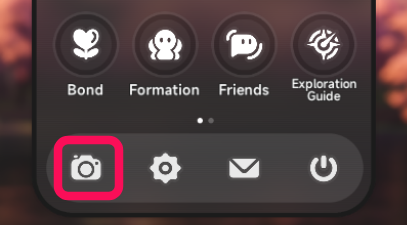

The camera can be opened from the camera icon in the bottom left of the Menu.
Camera Has Selfie and Drone Modes
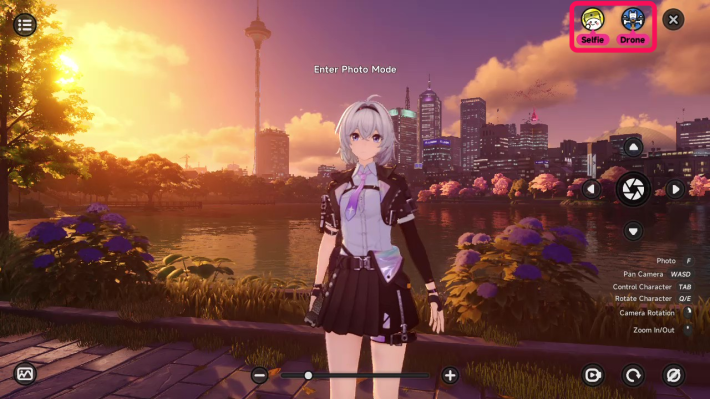
In addition to character-focused shots, there are other shooting methods like "selfies," where the character extends their hand as if holding a camera, and "drone" shots, which allow you to take photos from a distance, such as from the sky.
You Can Save Your Photos
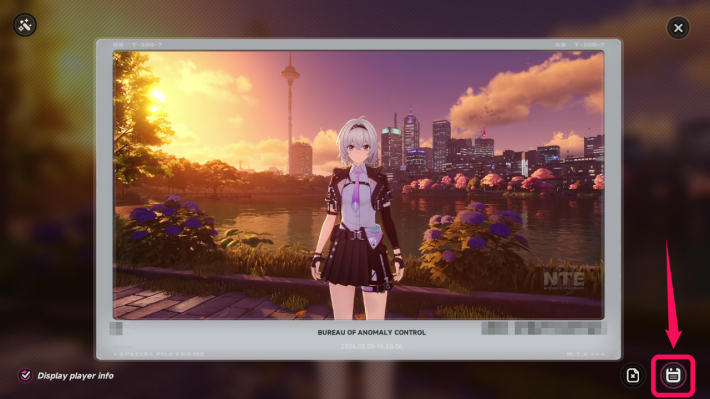
Save the photos you take to a folder outside the game using the button in the bottom right. This is useful for posting your favorite photos on social media.
Photos Are Saved In-Game for 15 Days
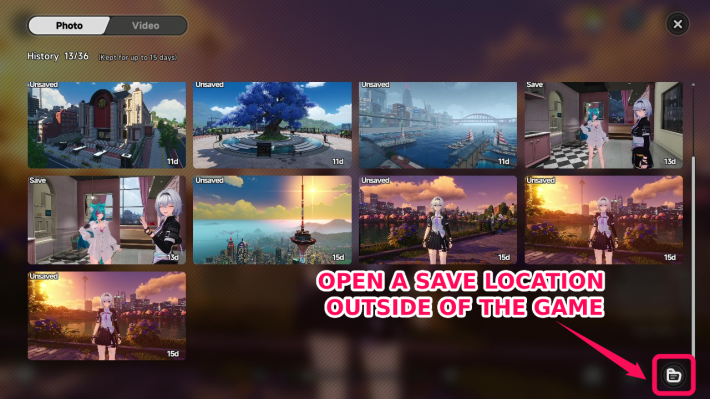
In the album in the bottom left of the photo screen, you can save up to 36 images and videos for a maximum of 15 days. If you forgot to save something, you can save it again from here.
Camera Features
You Can Capture Videos and Images
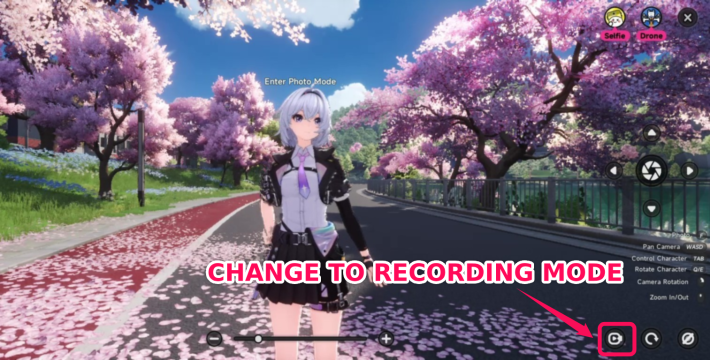
Use the button in the bottom right of the screen to switch between photo and video mode. In video mode, you can record videos up to 30 seconds long, which are saved automatically after recording.
Customize Contrast, Poses, and More
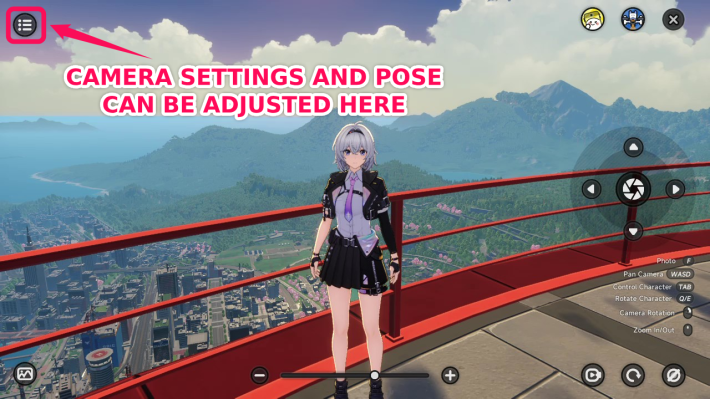
The button in the top left of the screen lets you adjust settings like contrast, poses, weather, and time. These can be changed without opening the Menu, so you can set them to match the moment you want to capture, such asa night view.
Edit Photos With Frames and Stamps
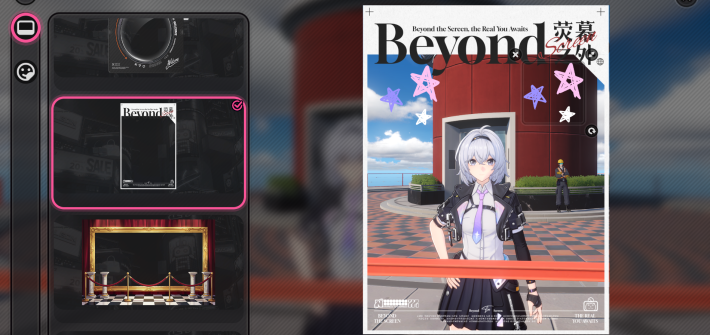
Use the button in the top left of the post-photo screen to edit your pictures with frames and stamps. There are even frames that look like magazine covers, so choose one that fits your photo.
View the Town From a High Position
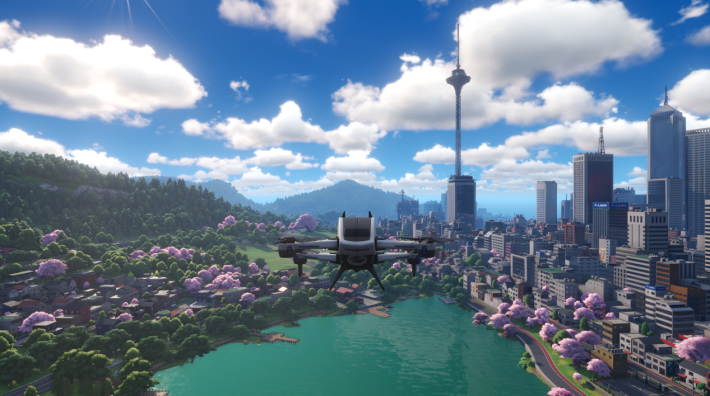
In drone mode, you can freely control the camera up to 300m vertically and 1000m horizontally. This makes it easy to check your surroundings, such as the tops of buildings.
Explore the Town in First-person View
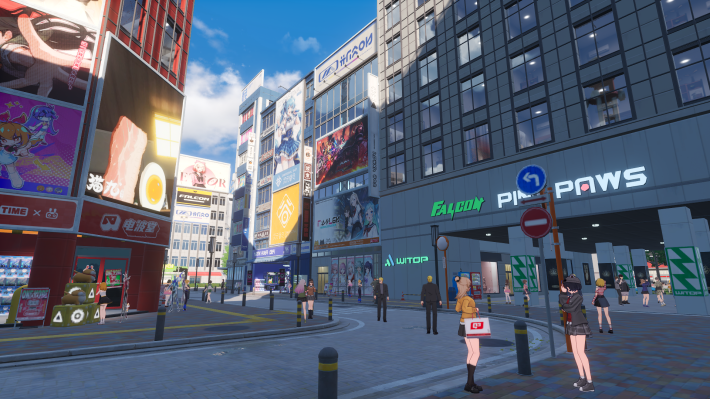
On the drone control screen, hide the drone, UI, and other elements to take photos from a first-person perspective, as if you were exploring the town yourself. The world has many parody references to anime and real-life locations, so use this feature to get a closer look.
Parody and Anime Reference Locations List
How to Use First-Person View
| 1. | 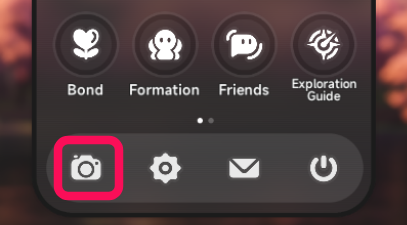 |
| 2. | 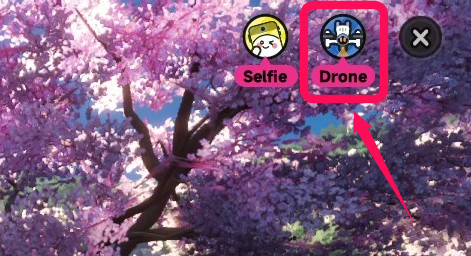 |
| 3. | 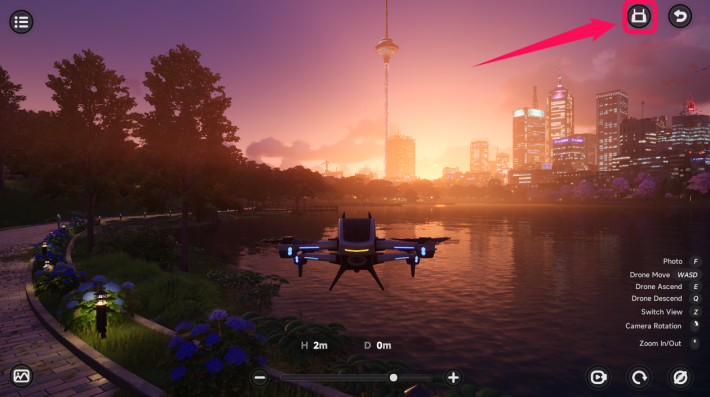 |
| 4. | 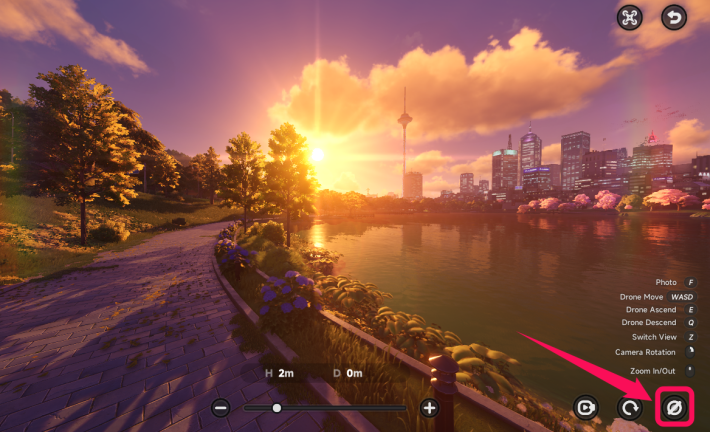 |
| 5. | 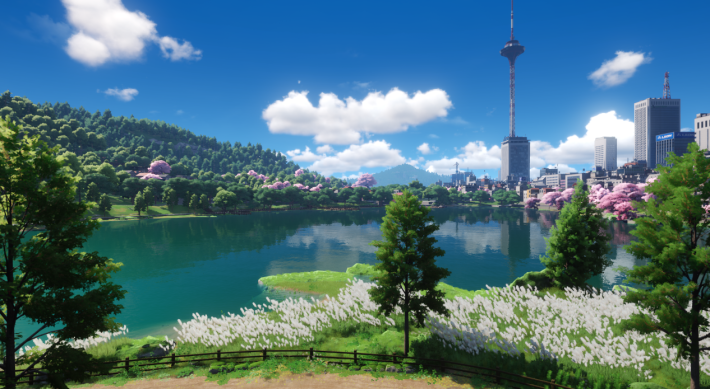 |
NTE Related Articles
Hethereau Hobbies
  The Cafe by Origen The Cafe by Origen |  Owner's Selection Owner's Selection |  Pink Paws Heist Pink Paws Heist |
 Sea Angler Sea Angler |  Mahjong Inferno Mahjong Inferno |  Tetrominoes Tetrominoes |
 Super Sound Super Sound |  Racing Racing |  City Delivery City Delivery |
 Swift Travel Swift Travel |  Fight Club Fight Club | Super Sound |
Hethereau Recommended Guides
 City Stamina Guide City Stamina Guide |  How to Raise Tycoon Level How to Raise Tycoon Level |  Fons Farming Guide Fons Farming Guide |
 Life Skill Tier List Life Skill Tier List |  Oracle Stone Locations Oracle Stone Locations | 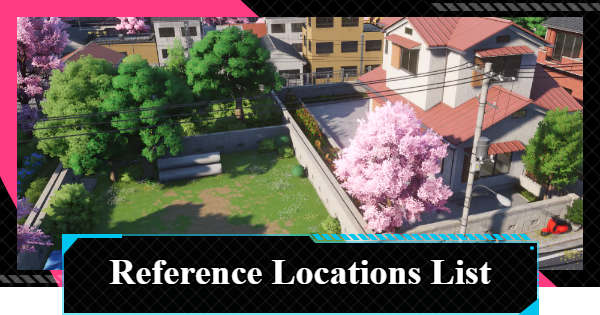 Parody Locations Parody Locations |
 Safe Locations Safe Locations |
Things To Do At Hethereau
 Housing
 Interior
 The Witch's House
 Nacupeda's Pool
 Lost Items
 Auction
Detention Center Related
 Hethereau Detention Center Hethereau Detention Center |  Wanted Level Wanted Level |  How to Escape Prison Guide How to Escape Prison Guide |
| Take Without Permission |  Tornado Boss Guide Tornado Boss Guide | - |











