











Interior guide for NTE (Neverness to Everness). Read on how to add furniture to apartment, store items, get auction collections, home renovation design, decorating tips, and more!
Table of Contents
Fishkeeping Feature in Ver. 1.2
Place an Aquarium in Your Home
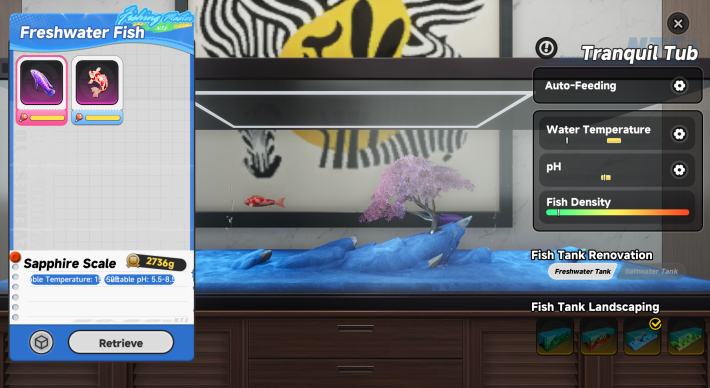

The Ver. 1.2 update introduces a fishkeeping feature for fish caught through the Hethereau Hobbies "Sea Angler" activity. Purchase a Fish Tank from the furniture store, place it in your home, and create a suitable environment to start breeding your fish.
Interior Item Uses
Decorate Your Home with Furniture
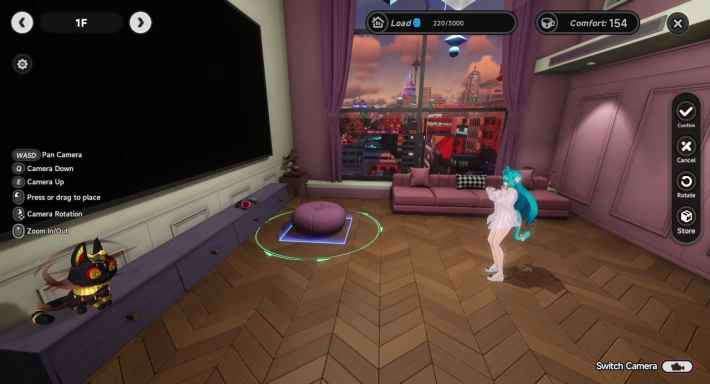
In NTE, you can use interior items to decorate the homes you've purchased. There are a variety of furniture items, such as shelves and sofas, so decorate your home with the colors you like. Also, by meeting certain conditions, you can increase your character's stats and get other benefits.
Furniture Increases Home Comfort
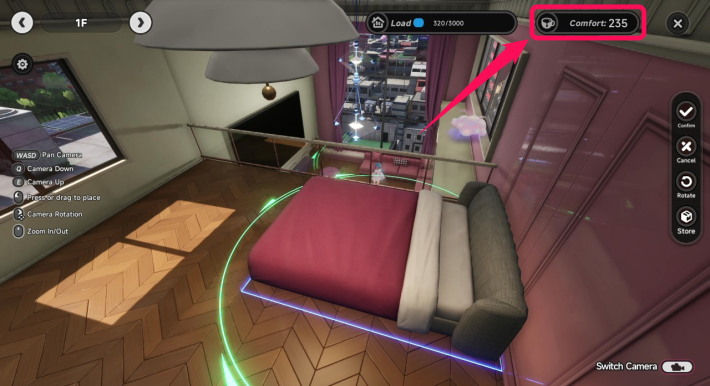
When you place furniture in a home, its Comfort Level will increase. The Comfort Level is a requirement for increasing your Tycoon Level and for the Renovation Guide, so raise it as needed.
Invited Characters Use Home Furniture
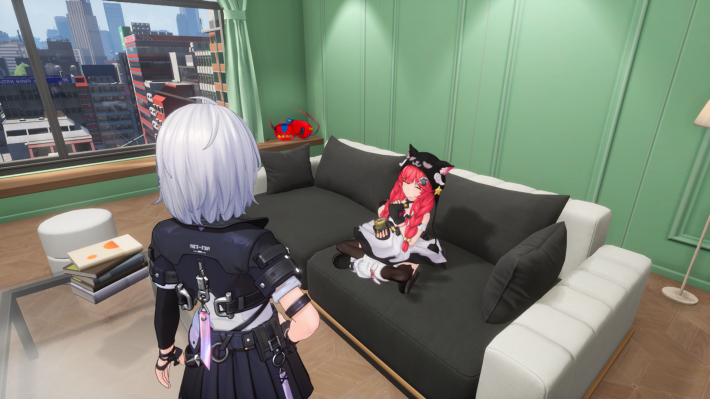 | 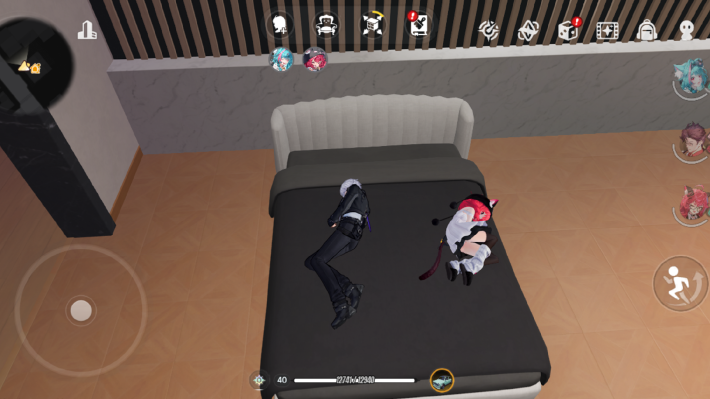 |
By raising a character's Bond Level to 4 or higher, you can invite them to your home. Characters can relax on the sofa or even sleep in the bed with you. They will perform actions that match the furniture, so try placing various pieces.
Decorate The Cafe by Origen
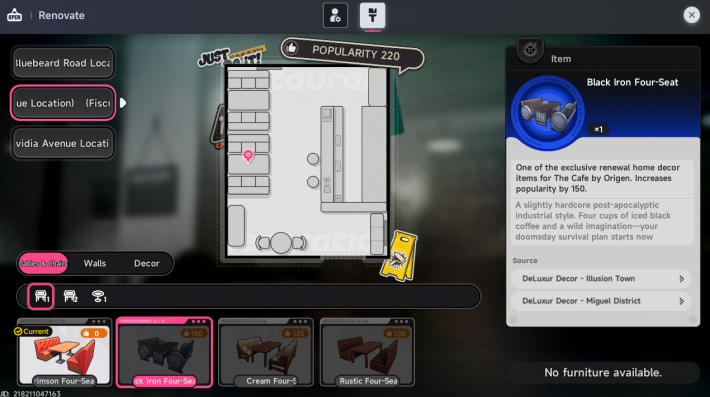
At The Cafe by Origen, you can also change interior items like tables. Changing the interior will increase the cafe's popularity, so be sure to check it once you unlock The Cafe by Origen.
How to Get Interior Furniture
Purchase from Shops
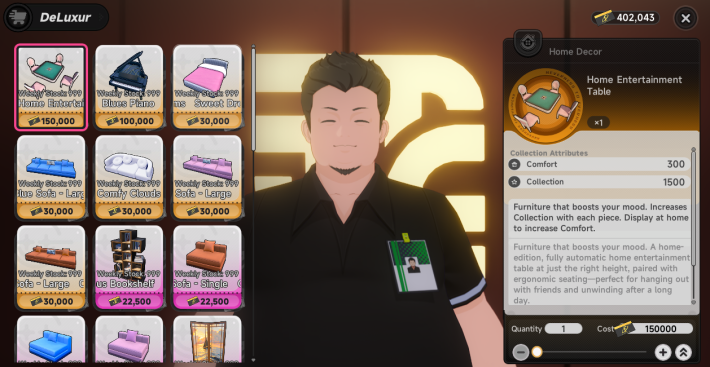
NTE interior items can be purchased from shops. They are sold not only at DeLuxur Decor but also at various stores like the Moby-Dick Bookstore and Brown Electronics Store. When you're nearby, check to see what they have for sale.
List of Shops that Sell Interior Items
| Shop | Main Interior Items |
 DeLuxur Decor DeLuxur Decor | - Sells items like sofas and desks - Also sells tables for "The Cafe by Origen" |
 Moby-Dick Bookstore Moby-Dick Bookstore | - Sells items like paintings and books - Paintings can also be displayed in "The Cafe by Origen" |
 Record Shop Record Shop | - Adds songs to vehicle music and records |
 Brown Electronics Store Brown Electronics Store | - Sells items like displays and lights |
 Hillside Blooms Florist Hillside Blooms Florist | - Sells items like bouquets and vases |
 Oops! Chest Gift Shop Oops! Chest Gift Shop | - Sells small furniture, paintings, etc. - Paintings can also be displayed in "The Cafe by Origen" |
 Lively Greens Plant Shop Lively Greens Plant Shop | - Sells items like houseplants and bonsai |
 Luna Bay Aquarium Shop Luna Bay Aquarium Shop | - Sells items like fish tanks and dioramas |
 DSD POP DSD POP | - Sells figures, display shelves, etc. - Some figures can also be placed in "The Cafe by Origen" |
Win at an Auction
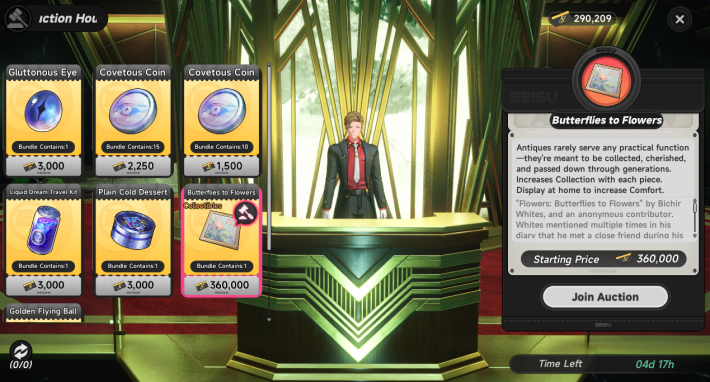
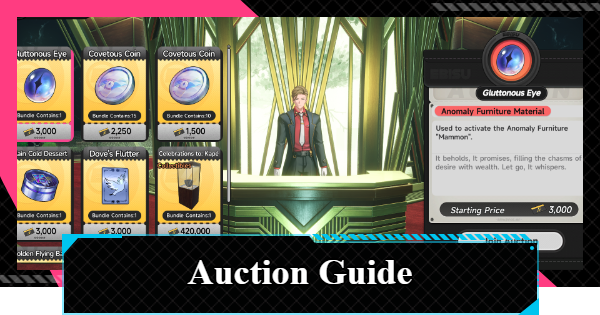
Expensive interior items, such as antiques, can be purchased at an auction. Although the Collection Value gained is high, winning a bid can sometimes cost over 1 million Fons, so try it when you have Fons to spare.
Obtain from the Gacha Machine
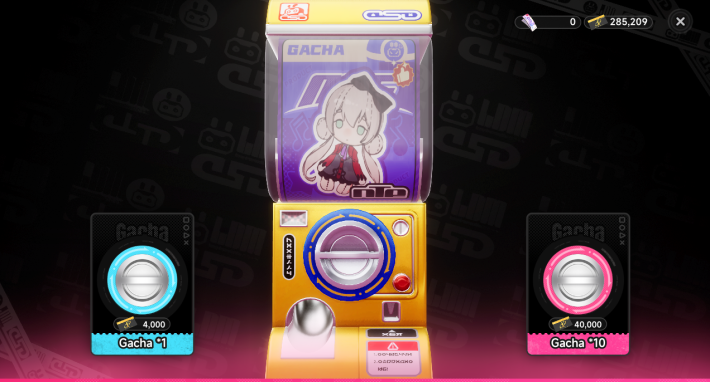
Some figures are dispensed from the Gacha Machine. The figures you get are random, but duplicate figures can be exchanged for a DSD Gacha Card, which you can then use to trade for a figure of your choice.
Get from the Claw Machine
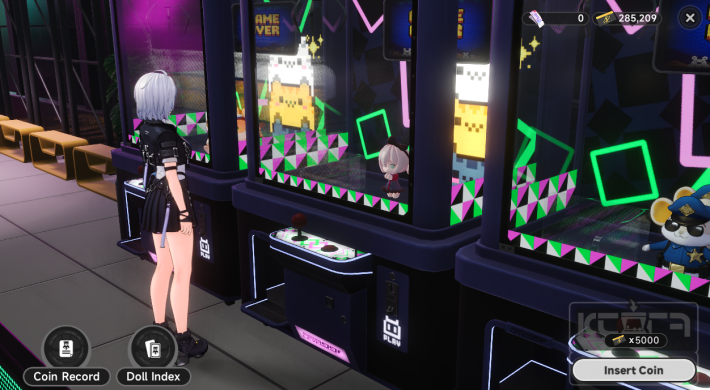
You can get figures from the Claw Machine at the Arcade. You can also view it from the side, so adjust the arm to be directly above the figure and aim to get it.
Find Furniture Around the City
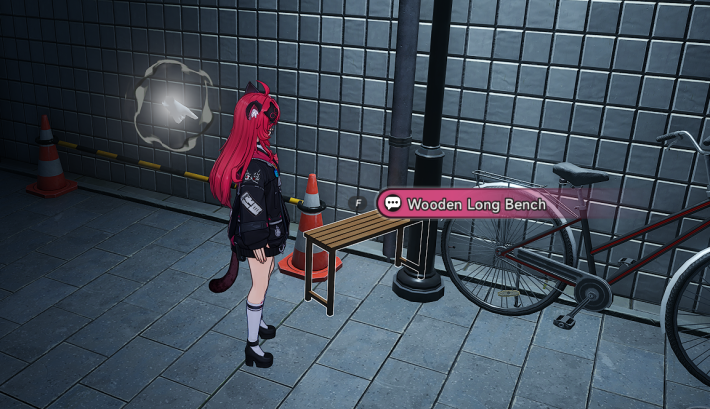
Furniture and figurines can occasionally be found scattered around town, tucked away in places like back alleys. If you're having trouble hunting them down, activate 'The Guide' to track the locations of nearby collectibles.
| Related Articles | |
| All Furniture List | How to Get The Guide |
Anomaly Furniture Unlock Conditions
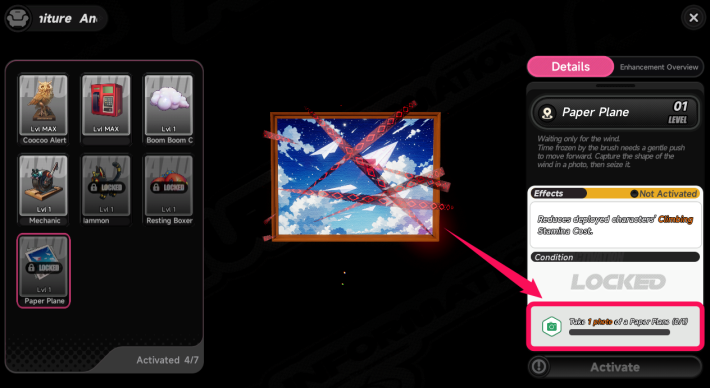
The Anomaly Furniture that comes with a home purchase has special acquisition conditions, such as obtaining specific characters or items. The conditions vary by item, and unlocking them greatly affects gameplay, such as by strengthening characters or increasing the upper limit of Character Pixels.
How to Place and Store Furniture
Furniture Placement Procedure
- Tap the Furniture Placement Button
- Select the Furniture You Want to Place
- Place the Furniture and Confirm
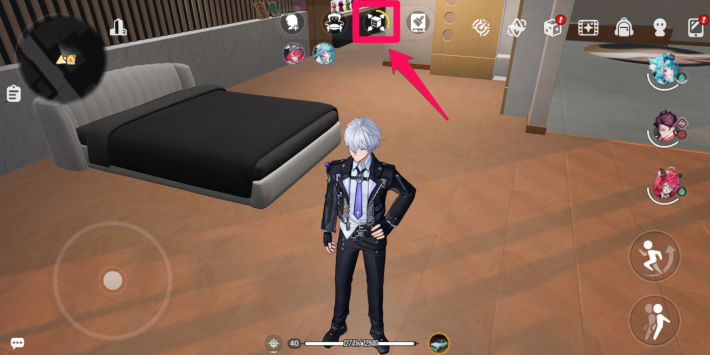
Tap the furniture placement button at the top of the screen.
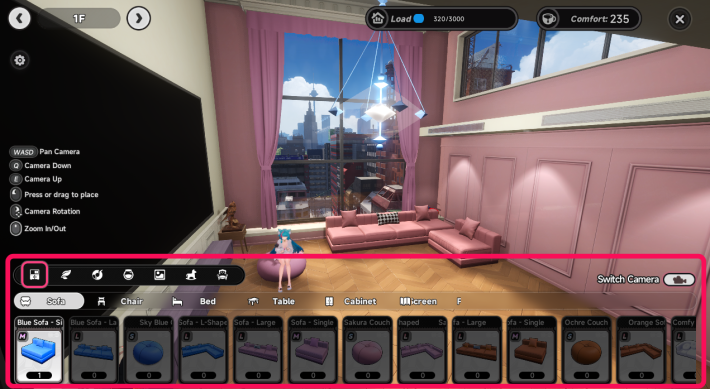
Choose the furniture you want to place.
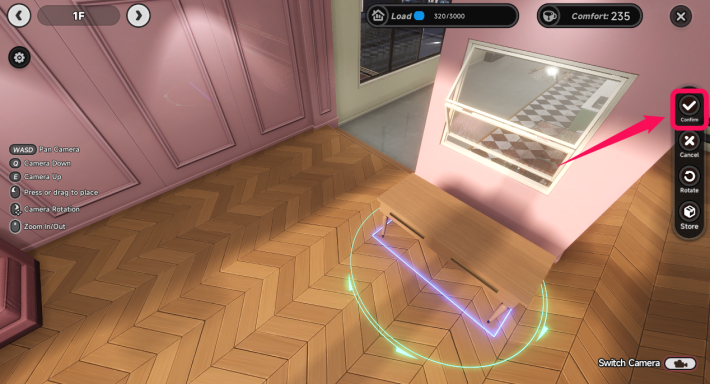
Move the furniture to place it. You can also rotate the furniture by manipulating the circle around it or using the rotation button on the right side of the screen.
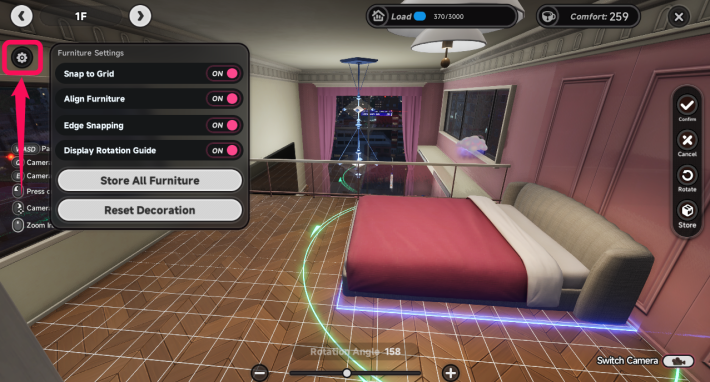
By turning Snap ON in the furniture placement settings, the position and angle of the furniture will be adjusted automatically, allowing for neat placement. Conversely, if you want to make fine adjustments, it's recommended to turn Snap OFF.
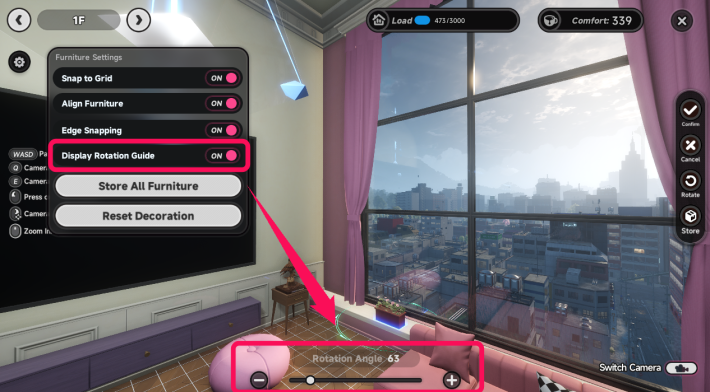
By turning on "Show Rotation Assist Bar" in the furniture placement settings, a rotation assist bar will be displayed at the bottom of the screen. This allows you to adjust the angle in 1-degree increments, which is recommended for fine-tuning angles.
How to Store Furniture
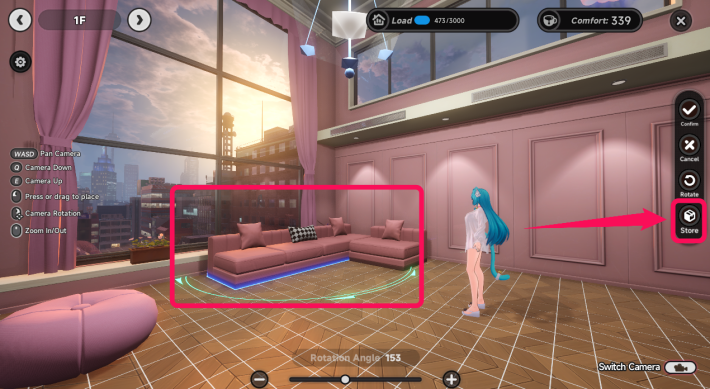
To store furniture, tap the furniture placement button, tap the furniture you want to store, and then tap the store button.
Bulk Storage is Available
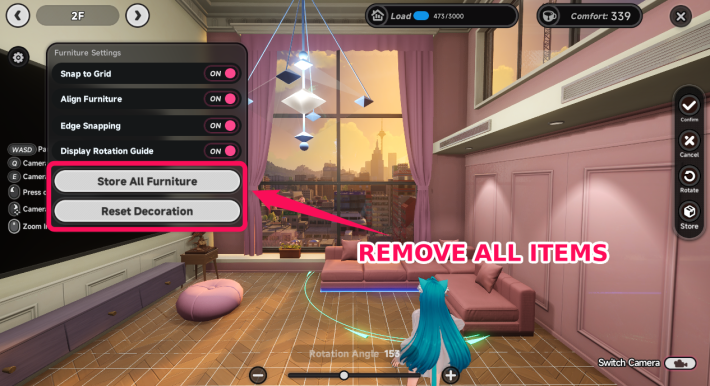
| Button | Storage Method |
| Store All Furniture | Select and store furniture and Anomaly Furniture in bulk |
| Revert to Initial Interior | Store all furniture in bulk + reset Anomaly Furniture to initial placement |
Both buttons in the furniture placement settings allow for bulk storage of furniture. You can manage regular furniture and Anomaly Furniture separately.
NTE Related Articles
Hethereau Hobbies
  The Cafe by Origen The Cafe by Origen |  Owner's Selection Owner's Selection |  Pink Paws Heist Pink Paws Heist |
 Sea Angler Sea Angler |  Mahjong Inferno Mahjong Inferno |  Tetrominoes Tetrominoes |
 Super Sound Super Sound |  Racing Racing |  City Delivery City Delivery |
 Swift Travel Swift Travel |  Fight Club Fight Club | Super Sound |
Hethereau Recommended Guides
 City Stamina Guide City Stamina Guide |  How to Raise Tycoon Level How to Raise Tycoon Level |  Fons Farming Guide Fons Farming Guide |
 Life Skill Tier List Life Skill Tier List |  Oracle Stone Locations Oracle Stone Locations |  Parody Locations Parody Locations |
 Safe Locations Safe Locations |
Things To Do At Hethereau
 Housing
 The Witch's House
 Nacupeda's Pool
 Lost Items
 Auction
Detention Center Related
 Hethereau Detention Center Hethereau Detention Center |  Wanted Level Wanted Level |  How to Escape Prison Guide How to Escape Prison Guide |
| Take Without Permission |  Tornado Boss Guide Tornado Boss Guide | - |











