











How to do City Delivery in NTE (Neverness to Everness). This guide covers how to raise your Professional Rating in City Delivery, tips, and recommended City Delivery methods.
Table of Contents
How to Do City Delivery
City Delivery Step-by-Step
| 1 | 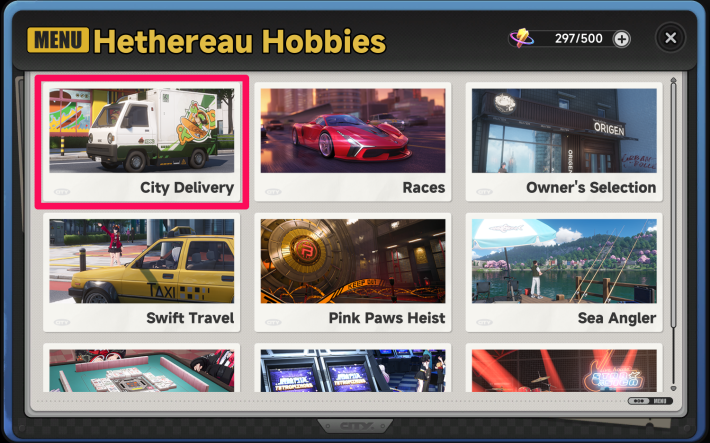  Select "City Delivery" from "Hethereau Hobbies" on the bottom left of the map. Select "City Delivery" from "Hethereau Hobbies" on the bottom left of the map. |
| 2 | 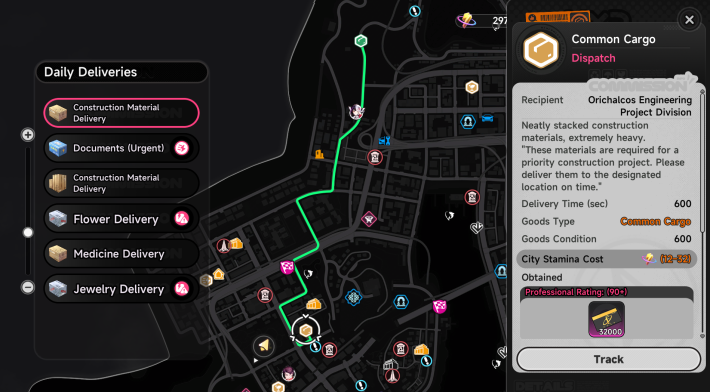 Check the rewards, route, and other details before deciding which City Delivery to accept. Check the rewards, route, and other details before deciding which City Delivery to accept. |
| 3 | 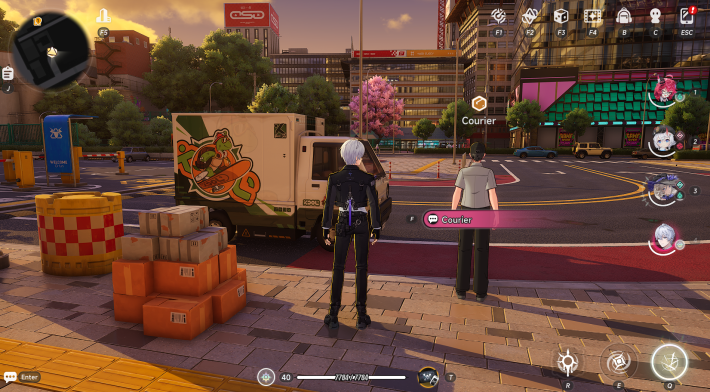 Accept the order from the Courier near the Delivery Vehicle. Accept the order from the Courier near the Delivery Vehicle. |
| 4 | 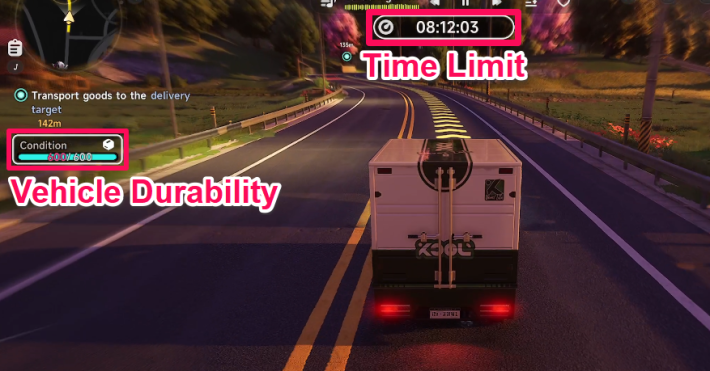 Drive to the destination within the Time Limit without reducing Durability. Drive to the destination within the Time Limit without reducing Durability. |
| 5 | 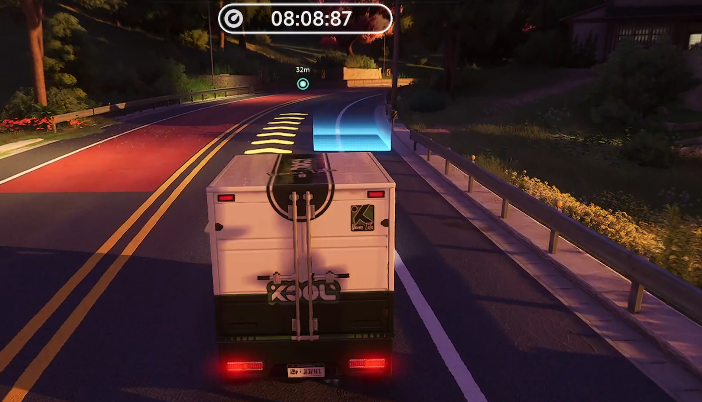 Stop within the blue frame at the destination. Stop within the blue frame at the destination. |
| 6 | 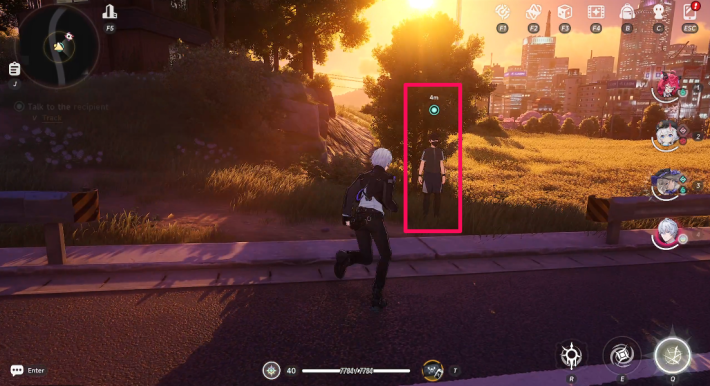 Collect your reward from the NPC near the parking spot. Collect your reward from the NPC near the parking spot. |
Professional Rating Affects Fons Rewards
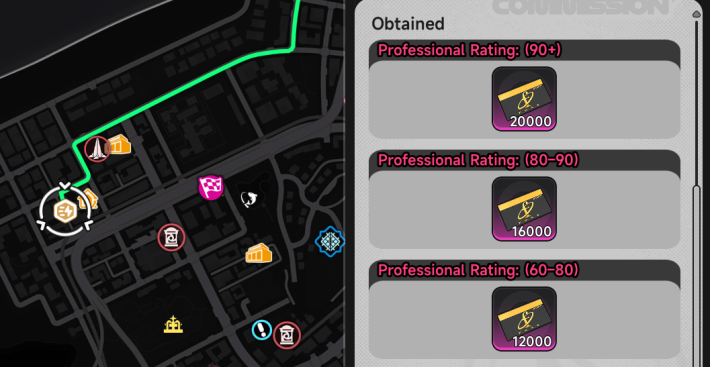
The Fons reward from City Delivery increases or decreases based on durability and remaining time. However, City Stamina consumption when receiving rewards is fixed at 1 per 1000 Fons.
Old Mailbox Unlocks Special Deliveries
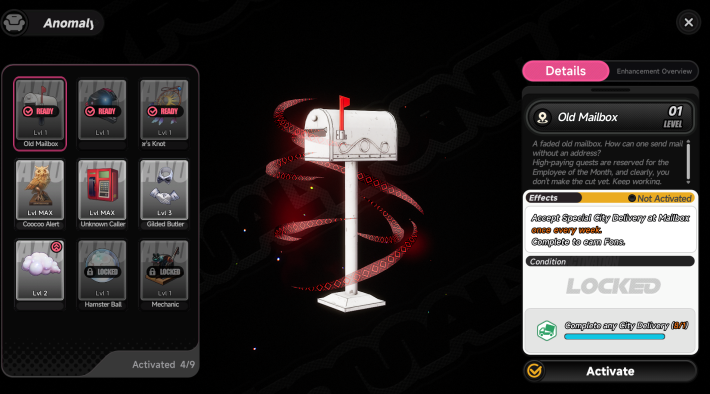
The "Old Mailbox" placed in your apartment allows you to accept one Special City Delivery per week. It is recommended to level up the Old Mailbox as much as possible before attempting it.
Check Special Commissions in City Delivery
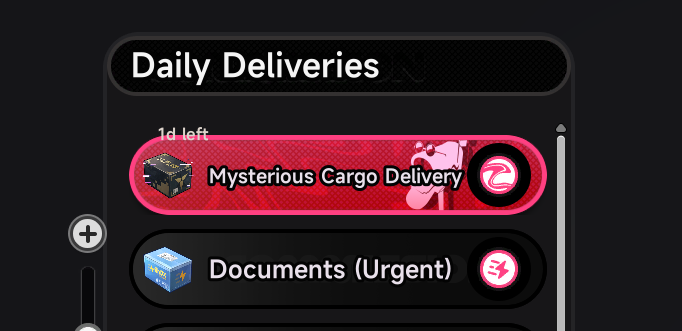
Special City Deliveries are marked with a mailbox icon on the City Delivery screen. If you plan to further level up your Old Mailbox, be careful not to accept the commission by mistake.
Old Mailbox Available in Specific Apartments
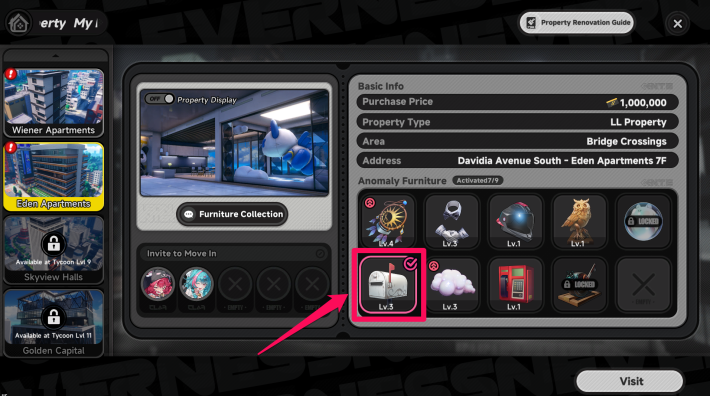
The Old Mailbox Anomaly Furniture is available in Eden Apartments and Golden Capital.
Gain Advantage with Hathor's Skills
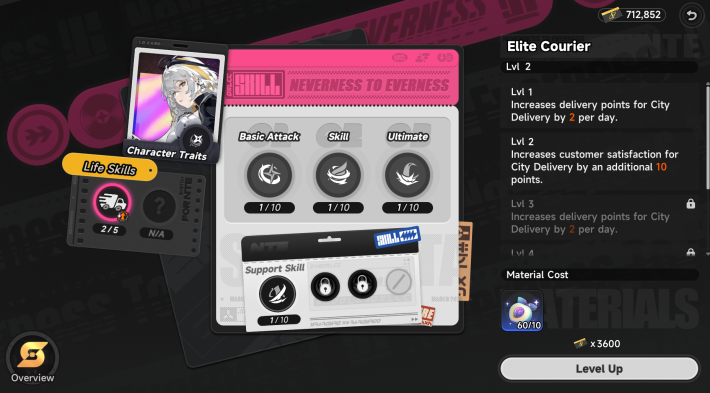
Hathor has Life Skills related to City Delivery that increase Delivery Points and customer satisfaction. When fully upgraded, she can also automatically complete one delivery per day.
City Delivery Tips
Avoid Hitting Walls and Vehicles
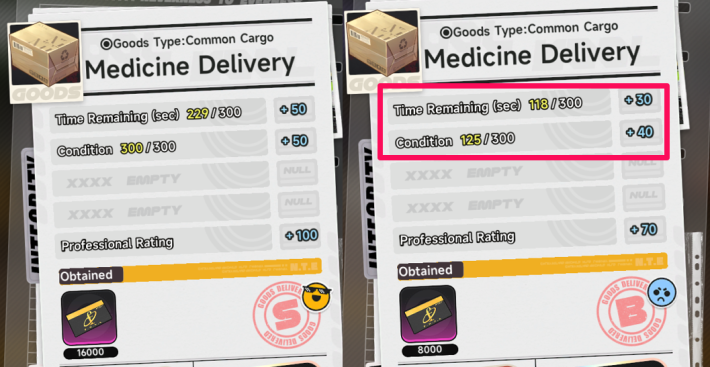
In City Delivery, collisions with walls or vehicles reduce Cargo Durability and lower the Fons earned. Since each delivery can only be accepted once per day, it is recommended to restart if you do not achieve a high Professional Rating.
Check Delivery Route in Advance
When selecting cargo in Hethereau Hobbies’ City Delivery, you can preview the route marked by a green line. This shows straight paths and sharp turns in advance, helping you avoid collisions with walls.
Reach Rating 90 for Max Rewards
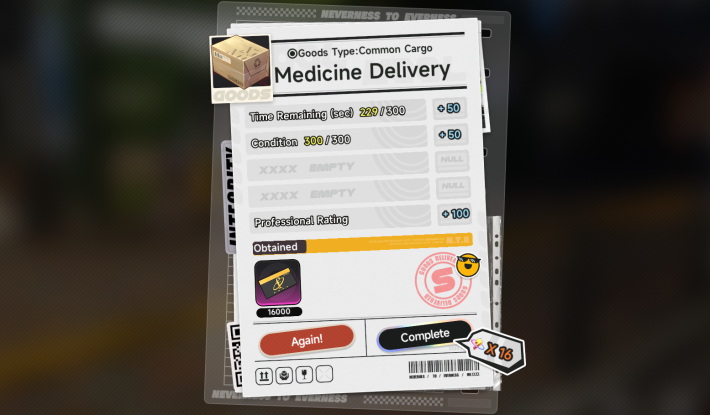
You receive the maximum reward at Professional Rating 90 or higher. As such, it is possible to adjust your run to gain +40 in a single rating category, such as by taking a safer, slower route or prioritizing speed even with minor collisions.
Delivery is Possible with 0 Durability
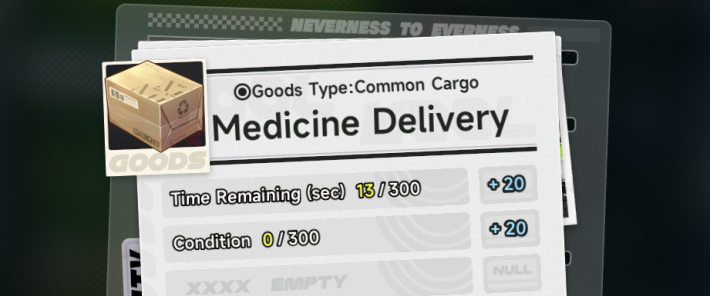
Even if the cargo durability drops to 0, the delivery will not fail. You can still complete it with a +20 Professional Rating. The normal time-based Professional Rating is also applied, so if you are willing to accept slightly lower Fons rewards, you can afford to take more risks during delivery.
Restart by Exiting Vehicle Mid-Delivery
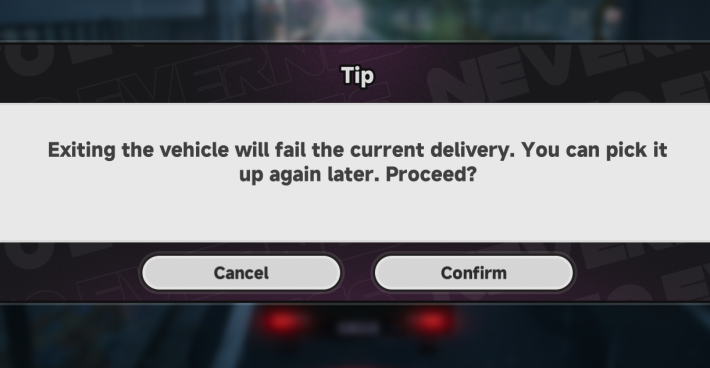
If you exit the vehicle during a delivery, it will fail and restart from the beginning. Use this method to reset mid-run if you are taking too long or have hit too many obstacles.
Running Out of Time Resets the Delivery
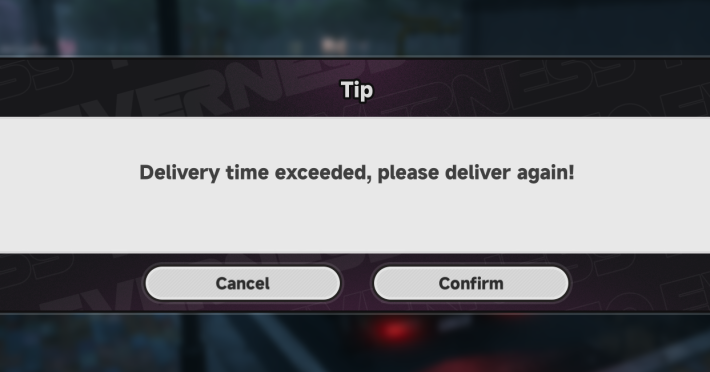
If you exceed the time limit for the delivery, it will restart from the beginning. However, since you must wait nearly 5 minutes for the timer to expire, exiting the vehicle is the faster and recommended method for restarting.
NTE Related Articles
Hethereau Hobbies
  The Cafe by Origen The Cafe by Origen |  Owner's Selection Owner's Selection |  Pink Paws Heist Pink Paws Heist |
 Sea Angler Sea Angler |  Mahjong Inferno Mahjong Inferno |  Tetrominoes Tetrominoes |
 Super Sound Super Sound |  Racing Racing | 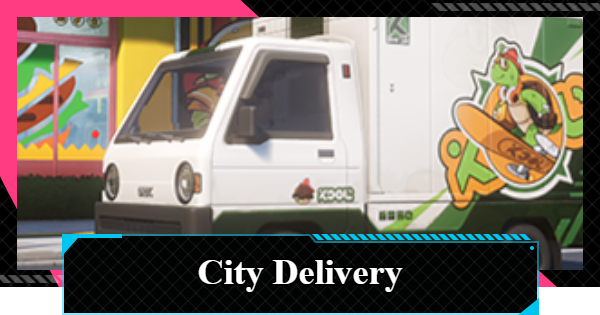 City Delivery City Delivery |
 Swift Travel Swift Travel |  Fight Club Fight Club | Super Sound |
Hethereau Recommended Guides
 City Stamina Guide City Stamina Guide |  How to Raise Tycoon Level How to Raise Tycoon Level | 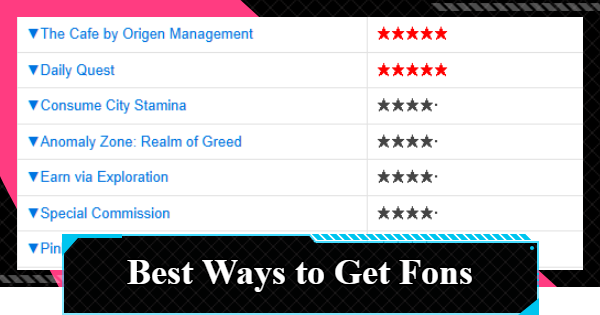 Fons Farming Guide Fons Farming Guide |
 Life Skill Tier List Life Skill Tier List |  Oracle Stone Locations Oracle Stone Locations |  Parody Locations Parody Locations |
 Safe Locations Safe Locations |
Things To Do At Hethereau
 Housing
 Interior
 The Witch's House
 Nacupeda's Pool
 Lost Items
 Auction
Detention Center Related
 Hethereau Detention Center Hethereau Detention Center |  Wanted Level Wanted Level |  How to Escape Prison Guide How to Escape Prison Guide |
| Take Without Permission |  Tornado Boss Guide Tornado Boss Guide | - |











