











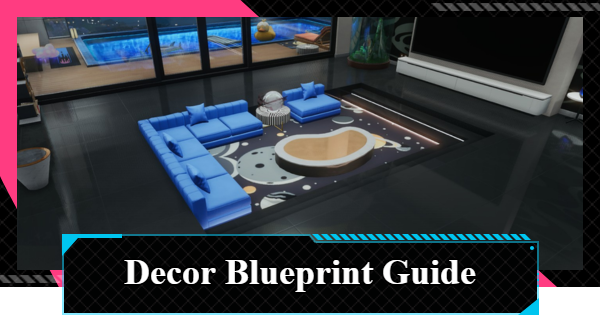
Want to copy amazing apartment layouts in Neverness to Everness (NTE)? Discover how to use the Decor Blueprint feature to import designs, share your home, and manage Blueprint ID.
Table of Contents
What Is a Decor Blueprint?
Share Property Layout via Blueprint ID


The Decor Blueprint is a feature added in the Ver.1.2 update. You can turn your home layout into an alphanumeric Blueprint ID and share it with other players.
How to Buy and Purchase PropertiesShare and Replicate Layouts

A Blueprint ID lets you share your own layouts with other players, or copy someone else's with a single tap. Note that you will still need to purchase the furniture itself.
How to Get and Use Furniture (Decor)Up to 20 Blueprints Can Be Saved
You can save up to 20 Blueprints created by importing a Blueprint ID, so it's easy to swap your layout to suit your purpose and needs.
Layouts Made for Different Properties Cannot Be Copied
You cannot copy a layout built for a property other than your own home. When searching for layouts, search for the same apartment or property name, like Eden Apartments.
How to Copy Blueprint
Decor Blueprint Steps
| 1. |  Interact with the Smart Control in your home Interact with the Smart Control in your home |
| 2. |  Tap Switch Home Decor Tap Switch Home Decor |
| 3. |  Tap Import Blueprint Tap Import Blueprint |
| 4. |  Enter the Blueprint ID and tap Import Enter the Blueprint ID and tap Import |
| 5. |  Check if you have all the required furniture and tap Import Blueprint to finish Check if you have all the required furniture and tap Import Blueprint to finish |
You Can Post to Bagel from My Blueprints

On the My Blueprints screen, there is a share button under each Blueprint. Tap the button to post directly to Bagel.
How to Use Bagel and Earn Praise JamCopy Blueprint ID to Share

To share a layout outside of Bagel, tap the ellipsis (...) under each Blueprint and select Copy Blueprint ID. You can then paste it into any other app or platform.
Also Possible When Creating a Blueprint

You can also post to Bagel or copy the Blueprint ID when you create a Blueprint.
NTE Related Articles
Return to HomeRecommended Articles
Recommended Guide Articles
 Early Game Guide
 Mid-Game Guide
 Daily Things to Do
 Team Building Tips
 Hunter Level
 Appraisal Level
 Anomaly Commission List
 Beyond the Rails
 Get Chiz for Free
 Get Free S-Rank Arcs
 Mall Guide
 Oracle Stone
 Interactive Map
 Best In-Game Purchases
 How to Min-Max Consoles
 Hunter Exchange
 Latest Updates
Database
 All Items List All Items List |  All Furniture List All Furniture List |  Fish List Fish List |
 Vehicles List Vehicles List |  Hidden Achievements Hidden Achievements |  Voice Actor Cast Voice Actor Cast |
 Outfits and Skins Outfits and Skins |  Arcs Weapon List Arcs Weapon List |  All Cartridges List All Cartridges List |
 Gacha Machine Locations Gacha Machine Locations |  Achievements List Achievements List |  Common Enemy List Common Enemy List |










