











Learn how to drift, maintain speed, and vehicle control in NTE. This guide covers driving techniques, best drifting settings, beginner vehicles, and tips for handling sharp turns.
Table of Contents
| Vehicle Articles | |
|---|---|
| Buy and Drive Vehicles | Racing Guide |
| Vehicle Modification | Vehicles List |
| Drifting Tips & Settings | How to Get K01 |
| How to Use Autopilot | |
How to Drift and Its Benefits
Sharp Turns While Maintaining Speed
Drifting in NTE allows you to corner efficiently without losing significant speed. While it is not effective on straightaways, it is highly useful for handling sharp bends and maintaining momentum through turns.
  Tip! Tip! | For slight curves, simply driving straight or lightly decelerating is usually sufficient. Because of this, drifting is mainly recommended during Racing, where maintaining speed through corners is more important. |
|---|
⮟Tips for Driving Without Losing Speed
How to Drift
- Review the Settings First
- Use the Handbrake on Turns
- Release Handbrake at the Right Angle
Before driving, it is recommended to adjust your settings for better vehicle control. In particular, lowering the frame rate can make drifting easier to perform consistently.
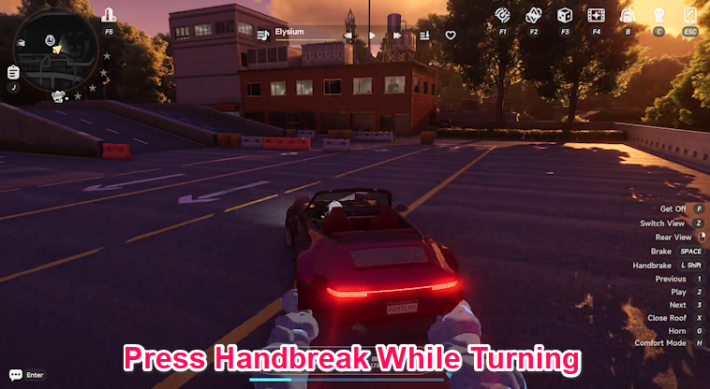
To initiate a drift, use the handbrake while turning. While holding the accelerator, steer in the direction you want to turn and activate the handbrake to begin drifting.
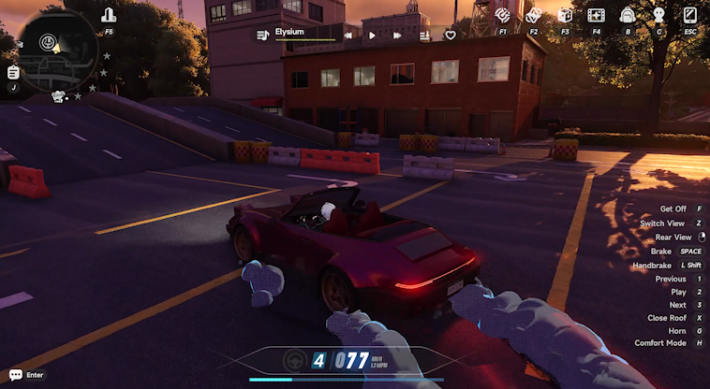
Once the vehicle reaches the proper angle for the turn, release the handbrake. For right-angle corners, a light tap is usually enough to swing the vehicle sideways. After that, steer toward your intended direction while avoiding collisions with nearby obstacles.
Speed Retention Tips
Maintain Speed on Straightaways
To maintain speed while driving in NTE, focus on keeping your vehicle moving in a straight line whenever possible. After reaching top speed, avoid unnecessary swerving and dodge obstacles with minimal steering input to preserve momentum.
Cut Inside on Gentle Curves
On gentle curves, taking the inside line creates a straighter path and helps maintain speed. Since excessive weaving reduces momentum, avoid unnecessary swerving, as it can make steering corrections slower and less stable.
Avoid Head-On Collisions with Obstacles
The biggest factor in losing speed is colliding head-on with obstacles or other vehicles. Since collisions completely stop your momentum and force you to recover, it is better to slow down slightly with the brakes than risk crashing.
Slow Down Instead of Drifting
Drifting can help you maintain some speed while turning, but sudden braking may cause the vehicle to swerve, increasing the risk of hitting walls or other vehicles and losing time. In most situations, it is safer and more efficient to slow down slightly before the turn and corner normally without drifting.
| Tip! | Whenever possible, cut corners to shorten the distance traveled and maintain better overall speed. |
|---|
Handle Sharp Turns with Drifting
For sharp corners that cannot be handled by slowing down alone, use drifting to maintain speed through the turn. Since drifting is difficult to control and can easily cause the vehicle to swerve, it is best reserved for specific situations, such as Racing.
Check Vehicle Condition if Speed Drops
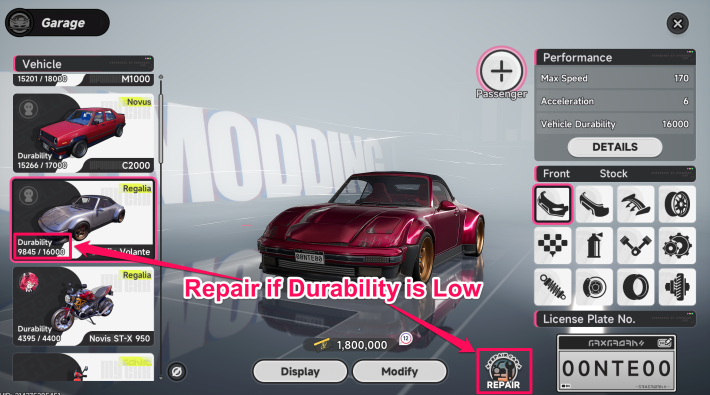
If your vehicle is not accelerating properly, its durability may be critically low. This is especially noticeable when the vehicle appears heavily damaged. Check its condition and repair it if necessary.
Vehicle Upgrades Are Recommended
Besides repairs, you can improve vehicle performance by installing upgraded parts through modifications. To increase overall speed, focus on upgrading the engine and transmission. For better cornering performance, upgrading the brakes and tires is recommended.
Vehicle Modification & Benefits
Best Beginner Vehicles
Griffin Volante and Novis ST-X 950
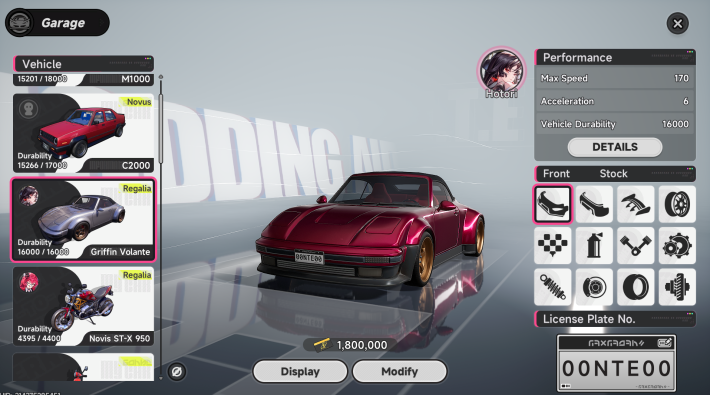
The recommended beginner vehicles in NTE are the "Griffin Volante" for cars and the "Novis ST-X 950" for motorcycles. Both offer strong performance for their cost and provide excellent value, making them ideal upgrade options from your starting vehicle.
Motorcycles Are Better for Exploration
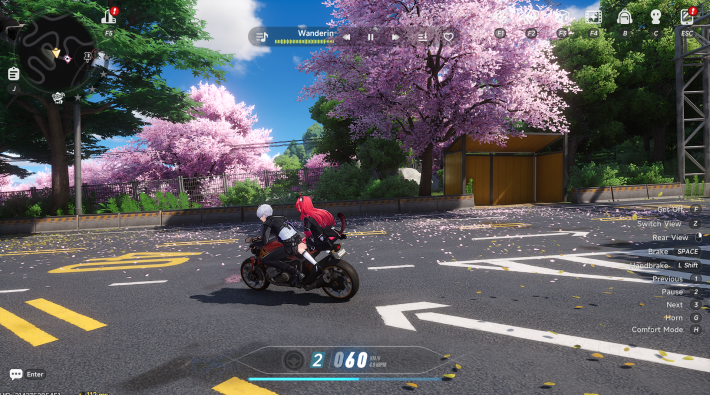
One advantage of motorcycles is their convenience, as they can be summoned even in restricted areas such as residential districts. Their compact size also makes them easier to maneuver around obstacles. For short-distance travel from a Teleport Point, motorcycles are generally recommended despite being slower than cars.
Cars Are Faster for Races
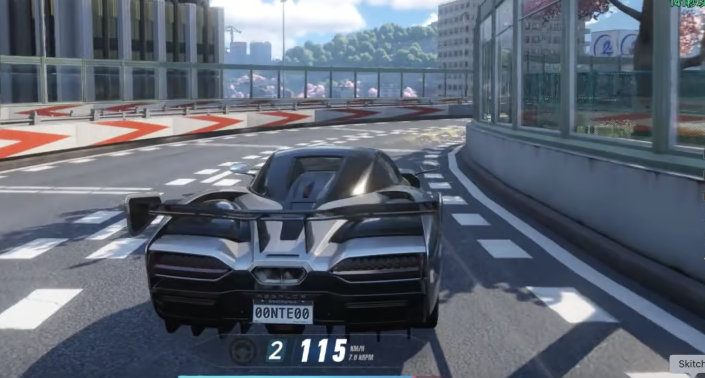
Cars have a higher top speed than motorcycles, making them more efficient for traveling across the city. In addition, they are essential for participating in "Races" within Hethereau Hobbies, so owning a high-performance car can provide a significant advantage.
Best Drifting and Driving Settings
Lower FPS for Easier Turning
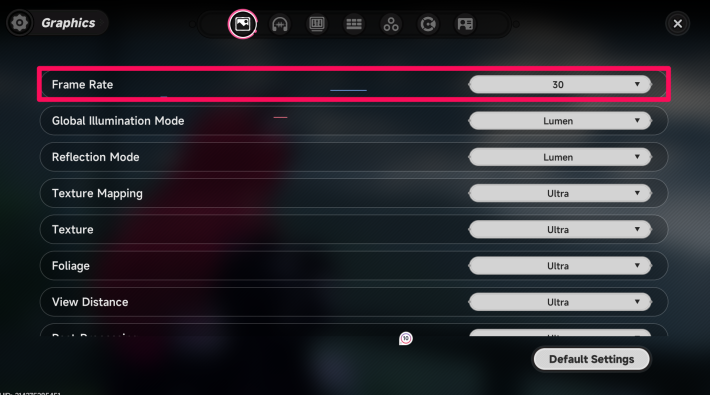
Setting the "Frame Rate" to 30 FPS in the settings menu makes vehicles respond more strongly to steering inputs during turns. Although movement may appear less smooth, this setting can make sharp cornering and quick direction changes easier to handle
| Tip! | If the controls feel sluggish or unresponsive, try lowering the graphics quality settings to improve handling responsiveness. |
|---|
Best Graphics Settings to Fix Lag
Reduce Traffic Density
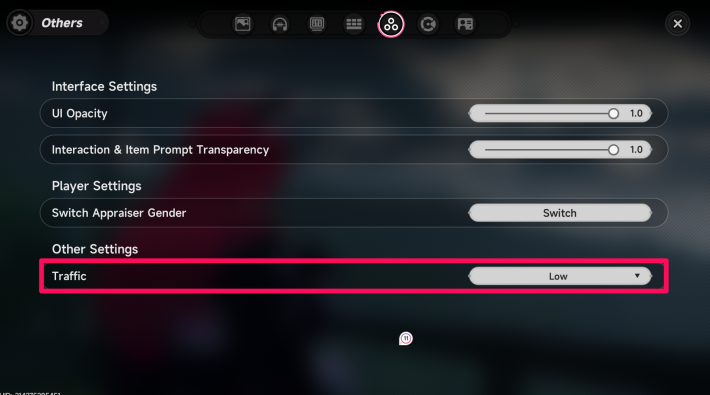
Lowering the "Traffic System" setting under the "Other" tab reduces the number of vehicles that appear in the world. Since heavy traffic can interfere with driving, reducing this setting can make travel smoother and easier.
A Controller is Recommended
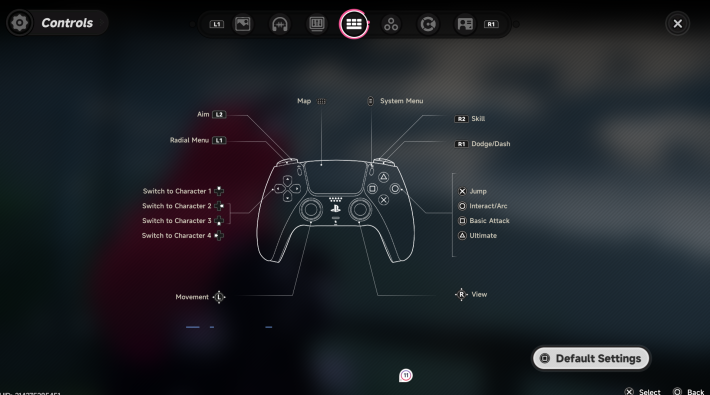
Using a controller is recommended, as analog stick controls provide smoother and more intuitive vehicle handling.
NTE Related Articles
Return to HomeRecommended Articles
Recommended Guide Articles
 Early Game Guide
 Mid-Game Guide
 Daily Things to Do
 Team Building Tips
 Hunter Level
 Appraisal Level
 Anomaly Commission List
 Beyond the Rails
 Get Chiz for Free
 Get Free S-Rank Arcs
 Mall Guide
 Oracle Stone
 Interactive Map
 Best In-Game Purchases
 How to Min-Max Consoles
 Hunter Exchange
 Latest Updates
Database
  All Items List All Items List |  All Furniture List All Furniture List |  Fish List Fish List |
 Vehicles List Vehicles List |  Hidden Achievements Hidden Achievements |  Voice Actor Cast Voice Actor Cast |
 Outfits and Skins Outfits and Skins |  Arcs Weapon List Arcs Weapon List |  All Cartridges List All Cartridges List |
 Gacha Machine Locations Gacha Machine Locations |  Achievements List Achievements List |  Common Enemy List Common Enemy List |











