











This article explains whether cross-save is available in NTE (Neverness to Everness). Covering supported platforms, how to cross-save, and how to check your currently used devices.
| Related Guides | |
| Supported Platforms | Recommended Specs |
| PC Version | Mobile Version |
| How to Download on PS5 | Cross-Save |
| Nintendo Switch | |
Is Cross-Save Available?
NTE Supports Cross-Save
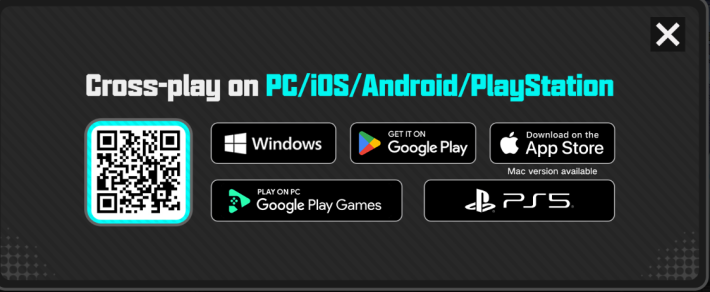

| Supported Platforms | |
| PC | PS5 |
| Android | iOS |
NTE is supported on four platforms, and you can share data between them. No matter which device you launch the game on, you can continue playing with your progress carried over.
Log in with the Same Account
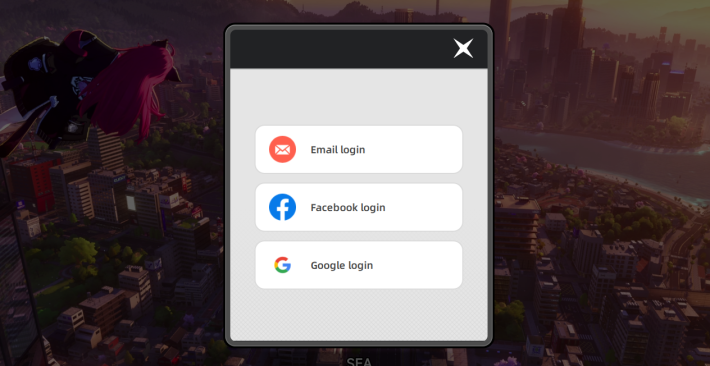
When sharing saves with other platforms, make sure to log in with the same account. If you log in with a different account, new data will be created.
Account Cannot Be Used Simultaneously
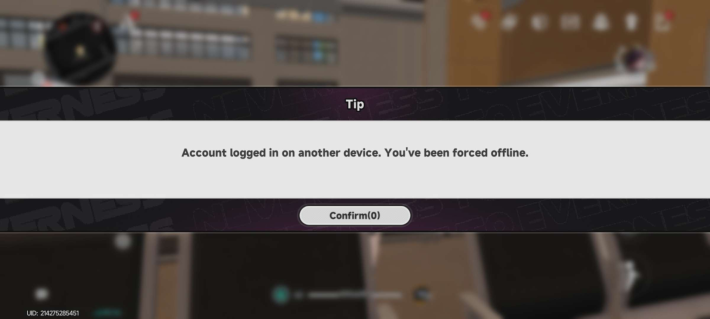
If you log in to the same account from a different platform while the game is running, the first session will be forcibly closed. You will also need to re-enter your login information, so avoid launching the game simultaneously.
How to Cross-Save
- Install the Game
- Log in Using the Same Method
- Enter Your Account Information
- Can Play While Sharing Data

Install NTE on the platform you want to share data with.
Log in using the same account method as the platform you want to share data with.
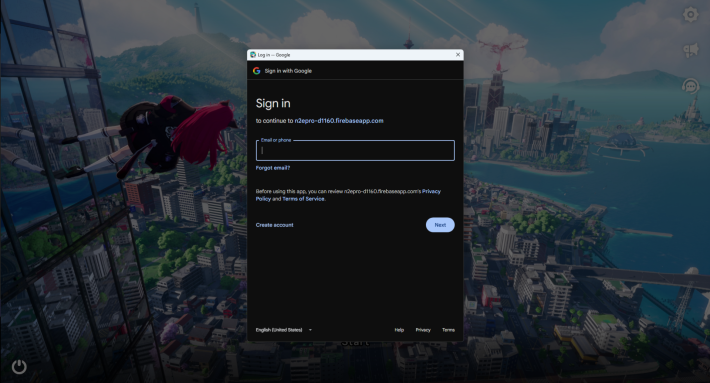
Follow the in-game instructions and enter the account information for the platform you want to link or share data with.
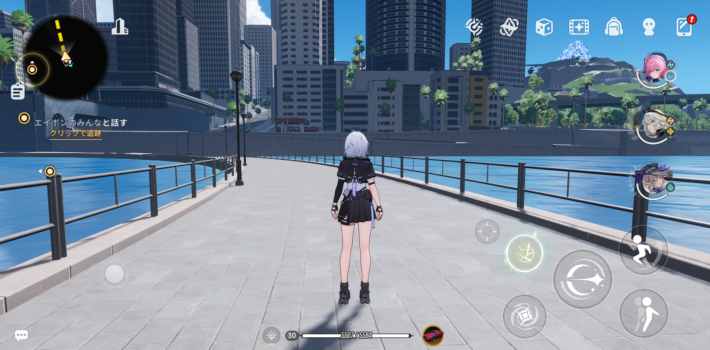
Once the login is successful, you will be able to play NTE with your save data shared across linked platforms.
How to Check Your Devices
- Open the Menu
- Select Settings
- Open the Rightmost Tab
- Press "Go" in the User Center
- Check the "Manage Device"
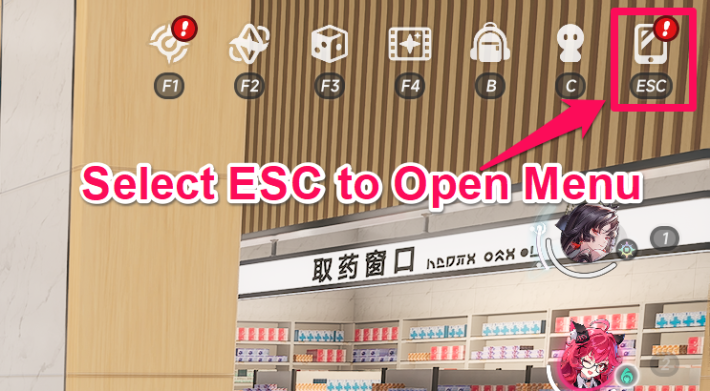
To check the devices your account is linked to, open the Menu screen.
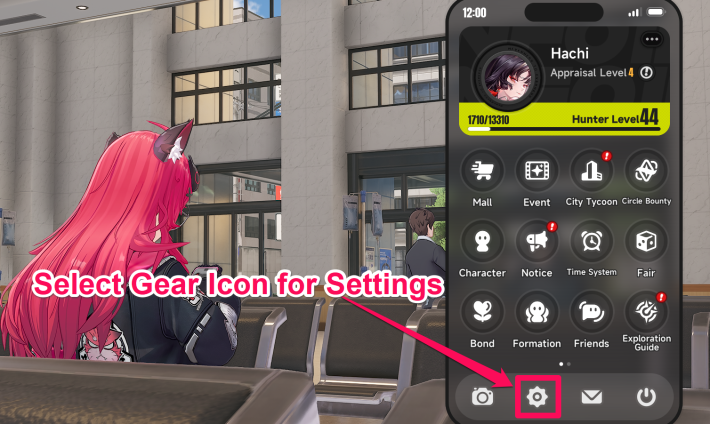
Access the Settings menu by selecting the gear icon at the bottom of the Menu screen.
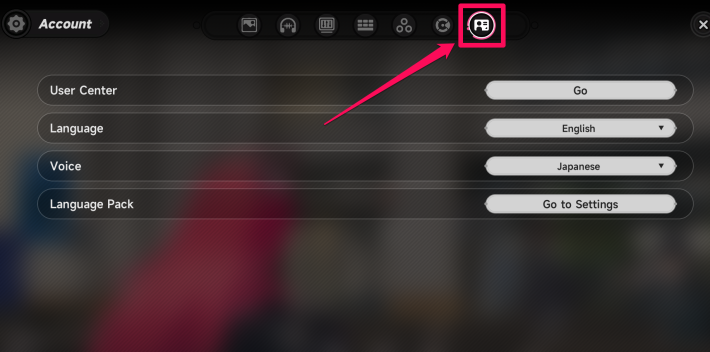
Select the "Account" tab at the top of the Settings screen.
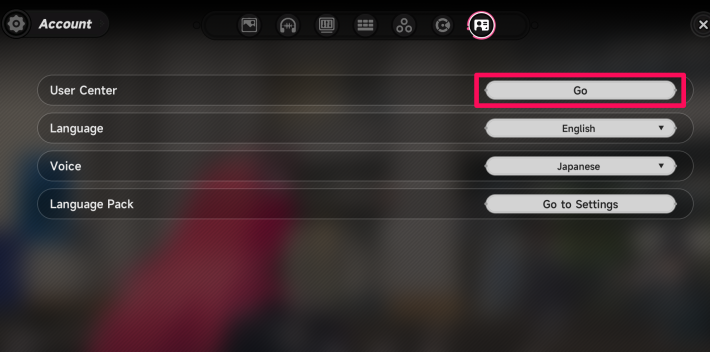
Press the "Go" button in the User Center to view your account information.
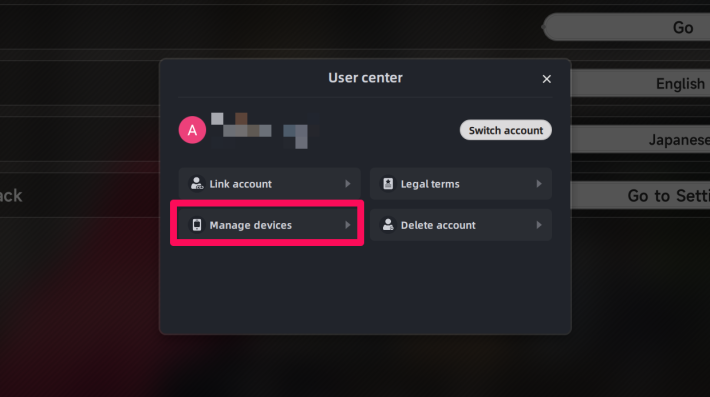
In Manage Device, you can see a list of the devices you are currently using.
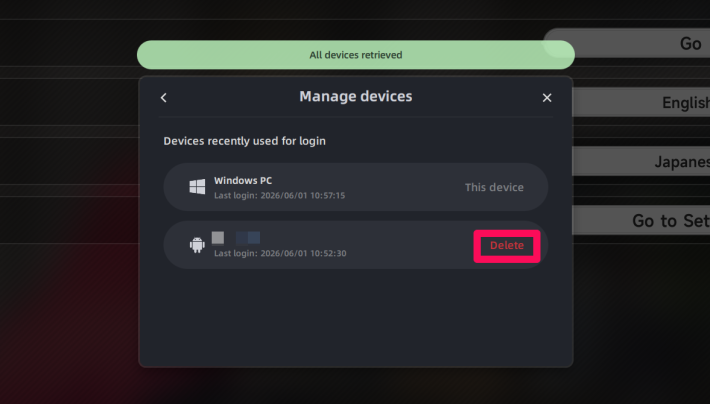
Remove any devices you no longer use from the "Manage Device" screen to keep your account secure.
NTE Related Articles
Return to HomeRecommended Articles
Recommended Guide Articles
 Early Game Guide
 Mid-Game Guide
 Daily Things to Do
 Team Building Tips
 Hunter Level
 Appraisal Level
 Anomaly Commission List
 Beyond the Rails
 Get Chiz for Free
 Get Free S-Rank Arcs
 Mall Guide
 Oracle Stone
 Interactive Map
 Best In-Game Purchases
 How to Min-Max Consoles
 Hunter Exchange
 Latest Updates
Database
  All Items List All Items List |  All Furniture List All Furniture List |  Fish List Fish List |
 Vehicles List Vehicles List |  Hidden Achievements Hidden Achievements |  Voice Actor Cast Voice Actor Cast |
 Outfits and Skins Outfits and Skins |  Arcs Weapon List Arcs Weapon List |  All Cartridges List All Cartridges List |
 Gacha Machine Locations Gacha Machine Locations |  Achievements List Achievements List |  Common Enemy List Common Enemy List |











