











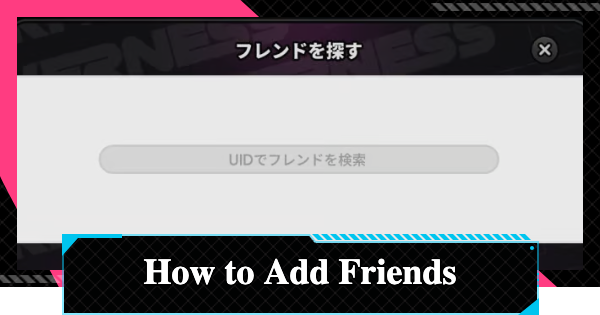
How to add friends in NTE (NTE: Neverness to Everness). This guide includes how to add friends, send friend requests, accept requests, and the benefits of adding friends.
Table of Contents
How to Add Friends
Search via UID & Send a Request
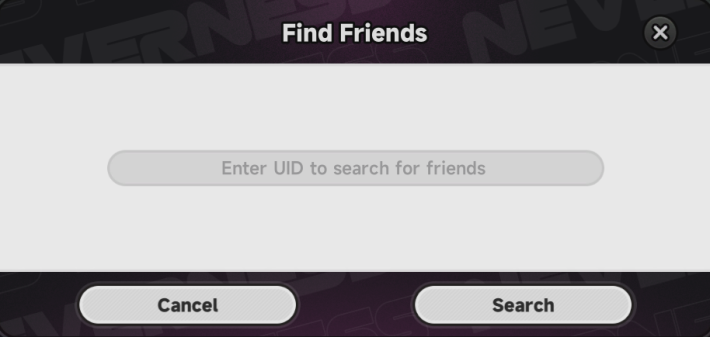

In NTE, you can add friends by either accepting requests or sending them to other players. However, to send a friend request, you will need the other player's UID. Ask your friends for their UID in advance.
Accept Request in Friends Tab
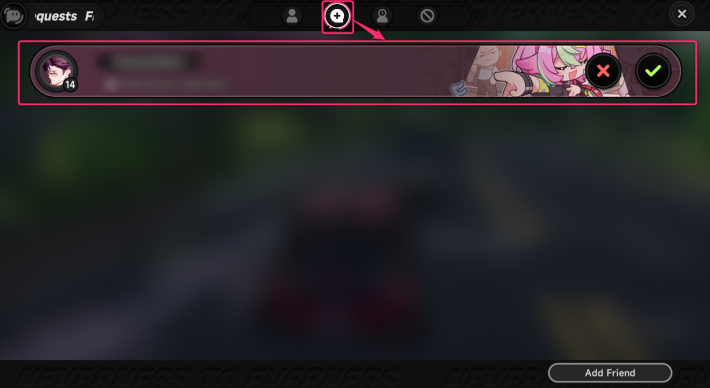
Friend requests you receive can be seen in the Friends tab, which can be accessed through the menu. Whenever you get a request, a red mark will appear on the Friends icon!
UID is Found on Bottom Left of Screen
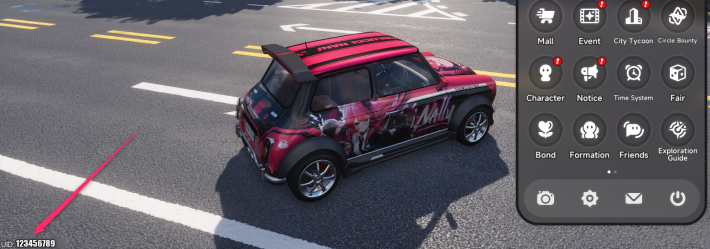
Your player UID can be found on the bottom-left corner of your screen. If you want a friend to add you, make sure to give them your 12-digit UID.
How to Send Friend Requests
| 1 | 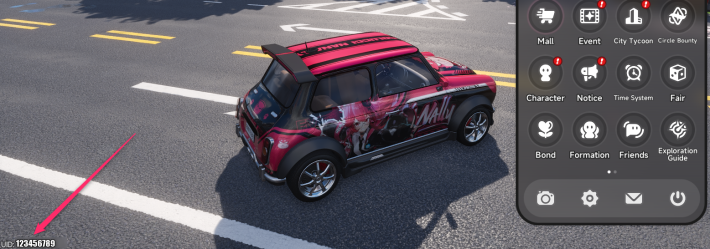 Ask for the UID of the player you want to add. Ask for the UID of the player you want to add. |
| 2 | 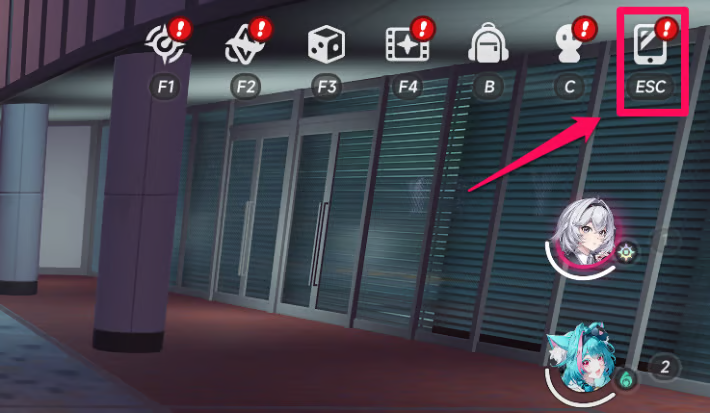 Open the Menu from the top right corner of the screen. Open the Menu from the top right corner of the screen. |
| 3 | 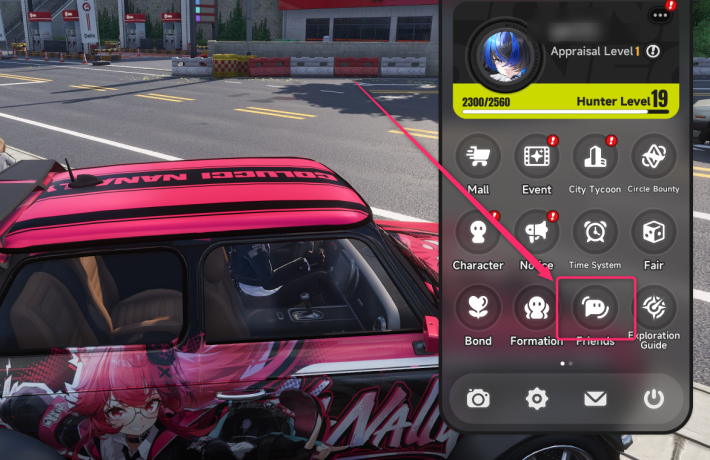 Open "Friends" from the menu. Open "Friends" from the menu. |
| 4 | 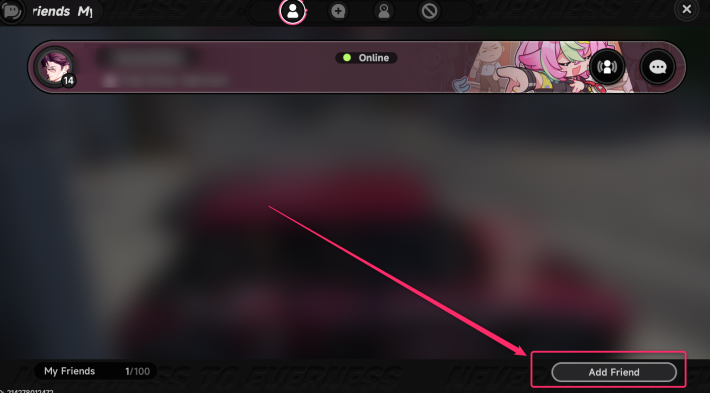 Open "Add Friend" at the bottom right of the screen. Open "Add Friend" at the bottom right of the screen. |
| 5 | 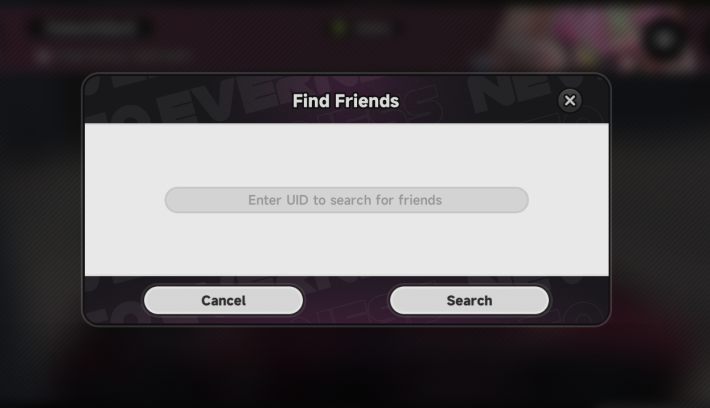 Enter the player's UID. Enter the player's UID. |
| 6 | 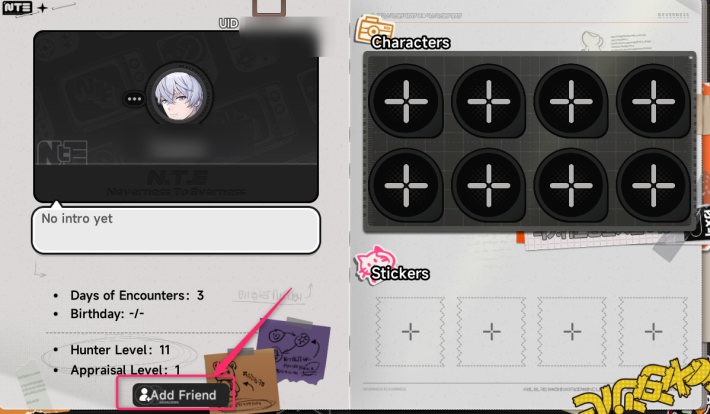 Tap "Add Friend" at the bottom left of the player's profile to send a request. Tap "Add Friend" at the bottom left of the player's profile to send a request. |
| 7 | 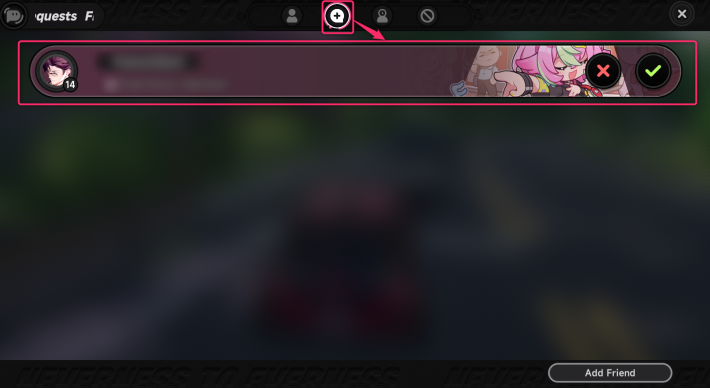 The player who received the request can approve it from the "Requests" tab (second from the left) The player who received the request can approve it from the "Requests" tab (second from the left) |
Benefits of Adding Friends
Invite Friends to Your Town
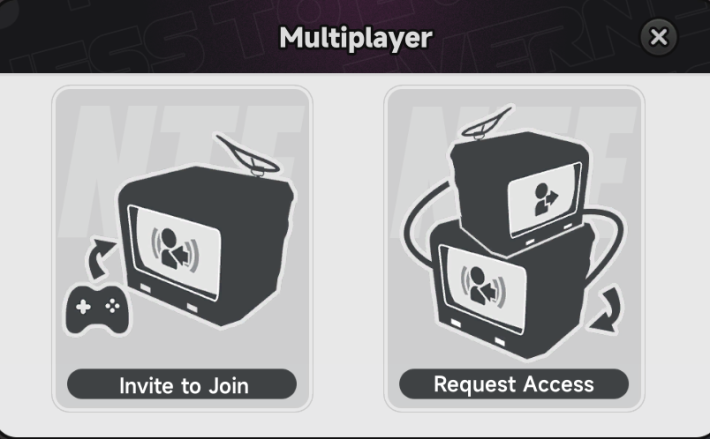
Friends can gather in the same town to explore and fight enemies. You can even ride vehicles with up to two other players!
Play Games With Friends
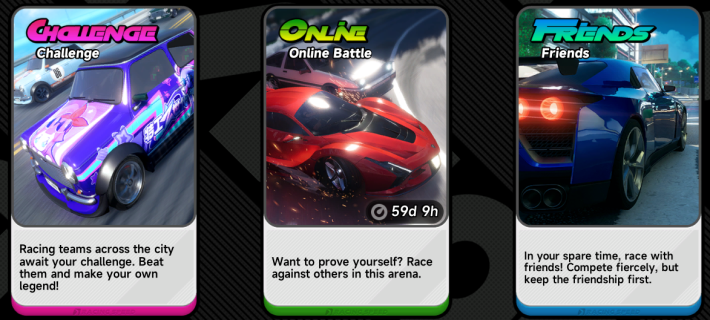
With Hethereau Hobbies, you can compete against friends in a variety of games. Matchmaking with strangers is also available, but you are free to play with your friends at any time.
Chat With Friends
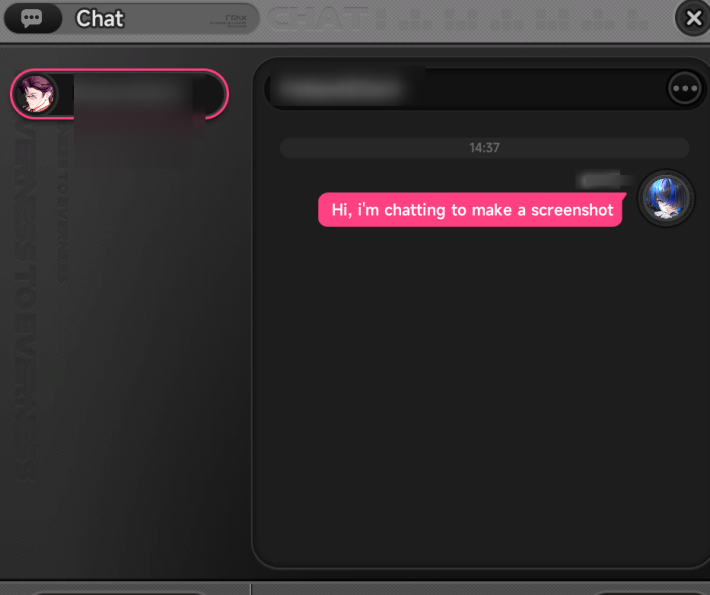
You can send messages and chat with your friends by typing your own messages or sending stickers!
NTE Related Articles
Return to HomeRecommended Articles
Recommended Guide Articles
 Early Game Guide
 Mid-Game Guide
 Daily Things to Do
 Team Building Tips
 Hunter Level
 Appraisal Level
 Anomaly Commission List
 Beyond the Rails
 Get Chiz for Free
 Get Free S-Rank Arcs
 Mall Guide
 Oracle Stone
 Interactive Map
 Best In-Game Purchases
 How to Min-Max Consoles
 Hunter Exchange
 Latest Updates
Database
  All Items List All Items List |  All Furniture List All Furniture List |  Fish List Fish List |
 Vehicles List Vehicles List |  Hidden Achievements Hidden Achievements |  Voice Actor Cast Voice Actor Cast |
 Outfits and Skins Outfits and Skins |  Arcs Weapon List Arcs Weapon List |  All Cartridges List All Cartridges List |
 Gacha Machine Locations Gacha Machine Locations |  Achievements List Achievements List |  Common Enemy List Common Enemy List |











