

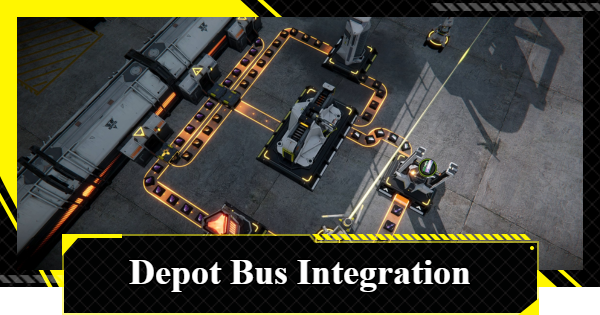
Clear the Depot Bus Integration simulation in Arknights: Endfield! Our guide helps you build LC Valley Batteries, craft Buck Capsule C, and secure the 6/min yield bonus goal.
Table of Contents
Depot Bus Integration Overview
Depot Bus Integration Objectives
| Main Objective | - Use the Depot Bus to produce LC Valley Batteries and store them in the Depot. - Use the Depot Bus to produce Buck Capsules [C] and store them in the Depot. |
|---|---|
| Bonus Goal | - Reach a stable Buck Capsule [C] yield of 6/min. |
| Rewards | - Oroberyl ×25 - Operational EXP ×100 |
| Bonus Goal Rewards | - Oroberyl ×15 |
Depot Bus Integration Simulation Chart
- Set Up an LC Valley Battery Production Line
- Connect the Right Amethyst Depot Unloader to the Left Refining Unit
- Connect the Left Originium Depot Unloader to the Shredding Unit on the Right
- Connect the Left Refining Unit to the Fitting Unit, then to the Packaging Unit
- Connect the Right Shredding Unit Output to the Packaging Unit
- Connect the Packaging Unit Output to the Depot Loader
Set Up an LC Valley Battery Production Line


For your first objective, you'll need to set up an LC Valley Battery production line and store them in a Depot Loader. The facilities you'll need are already built, so all you need to do here is run a transport line and connect the facilities to for production.

The only catch here is that you can't change or switch the items in the Depot Unloader so you'll have to make do with a longer production line. Don't worry, though, because even if your production lines overlap, a Belt Bridge will be automatically created.
How to Create and Use a Belt BridgeConnect the Right Amethyst Depot Unloader to the Left Refining Unit

Connect the right Amethyst Depot Unloader to the left Refining Unit. This is the first of two connections that need to be set up before the production chain can run.
Connect the Left Originium Depot Unloader to the Shredding Unit on the Right

Connect the left Originium Depot Unloader to the Shredding Unit on the right. With both input connections in place, the two production lines can now start feeding into the Packaging Unit.
Connect the Left Refining Unit to the Fitting Unit, then to the Packaging Unit

Connect the left Refining Unit output to the bottom Fitting Unit. This feeds the first of the two required ingredients in creating an LC Valley Battery.
Connect the Shredding Unit to the Packaging Unit

Run a transport belt to connect the Shredding Unit to the Packaging Unit. Then you'll need to connect the output of both the Shredding Unit and Fitting Unit to the Packaging Unit. Both ingredient lines are now supplying the Packaging Unit.
Connect the Packaging Unit Output to the Depot Loader

Connect the Packaging Unit to the Depot Loader in the middle of the two Depot Unloaders. Wait for the LC Valley Battery to finish crafting. Your production line should look similar to the image above. This completes the main objective.
Depot Bus Integration Bonus Goal
- Set Up the Depot Unloader and Seed-Picking Unit (Right Side)
- Connect the Seed-Picking Unit to Both Planting Units
- Connect the Planting Unit to a Shredding Unit
- Connect the Shredding Unit to the Filling Unit
- Build 2 Depot Unloaders and Another Refining Unit for Amethyst Ores
- Connect Both Refining Units to the Moulding Unit
- Connect the Moulding Unit to the Filling Unit
- Connect the Filling Unit Output to the Depot Loader
Set Up the Depot Unloader and Seed-Picking Unit (Right Side)

To complete the bonus goal, hover to the right side of the AIC where you'll need to set up a Buck Capsule [C] production at a yield of 6/min.
To start, place a Depot Unloader at the top Depot and set it to Buckflower. Connect it to one input of the Seed-Picking Unit. This starts the production chain for Buck Capsule [C].
Connect the Seed-Picking Unit to Both Planting Units

Connect the Seed-Picking Unit to the both Planting Units. Then loop a connection from the Planting Unit back to the Seed-Picking Unit. This creates a basic farming loop for Buckflower.
Connect Planting Unit to the Shredding Unit

Connect the output of the left Planting Unit to the Shredding Unit to create Buckflower powder.
Connect the Shredding Unit to the Filling Unit

Connect 2 outputs of the Shredding Unit to two inputs of the Filling Unit. The right-side production chain is now fully connected.
Build 2 Depot Unloaders and Another Refining Unit for Amethyst Ores

Place two Depot Unloaders on the left and set both to Amethyst Ores. Next, build another Refining Unit and place it within the range of the electric pylon.
Once that's done, connect each Unloader to both Refining Units. This sets up an efficient input supply for the Amethyst Bottle production chain and will allow you to achieve the bonus goal.
Connect Both Refining Units to the Moulding Unit

Connect both Refining Unit outputs to the Moulding Unit. This produces Amethyst Bottles needed for Buck Capsule [C] production.
Connect the Moulding Unit to the Filling Unit

Connect the output of the Moulding Unit to the Filling Unit. Both the right side (Buckflower chain) and the left side (Amethyst Bottle chain) are now feeding the Filling Unit.
Connect the Filling Unit Output to the Depot Loader

For the final steps, build a Depot Loader and run a transport belt to connect it to the Filling Unit's output port. Wait for the Buck Capsule C production to stabilize at 6/min to complete the bonus goal.
Related Arknights: Endfield Articles
Back to Top PageValley IV Simulations
Wuling Simulations
| Pipes and Fluids | Reactor Crucible | Filling Unit (Fluid) |
| Planting Unit and Pipe Splitter | Sprinkler | Pipe Logistics |
| Reactor Expansion | Forge of the Sky | Separating Unit |












