

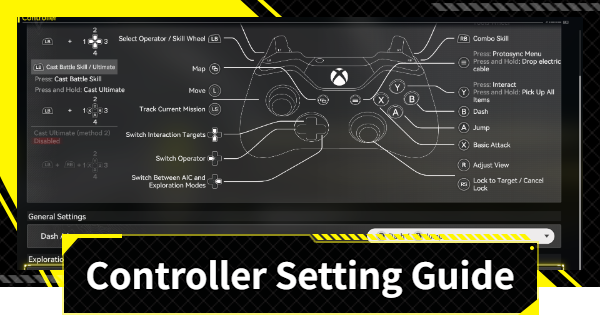
Controller Settings Guide and Recommendations for Arknights: Endfield. See how to use controllers or pads with the PC/mobile version of Arknights Endfield.
Table of Contents
How to Set Up Your Controller
Startup or Controls Menu


If you want to use a controller in Arknights: Endfield, you can switch to it by operating the controller on either the Login Screen or in-game. If your controller is ready to use when you launch the game, you can start playing with it right away.
Can't Switch in the Login Screen

You cannot switch to controller input in the settings menu on the login screen. Since you can't switch controls there, you need to do it in-game.
Bluetooth is Required for iOS/Android
- 1. Turn on Bluetooth on your smartphone/iPad.
- 2. Configure your controller and pair it.
- 3. Select the controller in the settings screen of your smartphone/iPad.
- 4. Operate the controller in-game.
- To switch back to tap controls, just tap the screen again.
If you want to change the controller settings in-game on the smartphone (iOS/Android) version of Arknights: Endfield, you first need to have Bluetooth. After turning on Bluetooth on your phone, put your controller in pairing mode to enable it.
Recommended Controller Settings
*Only some settings can be changed in-game.
*Recommendations are for the configurable settings.
Dash/Jump and Skill/Combos

The "Dash/Jump" and "Skill/Combo" settings that can be changed in the controller settings can be set entirely based on your preference. If you feel like the buttons are inverted from what you're used to, try changing them.
"Ultimate Casting Action 2" ON

| Benefits of "Ultimate Casting Action 2" |
|---|
| ◆Your Ultimate will activate by pressing R1/RT or L1/LT and a chosen button. →Reduces the risk of accidentally activating your Ultimate by holding down the Battle Skill button. |
It's recommended to change the "Activate Ultimate Casting Action 2" setting to "ON" (it's set to "OFF" by default). It can reduce the risk of accidentally triggering your Ultimate when holding down the Battle Skill button.
"Auto-Perform Basic Attacks" OFF

| Benefits of Turning it Off |
|---|
| ◆Your Basic Attacks will no longer continue while the skill menu is open. →Prevents unintentional attacks when operating the skill menu. |
It's recommended to change the "Auto-Perform Basic Attacks When Opening the Skill Wheel" setting to "OFF" (it's ON by default). This is a matter of preference, but if you don't need to attack while the skill menu is open, turning it OFF can help avoid unintentional actions.
What to Do if You Can't Configure Your Controller?
Check if the Controller is Working
This may seem obvious, but you can't set up your controller if the controller itself isn't working. If your controller isn't responding, try checking if it works on another device.
Try Reconnecting the Controller
If there's no issue with the controller itself, try reconnecting it to your device. There's a possibility that the controller is not being recognized due to a poor connection.
Related Arknights: Endfield Articles
Back to Top PageTier List
 Characters Tier List
 Reroll Tier List
 Best Weapons Tier List
Gacha Information
 Which Banner Should You Pull?
 Gacha Pity System & Rates
 Gacha Currency
 Basic Headhunting Permit
Recommended Articles
 Early Game Guide
 Redeem Codes List
 How to Add Friends
 Points of No Return
 Authority Level Guide
 Daily Tasks To Do
 Starter Banner Best Weapon
 How to Farm T-Creds
 How to Get Aketine
 How to Get 2 Stock Redistributors
 Depot Nodes Location
 How to Get Origeometry
 Monthly Pass Guide
 Trust & Operator Gift Guide
Events
 Umbral Monument Event Guide Umbral Monument Event Guide |  Survive the Gas Survive the Gas |  Unorthodox Tactics Unorthodox Tactics |
 Ballista and Axe Ballista and Axe |  Bolts and Shadows Bolts and Shadows |  Rampaging Shields Rampaging Shields |
 Rock Solid Rock Solid |  Supply: Exploration Day Supply: Exploration Day |
Things to Know Before Release
 Release Date Release Date |  How to Pre-Download How to Pre-Download |  PS5 Pre-Order Bundle PS5 Pre-Order Bundle |
 How to Link Account How to Link Account |  Is Cross-Play Available? Is Cross-Play Available? |  How to Reroll How to Reroll |
 Operator Class Guide Operator Class Guide |
 Combat System Guide
 How to Win Battles
 Dodge and Perfect Dodge
 Elemental Weakness Chart
 Arts Reactions / Physical Status
 Team Composition Tips
 Best Team Comps
 Potential
 Talents and Base Skills
 How to Craft Gear
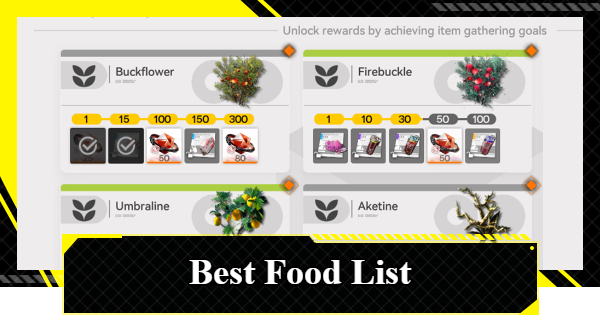 Best Food List
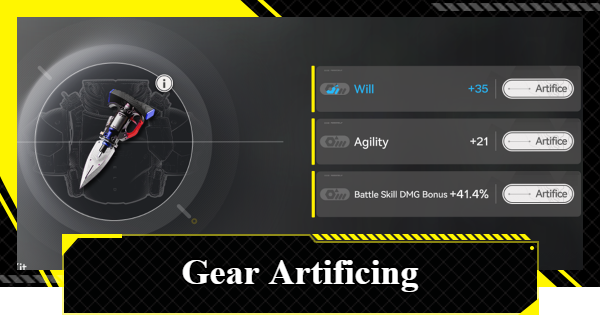 Artificing and Stats Priority
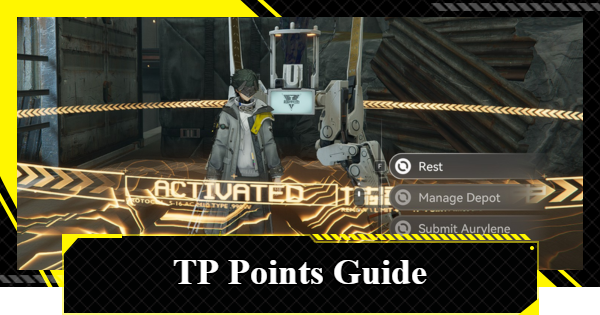 All Fast Travel Points
 Protocol Datalogger
 Aurylene
 Interactive Map
 Ferrium Ore Map Location











