

Potential Guide for Arknights: Endfield. See whether you should increase Character Potential and weapon Potential, Potential effects, and how to obtain Potential materials in AKEF.
Table of Contents
Should You Increase Potential?
Increase Potential with Duplicates


In Arknights: Endfield, it is recommended to increase a Character's Potential when you obtain a Duplicate. However even without upgrading Potential, the character can still perform effectively in combat by upgrading other stats.
Skip Potential on 6★ Weapons

Increasing a weapon’s Potential only boosts its stats and multipliers. Therefore, we recommend keeping high-rarity (6★) weapons available for other characters instead of investing in Potential.
Raise Potential on 5★ or Lower if Needed
You can generally increase the Potential of 5★ or lower weapons when you obtain duplicates. However, if you are short on a specific weapon type, it’s better to save the duplicate rather than forcing a Potential increase.
Potential Upgrade Effects
- Stats and Skills Are Enhanced
- New Abilities May Be Added
- Unlock Special Character Art
Stats and Skills Are Enhanced

Increasing a character's Potential enhances their base stats, Combo Skills, Ultimates, and other Talents. The types of enhancements vary, ranging from simple damage increases to skill cooldown reductions.
Checking Enhancement Details
Specific enhancements differ for each character. You can view the full details of these upgrades via the Potential screen, located in the bottom right of the character list.
New Abilities May Be Added

Depending on the weapon or character, entirely new abilities may be added. Characters that gain tactically impactful effects through this process are high-priority candidates for Potential enhancement.
Unlock Special Character Art
Reaching specific Potential stages (such as P1, P3, and P5) unlocks exclusive character illustrations. If you want to collect special art for your favorite characters, raising their Potential is highly recommended.
How to Increase Potential
How to Increase Character Potential
Pull a Duplicate Character From Any Banner
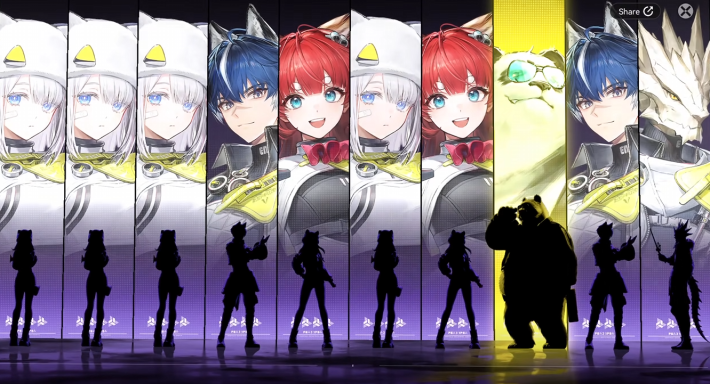
When you pull a character you already own from the gacha, you will receive an Operator Token. Operator Tokens are required to increase a character’s Potential.
Open 'Operators' from the Menu
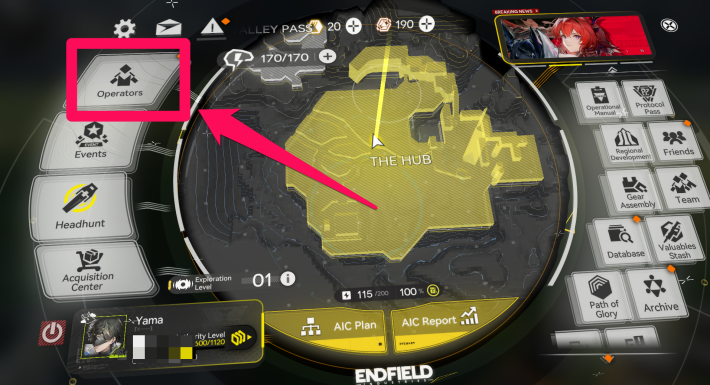
Once you've obtained an 'Operator Token', open 'Operators' from the Menu.
Increase Potential From the Potential Tab

When you have a character whose Potential can be increased, select the Bottom tab. From there, select 'Upgrade' to increase the character's potential.
How to Increase Weapon Potential
Open 'Valuable Stash' from the Menu

To increase a Weapon's Potential, first select 'Valuable Stash' from the Menu.
Select a Weapon → Details

Select the Weapon you want to increase the Potential for, then choose 'Details' in the bottom right of the screen.
Open Potential Tab

After selecting 'Details', open the Potential tab in the top-left of the screen.
Add Duplicate Weapon to Raise Potential

In the Weapon Potential menu, select the slot in the lower-left and choose the duplicate weapon. Then, select 'Raise Potential' to complete the upgrade.
How to Obtain Potential Materials
Get Endministrator Tokens via Main Missions

The Endministrator's Potential material, the "Endministrator's Token," is earned by progressing through the story. Unlocking their Potential greatly improves their performance, so be sure to advance the Main Missions to acquire them.
Other Tokens via Duplicate Gacha Pulls

For characters other than the Endministrator, you obtain their "Token" by pulling a duplicate of them from the gacha. Characters can be enhanced up to 5 times (P5). After reaching max Potential, excess Tokens can be exchanged for currency usable at the Quota Exchange.
Which Banner Should You Pull?Token Exchange Rates
| Token | Exchanged For |
|---|---|
| 1x 6-Star Character Token | 10x Endpoint Quota |
| 1x 5-Star Character Token | 20x AIC Quota |
| 1x 4-Star Character Token | 5x AIC Quota |
The Endpoint Quota and AIC Quota obtained from exchanging tokens can be used at the Quota Exchange to trade for 6-Star weapons, HH Permits, and various Progression Materials.
Get Duplicate Weapons

Weapons can be acquired through Stock Redistribution, the Arsenal Exchange, story mission rewards, Resource Crates, and more. You can increase a weapon's Potential by using a duplicate of the same weapon as material.
Recommended Weapons & How to Get Character Enhancement Guide
 Promotion Guide
 Combat Skills Upgrade
 Talents and Base Skills
 How to Increase Potential
 How to Raise Trust
 Weapon Enhancement Guide
 Recommended Weapons
 How to Craft Gear
 How to Get Essence
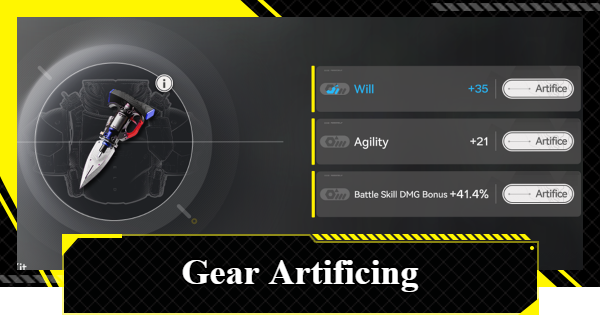 Gear Artificing Guide
 Best Characters Tier List
 Best Weapons Tier List
 Best Team Comps
 Reroll Tier List
 How to Reroll Guide











