

This is a guide on Etchspace Salvage in Arknights: Endfield (AKEF). Covering how to unlock Etchspace Salvage, gameplay rules and details, walkthrough, tips, and more.
Table of Contents
Etchspace Salvage Walkthrough
- Accept from the Dijiang or Operation Manual
- Progress Key Commission
- Gather the Materials for the Research Commission
- Proceed to the Next Area After Research Commission
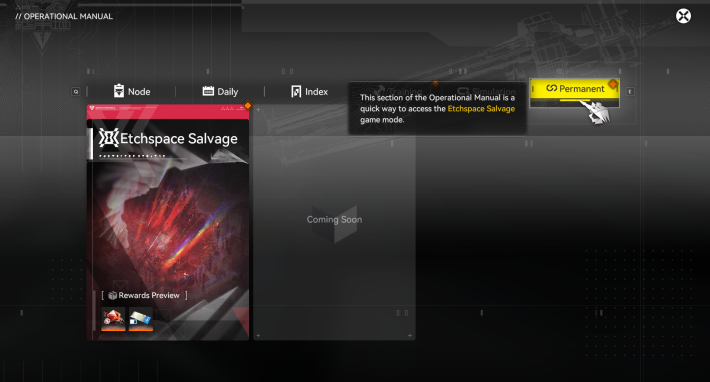

You can access Etchspace Salvage by speaking with Aquito aboard the Dijiang or via Main Menu → Operation Manual → Permanent. There are no limited-time rewards, so it can be challenged at any time.
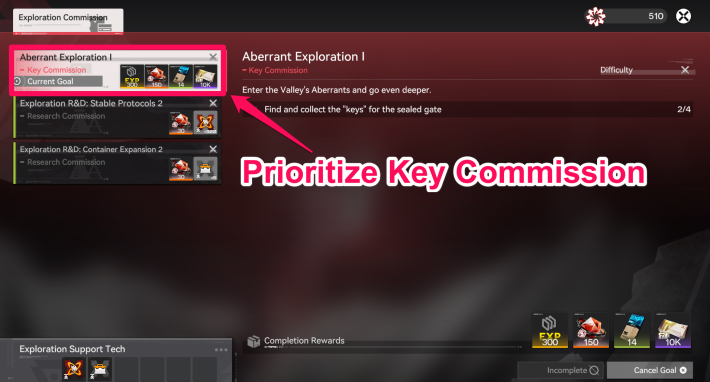
In Etchspace Salvage, new map areas unlock progressively by advancing Key Commissions. The deeper you progress, the more efficiently you can earn Operation Metrics, so prioritize completing these commissions to maximize rewards.
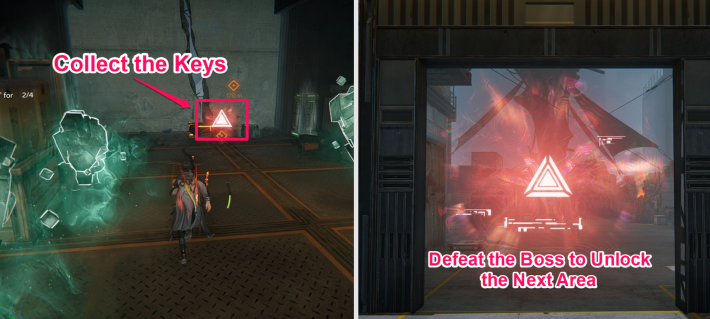
Many Collection Points are located near the Boss Room, enabling efficient progression of the Research Commission. Collect the scattered Keys first, as they are required to unlock access to the Boss Room.
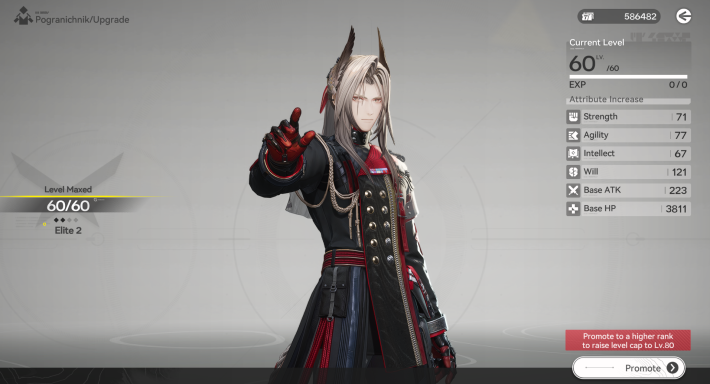
In Etchspace Salvage, Derangement accumulates faster during combat, and recovery items cannot be used, so your team’s strength directly impacts your success. If you are struggling, review your characters’ stats in the 'Operators' menu.
During combat, Derangement Acceleration increases rapidly. In the early stages, the Derangement limit is low, so avoid engaging enemies that are not near the 'Key' to keep your Derangement under control.
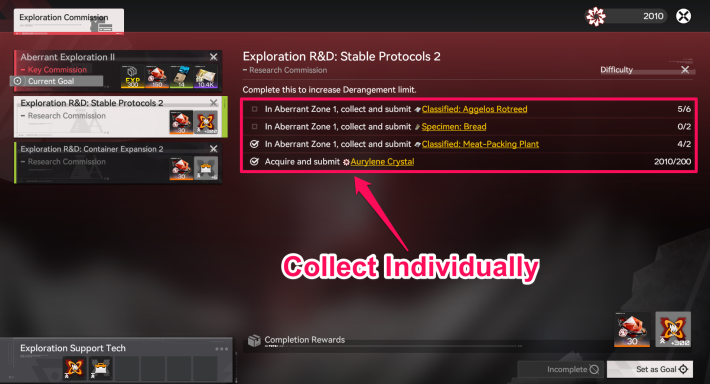
At the start, the Derangement limit is low, and you can carry only a few items. While collecting 'Keys', also gather the required materials for the Research Commission to increase your Derangement limit.
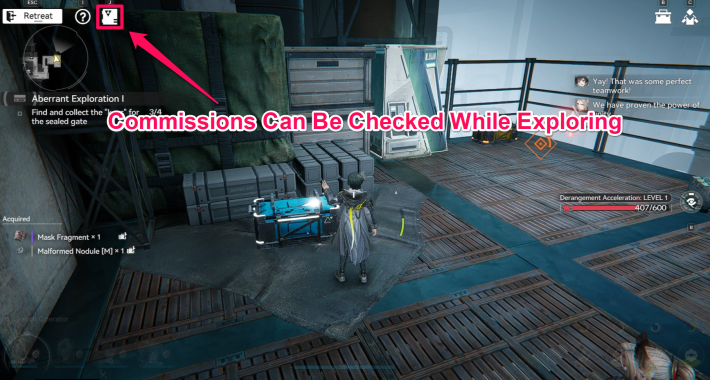
During exploration, you can view the materials required for a commission and set targets. After collecting materials for one commission, switching to another target lets you efficiently advance multiple commissions.
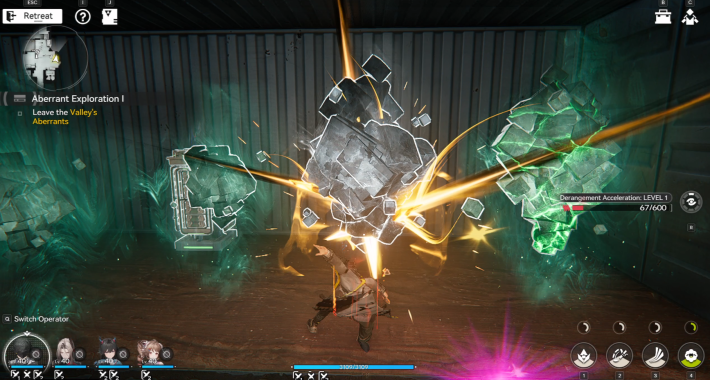
Around the Boss Room, which opens after collecting Keys, you can find many Crystals containing various materials. Once the room is unlocked, Keys are no longer needed, enabling efficient material farming.
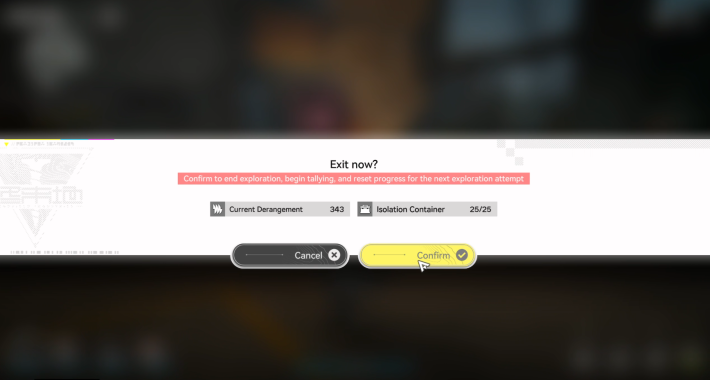
In Etchspace Salvage, you retain all collected items when you exit. Since the dedicated Backpack has limited capacity, it’s best to leave once you’ve gathered the necessary materials to make exploration more efficient.
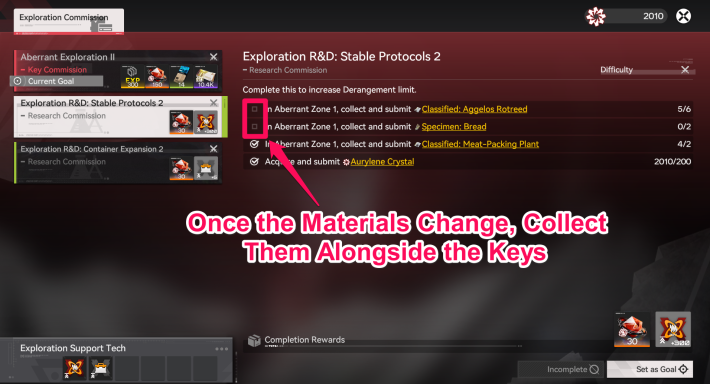
After advancing in the Research Commission, and when the required materials change, check the map, move to the next area, and collect materials along the way while gathering Keys.
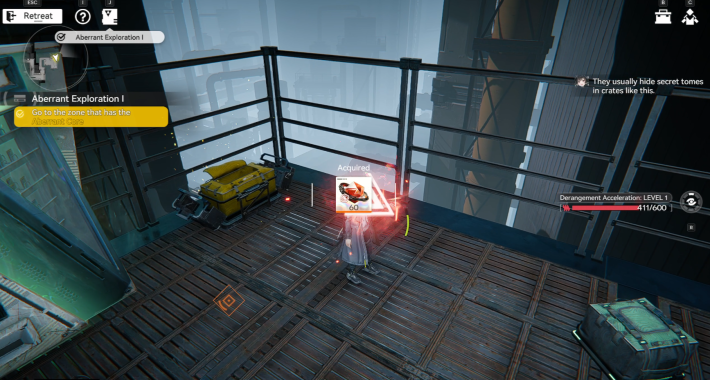
Besides the materials for the Research Commission, the map also contains Crates where you can obtain Oroberyl. Once your Derangement limit allows, explore previously unvisited areas.
How to Unlock Etchspace Salvage
Unlocked by Progressing the Main Story
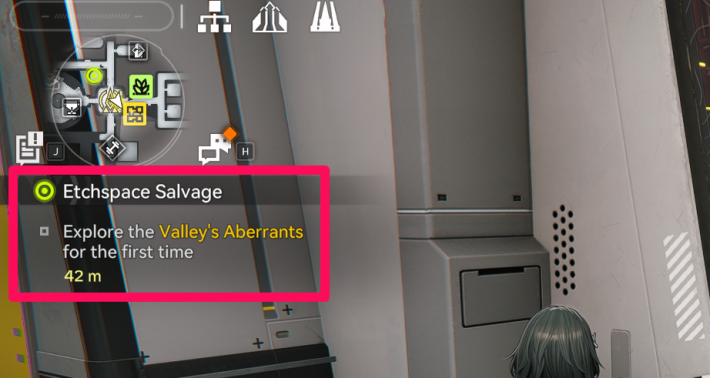
Etchspace Salvage unlocks by progressing through the sub-mission "Etchspace Salvage," which becomes available after reaching Main Quest Chapter 1, Process III. If it hasn't appeared, check your mission list.
Story Walkthrough (Main Missions)
What is Etchspace Salvage
- A Mode to Explore the Valley's Aberrants
- Collect Keys to Reach Deeper Areas
- Forced End When Derangement Hits Its Limit
- Material Carrying Capacity Is Limited
- Tactical Items Cannot Be Brought In
- Items Unlock as You Progress Through Commissions
- Improve Derangement Limit via Research Commission
- Return to Dijiang After Exiting
A Mode to Explore the Valley's Aberrants
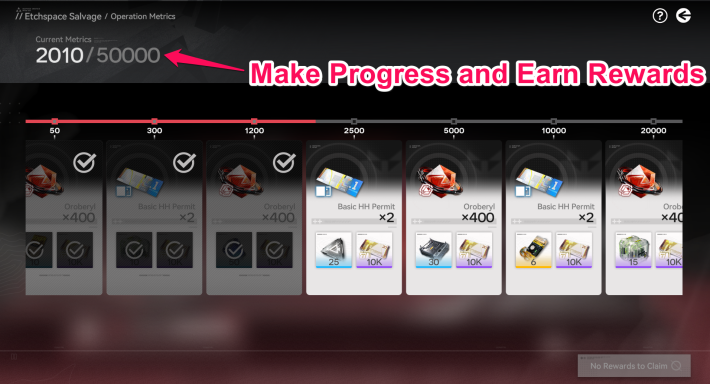
Etchspace Salvage is a permanent gameplay mode where you explore the special map "Valley's Aberrants." Earn rewards by collecting items and progressing through commissions.
Collect Keys to Reach Deeper Areas
Collect all the 'Keys' on the field to unlock the Boss Room and defeat the boss to unlock a more challenging area. In these deeper areas, you can obtain higher-purity 'Precipitation Crystals', enabling more efficient progress in your operation metrics.
Forced End When Derangement Hits Its Limit
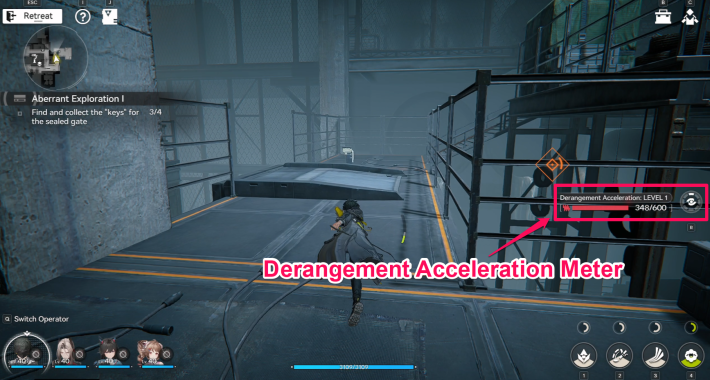
In Etchspace Salvage, your 'Derangement' increases as you explore, and reaching the limit ends the exploration. You will restart from the initial position on your next attempt, but all collected materials can be kept.
Material Carrying Capacity Is Limited
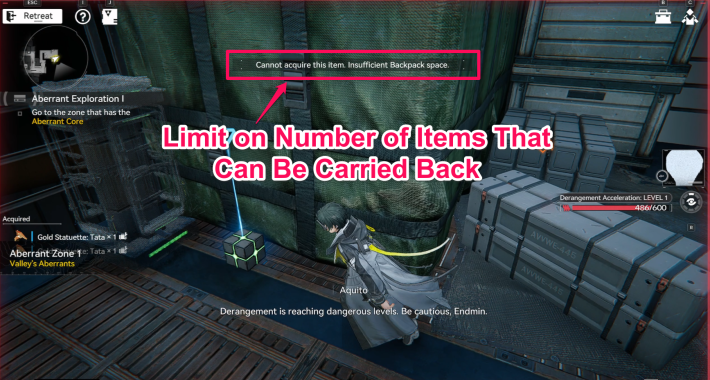
In Etchspace Salvage, your Backpack switches to a dedicated one. Since there's a limit to the total amount of items you can carry back, if you can't pick up a desired item due to lack of space, open your Backpack and discard unnecessary items.
Tactical Items Cannot Be Brought In
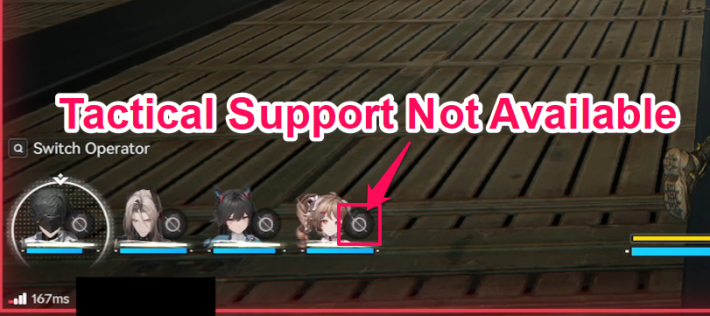
In Etchspace Salvage, Tactical Items equipped on your characters cannot be used. Note that, compared to regular map exploration, your chances of restoring HP are greatly limited.
Restore HP with Green Orbs
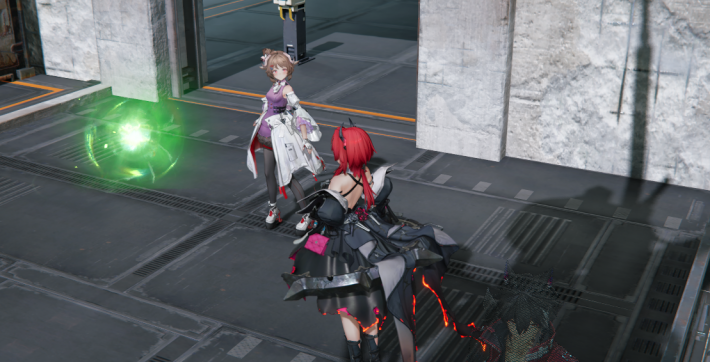
You can restore HP by interacting with the green orbs scattered across the map. In Etchspace Salvage, where Tactical Items cannot be used, this serves as a crucial method of recovery.
Items Unlock as You Progress Through Commissions
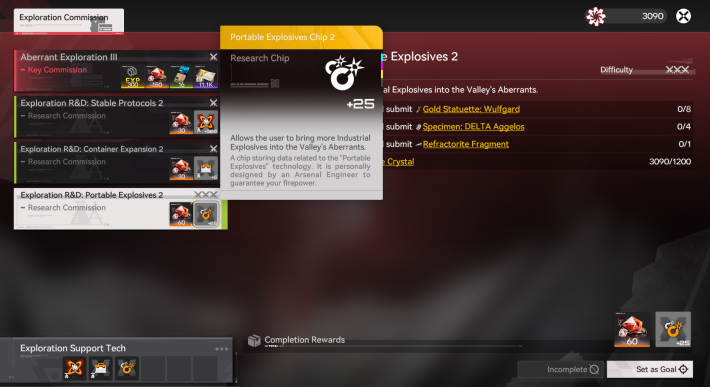
Certain usable items, such as bombs, are unlocked by progressing through Key Commissions. Using them provides an advantage during exploration.
Improve Exploration by Progressing Research Commission
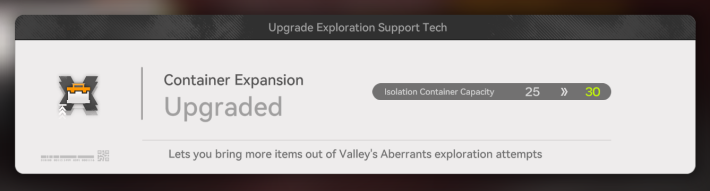
Completing a Research Commission by delivering the required items increases your Derangement limit or the number of items you can carry at once, giving you an advantage in future explorations.
Return to Dijiang After Exiting
After leaving, you will return to the area in front of Aquito on the Dijiang. Missions continue normally even if you start from the Operation Manual. Additionally, if your party is wiped out on the map, it counts as a retreat, and you still retain all collected materials up to that point.
Related Arknights: Endfield Articles
Back to Top PageTier List
 Characters Tier List
 Reroll Tier List
 Best Weapons Tier List
Gacha Information
 Which Banner Should You Pull?
 Gacha Pity System & Rates
 Gacha Currency
 Basic Headhunting Permit
Recommended Articles
 Early Game Guide
 Redeem Codes List
 How to Add Friends
 Points of No Return
 Authority Level Guide
 Daily Tasks To Do
 Starter Banner Best Weapon
 How to Farm T-Creds
 How to Get Aketine
 How to Get 2 Stock Redistributors
 Depot Nodes Location
 How to Get Origeometry
 Monthly Pass Guide
 Trust & Operator Gift Guide
Events
  Umbral Monument Event Guide Umbral Monument Event Guide |  Survive the Gas Survive the Gas |  Unorthodox Tactics Unorthodox Tactics |
 Ballista and Axe Ballista and Axe |  Bolts and Shadows Bolts and Shadows |  Rampaging Shields Rampaging Shields |
 Rock Solid Rock Solid |  Supply: Exploration Day Supply: Exploration Day |
Things to Know Before Release
 Release Date Release Date |  How to Pre-Download How to Pre-Download |  PS5 Pre-Order Bundle PS5 Pre-Order Bundle |
 How to Link Account How to Link Account |  Is Cross-Play Available? Is Cross-Play Available? |  How to Reroll How to Reroll |
 Operator Class Guide Operator Class Guide |
 Combat System Guide
 How to Win Battles
 Dodge and Perfect Dodge
 Elemental Weakness Chart
 Arts Reactions / Physical Status
 Team Composition Tips
 Best Team Comps
 Potential
 Talents and Base Skills
 How to Craft Gear
 Best Food List
 Artificing and Stats Priority
 All Fast Travel Points
 Protocol Datalogger
 Aurylene
 Interactive Map
 Ferrium Ore Map Location











