


Interactive Map for Arknights: Endfield. Including TP Points, Talos-II Map, Aurylenes Location, Chests, Protocol Dataloggers, and how to unlock new areas.
Interactive Map
World Map
Map Icon List
 Fast Travel
 Aurylene
 Crate
Crate Protocol Datalogger
 Intel Files
 Delta Bot
Map (New Area) Unlock Conditions
List of Areas in "Valley IV"
| Area Name | Unlock Condition |
|---|---|
| Hub Base | [Main Mission] Progress in Chapter 1, Process I "Valley Restart" |
| Valley Pass | [Main Mission] Progress in Chapter 1, Process I "To the Western Valley" |
| Aburrey Quarry | [Side Mission] Progress in "Rush to the Quarry" *After clearing Main 1-2 'Pathfinding' |
| Originium Science Park | [Main Mission] Progress in Chapter 1, Process III "Beyond the Research Park" |
| Origin Lodespring | [Main Mission] Progress in Chapter 1, Process III "Mining Fragments" |
| Power Plateau | [Main Mission] Progress in Chapter 1, Process IV "The Final Curtain Rises" |
New areas in Valley IV are primarily unlocked through Main Story progression. The only exception is Aburrey Quarry, which becomes accessible via the side mission 'Rush to the Quarry' after clearing Main Mission Chapter 1 Process II, "Pathfinding."
Some Exploration is Required for Unlocking
Depending on the stage of the main story, there may be a minimum Authority Level requirement. To unlock the map, it's important to explore the map and raise your Authority Level while progressing through the main story.
Authority Level GuideComplete Quests
Clouded-over areas of the map can sometimes be accessed by completing quests. Since these areas may contain important resources, make sure to complete other quests in addition to the main story.
How to Open and Use Map
Tap the Top-Left Minimap to Open


| PS5 | Touchpad button |
|---|---|
| PC | M key or Alt key + Mouse Click |
You can open the Map by tapping the Minimap in the upper-left corner of the field screen. On PS5 or when using a Controller, press the touchpad button. On PC, press 'M', or hold Alt and click with the mouse.
Fast Travel to the Unlocked TP Points
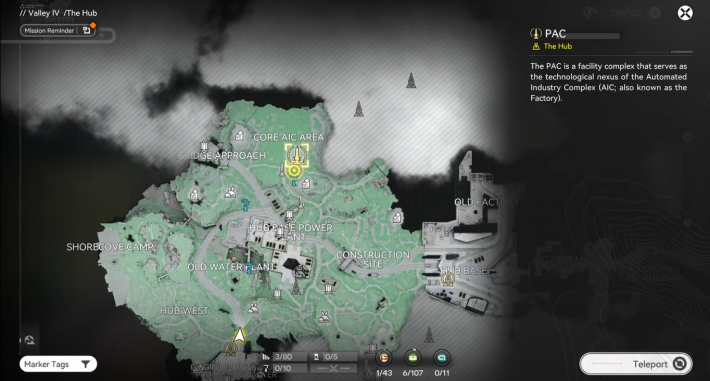
You can fast travel to unlocked TP Points by selecting them on the Map. Since grayed-out TP Points cannot be fast traveled to before being unlocked, you must visit the location at least once.
Able to Heal and Prepare for Battle
You can restore character HP at TP Points. There are also Crates guarded by strong enemies, so heal as needed to prepare for battle.
Place Custom Markers
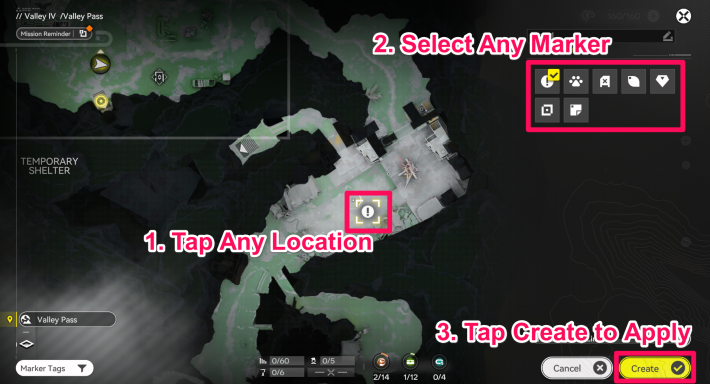
You can also place Custom Markers as Waypoints by tapping a specific location on the Map. This is useful for marking the locations of treasure chests you were unable to open or mid-sized enemies that drop specific materials.
Related Arknights: Endfield Articles
Back to Top PageTier List
 Characters Tier List
 Reroll Tier List
 Best Weapons Tier List
Gacha Information
 Which Banner Should You Pull?
 Gacha Pity System & Rates
 Gacha Currency
 Basic Headhunting Permit
Recommended Articles
 Early Game Guide
 Redeem Codes List
 How to Add Friends
 Points of No Return
 Authority Level Guide
 Daily Tasks To Do
 Starter Banner Best Weapon
 How to Farm T-Creds
 How to Get Aketine
 How to Get 2 Stock Redistributors
 Depot Nodes Location
 How to Get Origeometry
 Monthly Pass Guide
 Trust & Operator Gift Guide
Events
 Umbral Monument Event Guide Umbral Monument Event Guide |  Survive the Gas Survive the Gas |  Unorthodox Tactics Unorthodox Tactics |
 Ballista and Axe Ballista and Axe |  Bolts and Shadows Bolts and Shadows |  Rampaging Shields Rampaging Shields |
 Rock Solid Rock Solid |  Supply: Exploration Day Supply: Exploration Day |
Things to Know Before Release
 Release Date Release Date |  How to Pre-Download How to Pre-Download |  PS5 Pre-Order Bundle PS5 Pre-Order Bundle |
 How to Link Account How to Link Account |  Is Cross-Play Available? Is Cross-Play Available? |  How to Reroll How to Reroll |
 Operator Class Guide Operator Class Guide |
 Combat System Guide
 How to Win Battles
 Dodge and Perfect Dodge
 Elemental Weakness Chart
 Arts Reactions / Physical Status
 Team Composition Tips
 Best Team Comps
 Potential
 Talents and Base Skills
 How to Craft Gear
 Best Food List
 Artificing and Stats Priority
 All Fast Travel Points
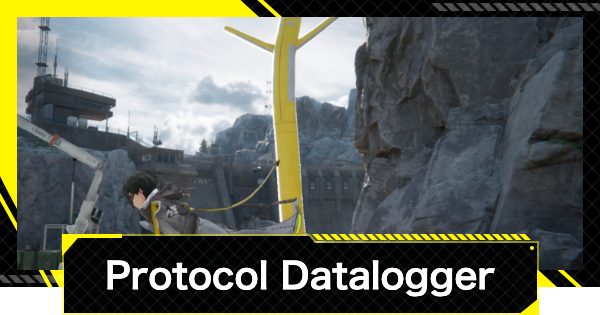 Protocol Datalogger
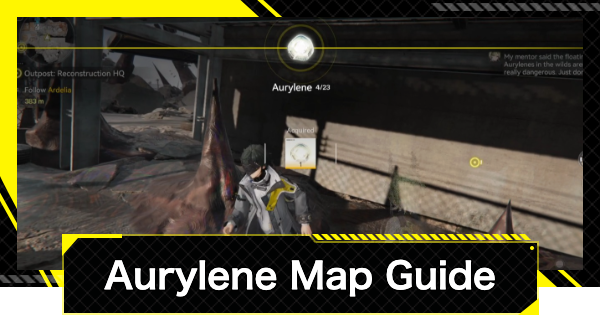 Aurylene
 Ferrium Ore Map Location











