

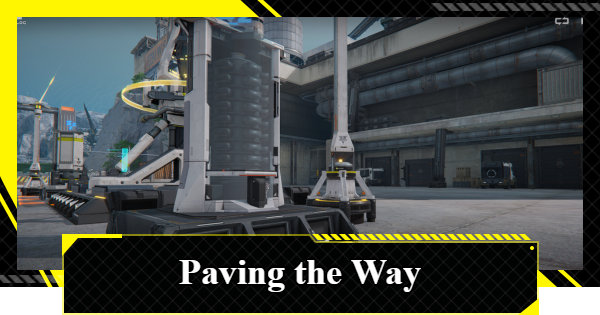
Start your industrial empire in Arknights: Endfield. Our Paving the Way guide helps you master automation, from Electric Mining Rigs to complex Fitting Units.
Table of Contents
| Previous/Next Story | |
|---|---|
| Fort Showdown | Work Preparation |
Paving the Way Overview
| Story Category | Chapter 1 |
|---|---|
| Start Conditions | Complete Process I: Fort Showdown |
| Unlocked Features | - AIC Factory Plan - Protocol Datalogger - Electric Mining Rig - Gearing Unit - Top-Down View - Blueprints - Fitting Unit |
| Rewards | - Origeometry x3 - T-Creds x7400 - Intermediate Combat Record x33 - Arms INSP Kit x25 - Basic Expansion Core x1 - Valley IV Construction Value x200 - Operational EXP x600 |
Paving the Way Walkthrough Chart
- Meet with Andre at the Core AIC Area
- Go to the Protocol Datalogger
- Collect AIC Index From the Protocol Datalogger
- Research Mining II
- Complete the Electric Mining Rig Simulation
- Place Electric Mining Rigs at the Originium Vein
- Place Electric Mining Rigs at the Amethyst Vein
- Add Collected Ores to Your Backpack
- Deliver the Ores to Andre
- Talk to Vannikov
- Research Gearing Tech
- Complete the Gearing Unit Simulation
- Unlock Top View and Blueprints
- Deploy a Gearing Unit for Amethyst Components
- Assemble Miner Overalls
- Deliver the Miner Overalls to Vannikov
- Research Parts Fitting
- Complete the Meds Production Simulation
- Complete the Fitting Unit Simulation
- Produce Amethyst Parts with Fitting Unit Blueprint
- Give Andre the Completed Parts
Meet with Andre at the Core AIC Area


After beating the first boss, the next quest is Paving the Way, head to the Core AIC Area and find Andre. A cutscene will trigger automatically as you approach him.
AIC Factory Plan Unlocked

This conversation unlocks the AIC Factory Plan. This is a massive part of your progression, so check out the tutorial carefully to understand how to manage your factory tech.
Go to the Protocol Datalogger

Next, head over to the Protocol Datalogger. Talk to Pocus near the device to move to the next step.
Collect AIC Index From the Protocol Datalogger

Research Mining II

Open the AIC Factory Plan menu and use your new points to research Mining II.
Complete the Electric Mining Rig Simulation

Researching the tech will prompt you to enter a simulation. Follow the on-screen instructions to learn how the Electric Mining Rig works, then exit to return to the Hub Base.
Deploy Electric Mining Rigs at the Originium Vein

Head to the Originium Ore nodes. Switch from Exploration Mode to Factory Mode to place two Electric Mining Rigs and an Electric Pylon to power them.
Store the Portable Mining Rig First

You cannot place an Electric Mining Rig if a Portable Mining Rig is already occupying the node. Interact with the Portable Mining Rig and select Stash to store the old rig.
Place Electric Mining Rigs at the Amethyst Vein

Go to the Amethyst Ore nodes and repeat the process. You will need to set up 6 Electric Mining Rigs and 2 Electric Pylons to finish this objective.
Add Collected Ores to Your Backpack

Your rigs automatically send ore to the Depot. Wait until you have 50 of each type, then transfer them into your backpack.
Deliver the Ores to Andre

After collecting the ores, return to Andre and hand them over.
Talk to Vannikov

Andre will point you toward Vannikov. Head over and start a conversation to move into manufacturing.
Research Gearing Tech

Open the AIC Factory Plan again and research Gearing Tech to unlock more advanced equipment options.
Complete the Gearing Unit Simulation

Enter the Gearing Unit simulation and follow the steps to learn how to process Amethyst Components.
Unlock Top-Down View and Blueprints

Back in the Core AIC Area, you'll unlock the Top-Down View and Blueprints. These tools make building complex factories much easier, and a tutorial will begin automatically, just follow the on‑screen instructions.
Deploy a Gearing Unit for Amethyst Components

Use your Blueprints to place a fully functioning Gearing Unit line. This will start producing Amethyst Components automatically.
Assemble Miner Overalls

Once you have 20 Amethyst Components, open the Gear Assembly menu. Assemble 4 sets of Miner Overalls. You will need some Stock Bills to complete the assembly.
Deliver the Miner Overalls to Vannikov

Head back to Vannikov and hand over the Miner Overalls to progress.
Research Parts Fitting

Next, you’ll need to produce Amethyst Parts. Open the AIC Factory Plan and research Component Manufacturing.
Complete the Meds Production Simulation

Proceed to the Meds Production simulation and complete the instructions to learn more about Shredding Units and how to create a Buckflower Powder production line.
Complete the Fitting Unit Simulation

Next, finish the Fitting Unit simulation to learn how to create Amethys Parts and unlock a Fitting Unit Blueprint.
Produce Amethyst Parts with Fitting Unit Blueprint

Deploy a Fitting Unit line in the Core AIC Area using your Blueprints. Collect 10 Amethyst Parts from the Depot once they are ready and move them to your backpack.
Give Andre the Completed Parts

Finally, bring the parts to Andre. After the conversation, Paving the Way will be complete.
| Previous/Next Story | |
|---|---|
| Fort Showdown | Work Preparation |
Related Arknights: Endfield Articles
Back to Top PagePrologue: Force Start
 Process: Cold Start
 Process: Awakening
Chapter 1: Process I
 Break the Siege Break the Siege |  Valley Reboot Valley Reboot |  Rally and Unite Rally and Unite |
 Westward Into the Vale Westward Into the Vale |  Secure Sanctuary Secure Sanctuary |  Building an Outpost Building an Outpost |
 Through the Haze Through the Haze |  Fort Showdown Fort Showdown | - |
Chapter 1: Process II
 Work Preparation
 Maintenance Progress
Chapter 1: Process III
 The Mission Continues The Mission Continues |  Cross the Science Park Cross the Science Park |  Park Way Party Park Way Party |
 Walk in the Park Walk in the Park |  Mystery in the Building Mystery in the Building |  Down the Hill Down the Hill |
 Shattered Veins Shattered Veins |  Lodespring Crossing Lodespring Crossing |  Cradle of Ages Walkthrough Cradle of Ages Walkthrough |
 Eve of Battle Walkthrough Eve of Battle Walkthrough | - | - |
Chapter 1: Process IV
 Entering the Endgame Entering the Endgame |  Counterstrike Brewing Counterstrike Brewing |  Scaldings of Utjug Scaldings of Utjug |
 Frontline Rush Frontline Rush |  Undying Cinders Undying Cinders |  Temporary Peace Temporary Peace |
 Mysterious Signal Mysterious Signal |  Conference of the Four Conference of the Four |  Work Preparation II Work Preparation II |
 Arrival at Wuling
 Stumbling Into Qingbo Stockade
 Destination Wuling
 A Glance of Astonishment
 A Breeze Away
 Of Grace and Gentle Might
 The Surging Tide
 Where Danger Sleeps
 Unexpected Attack
 Deep in the Mire
 The Flow Splits Course
 Surging From a Withered Spring
 A River Restless in Still Winds
 Another Wave Comes Crashing In
 Ripples Spread Throughout the Flow
  Purity Reveals the Stubborn Stone
 Twas One River That Gave Us Drink











