

This guide covers Automated Industry Complex (AIC) in Arknights: Endfield. Includes how to switch AIC Mode, how to automate, and the factory system list and functions in AKEF.
Table of Contents
Basic Automated Industry Complex Flow
AIC Mechanic: Facility and Placement
The core workflow of the Automated Industry Complex (AIC) involves acquiring facilities, crafting them when necessary, and placing them to establish production lines. As the game progresses, building, maintaining, and managing these production lines becomes increasingly complex.
How to Unlock and Obtain the Facilities
Conduct Research in the Basic AIC Plan
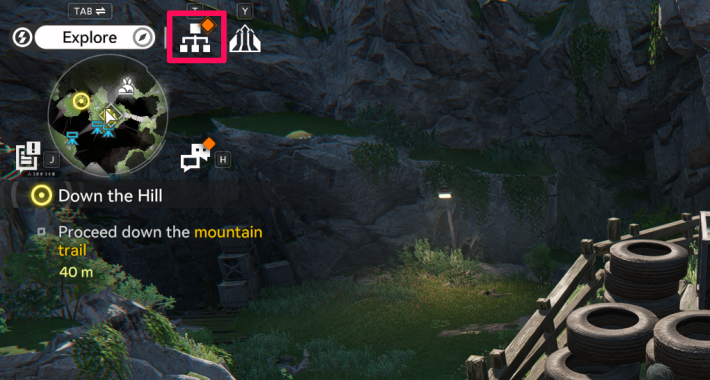

Access the 'Basic AIC Plan' from the top-right of the screen or via the Menu, then unlock new Facilities by selecting Research on the desired entry. Facility research is completed instantly and requires no waiting time.
Get Basic AIC Index from the Protocol Datalogger
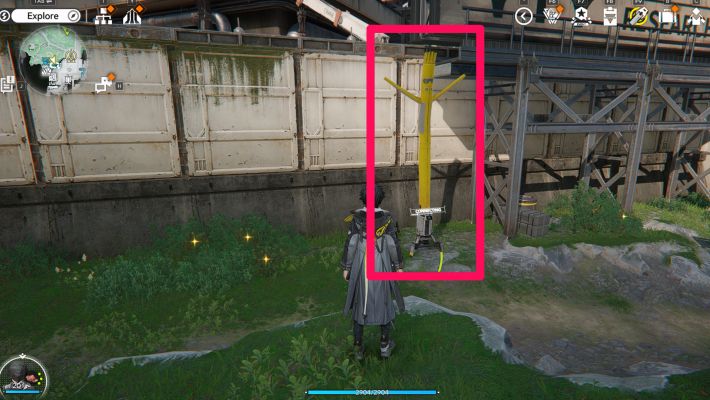
To progress in the Basic AIC Plan, you must unlock the Protocol Datalogger and collect the Basic AIC Index. The easiest way to locate it is to click the paperclip-shaped marker on the map, or select the icon next to the Research Cost, and enable tracking.
Protocol Datalogger Locations & Map
Obtain Facilities in the Simulation (Tutorial)
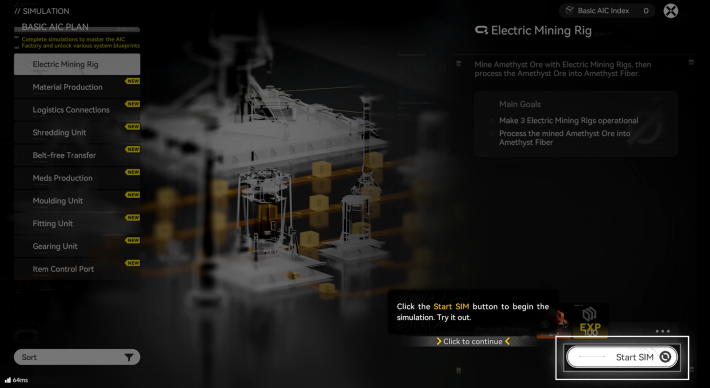
After starting a research project in the Basic AIC Plan, click "Guides" next to the Research button or the "Simulation" tab on the right side of the screen to access the tutorial. Completing the tutorial grants the required Facilities and Blueprints.
How to Craft Facilities
Switch to AIC Mode
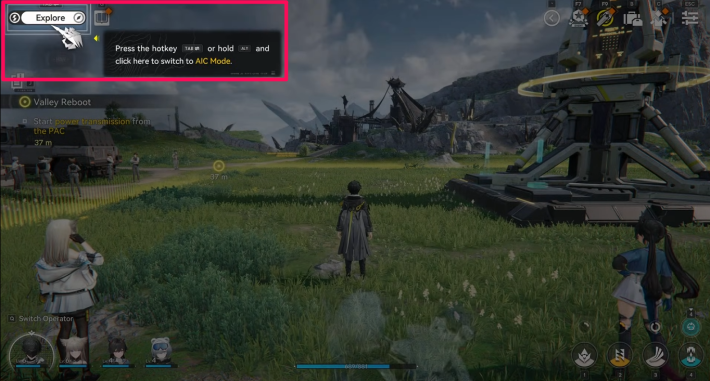
To access the functions of the Automated Industry Complex, you first need to switch from Explore Mode to AIC Mode. If you are near a PAC (in a Core AIC Area), this switch occurs automatically, so manual switching is not required.
Open the Facility List and Construct
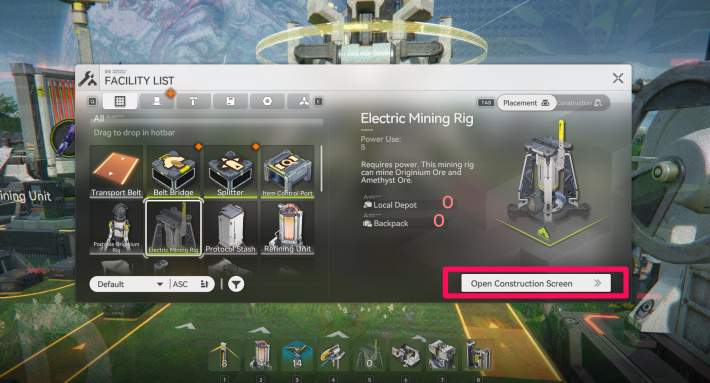
Once you’ve switched to AIC Mode, open the Facility List from the AIC Operation Menu. Select the facility you want to construct from the list, navigate to "Open Construction Screen," and start constructing to complete the process.
Materials are Needed to Construct Facilities
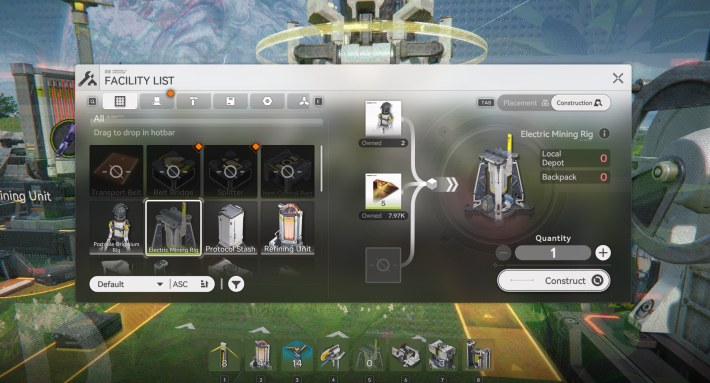
When constructing facilities, you need the required materials. In some cases, check the materials needed for construction, review the production process, and craft any items necessary for material production.
How to Place and Operate Facilities
Switch to AIC Mode
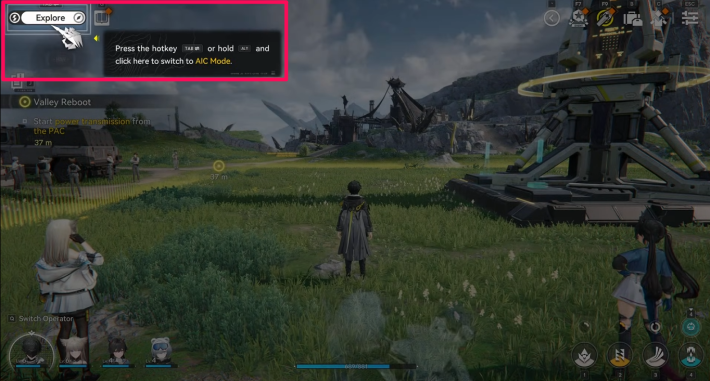
To use AIC features, first switch from Explore Mode to AIC Mode before placing facilities.
Decide Which Items to Produce
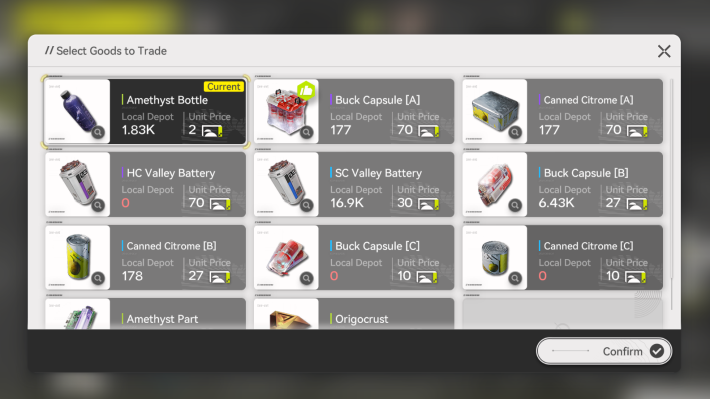
Using the Automated Industry Complex (AIC), you can produce materials needed for Gear Crafting, items required for quests, and items for trading at Sub-PAC. First, decide what you want to make.
Check the Production Process
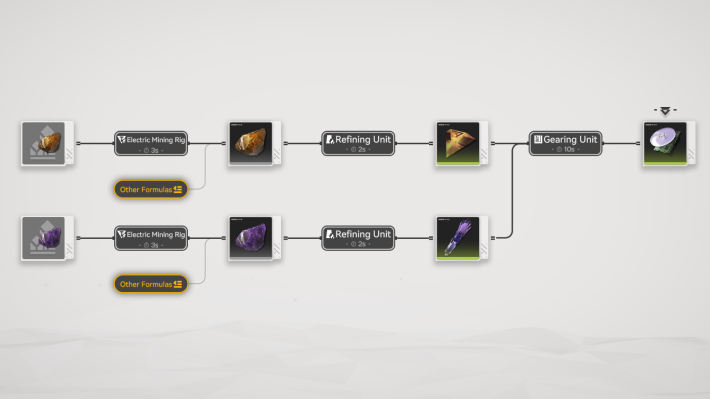
You can check the necessary materials and manufacturing steps by going to Menu → Database → Item Files → [the item you want to make] → Production Process. The time it takes to craft each item is also listed, so if you want to build an efficient production line, be sure to check the time it takes for each one.
Select a Facility from the Facility List
Open the Facility List via the AIC Operation Menu and then select the required facility for placement.
Switch Tabs and Place the Facility
After selecting the facility you want to place from the list, switch the tab from 'Construct' to 'Placement', then press 'Place'.Check the placement preview, and press 'Confirm Placement' at the desired location to complete the setup.
 Tips! Tips! | When selecting a placement location, you can move your character to extend the placement range and install the facility at a greater distance. |
|---|
How to Fix AIC Facility Issues
Top View Recommended for Placement
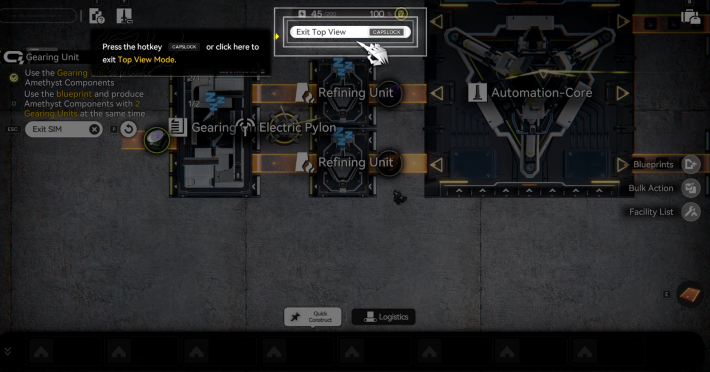
| Unlock Condition | Main Story "Paving the Way" |
As the Automated Industry Complex becomes more complex, using the top view becomes essential. It lets you place facilities and review production lines while keeping the entire layout in view, so make full use of it.
Rotating Facilities
During placement, you can rotate a Facility by pressing the corresponding rotation key. Rotation is only available while placing the facility. To change the orientation of a facility that has already been placed, you must store it and place it again.
Connect to the Depot with Transport Belts
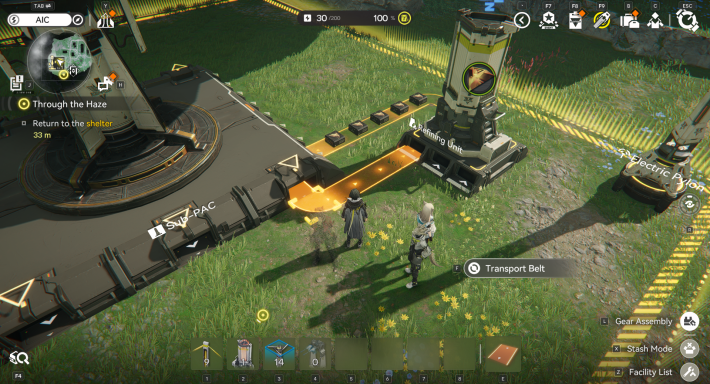
When producing items, connect the line in this order: Depot → Sub-PAC's Output Port → Destination (e.g. Smelter). If placed correctly, the facility will be highlighted in white. Next, connect a 'Transport Belt' from the destination's (e.g. Smelter) Output Port → Sub-PAC’s Input port (Depot) to complete the production line.
| Tips! | Once you’re familiar with the system, optimize your setup by connecting the 'Transport Belt' while accounting for both transport speed and facility production speed. |
|---|
Items Clogged if Not Properly Connected
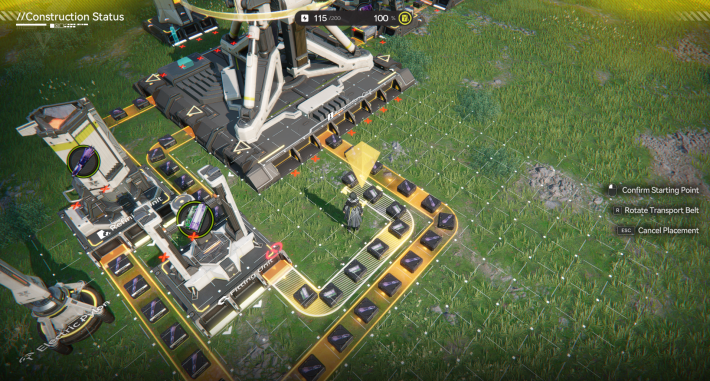
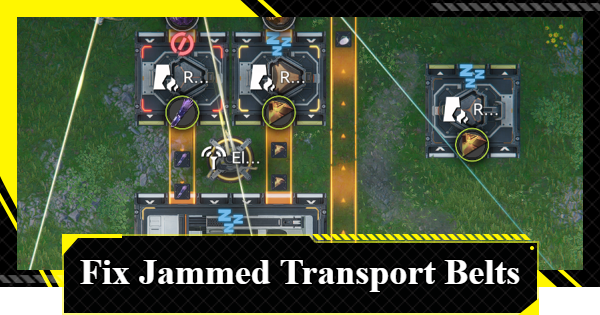
If your Transport Belts become clogged immediately after setting up a production line, it may be due to a blockage upstream. Ensure all connections are properly linked. Redraw the affected section and confirm the facility indicator turns white, or check each facility’s details to verify proper operation.
How to Fix Clogged Transport Belts
Stash (Removing) Facilities
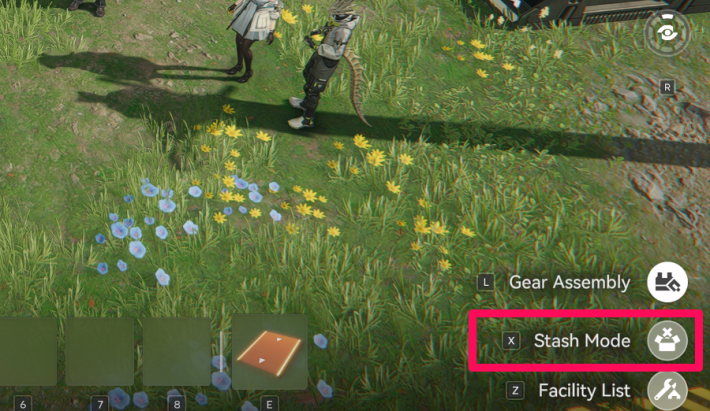
From the AIC Operation Menu in the bottom-right of the screen, select 'Stash Mode', aim your view at the facility you want to store, and press the corresponding key. The stashed facility will be returned to your Backpack.
Connected Facilities Remain
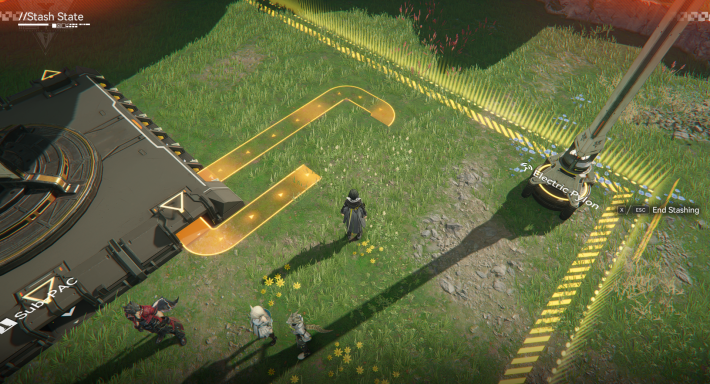
Facilities and items are not lost when stored. Connected facilities, such as the 'Transport Belt', will remain in place but stop operating. Once the required facilities are placed and reconnected, they will resume operation.
| Tips! | Use Top View → Bulk Action → Area Selection → Stash to store multiple unused facilities at once |
|---|
Register Facility to Hotbar for Easier Placement
For frequently used facilities, open your 'Backpack' from the System Functions Menu and register the Facility to the Hotbar. The Hotbar serves as a shortcut, allowing faster and more convenient placement of registered facilities.
What to Do If You Don't Understand the AIC
Take Basic AIC Plan Simulation
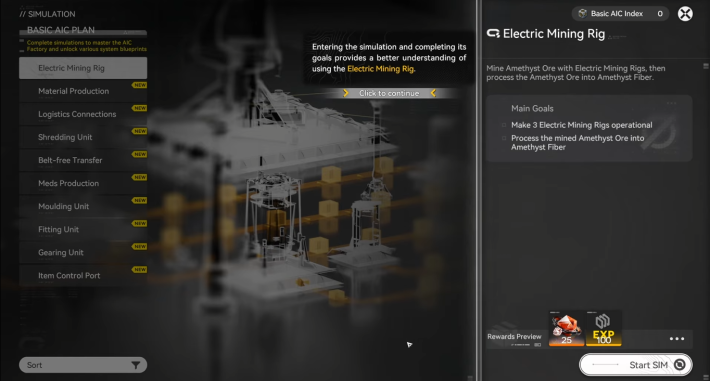
The Automated Industry Complex (AIC) is complex, so the fastest way to learn it is by practicing the controls in the 'Simulation'. You can also earn rewards, so it’s recommended to try building a factory in the 'Simulation' first.
Use Available Blueprints Once Unlocked
| Unlock Condition | Main Story "Paving the Way" |
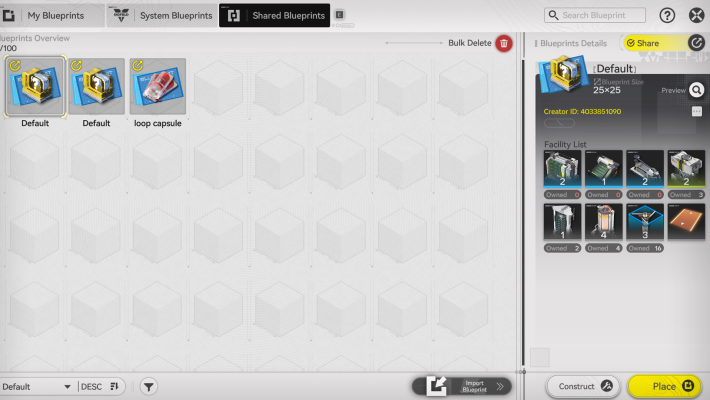
As you progress through the game, you will unlock Blueprints. System Blueprints can be obtained in the Simulation, and you can also import blueprints created by other players. It is recommended to use these directly or as a reference for your own setups.
| Related Articles | |
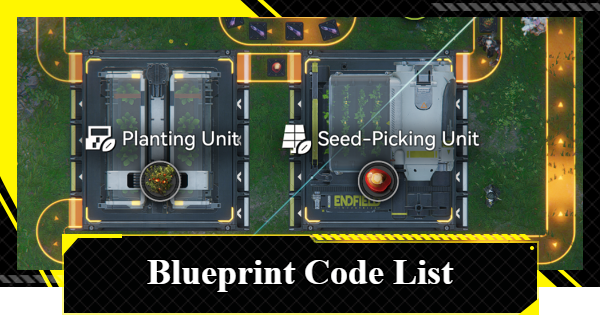
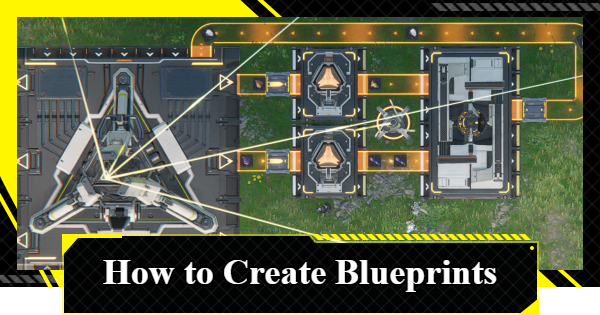
| Blueprint Code List | How to Create Blueprints |
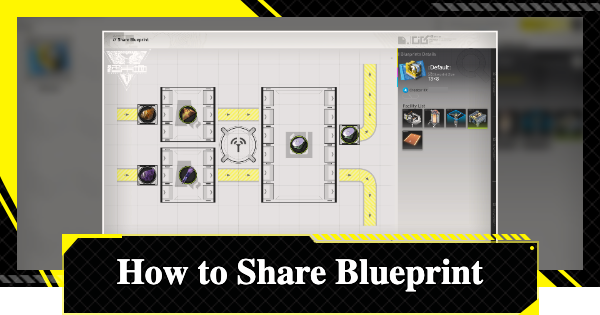
| How To Share Blueprints | Industrial Explosive Blueprint |
| Sandleaf Locations & Blueprint | Aketine & Where to Farm |
Why Progressing AIC Is Important
AIC is the Key to Exploration/Combat
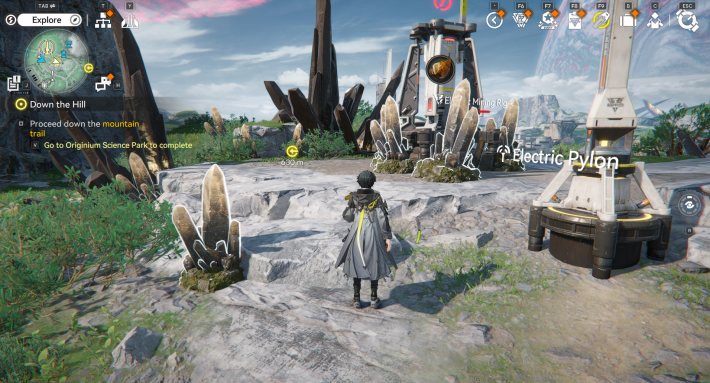
The vast, unexplored wilderness and uninhabited areas remain undeveloped. The game’s design revolves around using the Automated Industry Complex (AIC) to safeguard civilization’s borders and drive development, while exploring and engaging in combat to expand civilization.
AIC Growth Expands Exploration
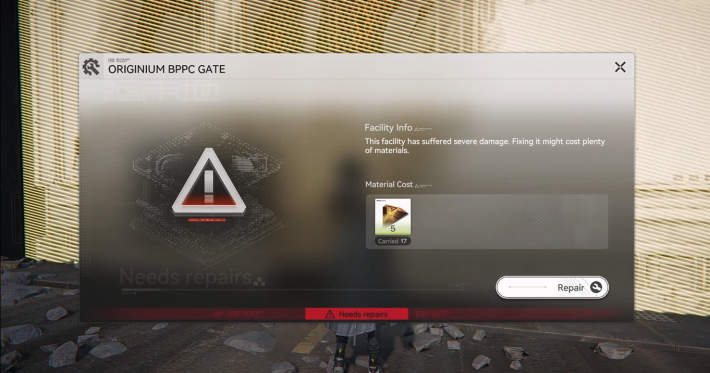
Some challenges require using the power of the Automated Industry Complex (AIC) to solve puzzles. As your industry develops, you can access previously unreachable areas and collect valuable items such as treasure chests.
Deliverables Required in Main Story
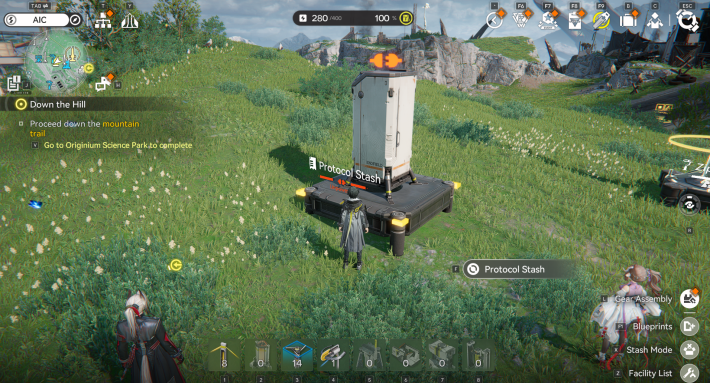
While progressing through missions, including the main story, you will encounter objectives such as producing Deliverables, which require the use of the Automated Industry Complex (AIC). You’ll also experience the impact of industrial power, such as leveraging civilization tools like Zipline Pylons in races.
Gear Assembly Boosts Characters for Combat
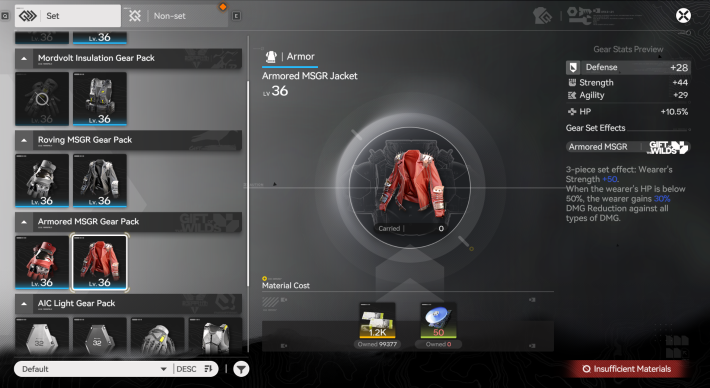
Gear crafting, producing healing and revival items, and manufacturing Industrial Explosives, all essential for combat, are made possible through the power of industry using the Automated Industry Complex (AIC).
| Tips! | In the early game, you can manage with just Backpack → Crafting, but as your Exploration Level rises and enemies become stronger, production through the Automated Industry Complex (AIC) becomes essential! |
|---|
| How to Craft Gear | Gear Artificing Guide |
Balance with Exploration is Important
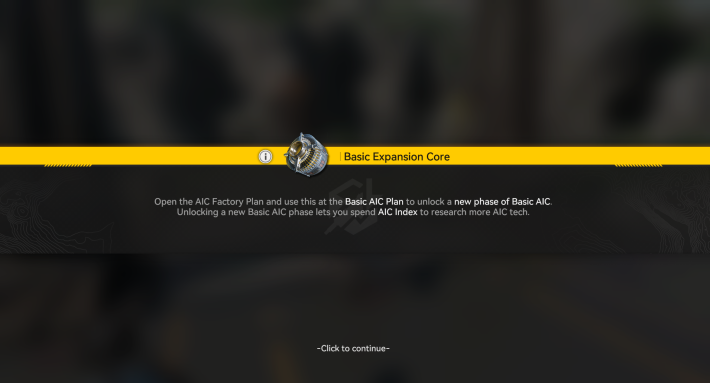
There are Authority Level restrictions on crafting Gear obtained through exploration, and the number of facilities you can unlock in the Basic AIC Plan increases as you progress through the main story. Without exploration, your AIC will stagnate, so maintaining a balance between AIC, exploration, and combat is essential.
| Authority Level Guide | Increase Exploration Level |
Upgrade Terminals and Stations for Bills
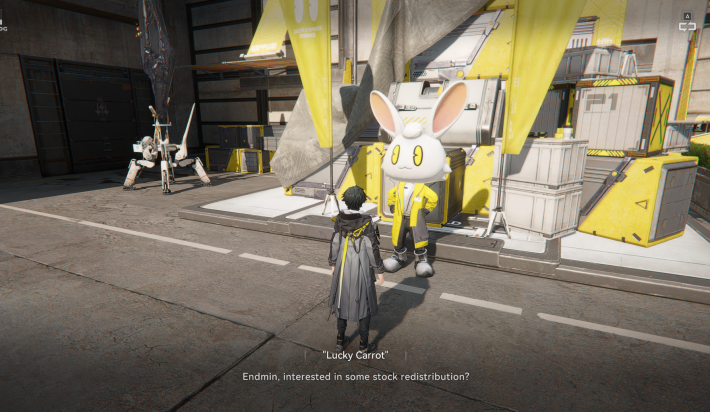
As you explore, you will encounter civilization’s infrastructure, such as the Stock Redistribution Terminal and Recycling Station. Upgrading these facilities enhances their capabilities and makes it easier to collect the Stock Bills and materials needed for character enhancement, gear upgrades, and expansion of the Automated Industry Complex (AIC).
| How to Farm Valley Stock Bills | How to Farm Wuling Stock Bills |
Automated Industry Complex (AIC) Tips
The PAC Can Be Moved
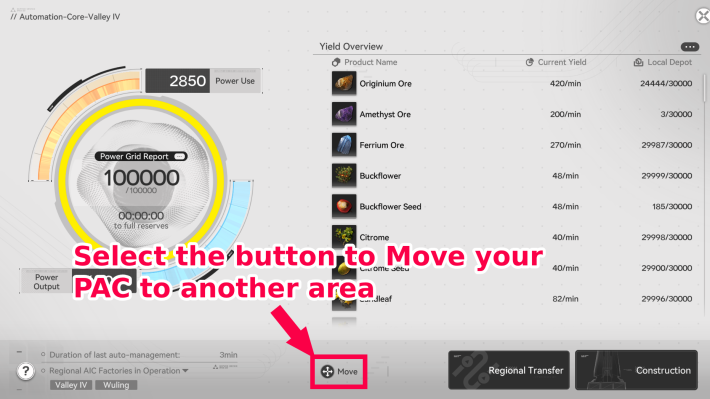
Approach the PAC and open the details screen in "Protocol Management" to select "Move" at the bottom center. Since the PAC connects various facilities, it's more convenient to have it in a central location, but moving it can expand your options for creating production lines.
Check Power Consumption in the Preview
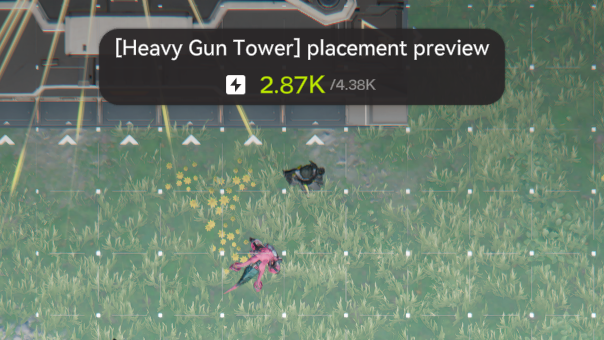
The power consumption is displayed in the placement preview. If it exceeds the power supply, you'll eventually have a power outage, so consider adding more Thermal Banks or canceling the placement. Be especially mindful of power consumption when placing facilities using blueprints.
Increase Power with Thermal Banks
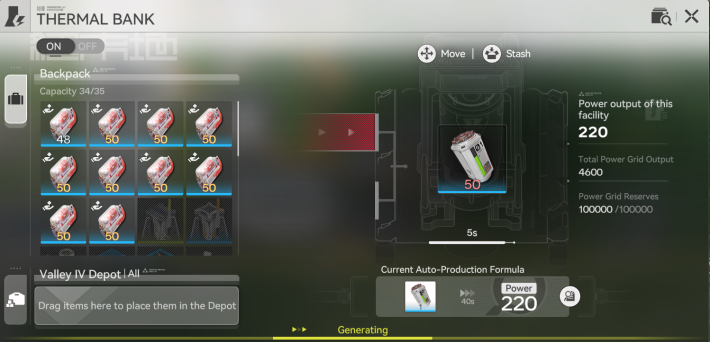
| Unlock Condition | Thermal Bank/Battery, etc.: Basic AIC II "Power I" |
Placing many facilities increases power consumption and can lead to a power shortage. If you leave it as is, you will use up your stored power, cause a blackout, and need to perform recovery work. Place Thermal Banks and prepare energy sources like Originium Ore or batteries to increase your power supply.
Can Skip Simulations for Rewards
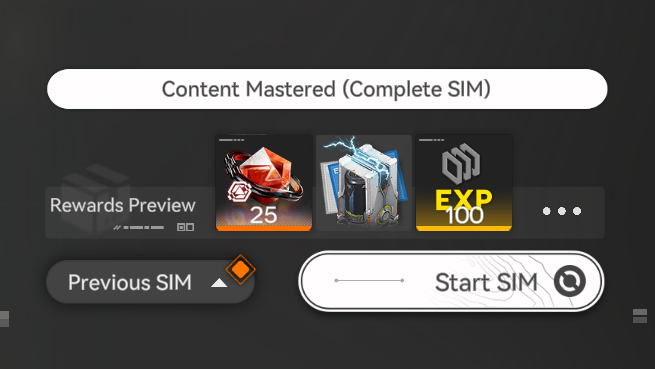
Most Simulations can be skipped while still granting their rewards and blueprints. However, if you are unfamiliar with proper placement mechanics, it is recommended to complete the hands-on Simulation tutorials for a clearer understanding.
Use Blueprints for Help
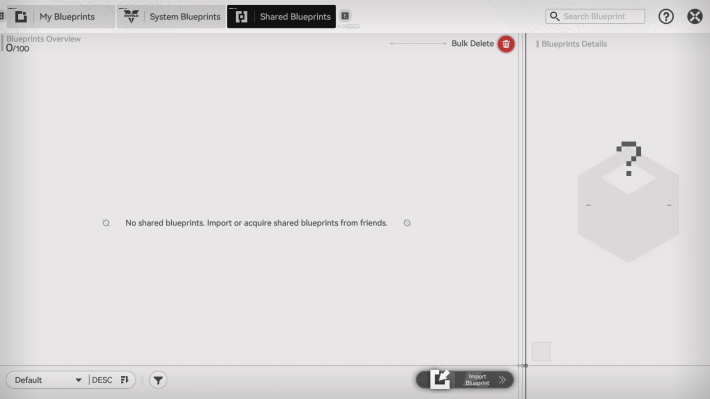
| Unlock Condition | Blueprint: Main Story "Paving the Way" |
The Automated Industry Complex (AIC) can become increasingly complex. To progress smoothly, we recommend referencing or using blueprints shared by other players. You can register them via Shared Blueprints → Import.
Save Blueprints You Use Repeatedly
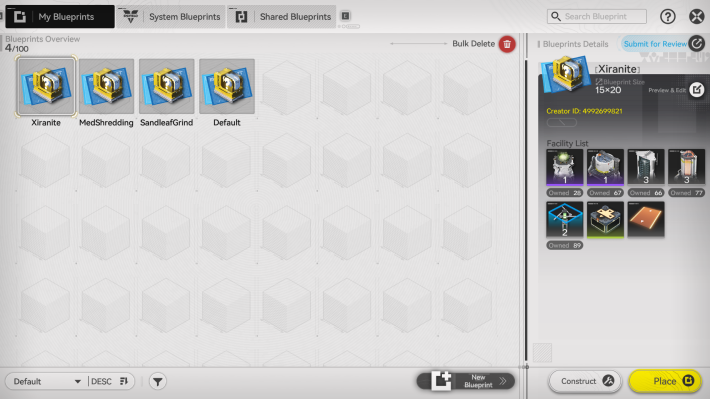
You should save production lines you plan to call up repeatedly or want to duplicate as blueprints. You can save them from "My Blueprints" by creating a new one.
Expand and Upgrade the Core AIC Area
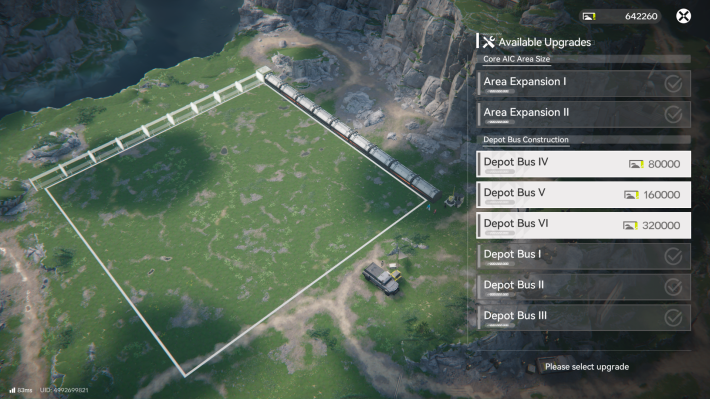
Using the Region's Stock Bills to expand the Automated Industry Complex (AIC) lets you install additional facilities. If you run out of space to place new structures, consider expanding the area to continue developing your setup.
How to Earn and Use Valley Stock Bills
Raise Regional Development Level
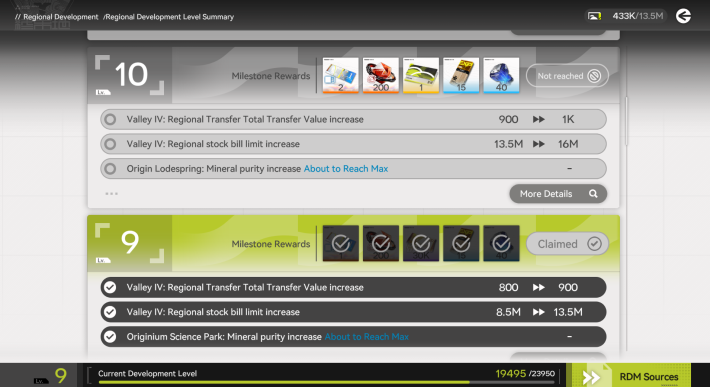
Your Regional Development Level increases through exploration and combat activities, such as placing a Mining Rig for the first time, trading and upgrading outposts, unlocking and enhancing the Recycling Station, and completing missions. Higher levels expand the Automated Industry Complex, enabling you to acquire higher-quality Rare Minerals and expand depot capacity.
How to Raise Regional Development Level
How to Increase AIC Production
Manage AIC by Viewing the Yield Overview
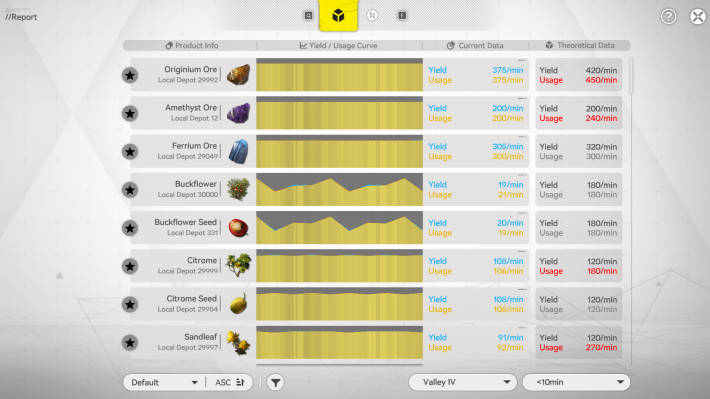
You can check the production overview via PAC → "Protocol Management". Check the production efficiency and power consumption status here. Tap the "..." icon to check the overall situation.
Check the Theoretical Data for Improvements
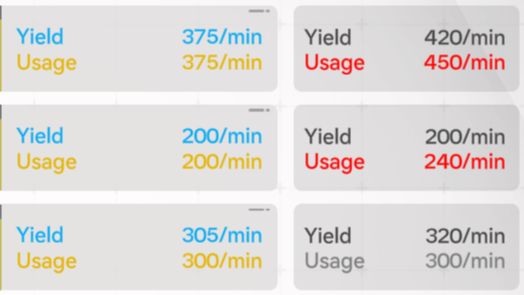
| Theoretical Data | Add more facilities to increase production lines |
| Below Theoretical Data | Find the cause (bottleneck) and improve the production line |
If your output hasn’t reached the theoretical value, identify the bottleneck and adjust your production line to improve efficiency. If you’ve already hit the theoretical data limit, it likely means your current setup isn’t enough, so consider adding more production facilities to increase overall output.
What to Do When Below Theoretical Data
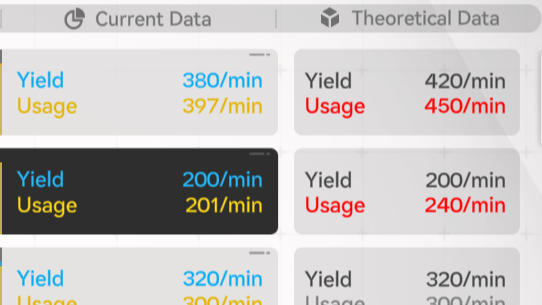
| Insufficient Material Supply | Increase the supply amount |
| Insufficient Supply of One Material | Adjust the material supply balance |
Use items like the Transport Belt Splitter to adjust the material supply balance.
Tips to Reach Theoretical Data
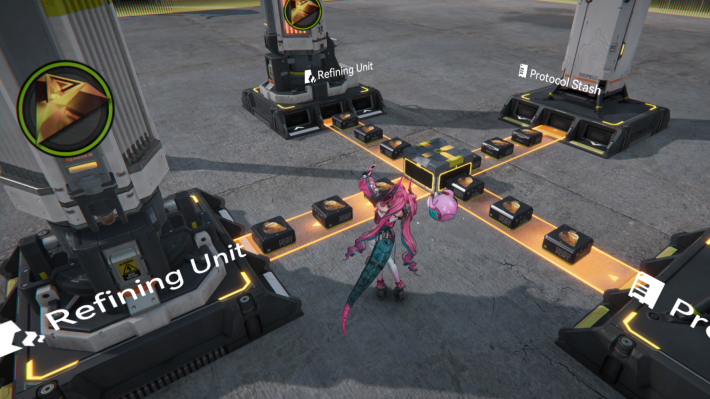
| Expansion Available | Expand the Automated Industry Complex with Valley Stock Bills |
| Other Methods | Use Belt Bridges, etc. |
| Unlock Condition | Belt Bridge: Basic AIC II "Belt Bridging" |
If you’ve placed many facilities in the Automated Industry Complex (AIC) and are running out of space, consider expanding the AIC with Valley Stock Bills or reorganizing your layout. Using a Belt Bridge can help you optimize space and improve placement efficiency.
| Note! | Be aware that Belt Bridges can only extend Transport Belts in a straight line. |
|---|
Adjust the Production Line
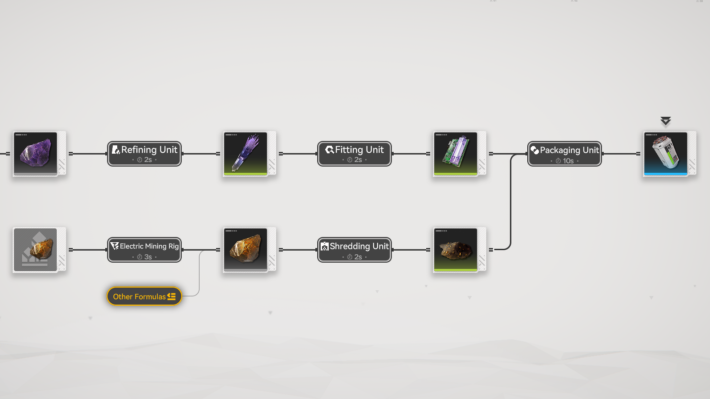
For the LC Valley Battery, one unit is produced every 10 seconds. Each battery requires 5 Amethyst Parts and 10 Originium Powder, so ideally, these materials should be supplied at the same 10-second interval. If the supply falls short, increase the number of production lines to keep up with demand.
| Note! | Especially to ensure the stable operation of the Thermal Bank, you want the battery production line to run at full capacity! |
|---|

 Blueprint Code List
 How to Create Blueprints
 How To Share Blueprints
 Clogged Transport Belts
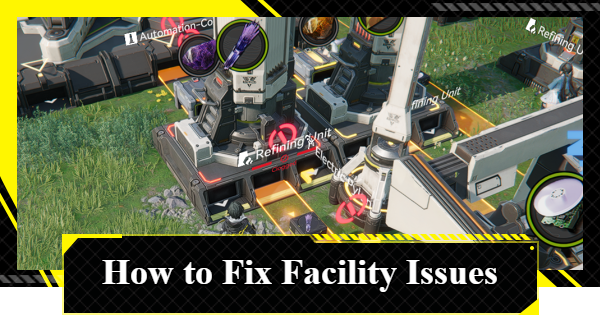 Fixing AIC Facility Issues
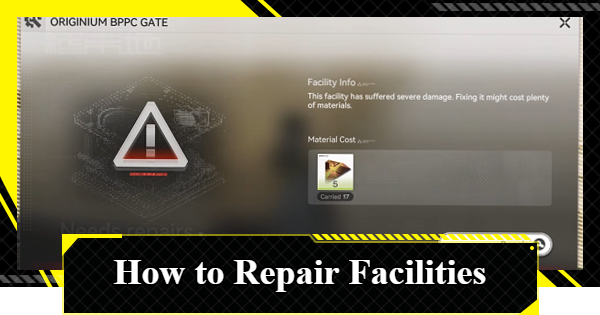 Repair Broken Facilities
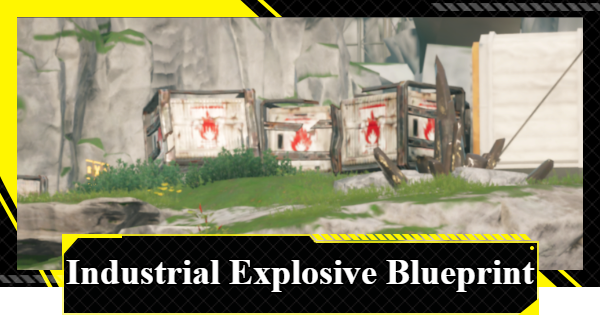 How to Craft Bombs
 Best Zipline Locations and Routes
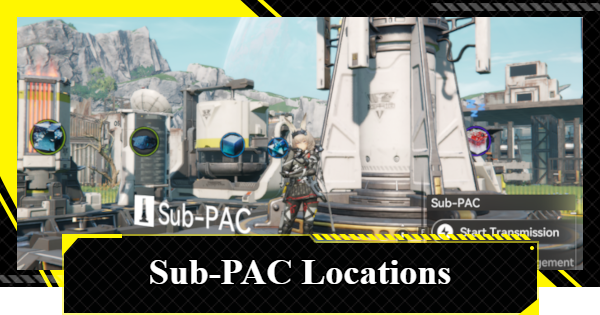 Sub-PAC Locations and Uses
 Best Farming Blueprints
 PAC Locations
 Wuling AIC Guide and Tips
 Reroll Tier List
 How to Reroll
 Best Characters Tier List
 Early Game Guide
 Redeem Codes List
 Best Team Comps
 Points of No Return
 Linking GRYPHLINE Account
 How to Add Friends
 Daily Tasks To Do
 Authority Level Guide
 Interactive Map











