

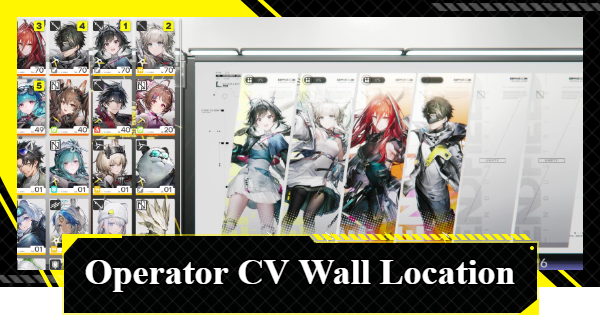
This article explains the location of the Operator CV Wall in Arknights: Endfield. This includes where to find the Operator CV Wall, benefits, and how to edit it in Endfield.
Table of Contents
Clear Edit Operator CV Wall in Node 4
Complete Node 4 of the Operation Manual
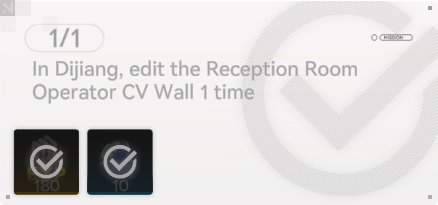

Node 4 of the Operation Manual includes an objective to edit the Operator CV Wall. Since you must complete every Node to progress, make sure to edit the Operator CV Wall in Dijiang's Reception Room once you reach this stage.
Complete Objectives in Advance
You can actually fulfill this requirement before the objective formally appears. If you edit the Operator CV Wall early, the task will automatically mark itself as complete the moment you unlock Node 4, allowing you to claim the rewards immediately.
Operator CV Wall Location
Display Operators in the Operator CV Wall
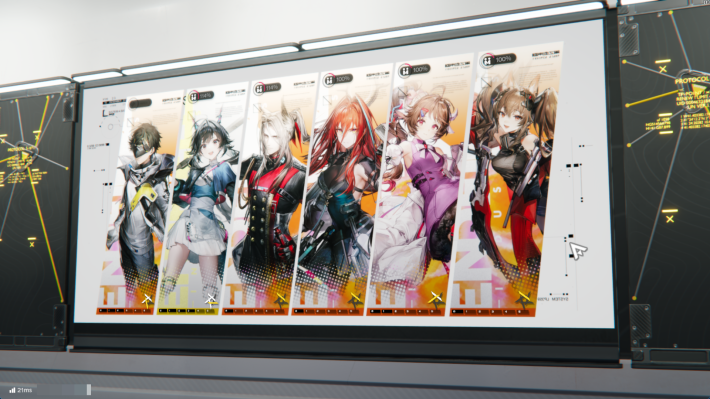
The Operator CV Wall allows you to showcase the operators you have recruited. Since the displayed character's Trust and levels are visible, it is the perfect place to show off your favorite Operators to friends visiting the Dijiang.
Reception Room of the OMV Dijiang
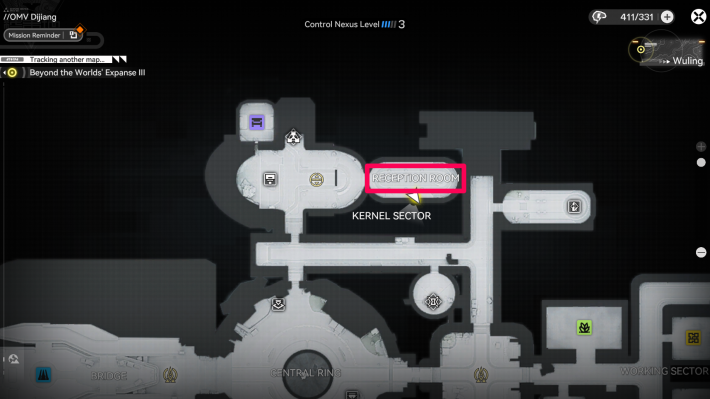
The Operator CV Wall is located in the Reception Room of the OMV Dijiang. The OMV Dijiang is unlocked by progressing through the mission "Chapter 1 - Process II: Repair Progress". As you advance the story, you will be guided to the Reception Room.
How to Edit the Operator CV Wall
- Examine the wall on the right side of the Reception Room
- Select characters from the list
- Selected characters are displayed on the wall
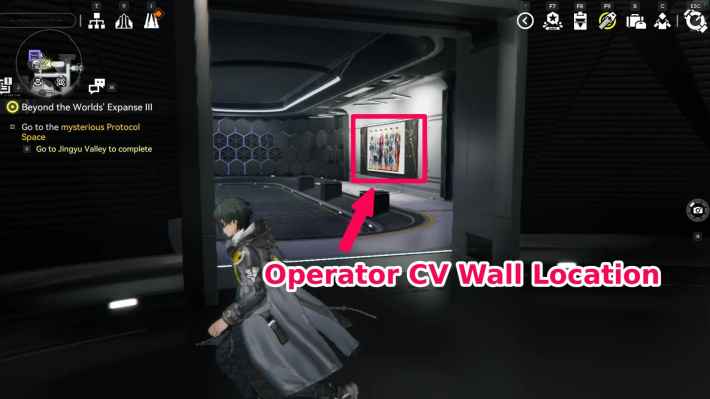
Enter the Reception Room via the TP Platform in the OMV Dijiang. Examine the wall on the right side to begin editing the Operator CV Wall.
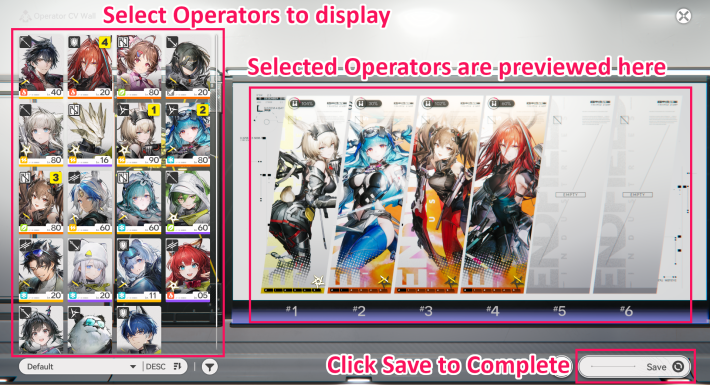
Select the characters you wish to display from the list on the left. They will appear in the order selected, starting from the left side. Once you have finished making your selection, press "Save" in the bottom right to apply the changes.
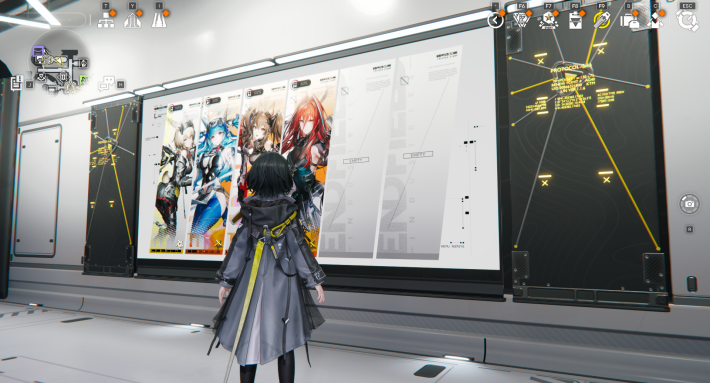
The selected characters will now appear in the Operator CV Wall. Since the Operator CV Wall is visible to visiting friends, choose your favorites to show them off.
Can Also Display Weapons and Medals
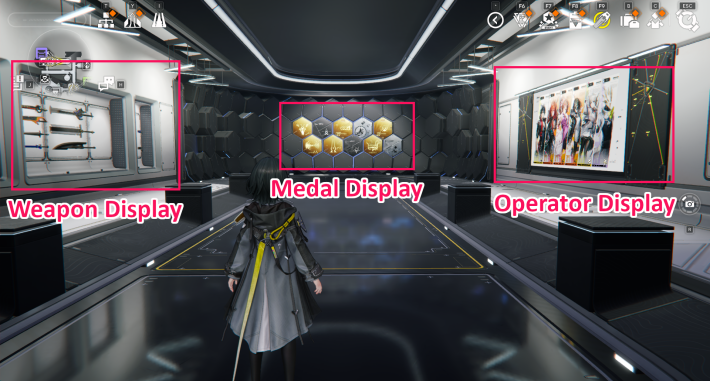
Next to the Operator CV Wall, there is a separate display space for weapons and medals. You can edit this wall by approaching it, just like the character display, so use this space to showcase your best equipment and achievements.
How to Unlock the Reception Room
Progress the Story to Unlock
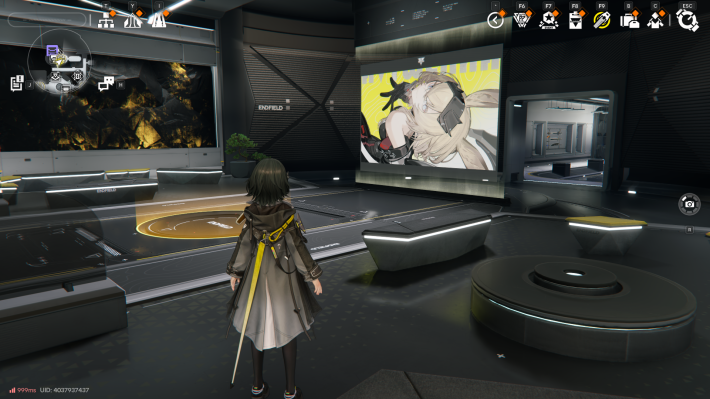
The Operator CV Wall aboard the Dijiang is unlocked by progressing through the mission "Chapter 1 - Process II: Maintenance Progress". You will gain access to the Operator CV Wall after completing the Reception Room tutorial under Xaihi's guidance.
Maintenance Progress Walkthrough
Related Arknights: Endfield Articles
Back to Top PageTier List
 Characters Tier List
 Reroll Tier List
 Best Weapons Tier List
Gacha Information
 Which Banner Should You Pull?
 Gacha Pity System & Rates
 Gacha Currency
 Basic Headhunting Permit
Recommended Articles
 Early Game Guide
 Redeem Codes List
 How to Add Friends
 Points of No Return
 Authority Level Guide
 Daily Tasks To Do
 Starter Banner Best Weapon
 How to Farm T-Creds
 How to Get Aketine
 How to Get 2 Stock Redistributors
 Depot Nodes Location
 How to Get Origeometry
 Monthly Pass Guide
 Trust & Operator Gift Guide
Events
  Umbral Monument Event Guide Umbral Monument Event Guide |  Survive the Gas Survive the Gas |  Unorthodox Tactics Unorthodox Tactics |
 Ballista and Axe Ballista and Axe |  Bolts and Shadows Bolts and Shadows |  Rampaging Shields Rampaging Shields |
 Rock Solid Rock Solid |  Supply: Exploration Day Supply: Exploration Day |
Things to Know Before Release
 Release Date Release Date |  How to Pre-Download How to Pre-Download |  PS5 Pre-Order Bundle PS5 Pre-Order Bundle |
 How to Link Account How to Link Account |  Is Cross-Play Available? Is Cross-Play Available? |  How to Reroll How to Reroll |
 Operator Class Guide Operator Class Guide |
 Combat System Guide
 How to Win Battles
 Dodge and Perfect Dodge
 Elemental Weakness Chart
 Arts Reactions / Physical Status
 Team Composition Tips
 Best Team Comps
 Potential
 Talents and Base Skills
 How to Craft Gear
 Best Food List
 Artificing and Stats Priority
 All Fast Travel Points
 Protocol Datalogger
 Aurylene
 Interactive Map
 Ferrium Ore Map Location











