

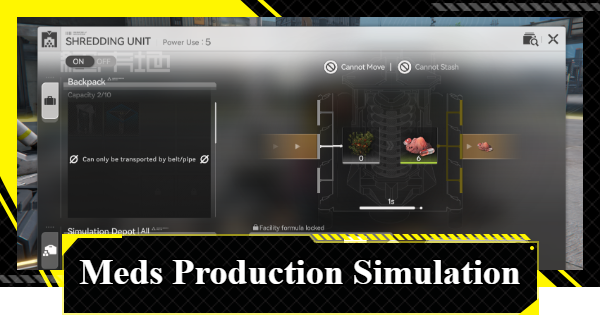
This is a simulation guide for the Meds Production in Arknights: Endfield. It covers how to clear the Meds Production simulation, bonus goals, and rewards for clearing in AKEF.
Meds Production Overview
Meds Production Objectives
| Unlocks | None |
| Main Objectives | - Transport Buckflower from the PAC Output Port to the Shredding Unit to produce Buckflower Powder - Use Transport Belts to move the Buckflower Powder produced by the Shredding Unit into the Depot |
| Bonus Objectives | Improve the Origocrust Logistics Connections to produce Origocrust Powder and move it into the Depot |
| Rewards | - Oroberyl x25 - Operational EXP x100 |
| Bonus Objective Rewards | Oroberyl x15 |
Meds Production Walkthrough
Select to Open PAC Output Port 1
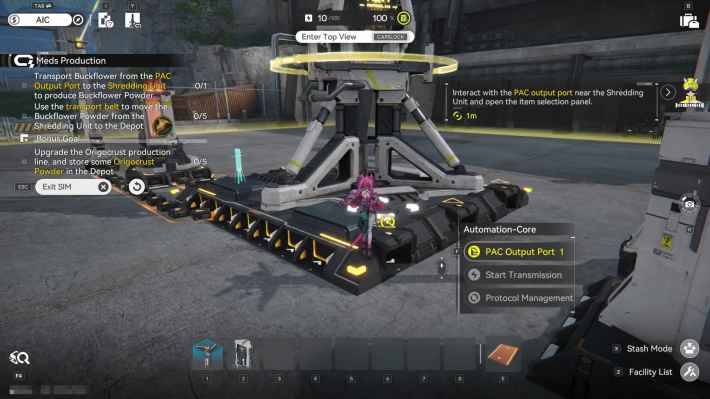

Once you start, first select PAC Output Port 1.
Set Buckflower as Transport Material
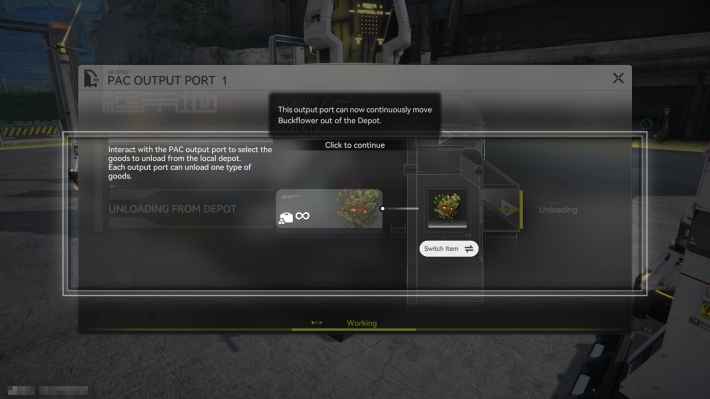
Select "Buckflower" as the transport material for PAC Output Port 1.
Connect Output Port to the Shredding Unit
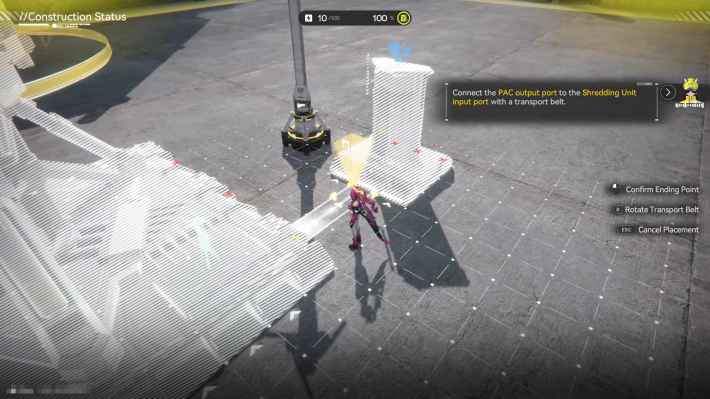
Connect the PAC Output Port 1 and the Shredding Unit's Production Line with a Transport Belt. You can identify the Shredding Unit's Production Line by the arrow. Be careful, as items cannot be inserted from anywhere other than the Production Line.
Connect Shredding Unit Output Port to the PAC
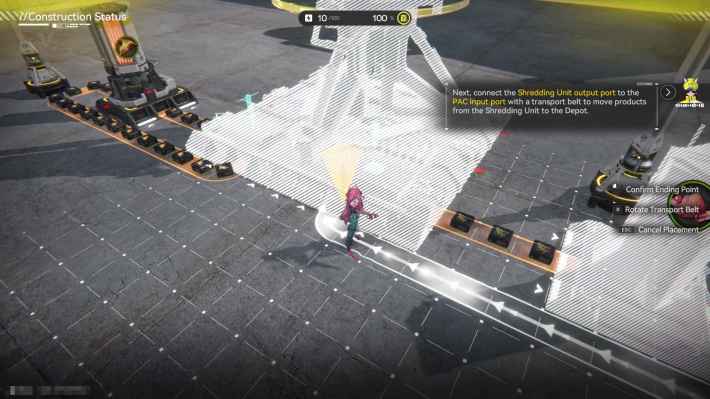
Once the Shredding Unit produces Buckflower Powder, connect the unit's Output Port to the PAC's Production Line using a Transport Belt. The Transport Belt bends automatically, allowing you to connect them directly by selecting each endpoint.
Meds Production Bonus Goal
Store the Transport Belt with Origocrust
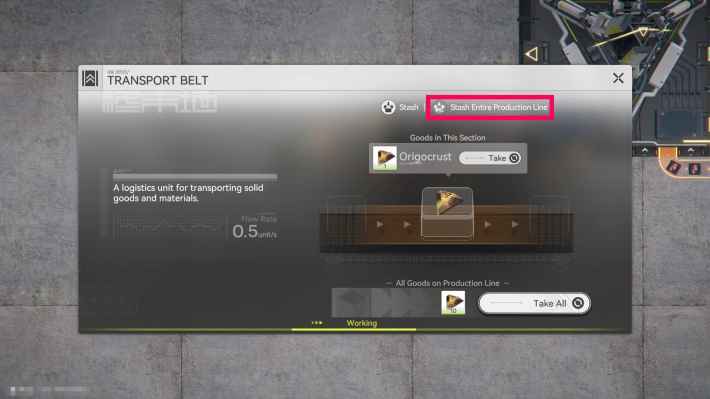
To complete the sub-objective, you need to process Origocrust into "Origocrust Powder" using a Shredding Unit. First, store the Transport Belt carrying the Origocrust. You can store the entire line at once by selecting "Stash Entire Production Line" from the Transport Belt selection screen.
Place a Shredding Unit Near the Origocrust Line
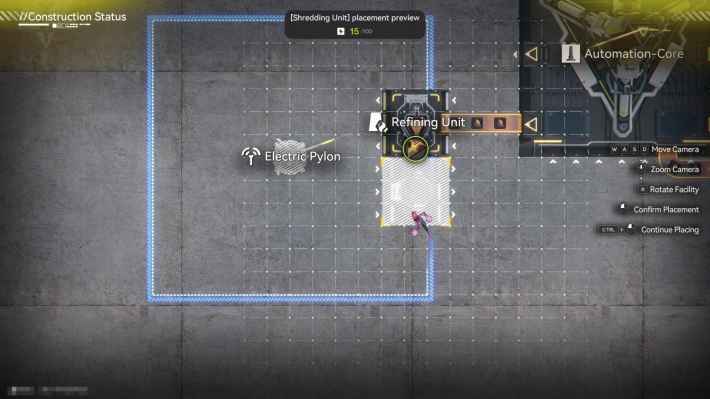
Place a Shredding Unit near the line that is producing Origocrust. To transport the powder produced by the Shredding Unit to the PAC's Production Line, rotate the Shredding Unit during placement so that its Output Port faces the PAC's Production Line.
Connect Logistics via Transport Belt
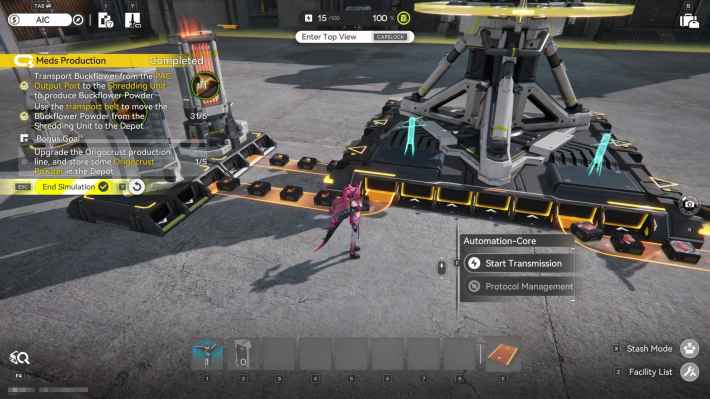
Connect two locations with Transport Belts to complete the Logistics Connections: "the Refining Unit's Output Port and the Shredding Unit's Production Line" and "the Shredding Unit's Output Port and the PAC's Production Line".
Related Arknights: Endfield Articles
Valley IV Simulations
Wuling Simulations
| Pipes and Fluids | Reactor Crucible | Filling Unit (Fluid) |
| Planting Unit and Pipe Splitter | Sprinkler | Pipe Logistics |
| Reactor Expansion | Forge of the Sky | Separating Unit |













