

How to play multiplayer in Arknight Endfield. Guide includes multiplayer mode, social features, shared facilities, other sharing features, and more.
Table of Contents
Is Multiplayer Available?
Only Includes Social Features
Arknights: Endfield does not have a real-time multiplayer co-op mode, such as being able to join other player's worlds or fighting enemies together. The closest it has to multiplayer is its social features.
Social Features Available Across All Platforms
Social features are not restricted and is available across all platforms. You can connect and enjoy these features on PS5, PC, or mobile.
No Cross-Play, Only Cross-Save
Since there is no multiplayer co-op, there is no cross-play either. Only cross-save is available.
List of Multiplayer Features
| Multiplayer Features | Details |
| Adding Friends | Allows various social functions by adding friends |
| Shared Facilities | Share facilities placed on the field either by friends or by random players |
| Blueprint Sharing | Share Facility Blueprints with friends |
| Visiting Dijiang | Visit a friend's Dijiang and support their production to earn Credits |
| Give Clues | Give or receive Operator Clues to/from friends to earn Credits |
| Trade | Visit a friend's Djiang and trade Elastic Goods |
| Depot Node | Can also request delivery jobs to friends |
Enable Social Features
By becoming friends with other players, you can use various social features. It is the fundamental multiplayer feature of this game.
Access the Friend Feature from the Menu


To access the Friend Features, select "Friend" on the right side of the main menu.
Use Facilities Placed on the Field by Others

Facilities placed outisde the Core AIC Area are automatically shared with other players. Shared facilities do not require power supplies and can be used by simply interacting with them.
| Tips! | Facilities placed down by your friends are prioritized! |
Add Friends Using Shared Facilities
When next to a shared facility by another player, open "Facility Details" to add them as your friend.
Shared Facilities Require Repairs

Share Factory Blueprints

Blueprints are used to share facility layouts for the Core AIC Area with other players. You can share these codes to friends and even other players.
| Note! | Blueprints can be shared both in-game and outside the game. Externally shared blueprints can be used by other players, including those not on your friends list. |
|---|
| Blueprint Related Articles | |
| How to Create Blueprints | How To Share Blueprints |
| Blueprint Code List | - |
Visit a Friend's Dijiang & Earn Credits

You can visit a friend's Dijiang from the TP Platform from your own Dijiang's Reception Room. In their Dijiang, you can offer them Production Assistance in exchange for Credit rewards.
Earn Credits by Providing Production Assistance

You can earn Credits by providing Production Assistance to your friends when you visit their Dijiang. Earned Credits can then be exchanged for different items in the Credit Store, including Arsenal Tickets and Oroberyl.
Access the Credit Store from the Acquisition Center

Credits that you earn can be exchanged for items in the Credit Store. It can be accessed through the Acquisition Center.
Available Items in Credit Store
Earn Credits by Giving or Receiving Operator Clues

Collected Operator Clues can also be sent to friends. Giving them out will earn you 30 Credits, while receiving them from friends will earn up to 45 Credits.
Additional Credits for Visiting During an Intel Gathering
If you visit a friend while they are holding an Intel Gathering, you can share intel. You can earn up to 50Credits per session up to 5x a day.
Trade Elastic Goods at a Friend's Dijiang

| How to Unlock | After completing the Lucky Carrot's Quest |
You can make money by taking advantage of price differences by visiting a friend's Dijiang and selling Elastic Goods. You will need Valley Stock Bills to invest, but you can earn a profit by confirming which friend you can sell to for the highest price. Head to a friend's Dijiang, and then their Stock Redistribution to sell them.
Elastic Goods - How to Make High Profit
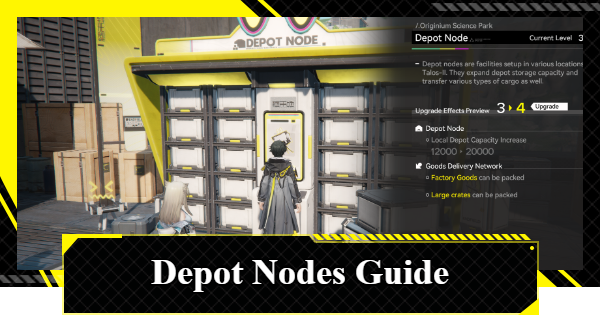
Request Deliveries From Others at the Depot Node

This is a feature where you can obtain Valley Stock Bills by doing delivery jobs for other players. You can make the deliveries yourself, but if you ask someone else to do them, you and your friend will receive rewards. You can accept up to 3 requests from others in a day.
Related Arknights: Endfield Articles
Back to Top PageTier List
 Characters Tier List
 Reroll Tier List
 Best Weapons Tier List
Gacha Information
 Which Banner Should You Pull?
 Gacha Pity System & Rates
 Gacha Currency
 Basic Headhunting Permit
Recommended Articles
 Early Game Guide
 Redeem Codes List
 How to Add Friends
 Points of No Return
 Authority Level Guide
 Daily Tasks To Do
 Starter Banner Best Weapon
 How to Farm T-Creds
 How to Get Aketine
 How to Get 2 Stock Redistributors
 Depot Nodes Location
 How to Get Origeometry
 Monthly Pass Guide
 Trust & Operator Gift Guide
Events
  Umbral Monument Event Guide Umbral Monument Event Guide |  Survive the Gas Survive the Gas |  Unorthodox Tactics Unorthodox Tactics |
 Ballista and Axe Ballista and Axe |  Bolts and Shadows Bolts and Shadows |  Rampaging Shields Rampaging Shields |
 Rock Solid Rock Solid |  Supply: Exploration Day Supply: Exploration Day |
Things to Know Before Release
 Release Date Release Date |  How to Pre-Download How to Pre-Download |  PS5 Pre-Order Bundle PS5 Pre-Order Bundle |
 How to Link Account How to Link Account |  Is Cross-Play Available? Is Cross-Play Available? |  How to Reroll How to Reroll |
 Operator Class Guide Operator Class Guide |
 Combat System Guide
 How to Win Battles
 Dodge and Perfect Dodge
 Elemental Weakness Chart
 Arts Reactions / Physical Status
 Team Composition Tips
 Best Team Comps
 Potential
 Talents and Base Skills
 How to Craft Gear
 Best Food List
 Artificing and Stats Priority
 All Fast Travel Points
 Protocol Datalogger
 Aurylene
 Interactive Map
 Ferrium Ore Map Location











