


This article explains how to add friends in Arknights: Endfield. This includes the benefits of adding friends, how to send and accept friend requests in Endfield.
How to Add Friends
How to Send a Friend Request
- Open the menu in the top right corner of the screen
- Select "Friends"
- Select "Friend Request" in the bottom right corner of the screen
- Search by player name or UID and send a request
You can send friend requests in Endfield from the Friends option in the menu. To search for friends, you will need their player name or User ID (UID).
How to Send a Friend Request
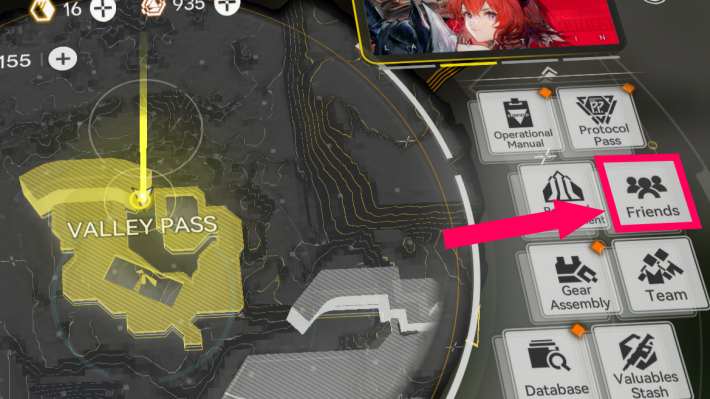

Friend requests can be accessed from 'Friend' in the menu screen.
Use Player Name or UID to Send Request
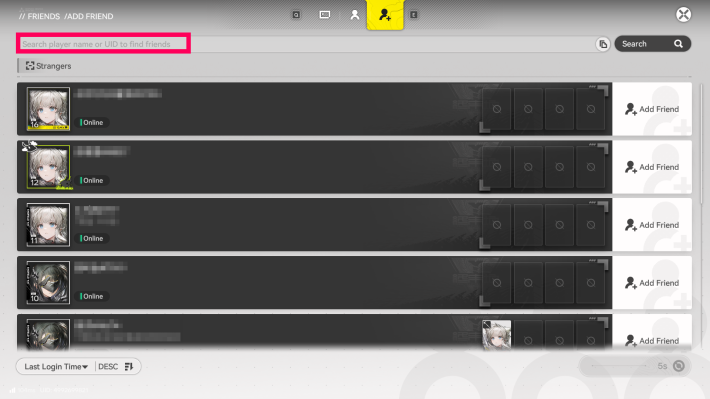
You can search and send a request on the Add Friend screen by entering a player name or UID. Once the other person approves the request, you will be registered as friends. If you want to play with your friends, be sure to ask for their player name or UID beforehand.
Check Player Name and UID from the Left Tab
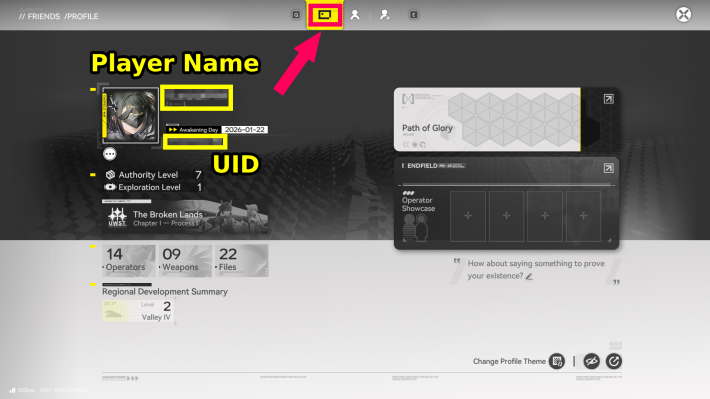
The "Player Name" and "UID" required for friend requests can be found in the Personal Information tab on the far left of the Friend screen. The UID can also be copied, so make use of it when sharing with your friends.
Accept Friend Requests in the Middle Tab
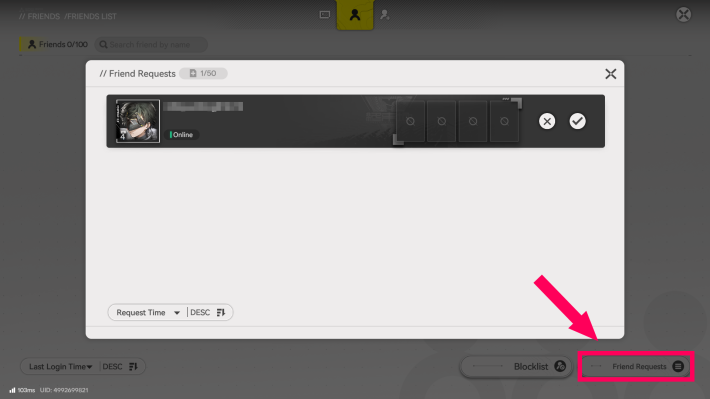
When you receive a friend request, you can find the accept button at the bottom-right of the Friend List tab in the Friends menu. You can only have up to 50 requests pending, so be sure to check it regularly to avoid hitting the friend request limit.
How to Visit Friends' Dijiang
Check Elastic Goods in Stock Redistribution Page
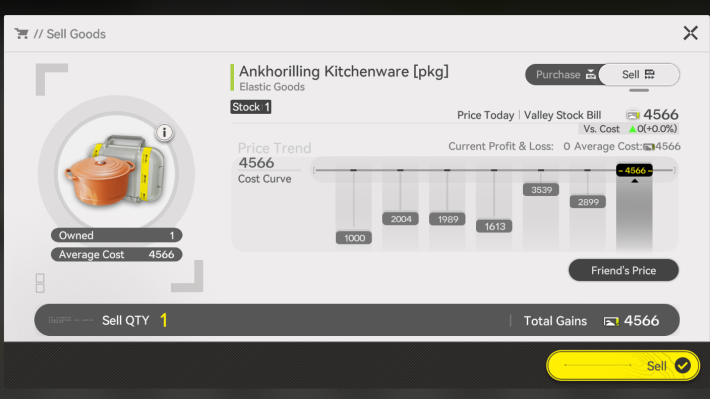
You can visit a friend by heading to Stock Redistribution → Elastic Goods → Check Friend’s Price, then selecting a friend and tapping “Visit Friend’s Ship.” This is the recommended way to travel, as you can also perform Production Assists and other activities while buying and selling Elastic Goods.
Select From Friends Menu
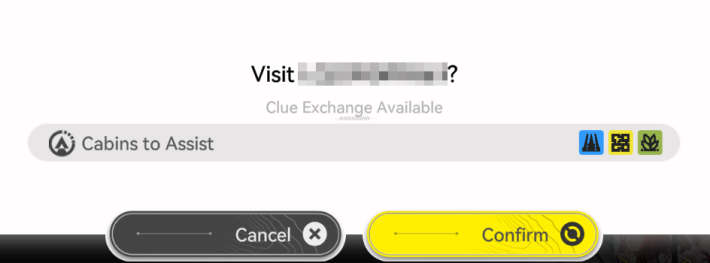
From the "Friends" menu, you can select the friend you want to visit. The advantage is that a list of friends you can visit is displayed, making it easy to check the status of the supportable cabins.
Warp From the TP Platform in the Reception Room
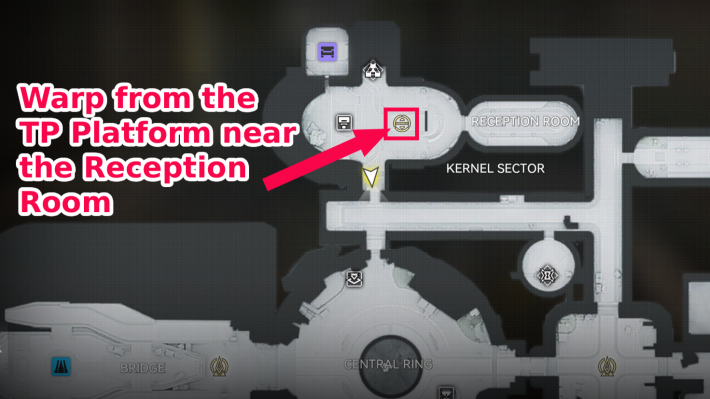
You can also travel to a friend's Dijiang from the Dijiang in front of the Reception Room.
Benefits of Adding Friends
Use Shared Facilities
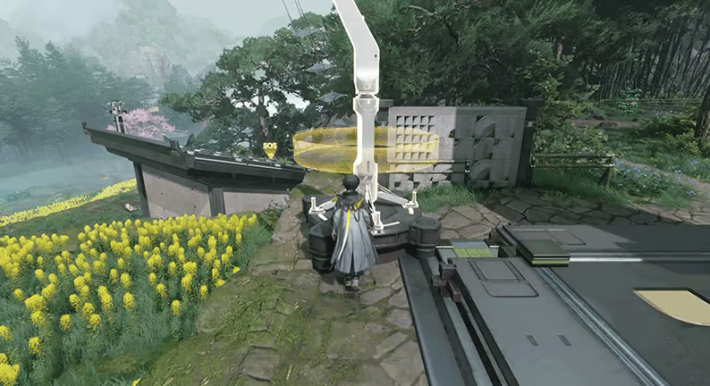
You can share facilities useful for exploring Taros-II with your friends, such as "Ziplines" and "Memo Beacons". The shared facilities you've set up will also be shared with your friends, so cooperate with other players to make exploration more efficient.
Buy & Sell Market-Priced Items
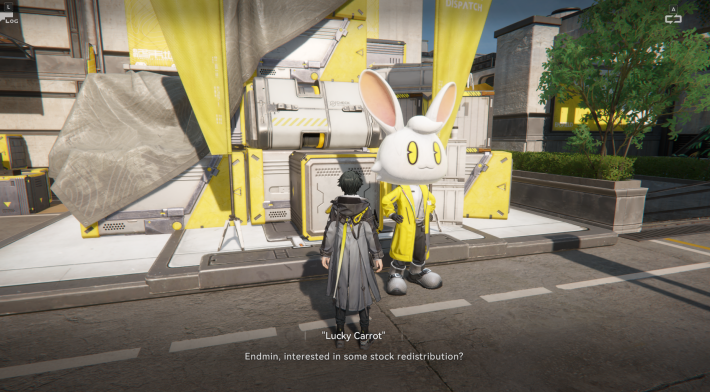
| How to Unlock | Complete Lucky Carrot Sub-Mission |
Lucky Carrot's market-priced items display a Friend’s Price. If you buy at the lowest price and sell at the highest price, you can earn Valley Stock Bills. The more friends you have, the more options you will have, making it easier to collect Valley Stock Bills, so be sure to add as many friends as possible.
Elastic Goods - How to Make Profit
Assist Friends to Earn Credits
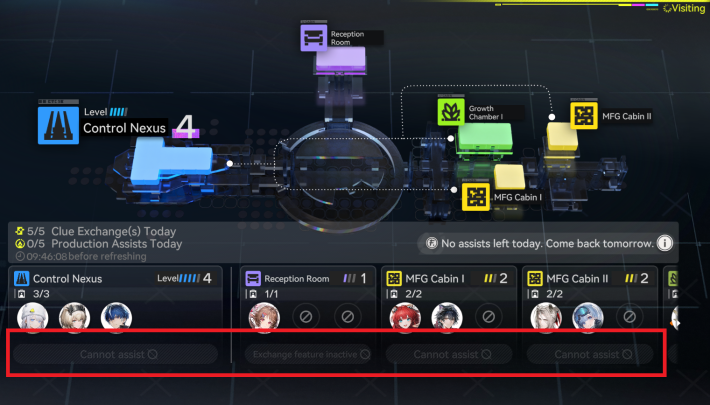
Go to Dijiang → Access the Guest Terminal → Click Production Assists. Supporting a friend this way will grant you Credit rewards. It's most efficient to provide support when checking the Friend’s Price to buy and sell Market-Priced Items.
Obtain Oroberyls and Arsenal Tickets
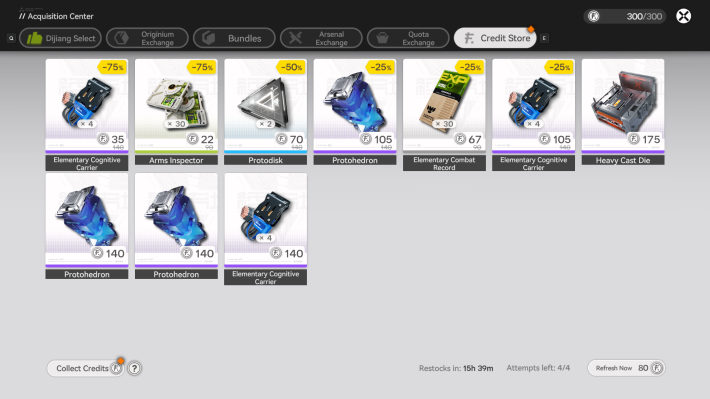
By collecting Credits, you can exchange them for various itemssuch as Oroberyls (gacha currency) and Arsenal Tickets at the Credit Store. There are also items with high discount rates, so be sure to check them out!
Production Assists
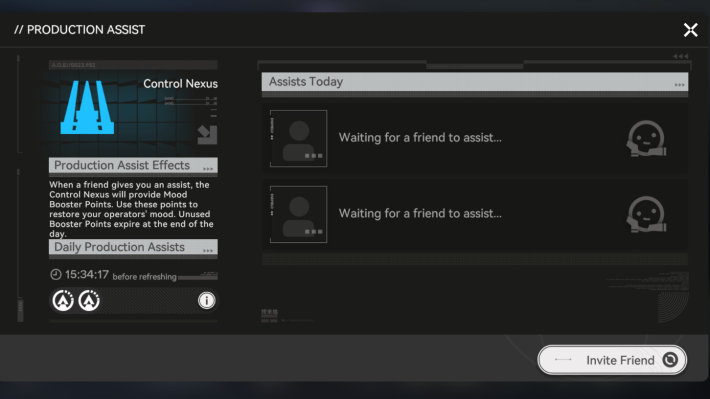
When you receive Production Assists from friends, your production speed will increase. As a result, you can obtain more Upgrade Materials and other items.
Share Clues to Collect Credits
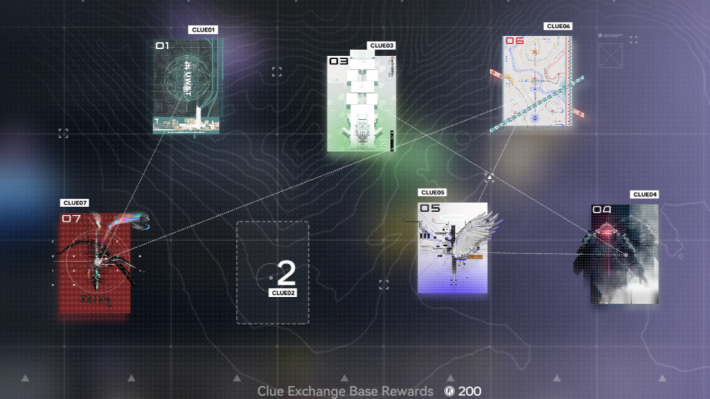
Since you can receive clues from friends, completing your collection becomes much easier, allowing you to claim Credit rewards from the Intel Section. You can also earn Credits by sharing clues with friends—try to give them clues they’re missing to maximize the Credits you gain.
View Collections and Achievements
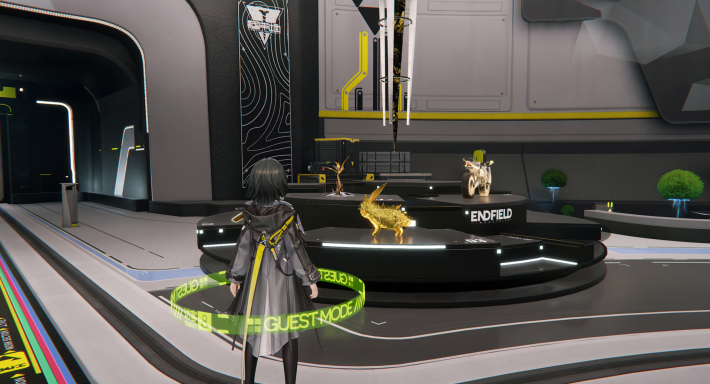
In the "Reception Room" of the Dijiang, you can display weapons, personnel records, and achievements to share your collection with friends. You can also visit a friend's Reception Room to view their layout and provide Production Support for their Cabins.
Related Arknights: Endfield Articles
Back to Top PageTier List
 Characters Tier List
 Reroll Tier List
 Best Weapons Tier List
Gacha Information
 Which Banner Should You Pull?
 Gacha Pity System & Rates
 Gacha Currency
 Basic Headhunting Permit
Recommended Articles
 Early Game Guide
 Redeem Codes List
 Points of No Return
 Authority Level Guide
 Daily Tasks To Do
 Starter Banner Best Weapon
 How to Farm T-Creds
 How to Get Aketine
 How to Get 2 Stock Redistributors
 Depot Nodes Location
 How to Get Origeometry
 Monthly Pass Guide
 Trust & Operator Gift Guide
Events
  Umbral Monument Event Guide Umbral Monument Event Guide |  Survive the Gas Survive the Gas |  Unorthodox Tactics Unorthodox Tactics |
 Ballista and Axe Ballista and Axe |  Bolts and Shadows Bolts and Shadows |  Rampaging Shields Rampaging Shields |
 Rock Solid Rock Solid |  Supply: Exploration Day Supply: Exploration Day |
Things to Know Before Release
 Release Date Release Date |  How to Pre-Download How to Pre-Download |  PS5 Pre-Order Bundle PS5 Pre-Order Bundle |
 How to Link Account How to Link Account |  Is Cross-Play Available? Is Cross-Play Available? |  How to Reroll How to Reroll |
 Operator Class Guide Operator Class Guide |
 Combat System Guide
 How to Win Battles
 Dodge and Perfect Dodge
 Elemental Weakness Chart
 Arts Reactions / Physical Status
 Team Composition Tips
 Best Team Comps
 Potential
 Talents and Base Skills
 How to Craft Gear
 Best Food List
 Artificing and Stats Priority
 All Fast Travel Points
 Protocol Datalogger
 Aurylene
 Interactive Map
 Ferrium Ore Map Location











