

This article explains Arknights: Endfield's combat system and best gameplay tips. Covering basic combat controls, arts reaction, and combat strategies for Arknights: Endfield.
Table of Contents
| Related Articles | |
| What Each Class Does | How to Dodge Guide |
| Element Matchup Guide | Arts Reactions & Physical Status Effects |
Combat System Explained
Control 1 Character in a Team of Four
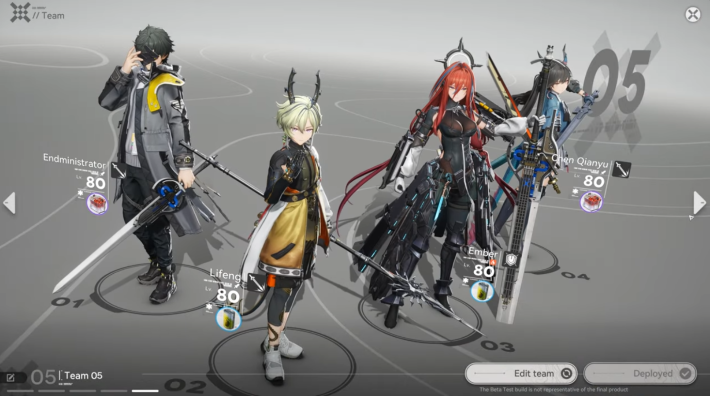

You can form a team with up to four members and control one of them as your player character. The other three members will fight alongside you automatically as CPUs, but you can activate their Battle Skills, Combo Skill, and Ultimate at any time.
Basic Attacks: Normal and Heavy
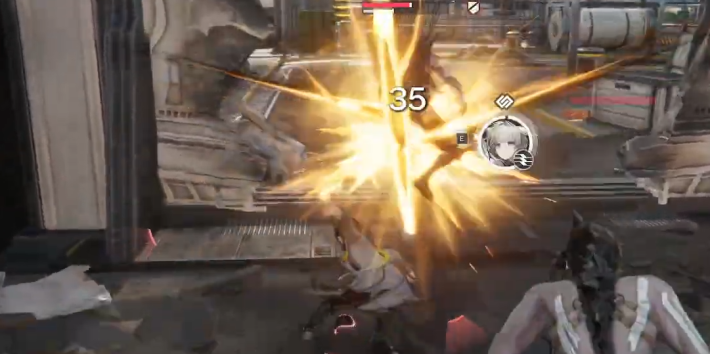
Every character can perform attack combos by repeatedly tapping or holding the normal attack button, with the final hit becoming a Final Strike. Landing a Final Strike builds Stagger Meter on the enemy and restores Skill Points.
Dodging is Key to Survival
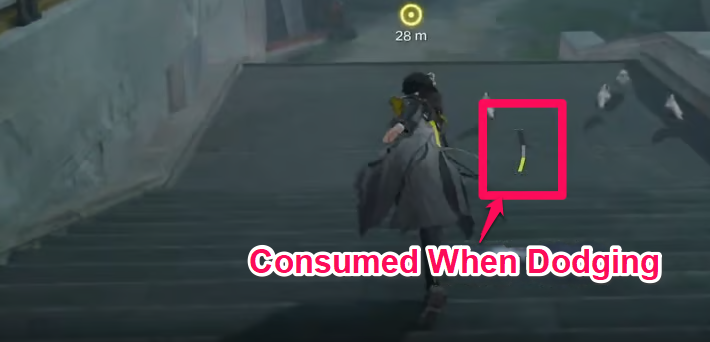
Press the Dodge button to evade enemy attacks at the cost of stamina. Dodging mid-combo does not interrupt your attack chain, so time your evasions carefully when enemies strike. You can dodge up to two times consecutively.
Perfect Dodge Mechanic
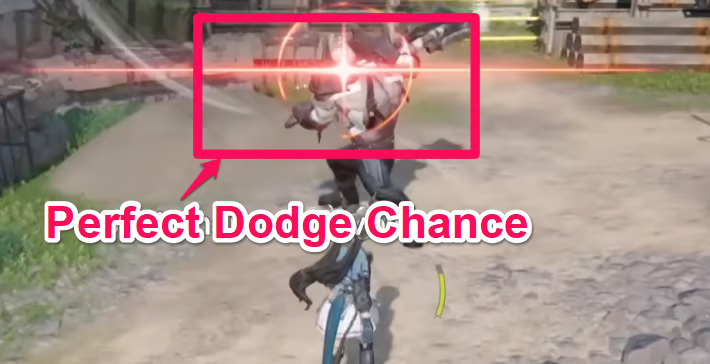
Successfully dodging an enemy attack with precise timing triggers a Perfect Dodge, which restores half of the Stamina spent. For best results, dodge when you see the red flash.
Use Battle Skills with Skill Points
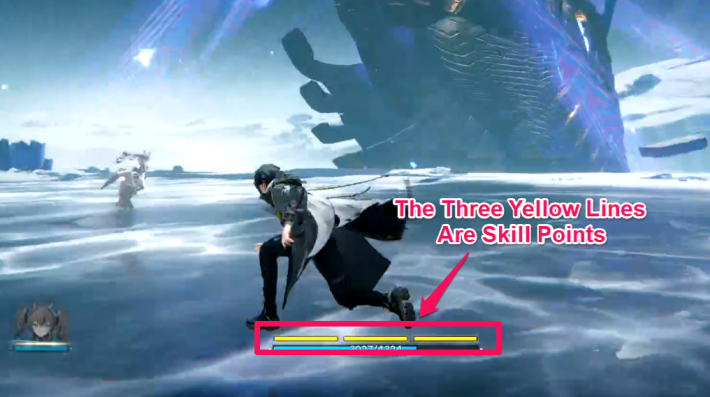
Activating a Battle Skill consumes one bar of Skill Points (SP), shown as the three segments above the HP bar. Skill Points gradually regenerate during combat and can also be restored through Final Strike, Perfect Dodges, or specific skills.
Combo Skills Trigger Under Specific Condition
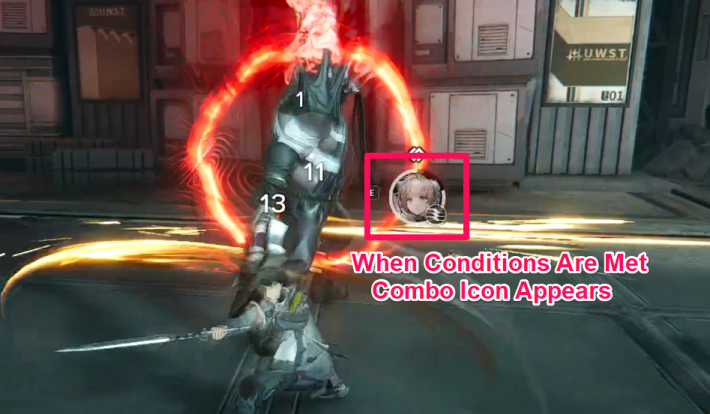
When a character’s combo conditions are met, an icon appears, allowing you to trigger a Combo Skill. While these skills have a cooldown, they are powerful abilities that do not consume Skill Points, so consider building a team that can activate them often.
Build Energy and Use an Ultimate
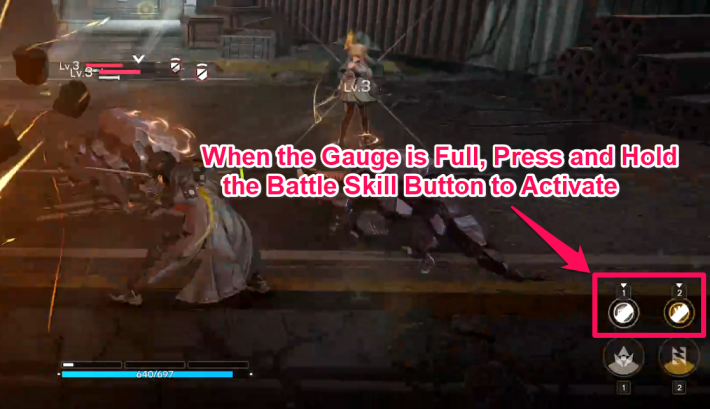
Once the gauge is fully charged, you can unleash a powerful Ultimate. Gauge energy is generated by using Battle Skills and Ultimates, so building a team composition that enables frequent and efficient activation is essential.
Ultimate Energy Gauge Is Shown
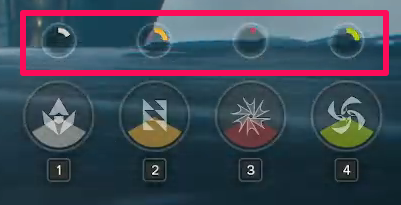
You can check your Ultimate Energy accumulation via the Ultimate button icon in the bottom-right corner of the screen.
Lock-On: Focus View on an Enemy
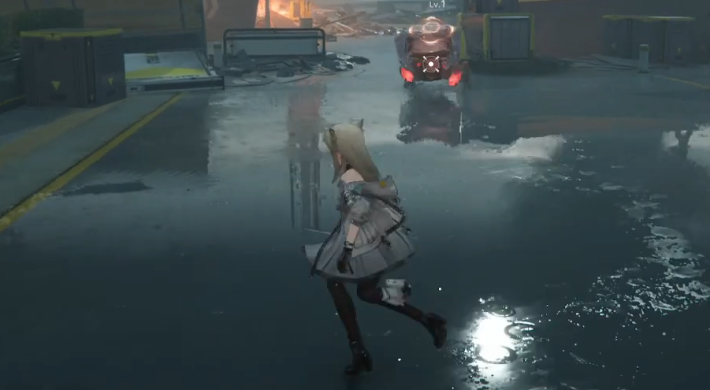
Locking on allows you to continuously target a specific enemy, with the camera automatically adjusting to keep them in view. Use this when facing high-priority targets or fast-moving enemies to maintain focus and land attacks more consistently.
Combat Tips
Build for Easy Combo Skill Activation
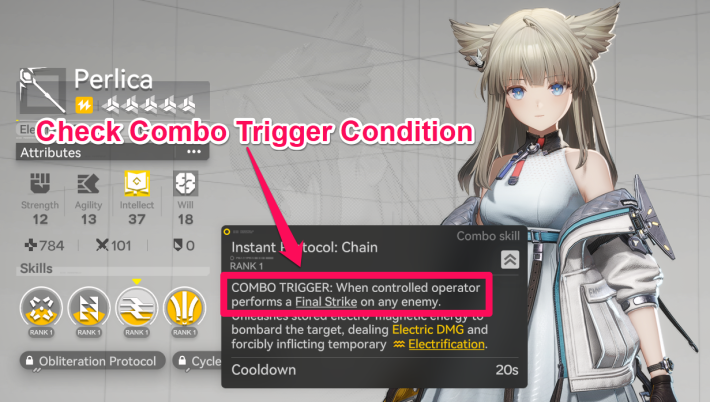
Combo Skills are powerful abilities, but each character has unique activation conditions. By forming a team whose members can easily meet each other’s requirements, you can trigger Combo Skills more frequently and gain a clear advantage in combat.
Check Activation Conditions in Status
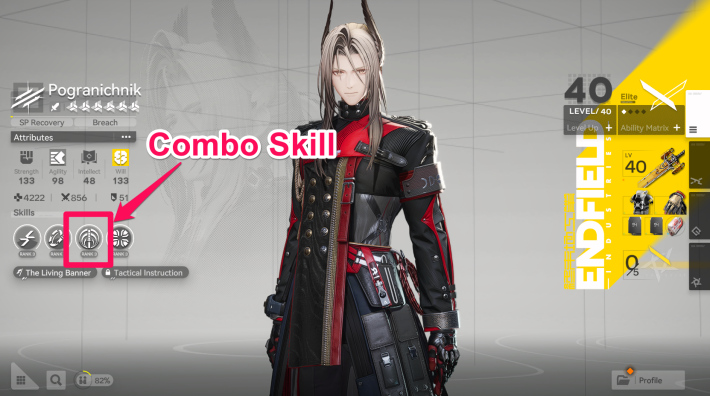
You can view each character’s Combo Skill trigger conditions and details on their status screen. Since there are various trigger conditions. such as “When a Final Strike is used” or “When an ally uses a Combo Skill." Be sure to review them in advance when building your team.
Aim for a Stagger
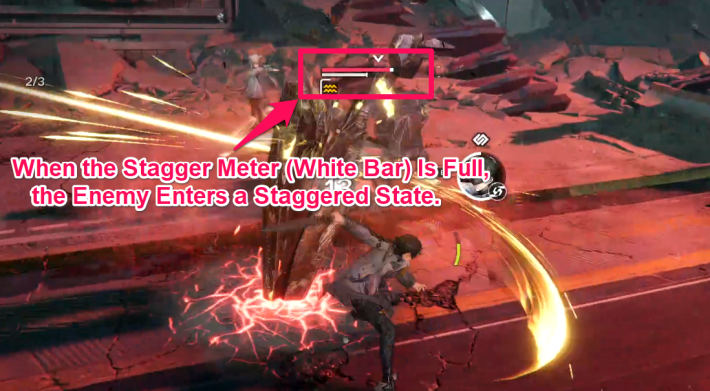
When an enemy’s Stagger Meter is filled through Final Strikes or skills, they enter a Staggered state. This is a key opening, as the enemy is incapacitated, takes increased damage, and the first normal attack after Stagger triggers a powerful "Finisher".
Interrupt Enemy Charged Attacks with Skills
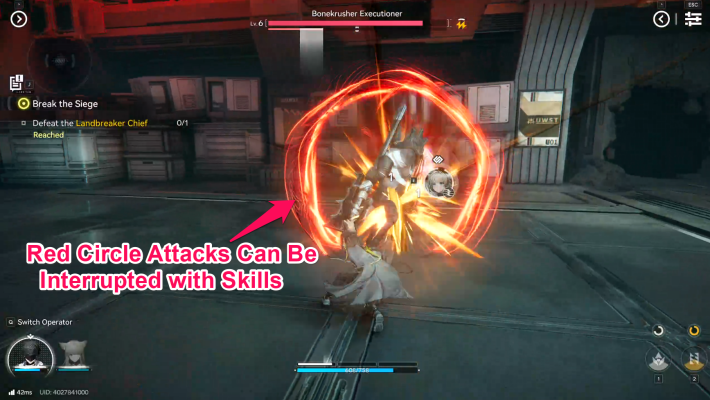
Some enemies enter a Charging State, displaying a red circle before unleashing a powerful attack. Striking them during this window with a “Battle Skill,” “Combo Skill,” or “Ultimate” will interrupt the attack and significantly increase their Stagger Meter.
 Tips! Tips! | Among Battle Skills, Combo Skill, and Ultimate, Battle Skills are the easiest to use on the fly. When facing tougher enemies, it’s wise to save enough Skill Points for at least one Battle Skill to respond to their charged attacks. |
|---|
Aim for Arts Reaction or Physical Status
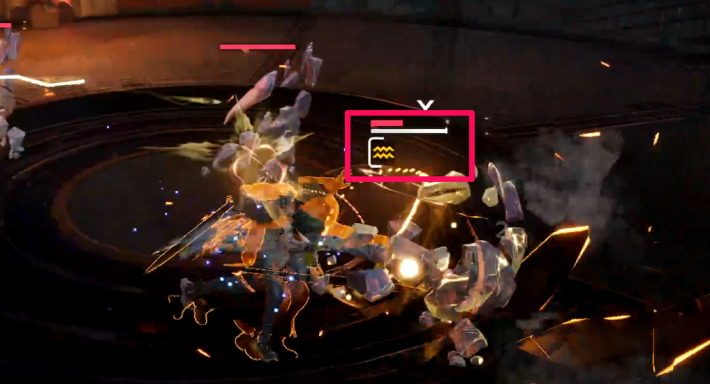
Inflicting an Arts Reaction or Physical Status can provide a significant advantage in combat, such as dealing massive damage or reducing enemy resistances. Be sure to check which effect your current team composition can inflict.
Arts Reactions and Physical Status Effect
Use Weapon Skill by Tuning
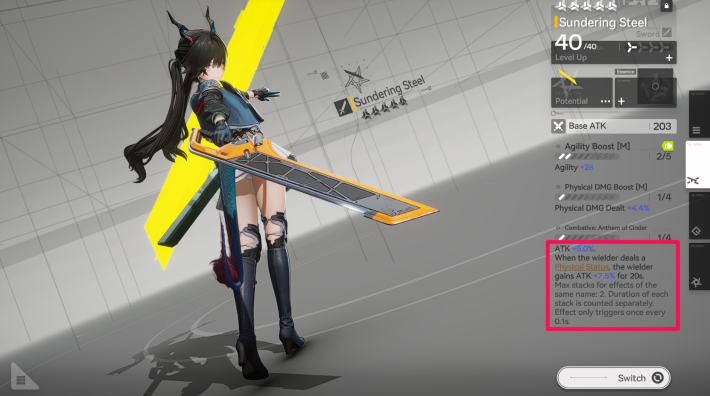
By meeting conditions such as “On Battle Skill hit” or “When a Combo Skill is used,” you can activate a weapon’s tuning effects. These include various buffs, like temporary attack increases, so try to keep them active as much as possible.
Equip Tactical Healing Items
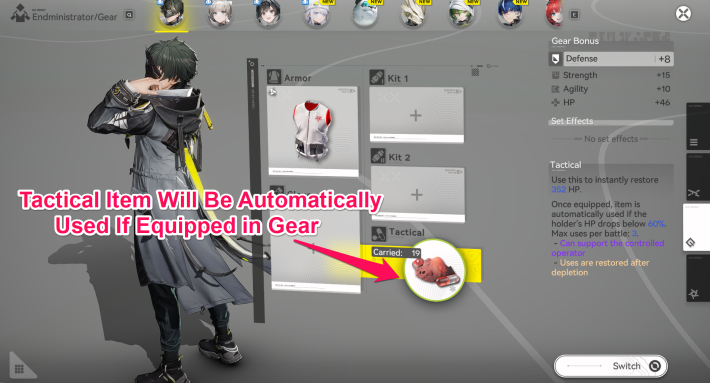
You can equip Tactical Items for each character from the Gear menu. If you’re still learning the combat system, equipping a healing item will automatically restore HP when it falls below a certain threshold, making battles more forgiving.
Related Arknights: Endfield Articles
Back to Top PageTier List
 Characters Tier List
 Reroll Tier List
 Best Weapons Tier List
Gacha Information
 Which Banner Should You Pull?
 Gacha Pity System & Rates
 Gacha Currency
 Basic Headhunting Permit
Recommended Articles
 Early Game Guide
 Redeem Codes List
 How to Add Friends
 Points of No Return
 Authority Level Guide
 Daily Tasks To Do
 Starter Banner Best Weapon
 How to Farm T-Creds
 How to Get Aketine
 How to Get 2 Stock Redistributors
 Depot Nodes Location
 How to Get Origeometry
 Monthly Pass Guide
 Trust & Operator Gift Guide
Events
  Umbral Monument Event Guide Umbral Monument Event Guide |  Survive the Gas Survive the Gas |  Unorthodox Tactics Unorthodox Tactics |
 Ballista and Axe Ballista and Axe |  Bolts and Shadows Bolts and Shadows |  Rampaging Shields Rampaging Shields |
 Rock Solid Rock Solid |  Supply: Exploration Day Supply: Exploration Day |
Things to Know Before Release
 Release Date Release Date |  How to Pre-Download How to Pre-Download |  PS5 Pre-Order Bundle PS5 Pre-Order Bundle |
 How to Link Account How to Link Account |  Is Cross-Play Available? Is Cross-Play Available? |  How to Reroll How to Reroll |
 Operator Class Guide Operator Class Guide |
 How to Win Battles
 Dodge and Perfect Dodge
 Elemental Weakness Chart
 Arts Reactions / Physical Status
 Team Composition Tips
 Best Team Comps
 Potential
 Talents and Base Skills
 How to Craft Gear
 Best Food List
 Artificing and Stats Priority
 All Fast Travel Points
 Protocol Datalogger
 Aurylene
 Interactive Map
 Ferrium Ore Map Location











