

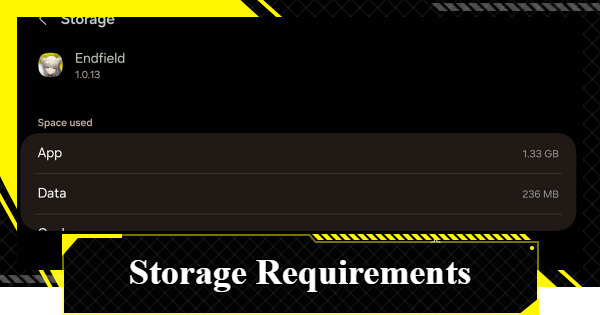
This article explains the storage requirements for Arknights: Endfield. Including practical tips on how to free up space and reduce storage usage across supported platforms.
Table of Contents
Recommended Specs & Requirements
Required Storage Space
Required Storage Space by Platform
| iOS | 25GB |
| Android | 25GB |
| PS5 | 60GB |
| PC | 50GB |
The required storage space for the Arknights: Endfield CBT (PS5 Technical Test) was approximately 25GB on smartphones (iOS/Android), 60GB for PS5, and 50GB for PC. Storage requirements may increase for the official release, so be sure to check your available space in advance.
How to Reduce Data Usage on a Smartphone
Delete Unnecessary Data
If you do not have enough available storage, delete unnecessary data. Game applications and video files in particular consume significant space, so review your storage and remove any content you no longer need.
Use Cloud Storage for Images and Videos
For large data such as images and videos, you can free up storage space on your smartphone by using cloud storage services. On iOS, iCloud is recommended, while Android users can use Google Photos or similar cloud services.
Check Free Space from Settings
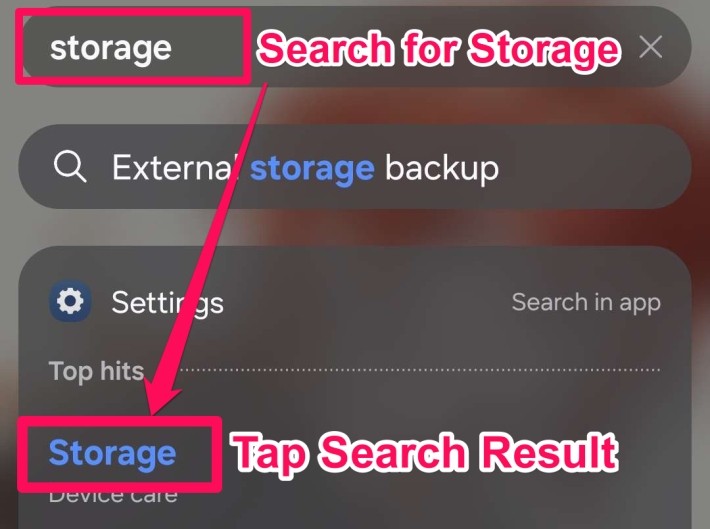

You can check your available storage space in your smartphone’s Settings app. By entering "Storage" in the Settings search bar, you can quickly access the storage management screen.
How to Increase Free Space on PS5/PC
Delete Unnecessary Data
If you do not have enough available storage, delete unnecessary data. Games and video files consume a large amount of space, so review your device and remove any content you no longer need.
Check Available Storage Space
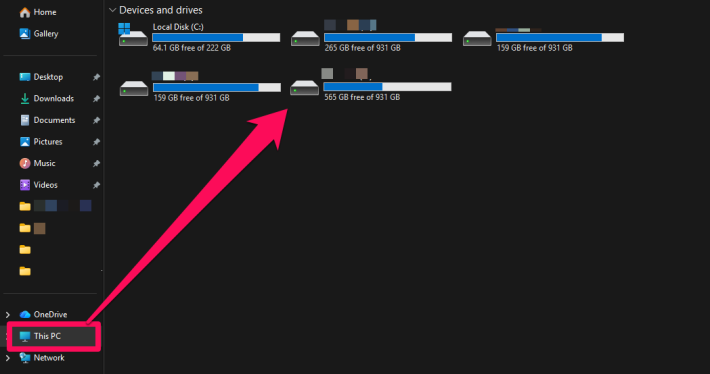
You can check your available storage space under Devices and Drives on your PC. For the PC version, you can expand storage by adding an SSD or HDD, so consider installing additional storage if space is limited.
Related Arknights: Endfield Articles
Back to Top PageTier List
 Characters Tier List
 Reroll Tier List
 Best Weapons Tier List
Gacha Information
 Which Banner Should You Pull?
 Gacha Pity System & Rates
 Gacha Currency
 Basic Headhunting Permit
Recommended Articles
 Early Game Guide
 Redeem Codes List
 How to Add Friends
 Points of No Return
 Authority Level Guide
 Daily Tasks To Do
 Starter Banner Best Weapon
 How to Farm T-Creds
 How to Get Aketine
 How to Get 2 Stock Redistributors
 Depot Nodes Location
 How to Get Origeometry
 Monthly Pass Guide
 Trust & Operator Gift Guide
Events
  Umbral Monument Event Guide Umbral Monument Event Guide |  Survive the Gas Survive the Gas |  Unorthodox Tactics Unorthodox Tactics |
 Ballista and Axe Ballista and Axe |  Bolts and Shadows Bolts and Shadows |  Rampaging Shields Rampaging Shields |
 Rock Solid Rock Solid |  Supply: Exploration Day Supply: Exploration Day |
Things to Know Before Release
 Release Date Release Date |  How to Pre-Download How to Pre-Download |  PS5 Pre-Order Bundle PS5 Pre-Order Bundle |
 How to Link Account How to Link Account |  Is Cross-Play Available? Is Cross-Play Available? |  How to Reroll How to Reroll |
 Operator Class Guide Operator Class Guide |
 Combat System Guide
 How to Win Battles
 Dodge and Perfect Dodge
 Elemental Weakness Chart
 Arts Reactions / Physical Status
 Team Composition Tips
 Best Team Comps
 Potential
 Talents and Base Skills
 How to Craft Gear
 Best Food List
 Artificing and Stats Priority
 All Fast Travel Points
 Protocol Datalogger
 Aurylene
 Interactive Map
 Ferrium Ore Map Location











