

This article explains how to link your Arknights: Endfield account to GRYPHLINE. Including steps for email registration and important details on backing up your game data.
Table of Contents
How to Create an Account
Registering an Account From a Smartphone
| Account Creation Guide |
| 1. Open the ≡ Menu on the Official Website |
| 2. Select 'Login' from the Menu |
| 3. Create an Account with an Email Address |
Open the ≡ Menu on the Official Website
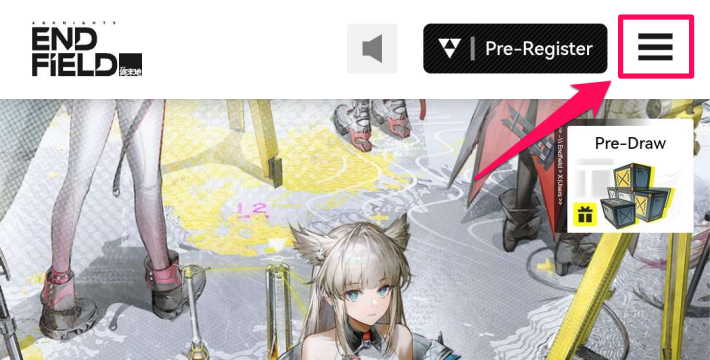

You can create an Arknights: Endfield account via the official website. On the mobile version, first open the Menu by tapping the '≡' icon in the top-right corner.
Select 'Login' from the Menu
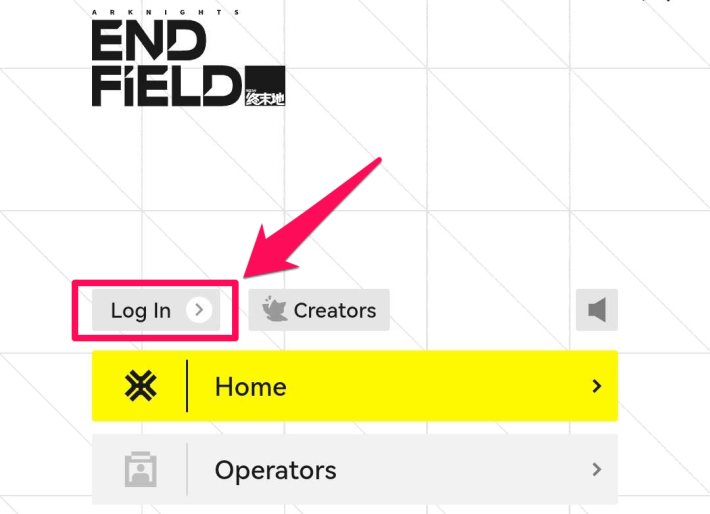
To create an account, select 'Log In' from the menu that appears after tapping the '≡' icon.
Create an Account with an Email Address
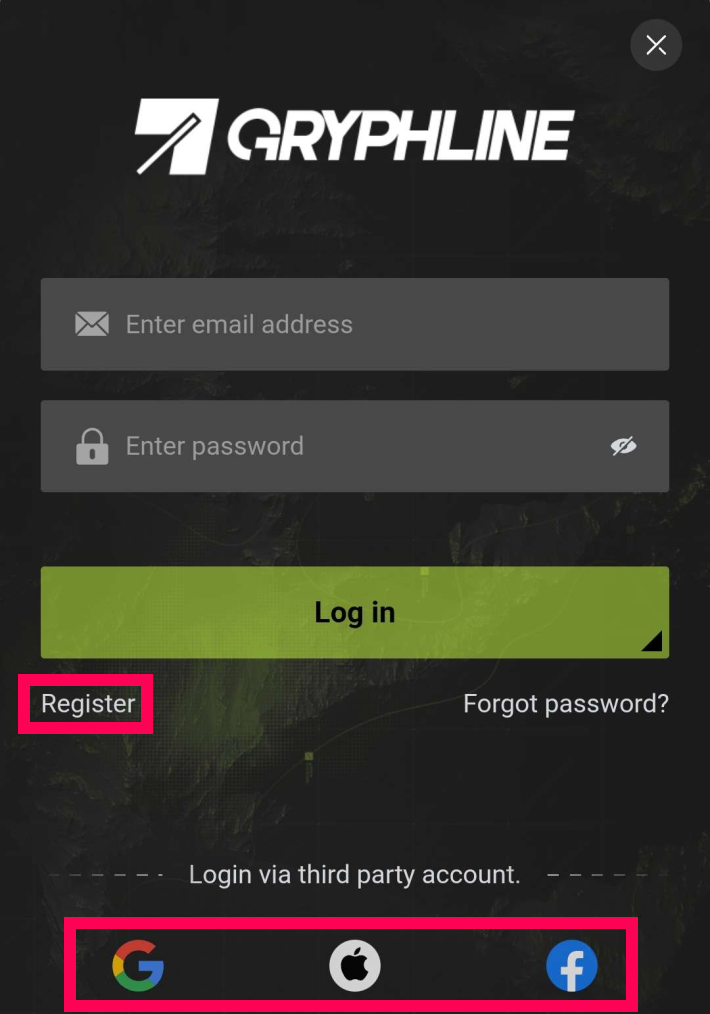
You can create a GRYPHLINE account from the New Registration screen. In addition to email, you can also sign up by linking a Google, Apple, or Facebook account.
Registering an Account From PC
| Account Creation Guide |
| 1. Select 'Account' from the Left Menu |
| 2. Create an Account with an Email Address |
Select 'Account' from the Left Menu
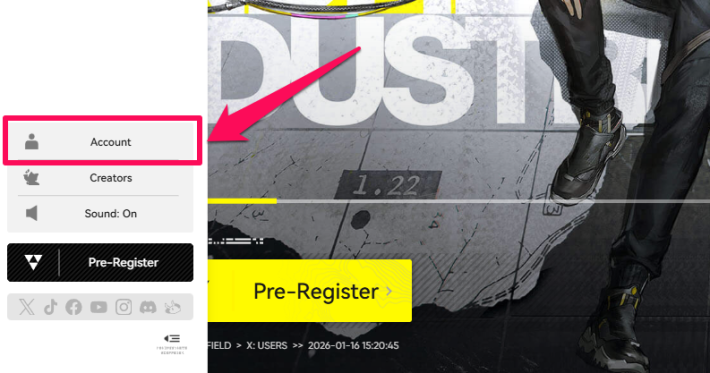
On PC, you can create an account by selecting 'Account' from the left-side menu on the official website.
Create an Account with an Email Address
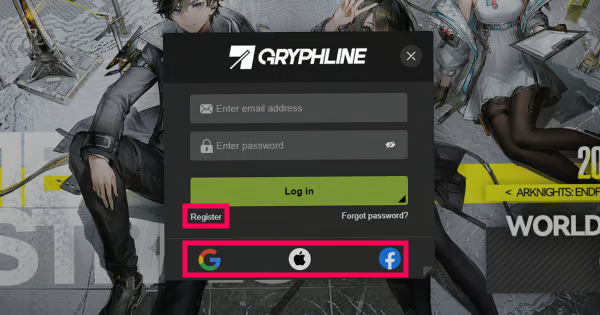
You can register a GRYPHLINE account from the New Registration screen. In addition to email, you can also sign in by linking a Google, Apple, or Facebook account.
How to Link Your Account
- Link when Creating GRYPHLINE Account |
- Link from the Account Page |
Link when Creating GRYPHLINE Account
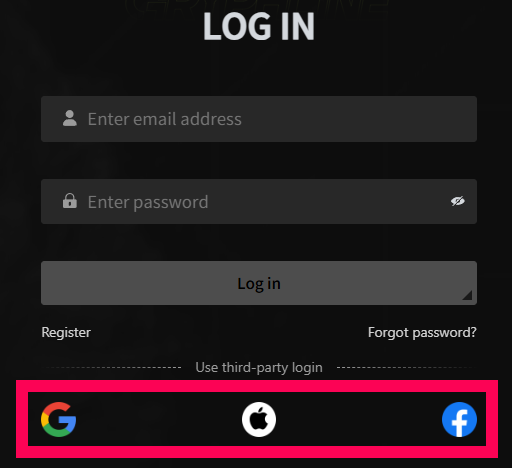
Click the icon of an external service (Like Google, Apple, or Facebook account) on the login screen to log in. A Gryphline account will be automatically created and linked to the selected service.
Link from the Account Page
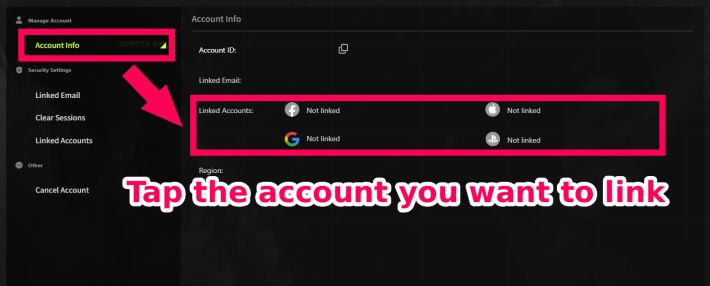
It's also possible to link an external service account to an existing Gryphline account later. After logging in, you can link them by tapping the icon for each service on the account page.
How to Link and Unlink PS5 Account
Is a Backup Necessary?
A Backup is Not Necessary
You do not need to back up your data manually. Your registered account data is stored on the official servers, so you can log back in at any time as long as you remember your email address.
How to Change / Delete Account Information
Change or Delete Your Email on the Official Website
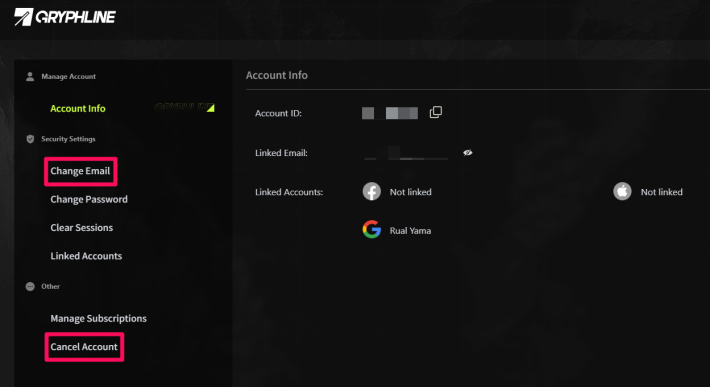
You can change your registered email address or delete your account from the official website. Access your account page from the login screen to update your email or proceed with account deletion.
Related Arknights: Endfield Articles
Back to Top PageTier List
 Characters Tier List
 Reroll Tier List
 Best Weapons Tier List
Gacha Information
 Which Banner Should You Pull?
 Gacha Pity System & Rates
 Gacha Currency
 Basic Headhunting Permit
Recommended Articles
 Early Game Guide
 Redeem Codes List
 How to Add Friends
 Points of No Return
 Authority Level Guide
 Daily Tasks To Do
 Starter Banner Best Weapon
 How to Farm T-Creds
 How to Get Aketine
 How to Get 2 Stock Redistributors
 Depot Nodes Location
 How to Get Origeometry
 Monthly Pass Guide
 Trust & Operator Gift Guide
Events
  Umbral Monument Event Guide Umbral Monument Event Guide |  Survive the Gas Survive the Gas |  Unorthodox Tactics Unorthodox Tactics |
 Ballista and Axe Ballista and Axe |  Bolts and Shadows Bolts and Shadows |  Rampaging Shields Rampaging Shields |
 Rock Solid Rock Solid |  Supply: Exploration Day Supply: Exploration Day |
Things to Know Before Release
 Release Date Release Date |  How to Pre-Download How to Pre-Download |  PS5 Pre-Order Bundle PS5 Pre-Order Bundle |
 How to Link Account How to Link Account |  Is Cross-Play Available? Is Cross-Play Available? |  How to Reroll How to Reroll |
 Operator Class Guide Operator Class Guide |
 Combat System Guide
 How to Win Battles
 Dodge and Perfect Dodge
 Elemental Weakness Chart
 Arts Reactions / Physical Status
 Team Composition Tips
 Best Team Comps
 Potential
 Talents and Base Skills
 How to Craft Gear
 Best Food List
 Artificing and Stats Priority
 All Fast Travel Points
 Protocol Datalogger
 Aurylene
 Interactive Map
 Ferrium Ore Map Location











