

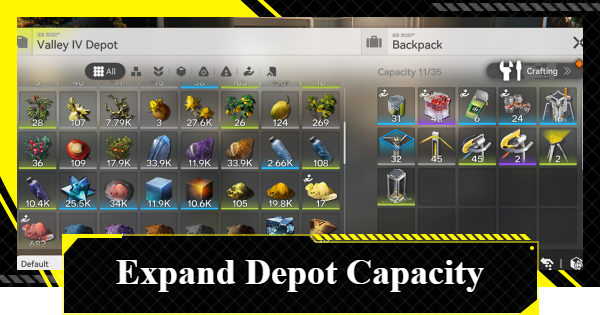
This article explains how to expand depot capacity in Arknights: Endfield. Covering how to increase capacity if your Endfield depot is full, and how to open the AIC Depot.
Table of Contents
How to Expand the Depot
Expand by Unlocking Depot Node


The Depot’s capacity increases when you unlock the Depot Node. Completing the 'Depot Node I' mission and unlocking the Depot Node raises your depot limit by 3,000, allowing you to store more items.
Each Item Has Its Own Depot Limit

The Depot capacity limit defines the maximum quantity allowed for each individual item type, not the total number of items stored. You can collect and store items up to the limit for each item type independently.
Further Expand via Depot Node Upgrade
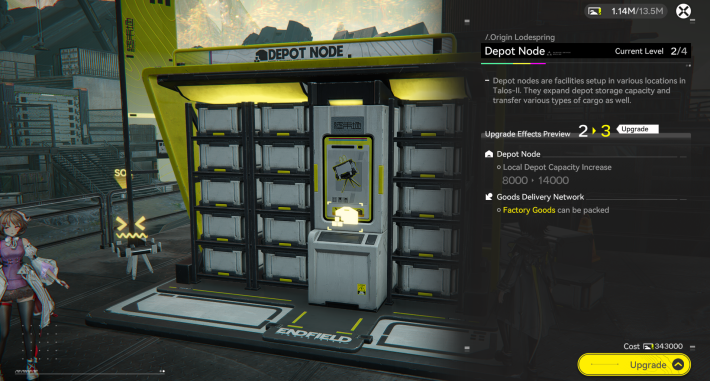
By Upgrading the Depot Node, you can expand the depot capacity according to the Depot Node's level. To upgrade a Depot Node, you will need Stock Bills, which can be obtained from sources like 'Outpost Management' in Regional Development.
Item Capacity Increase from Depot Node
| Depot Node Lv | Capacity |
|---|---|
| Lv1 | 11000 +3000 |
| Lv2 | 14000 +6000 |
| Lv3 | 20000 +12000 |
| Lv4 | 28000 +20000 |
How to Open the Depot (Storage)
Open in the Core AIC Area

| Controller | L2 Button → Backpack on the Right |
|---|---|
| Keyboard | B Key |
| Smartphone/Tablet | Tap the Backpack icon in the Upper Right |
You can Open the Depot in the Core AIC Area by performing a specific action. Note that the method to open the Depot varies by platform.
Can Also Be Opened at a TP Point

You can also access the Depot at a TP Point. When you stand in front of a TP Point, select 'Manage Depot' to open it. If the option is unavailable, move to a nearby TP Point and try again.
TP Point LocationsOpen Anywhere with Easy Stash

If you have Power, you can open the Depot anywhere using an Easy Stash. The Easy Stash is unlocked through research in Basic AIC 2, which becomes available in Chapter 1, Process 2 of the story. Proceed with the story to unlock this feature.
How to Solve Power ShortagesRelated Arknights: Endfield Articles
Back to Top PageTier List
 Characters Tier List
 Reroll Tier List
 Best Weapons Tier List
Gacha Information
 Which Banner Should You Pull?
 Gacha Pity System & Rates
 Gacha Currency
 Basic Headhunting Permit
Recommended Articles
 Early Game Guide
 Redeem Codes List
 How to Add Friends
 Points of No Return
 Authority Level Guide
 Daily Tasks To Do
 Starter Banner Best Weapon
 How to Farm T-Creds
 How to Get Aketine
 How to Get 2 Stock Redistributors
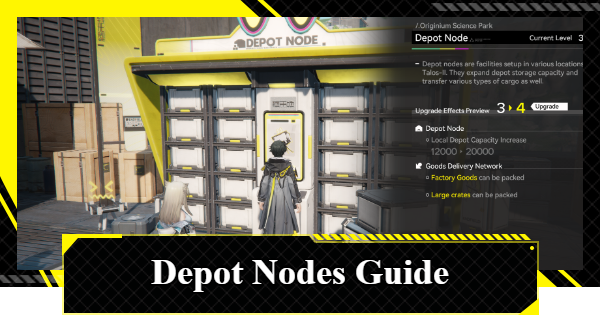 Depot Nodes Location
 How to Get Origeometry
 Monthly Pass Guide
 Trust & Operator Gift Guide
Events
 Umbral Monument Event Guide Umbral Monument Event Guide |  Survive the Gas Survive the Gas |  Unorthodox Tactics Unorthodox Tactics |
 Ballista and Axe Ballista and Axe |  Bolts and Shadows Bolts and Shadows |  Rampaging Shields Rampaging Shields |
 Rock Solid Rock Solid |  Supply: Exploration Day Supply: Exploration Day |
Things to Know Before Release
 Release Date Release Date |  How to Pre-Download How to Pre-Download |  PS5 Pre-Order Bundle PS5 Pre-Order Bundle |
 How to Link Account How to Link Account |  Is Cross-Play Available? Is Cross-Play Available? |  How to Reroll How to Reroll |
 Operator Class Guide Operator Class Guide |
 Combat System Guide
 How to Win Battles
 Dodge and Perfect Dodge
 Elemental Weakness Chart
 Arts Reactions / Physical Status
 Team Composition Tips
 Best Team Comps
 Potential
 Talents and Base Skills
 How to Craft Gear
 Best Food List
 Artificing and Stats Priority
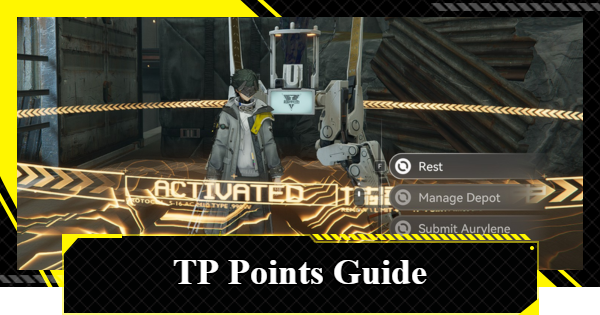 All Fast Travel Points
 Protocol Datalogger
 Aurylene
 Interactive Map
 Ferrium Ore Map Location











