

This is a simulation guide for the Filling Unit in Arknights: Endfield. It covers how to clear the Filling Unit simulation and rewards for clearing them in AKEF.
Table of Contents
Filling Unit Simulation Overview
| Main Goals | - Produce Buck Capsule [C] and store it in the Depot - Produce Canned Citrome [C] and store it in the Depot |
| Rewards | - Oroberyl x25 - Canned Citrome [C] System Blueprint - Buck Capsule [C] System Blueprint - Operational EXP x100 |
Filling Unit Simulation Guide
- Connect Transport Belts Along the Marked Paths
- Place a Shredding Unit and Electric Pylon Left of the PAC
- Connect a Shredding Unit to PAC Output Port 5
- Place Citrome in PAC Output Port 5
- Place and Connect a Refining Unit and a Moulding Unit
- Place Amethyst Ore in PAC Output Port 4
- Place the Filling Unit
- Create Two Logistics Connections with Transport Belts
- Connect the Filling Unit and the PAC
Connect Transport Belts Along the Marked Paths
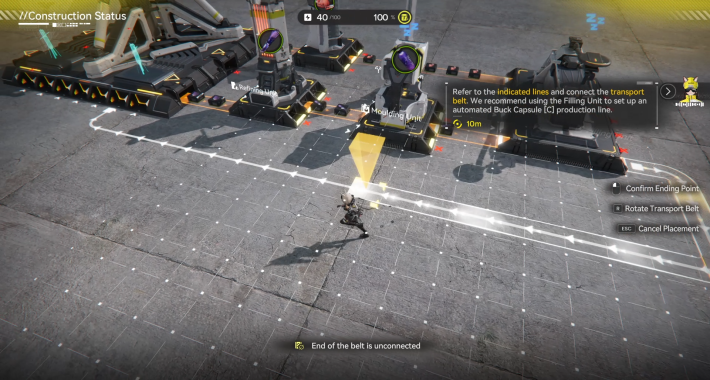

When you begin, follow the indicated layout and connect all Transport Belts. There are 4 total connection points, so make sure each one is linked properly before moving on.
Place a Shredding Unit and Electric Pylon Left of the PAC
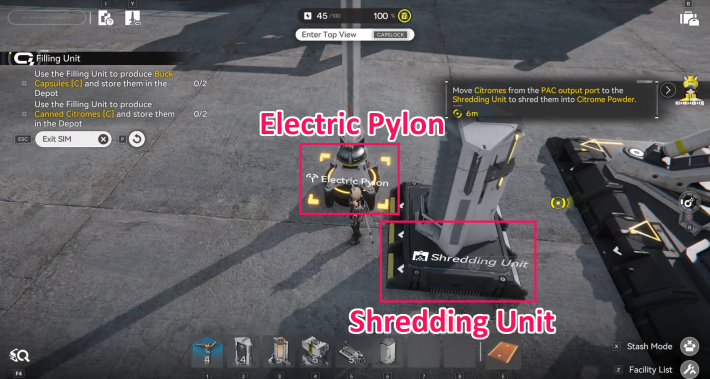
Place one Shredding Unit and an Electric Pylon on the left side of the PAC.
Connect a Shredding Unit to PAC Output Port 5
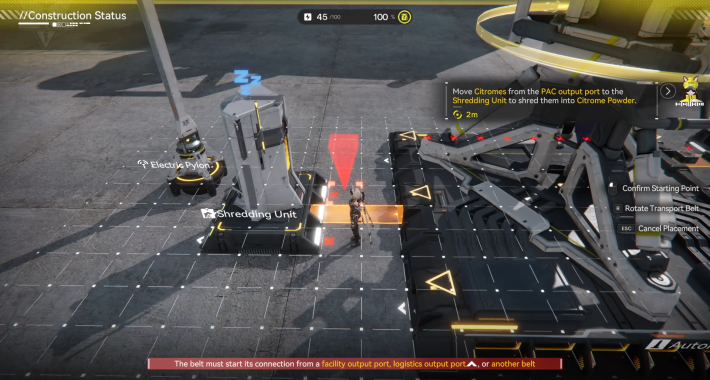
Use a Transport Belt to link PAC Output Port 5 to the Shredding Unit.
Place Citrome in PAC Output Port 5
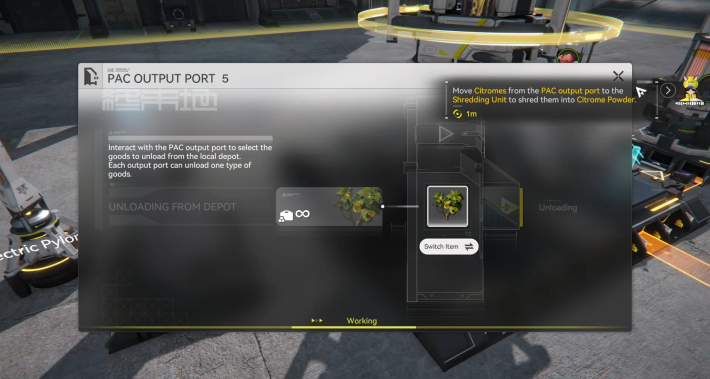
Once Output Port 5 is connected, place Citrome into PAC Output Port 5 so it can be delivered directly to the Shredding Unit.
Place and Connect a Refining Unit and a Moulding Unit
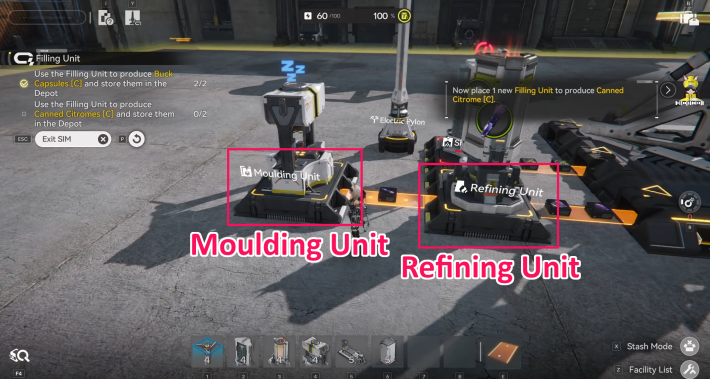
Place a Refining Unit near PAC Outlet 4 and position a Moulding Unit next to it. After placement, connect PAC Outlet 4 → Refining Unit and then connect Refining Unit → Moulding Unit using Transport Belts.
Place Amethyst Ore in PAC Output Port 4
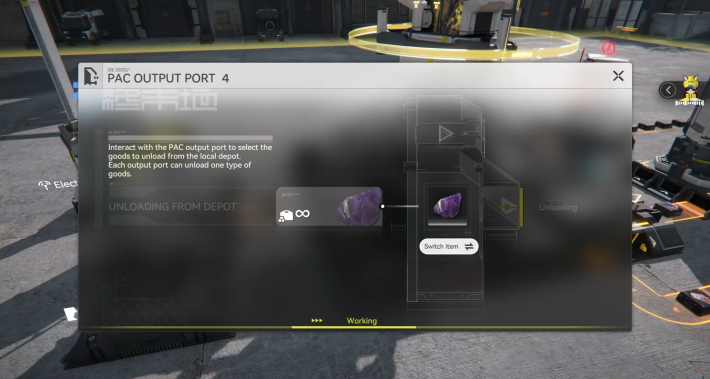
After connecting Output Port 4 to the Refining Unit, insert Amethyst Ore into PAC Output Port 4 to start the refining chain.
Place the Filling Unit
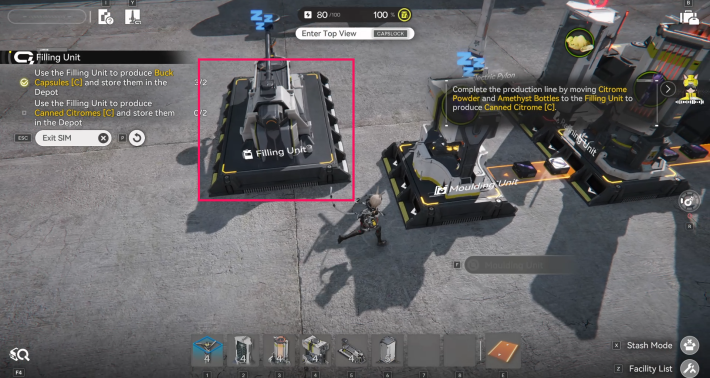
Place the Filling Unit beside the Moulding Unit so it can receive processed materials.
Create Two Logistics Connections with Transport Belts
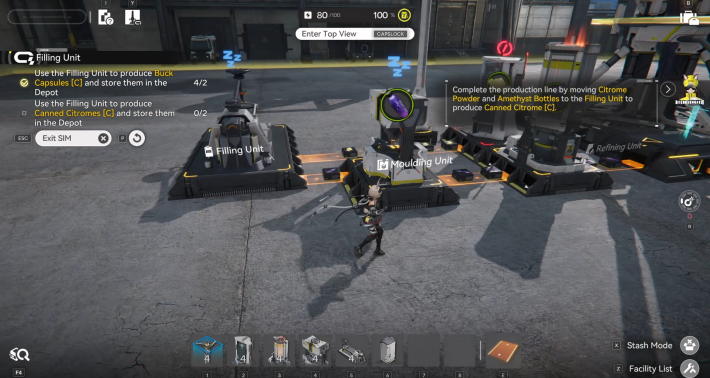
| Connection 1 | PAC Output Port 5 → Shredding Unit → Filling Unit |
| Connection 2 | PAC Output Port 4 → Refining Unit → Moulding Unit → Filling Unit |
Create two Logistics Connections by linking the Shredding Unit and the Moulding Unit to the Filling Unit using Transport Belts. This ensures both processing lines flow into the Filling Unit properly.
Connect the Filling Unit and the PAC
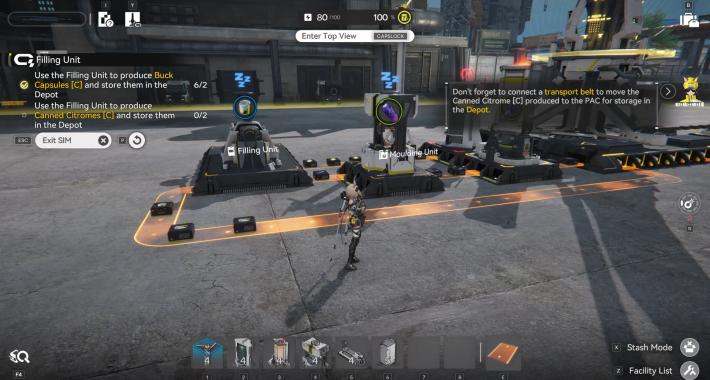
Finally, connect the Filling Unit to the PAC so the completed Canned Citrome [C] is delivered to the warehouse, completing the stage.
Related Arknights: Endfield Articles
Valley IV Simulations
Wuling Simulations
| Pipes and Fluids | Reactor Crucible | Filling Unit (Fluid) |
| Planting Unit and Pipe Splitter | Sprinkler | Pipe Logistics |
| Reactor Expansion | Forge of the Sky | Separating Unit |













