

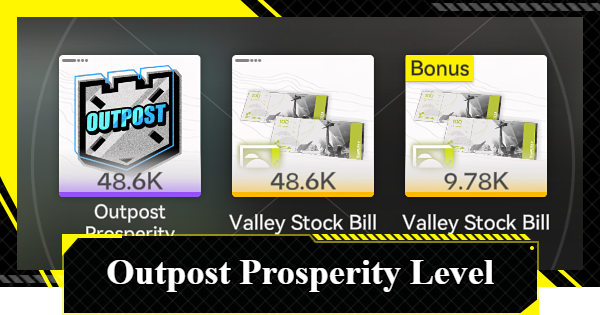
This guide explains how to raise your Outpost Prosperity Level in Arknights: Endfield, including ways to raise it and the best goods to trade for faster progression.
Table of Contents
Best Ways to Raise Prosperity Level
Dispatch Characters to Increase Gains
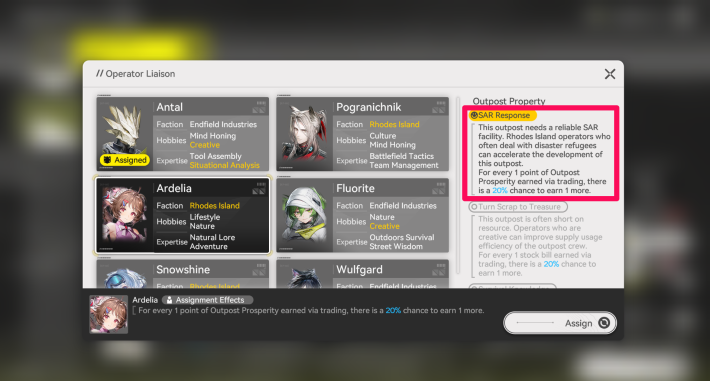

Tap the character icon in the bottom-left of Outpost Management to change the dispatched Operator. Each Operator possesses traits such as Faction and Hobbies. Deploying an Operator whose traits match the outpost’s conditions triggers a bonus that increases the amount of "Outpost Prosperity Points" and "Stock Bills" obtained.
Yellow Indicates Active Dispatch Effects
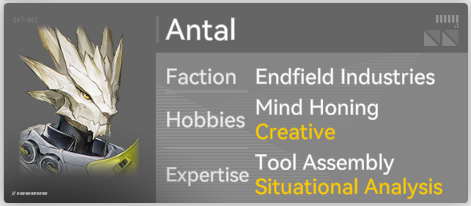
Operators capable of activating a dispatch effect have their conditions highlighted in yellow on the selection screen, allowing for quick identification. For example, in the Refugee Camp, Operators with "Faction: Rhodes Island," "Hobbies: Creative," or "Expertise: Situation Analysis" can trigger dispatch effects.
Exchange Items with a High Unit Price
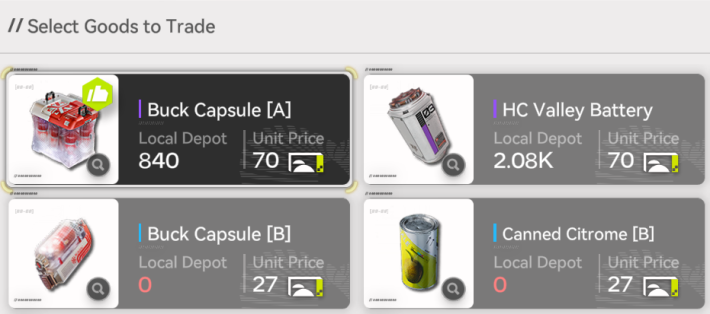
The amount of Outpost Prosperity Points you get from exchanges differs for each item, so you should exchange items with a high unit price per piece. In particular, "Buck Capsule" is highly recommended because it has a high unit price and can be used as healing items if you have any left over.
Origocrust Works in Early Game
Although Origocrust has a low unit value, it is easy to obtain and quickly reaches its capacity limit, making it a recommended exchange item in the early game. With a capacity limit of 8,000, it’s generally advisable to exchange around 4,000 units as a guideline rather than all at once.
How to Obtain Outpost Prosperity Points
Obtained Only via Outpost Trade
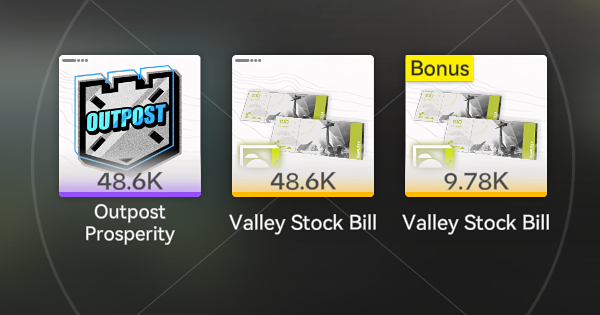
Outpost Prosperity Points can only be earned through Trade in Regional Development → Outpost Management. The amount received varies by goods, and since points are comparable to Stock Bills, it’s recommended to prioritize exchanging items with a high unit value.
Steps to Obtain Outpost Prosperity
| 1. | Create Goods in the AIC Factory |
| 2. | Select "Regional Development" from the Menu |
| 3. | Open the Trade from "Outpost Management" |
| 4. | Select Item to Trade in "Switch Goods" |
| 5. | Select Amount and Confirm Trade |
1. Create Goods in the AIC Area
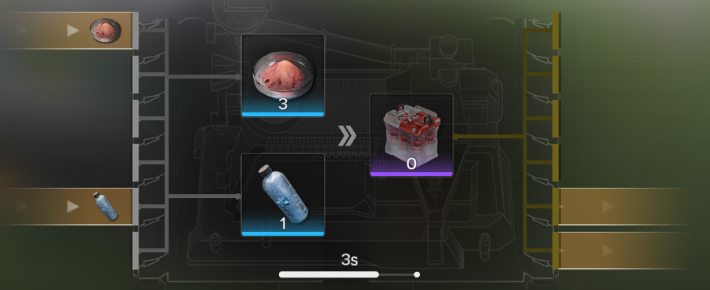
Since Outpost Prosperity Points are earned by trading items, start by setting up a production line in the AIC Area to efficiently generate items.
2. Select "Regional Development" from the Menu
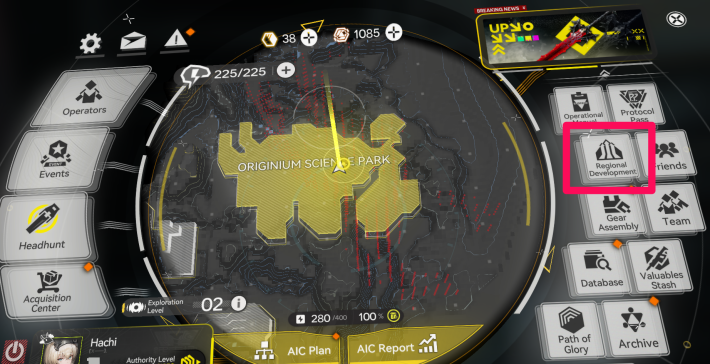
Select "Regional Development" from the Menu to open the Regional Development Management screen.
3. Open the Trade from "Outpost Management"
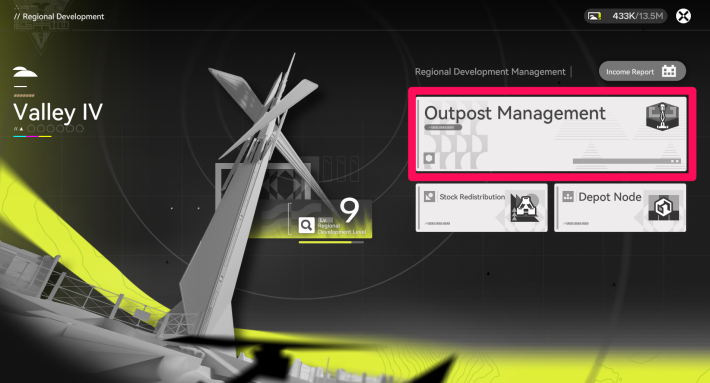
Once you open the Regional Development screen, select "Outpost Management" to go to the Trade screen.
4. Select Item to Trade in "Switch Goods"
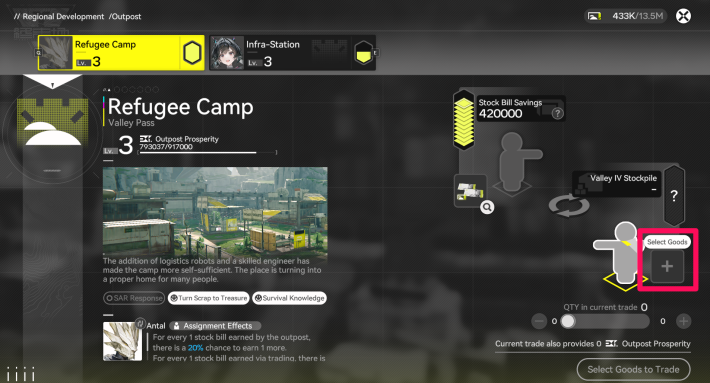
From "Switch Goods" at the bottom-right of the screen, select the item you want to trade. It’s recommended to prioritize items you have in large quantities or those with a high unit value.
5. Select Amount and Confirm Trade
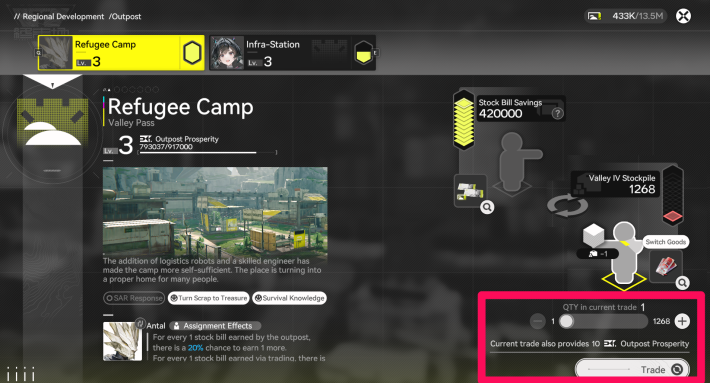
After selecting an item, choose the quantity to trade. The amount of Outpost Prosperity Points you will receive is displayed above the Trade button.
Related Arknights: Endfield Articles
Back to Top PageTier List
 Characters Tier List
 Reroll Tier List
 Best Weapons Tier List
Gacha Information
 Which Banner Should You Pull?
 Gacha Pity System & Rates
 Gacha Currency
 Basic Headhunting Permit
Recommended Articles
 Early Game Guide
 Redeem Codes List
 How to Add Friends
 Points of No Return
 Authority Level Guide
 Daily Tasks To Do
 Starter Banner Best Weapon
 How to Farm T-Creds
 How to Get Aketine
 How to Get 2 Stock Redistributors
 Depot Nodes Location
 How to Get Origeometry
 Monthly Pass Guide
 Trust & Operator Gift Guide
Events
  Umbral Monument Event Guide Umbral Monument Event Guide |  Survive the Gas Survive the Gas |  Unorthodox Tactics Unorthodox Tactics |
 Ballista and Axe Ballista and Axe |  Bolts and Shadows Bolts and Shadows |  Rampaging Shields Rampaging Shields |
 Rock Solid Rock Solid |  Supply: Exploration Day Supply: Exploration Day |
Things to Know Before Release
 Release Date Release Date |  How to Pre-Download How to Pre-Download |  PS5 Pre-Order Bundle PS5 Pre-Order Bundle |
 How to Link Account How to Link Account |  Is Cross-Play Available? Is Cross-Play Available? |  How to Reroll How to Reroll |
 Operator Class Guide Operator Class Guide |
 Combat System Guide
 How to Win Battles
 Dodge and Perfect Dodge
 Elemental Weakness Chart
 Arts Reactions / Physical Status
 Team Composition Tips
 Best Team Comps
 Potential
 Talents and Base Skills
 How to Craft Gear
 Best Food List
 Artificing and Stats Priority
 All Fast Travel Points
 Protocol Datalogger
 Aurylene
 Interactive Map
 Ferrium Ore Map Location











