

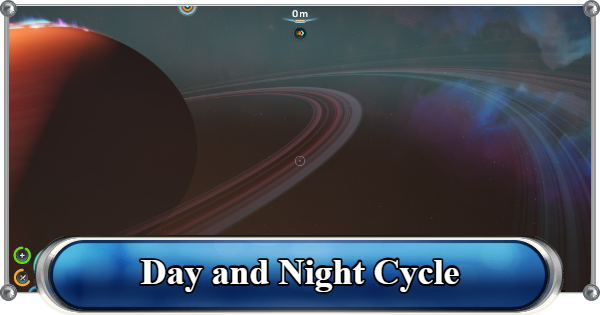
Day and night cycle in Subnautica 2. See how long the day and night last, how to change time, skip time, and how to check the in-game time.
Table of Contents
How Long Is the Day and Night Cycle
Full Day and Night Cycle Lasts 20 Mins


One full day in Subnautica 2 lasts around 20 minutes in real time. This cycle is divided into 15 minutes of daytime and 5 minutes of nighttime.
No Custom Time Settings Available
At the moment, there are no in-game settings that allow players to adjust the length of the day and night cycle. The current Early Access build does not include sliders or modifiers for changing daylight duration.
How to Change and Skip Time
Currently Cannot Skip the Night

If you are looking for a way to fast-forward time, Subnautica 2 currently has no built-in feature to skip or change time in the current Early Access version. Unlike the original Subnautica, where beds allowed players to skip directly to morning, that feature is not available right now.
Use Beds to Freeze Stat Depletion

Although beds cannot skip the night, lying down applies a Stasis effect that completely pauses your oxygen, food, and water consumption. This makes beds useful for safely waiting out the 5-minute nighttime cycle without draining your supplies while AFK.
All Stat Gauge ExplanationHow to Get the Single Bed Blueprint

| Fragment | Location / POI Name |
|---|---|
 Single Bed Fragment 1 Single Bed Fragment 1 | [Location] 230m Southeast of the Lifepod (42m Deep) - Near Chap's Blackbox [POI] Colonist Bunker (Quaker's Meetinghouse) |
 Single Bed Fragment 2 Single Bed Fragment 2 | [Location] 250m Southwest of the Lifepod (86m Deep) [POI] Colonist Bunker (Unauthorized NoA Modification) |
You need to scan 2 Single Bed Fragments to unlock the blueprint. After unlocking it, simply interact with the bed and select "Lay Down" to rest.
Biomes Location and Points of InterestsSingle Bed Crafting Recipe
| Name | Required Items | Where to Craft |
|---|---|---|
| Single Bed | - Titanium x2 - Fiber x3 | Habitat Builder (Must Be Built Inside a Room) |
After scanning both fragments, you can place the bed inside your base using the Habitat Builder.
Base Building - Best Locations and UsesHow to Check the In-Game Time
Use the Time of Day Display

Since there is no traditional clock system in the game, the Time of Day Display acts as a visual tracker for the current cycle. Instead of showing exact numerical time, it works as a visual dial that tracks the position of the sun to tell the time.
Use the Visual Cues Before Exploring

By checking the display, you can quickly tell whether it is currently day or night and estimate how close the sun is to setting or rising. This helps players better plan deep-sea expeditions before visibility drops during nighttime.
How to Get the Time of Day Display
| Fragment | Location / POI Name |
|---|---|
 Time of Day Display Fragment 1 Time of Day Display Fragment 1 | [Location] 1,250m East of the Lifepod [POI] Rosetta Stone |
 Time of Day Display Fragment 2 Time of Day Display Fragment 2 | [Location] 1,380m East of the Lifepod - Located deeper below Fragment 1 [POI] Needler Nest |
Like the Single Bed blueprint, you must scan 2 Time of Day Display Fragments to unlock it. Both fragments are located fairly close to each other, making it easy to collect both during a single trip.
Biomes Location and Points of InterestsTime of Day Display Crafting Recipe
| Name | Required Items | Where to Craft |
|---|---|---|
| Time of Day Display | - Titanium x1 - Enameled Glass x1 - Copper x1 | Habitat Builder (Must Be Built Inside a Room) |
Once both fragments are scanned, you can place the display inside any powered base module using the Habitat Builder.
Time of Day Display Consumes Energy
While the Time of Day Display is very useful for tracking the cycle, keep in mind that it continuously consumes power once active. It applies a constant -1/sec energy drain to your base grid, so make sure your habitat has enough energy generation to support it.
Best Power SourceRelated Articles
Recommended Guides
 Walkthrough (Early to Late-Game) Walkthrough (Early to Late-Game) |  Where to Go and What to Do Next Where to Go and What to Do Next |  Tadpole Pens: How to Open the Locked Door Tadpole Pens: How to Open the Locked Door |
 Plant Farming Guide Plant Farming Guide |  Cooking and Recipes Guide Cooking and Recipes Guide |  Best Biomods Best Biomods |
 Best Tadpole Upgrades Best Tadpole Upgrades |  Metal Farm Guide Metal Farm Guide |
| Progression & Priorities | ||
|---|---|---|
 Early Game Early Game |  Mid-Game Mid-Game |  Endgame Endgame |
Lists
 All Leviathans All Leviathans |  All Items List All Items List |  Biomes & PoI List Biomes & PoI List |
 Blackbox List Blackbox List |  Recipe Data Cards (Blueprints) Recipe Data Cards (Blueprints) |  Vehicle List Vehicle List |
 Buildings & Facilities List Buildings & Facilities List |  Best Base Locations Best Base Locations |  Best Tools to Craft Best Tools to Craft |
 Salt
Salt Silver
 Copper
 Lead
Lead Lucifer Rotsac
 Conduit Crystals
 Creature Enamel
 Enameled Glass
 Troilite
 Celestine
 Multiplayer Guide
 How to Eat Food (Digestion)
 How to Craft Items
 Drinking Water Guide
 How to Craft Air Tank?
 How to Get Basic Fins
 Scanner Station Guide
 How to Manage Your Oxygen?
 Base Guide
 Alien Ruins
 How to Use Coordinates
 Tadpole Guide
 How to Get More Storage
 How to Get a Rebreather
 Bioscanner Guide
 Night Survival Guide
 How to Heal
 Angel Comb Guide
 How to Power Your Base
 How to Recharge Batteries and Tools
 How to Get the Repair Tool
 World Tree Guide
 Flashlight Guide
 Strong Acid Guide
 How to Get Heat Tolerance
 Scanner Guide
 How to Get Tadpole Depth Module Mk. 2
 How to Get a Wakemaker
 How to Get Fibrous Pulp
 How to Get a Wiring Kit
 How to Get Advanced Wiring Kit
 How to Get the Entangled Power Cell
 How to Refund Bases
 Specs Requirements
 New Game Features
 Is There Crossplay?
 Supported Devices
 Update & Roadmap
 How Long to Beat?
 Can You Play Subnautica 2 on PS5 and PS4?
 Is Subnautica 2 on Xbox?
 Is Subnautica 2 on Steam?
 Is Subnautica 2 on Switch?










