

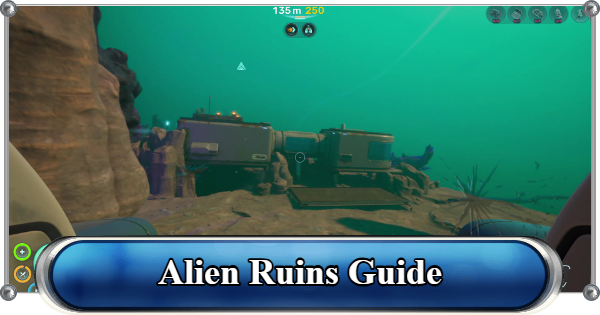
Alien Ruins in Subnautica 2. Guide includes how to reach Alien Ruins base, how to turn on power, unlock device, how to find underwater ruins, how to activate door, tips, and more.
Table of Contents
Alien Ruins Location
How to Reach Alien Ruins
| Research Outpost | Location |
|---|---|
  |  |
The Alien Ruins is located approximately 1,100–1,400 meters east of your Lifepod, across a long open-ocean stretch and past dangerous deep zones and predators.
| Warning! | The open water on this route is patrolled by the Collector Leviathan. Have the Scout Chassis installed on your Tadpole and a Repair Tool on hand before making the crossing. |
|---|
Alien Ruins Walkthrough
Prepare Food and Water
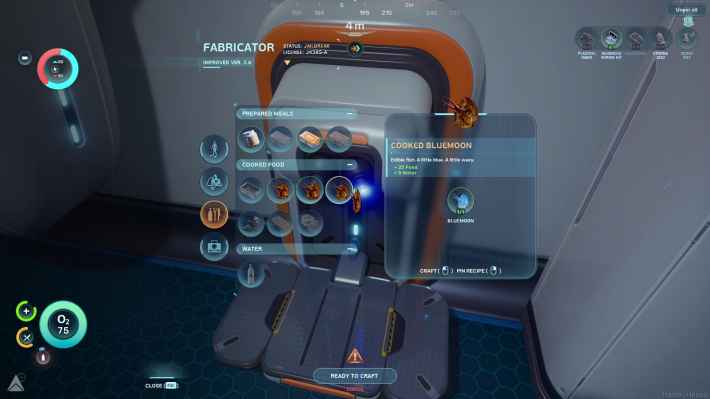
Crafting food and water is critical for survival during long trips away from your base. Reliable supplies of cooked food and clean water help maintain hunger and hydration levels so you can safely explore deeper, more dangerous areas.
| Note! | Keeping backup supplies in your inventory can save your life when exploring distant areas far from your base. ► Drinking Water Guide |
|---|
Also Pack Extra Batteries

Make sure to bring several spare batteries before heading out, since you will need them later to power the Research Post outlet. Extra batteries are also useful for keeping essential equipment running during long and dangerous underwater expeditions.
▼See Battery Power OutletUse Tadpole to Travel Long Distance

Use the Tadpole (Small Submarine) to travel long distances quickly and safely. Its speed and mobility make it ideal for reaching remote locations like the Alien Ruins, helping you explore dangerous areas while conserving supplies and oxygen.
| Note! | Always carry extra power cells before exploring far from your base and keep repair tools handy in case your vehicle takes damage in deep biomes. |
|---|
Watch Out for Hostile Creatures
From small but fast predators to massive deep-sea leviathans, hostile creatures can appear with little warning along the way. The Collector Leviathan in particular patrols this stretch of open water and will go after your Tadpole directly. If you're grabbed, immediately change direction to break pursuit.
You Cannot Fight Leviathans
Leviathans are the largest and most dangerous creatures in the ocean, and there is no way to kill them but you can scan them to unlock more Biomods.
Leviathans GuideHead Towards the Plateau
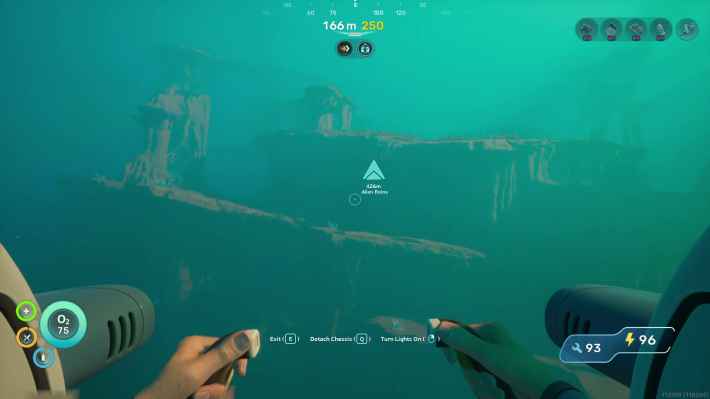
You will need to head inside the plateau to reach the Alien Ruins, which is located beyond this point, deeper within its natural rock formations.
Travel Faster With Underwater Currents
Take advantage of natural underwater currents and environmental flow patterns. Using currents effectively can reduce travel time, conserve resources like vehicle power, and help you avoid dangerous encounters.
| Note! | Taking this route reduce the risk of encountering aggressive predators that patrol the upper areas. |
|---|
Turn Right At the End of the Tunnel
Carefully follow the main corridor until you reach the end of a branching passage, then turn right. You can find the Alien Ruins at the top of the next major chamber beyond this route segment.
Head inside the Research Outpost

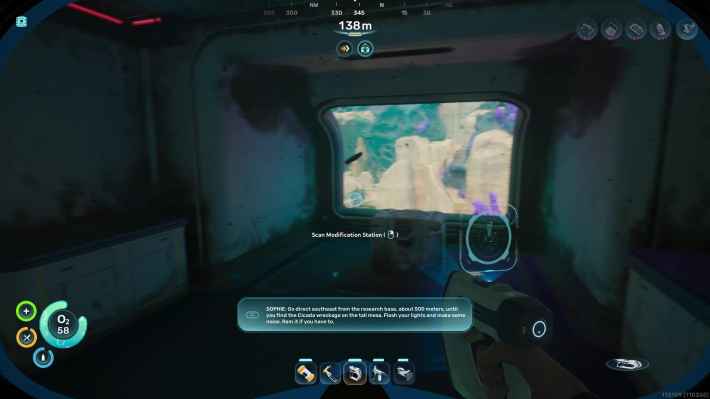
When you reach the abandoned base, go inside and explore it. Make sure to scan the devices inside the base, as this unlocks new blueprints or story data.
Unlock Equipment Blueprints
| Engine Efficiency | Modification Station |
|---|---|
 |  |
| High Capacity Air Tank | |
 |
Scan Sophie Depth Module

Scanning the Sophie: Depth module lost logs at the entrance will open up a new Databank entry related to missing or damaged depth technology.
Unlocks New Key Location
Scanning the data logs left behind by previous colonists will unlock the Cicada Wreckage location in your Databank. It will then be added as a new entry in your PDA.
Databank Entry Locations ListPower Up Base
| Equipment | Details |
|---|---|
 Power Storage Power Storage | Scan the Power Storage in the main hall. |
 Power Outlet Power Outlet | Head inside the room on the left. Requires battery to function. |
Once the base regains power, additional devices and interactive terminals inside the station will become accessible.
Find Extra Batteries at the Storage

Search the storage area to find batteries. You can use them to power up tools and replenish your inventory supply in case you are running low.
How to Setup Base GuideSet Reprint Point

Once activated, this location becomes your new return point after death, allowing you to continue exploration of the Alien Ruins without having to travel all the way back from your previous base.
Death GuideAlien Ruins Resources
Scan Grow Beds

There are two grow beds in the area. Scanning them will unlock a new plant-based blueprint that you can use for aquafarming.
| Unlockable Plants | ||
|---|---|---|
| Necrolei Cyst | Cherimoya Rotsac | Pent |
| Macaron Sponge | Mimic Pylon | Freesia Flower |
| Acid Raion | Cradle Shootroot | |
Minerals

You can also find titanium and other minerals in the area, particularly below the research outpost, which can be used for crafting production.
Natural Currents

There are also natural currents in the area that can be harnessed to generate power by placing Hydroelectric Turbines in locations with strong water flow.
Alien Ruins Adaptation
Unlock Axum Vision Adaptation

Unlocking the Axum Vision Adaptation lets you see and read Axum Radial A glyphs, the alien language left behind by the Axum civilization. It also lets you view the Axum Polarized Screens inside the Power Plant's Generator Control Rooms, which you'll need to restart the turbine.
| Tips! | Axum Vision allows players to access important structures inside the Alien Ruins required for late-game progression. |
|---|
How to Get Axum Vision Adaptation
Head to Karakorum Region

| Coordinates | -175763, 438260, -38798 |
|---|---|
| Location | Approximately 1000m east of the Lifepod at a depth of around 400m. |
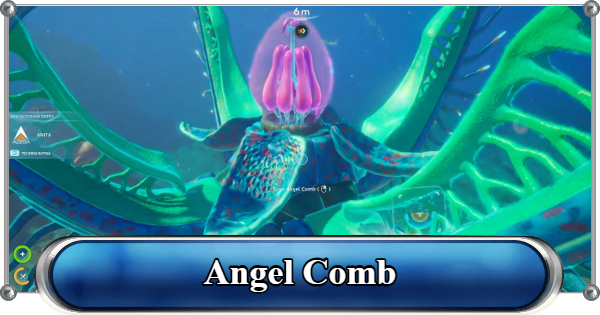
The Axum Vision Adaptation can be obtained from the massive Angel Comb located beneath the alien Power Plant structures in the Karakorum Region.
Bring Upgraded Vehicle
Use the Tadpole equipped with the Depth Module Mk. 1 to safely explore the depths. Bringing extra power cells and repair tools is also recommended.
Best Tadpole Upgrade ModulesCleanse the 3 Juvenile Angel Combs

Follow the purple roots spreading throughout the Alien Ruins to locate the three Juvenile Angel Combs connected to the main organism.
Check the Cicada Wreck (Stairway to Heaven)
| Coordinates | -120424, 424878, -30046 |
|---|---|
| Location | The wreck can be found approximately 2,170m East of the Lifepod. |
A Juvenile Angel Comb is hidden inside the Cicada Wreck (Stairway to Heaven). Destroy the Bloom Cankers blocking the entrance, then find and cleanse the hidden Angel Comb inside.
Destroy Armored Bloom Cankers
Destroy the nearby Armored Bloom Cankers using the Feedback Resonator from a safe distance, as they will close and become protected when approached too closely.
Cleanse the Alien Ruins Angel Comb

After cleansing all three Juvenile Angel Combs, destroy the Armored Bloom Cankers around the main Angel Comb and interact with the core to obtain the Axum Vision Adaptation.
Angel Comb GuidePower Plant and Observatory
Why This Matters

Repairing the Power Plant and opening the Observatory is the main objective tied to the Alien Ruins, and it currently marks the end of the Early Access story. Everything covered earlier in this guide, the Axum Vision Adaptation especially, exists to get you to this point.
| Note! | Subnautica 2 is in Early Access. The story will expand past the Observatory in future updates. |
|---|
How to Repair the Power Plant and Open the Observatory
Scan the Rosetta Stone

Before heading into the Observatory, scan the Rosetta Stone, found near the Alien Ruins. This unlocks the ability to understand the alien language and translate glyphs found in the world.
Gather Turbine Repair Materials

The turbine repair requires 10 Titanium Ingots, 10 Strontium, and 10 Mangalloy Ingots, which breaks down to roughly 60 Titanium, 20 Celestine, 10 Atacamite, and 10 Troilite in raw materials. Start collecting these well before you reach the Power Plant.
Repair and Restart the Turbine

Head to the Alien structure near the main Angel Comb and use a Habitat Builder to repair the broken turbine with the materials above.

Once repaired, enter the Control Room and match the knobs and levers to the yellow indicators until every panel turns green and the Power Plant comes online.
Enter the Observatory

With the Power Plant restarted, head inside the Observatory. It's the large structure near the Rosetta Stone.
Open the Axum Door

Before you open the Axum door, collect Mantis' database entry to your left. There are also 2 batteries lying on the table and on the floor. You can also scan the axum door and the observatory by pointing your scanner on the ceiling or walls.
Scan the Orrery

Scan the Orrery, then head to the room above and interact with the terminal to speak with the Architects. Exhausting this dialogue completes the current Early Access story.
Walkthrough & Story Progression GuideRelated Articles
Recommended Guides
 Walkthrough (Early to Late-Game) Walkthrough (Early to Late-Game) |  Where to Go and What to Do Next Where to Go and What to Do Next |  Tadpole Pens: How to Open the Locked Door Tadpole Pens: How to Open the Locked Door |
 Plant Farming Guide Plant Farming Guide |  Cooking and Recipes Guide Cooking and Recipes Guide |  Best Biomods Best Biomods |
 Best Tadpole Upgrades Best Tadpole Upgrades |  Metal Farm Guide Metal Farm Guide |
| Progression & Priorities | ||
|---|---|---|
 Early Game Early Game |  Mid-Game Mid-Game |  Endgame Endgame |
Lists
 All Leviathans All Leviathans |  All Items List All Items List |  Biomes & PoI List Biomes & PoI List |
 Blackbox List Blackbox List |  Recipe Data Cards (Blueprints) Recipe Data Cards (Blueprints) |  Vehicle List Vehicle List |
 Buildings & Facilities List Buildings & Facilities List |  Best Base Locations Best Base Locations |  Best Tools to Craft Best Tools to Craft |
 Salt
Salt Silver
 Copper
 Lead
Lead Lucifer Rotsac
 Conduit Crystals
 Creature Enamel
 Enameled Glass
 Troilite
 Celestine
 Multiplayer Guide
 How to Eat Food (Digestion)
 How to Craft Items
 Drinking Water Guide
 How to Craft Air Tank?
 How to Get Basic Fins
 Scanner Station Guide
 How to Manage Your Oxygen?
 Base Guide
 How to Use Coordinates
 Tadpole Guide
 How to Get More Storage
 How to Get a Rebreather
 Bioscanner Guide
 Night Survival Guide
 How to Heal
 Angel Comb Guide
 How to Power Your Base
 How to Recharge Batteries and Tools
 How to Get the Repair Tool
 World Tree Guide
 Flashlight Guide
 Strong Acid Guide
 How to Get Heat Tolerance
 Scanner Guide
 How to Get Tadpole Depth Module Mk. 2
 How to Get a Wakemaker
 How to Get Fibrous Pulp
 How to Get a Wiring Kit
 How to Get Advanced Wiring Kit
 How to Get the Entangled Power Cell
 How to Refund Bases
 Specs Requirements
 New Game Features
 Is There Crossplay?
 Supported Devices
 Update & Roadmap
 How Long to Beat?
 Can You Play Subnautica 2 on PS5 and PS4?
 Is Subnautica 2 on Xbox?
 Is Subnautica 2 on Steam?
 Is Subnautica 2 on Switch?










