

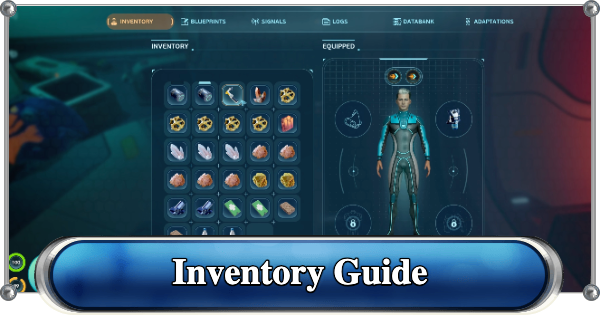
Running out of space in Subnautica 2? Use our guide to find every Biobed location, upgrade your hotbar slots, and maximize your inventory capacity up to 35 total slots.
How to Upgrade Inventory
You Start With 20 Inventory Slots and 5 Hotbar Slots


Before chasing upgrades, it helps to know the baseline. Every playthrough starts with 20 inventory slots and 5 tool hotbar slots, and that fills up fast once you're hauling crafting materials on top of tools. Every Biobed you find pushes your capacity to carry things and use more tools.
Interact With the Terminal, Not Just the Bed

To expand your inventory, you need to find the Biobeds scattered inside Colonist Bunkers across the map. You need to interact with each Biobed terminal to receive the permanent upgrade.
How to Get More Storage| Note! | Interacting with these terminals does not change your spawn point. They exist purely to expand your inventory and hotbar slots. |
|---|
Two Types of Upgrades: Endurance and Dexterity

| Max. Inventory Capacity | 35 slots |
| Max. Hotbar Capacity | 7 slots |
Not every Biobed gives the same reward. Five Biobeds grant an Endurance Adaptation, adding 3 inventory slots each for a total of +15 slots. The other two provide a Dexterity Adaptation, adding 1 hotbar slot each for a total of +2 hotbar slots. Each terminal only grants its bonus once, so you can’t stack extra value from a single bunker.
| Tip! | As the story advances, crafting and building demand more materials, making early inventory upgrades essential. |
|---|
All Biobed Locations
Biobed 1

| Coordinates | Distance From Lifepod | Reward |
|---|---|---|
| -353382, 450425, -8775 | 255m SW | Endurance +3 Inventory Slots |
Found near a wreck hanging off the edge of a cliff, close to the Welcome Center.
Biobed 2

| Coordinates | Distance From Lifepod | Reward |
|---|---|---|
| -334990, 414778, -8587 | 205m N-NW | Endurance +3 Inventory Slots |
Found in an underwater cave inside a large coral structure.
Biobed 3

| Coordinates | Distance From Lifepod | Reward |
|---|---|---|
| -320920, 429260, -3838 | 172m NE-E | Dexterity +1 Hotbar Slot |
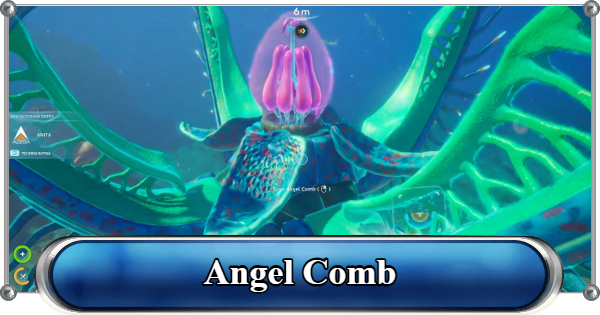
Found southeast of Anita's Blackbox, near the Digestion Adaptation Angel Comb. Head down the hole and follow the tripod work lights until you reach the colonist bunker. Beware of the Hammerheads patrolling the area.
| Tip! | You will also find Anita's "Zip is dead" Databank entry here. |
|---|
Biobed 4

| Coordinates | Distance From Lifepod | Reward |
|---|---|---|
| -332032, 394997, -6537 | 392m N | Endurance +3 Inventory Slots |
Found near the Old Habitat. There are a couple of Blackboxes and items that can be found and scanned inside the Old Habitat. It's also an important part of the story.
All Black Box LocationsBiobed 5

| Coordinates | Distance From Lifepod | Reward |
|---|---|---|
| -322251, 448740, -4267 | 217m SE-S | Endurance +3 Inventory Slots |
Found in the same bunker as Chap's Blackbox. Also near the Great Jaw Leviathan.
Great Jaw Leviathan GuideBiobed 6

| Coordinates | Distance From Lifepod | Reward |
|---|---|---|
| -307106, 450650, -8860 | 357m E-SE | Dexterity +1 Hotbar Slot |
Found in a cave in the Graveyard biome. Your markers for locating this Biobed are a Coral Dome and a distinct rock formation. You'll also need the Heat Tolerance Adaptation to reach this biome.
How to Get Heat Tolerance AdaptationBiobed 7

| Coordinates | Distance From Lifepod | Reward |
|---|---|---|
| -289057, 434157, -7619 | 488m E | Endurance +3 Inventory Slots |
Found inside the Cicada Wreck (Empty Hold) at the edge of the Graveyard biome. A Rebreather and the Half Round Room Recipe Data Card can also be found and scanned in one of the rooms here.
| Tip! | This is the only Biobed that is not inside a colonist bunker |
|---|
It's recommended to track down most, if not all, of these before finishing the current story. Extra inventory makes gathering materials, building bases and vehicles, and your crafting tasks much easier.
Other Ways to Manage Inventory
Tadpole Offers Additional Inventory

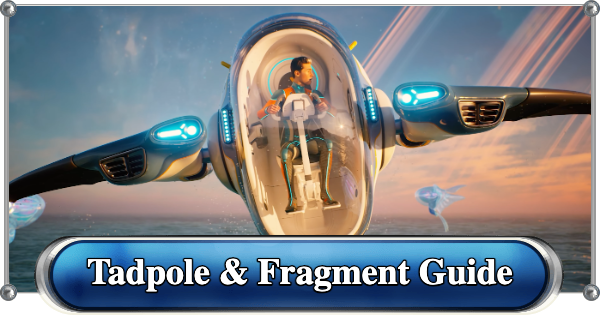
The Tadpole offers on-the-go storage by attaching a portable locker to its hardpoint. Its storage space increases further if you outfit it with the Haul Chassis. Great for when you're moving items between bases.
Tadpole Guide & Fragment LocationsCreate Lockers in Bases

Another must-do for better inventory management is keeping lockers at your base. Instead of carrying everything on your person, drop off anything you don't need for the next expedition before heading back out.
| Note! | Max inventory is currently capped at 35 slots with all Biobeds found. This may increase in future updates. |
|---|
Latest Updates & Patch Notes
Related Articles
Recommended Guides
 Walkthrough (Early to Late-Game) Walkthrough (Early to Late-Game) |  Where to Go and What to Do Next Where to Go and What to Do Next |  Tadpole Pens: How to Open the Locked Door Tadpole Pens: How to Open the Locked Door |
 Plant Farming Guide Plant Farming Guide |  Cooking and Recipes Guide Cooking and Recipes Guide |  Best Biomods Best Biomods |
 Best Tadpole Upgrades Best Tadpole Upgrades |  Metal Farm Guide Metal Farm Guide |
| Progression & Priorities | ||
|---|---|---|
 Early Game Early Game |  Mid-Game Mid-Game |  Endgame Endgame |
Lists
 All Leviathans All Leviathans |  All Items List All Items List |  Biomes & PoI List Biomes & PoI List |
 Blackbox List Blackbox List |  Recipe Data Cards (Blueprints) Recipe Data Cards (Blueprints) |  Vehicle List Vehicle List |
 Buildings & Facilities List Buildings & Facilities List |  Best Base Locations Best Base Locations |  Best Tools to Craft Best Tools to Craft |
 Salt
Salt Silver
 Copper
 Lead
Lead Lucifer Rotsac
 Conduit Crystals
 Creature Enamel
 Enameled Glass
 Troilite
 Celestine
 Multiplayer Guide
 How to Eat Food (Digestion)
 How to Craft Items
 Drinking Water Guide
 How to Craft Air Tank?
 How to Get Basic Fins
 Scanner Station Guide
 How to Manage Your Oxygen?
 Base Guide
 Alien Ruins
 How to Use Coordinates
 Tadpole Guide
 How to Get More Storage
 How to Get a Rebreather
 Bioscanner Guide
 Night Survival Guide
 How to Heal
 Angel Comb Guide
 How to Power Your Base
 How to Recharge Batteries and Tools
 How to Get the Repair Tool
 World Tree Guide
 Flashlight Guide
 Strong Acid Guide
 How to Get Heat Tolerance
 Scanner Guide
 How to Get Tadpole Depth Module Mk. 2
 How to Get a Wakemaker
 How to Get Fibrous Pulp
 How to Get a Wiring Kit
 How to Get Advanced Wiring Kit
 How to Get the Entangled Power Cell
 How to Refund Bases
 Specs Requirements
 New Game Features
 Is There Crossplay?
 Supported Devices
 Update & Roadmap
 How Long to Beat?
 Can You Play Subnautica 2 on PS5 and PS4?
 Is Subnautica 2 on Xbox?
 Is Subnautica 2 on Steam?
 Is Subnautica 2 on Switch?










