

How to get the Bioscanner in Subnautica 2. See how to find Bioscanner fragment in the Cicada Wreck, blueprint location, crafting recipe, and how to use it.
Table of Contents
What Is the Bioscanner?
Scan Advanced Alien Technology and Protean Biology


The Bioscanner is an essential upgrade for your standard handheld Scanner. While the basic Scanner works fine for early-game flora and fauna, you will eventually encounter advanced Axum Technology and Protean Biology (Alien items) that your starting tool cannot properly analyze.
Unlock Late-Game Blueprints
Equipping the Bioscanner allows you to scan advanced creatures and alien objects, unlocking important blueprints and Biomods needed for mid- to late-game progression.
Bioscanner Blueprint Location
Find the Fragment Inside the Cicada Wreck

To unlock the blueprint, you only need to scan a single Bioscanner fragment. A guaranteed Bioscanner fragment can be found inside the Cicada Wreck (EVA Prep). If you already have the "Blackbox – Iso" mission active, simply follow the waypoint marker to reach the wreck.
All Black Box LocationsBring a Repair Tool
You will need a Repair Tool to access the Bioscanner fragment area, so make sure to craft one before heading to Cicada Wreck.
- Travel to the wreckage site (1,700+m, 120° East)
- Find the entrance marked with "73"
- Repair the damaged door with the Repair Tool
- Follow the open doors
- Dive into the circular floor maintenance hatch
- Follow the pipe toward the red-lit opening
- Scan the Bioscanner fragment on the deck
- Repair the nearby door to create an exit shortcut

Travel around 1,700m away from your starting Lifepod toward 120° East to reach the Cicada Wreck. This is the same location tied to Iso's Blackbox mission.
All Black Box Locations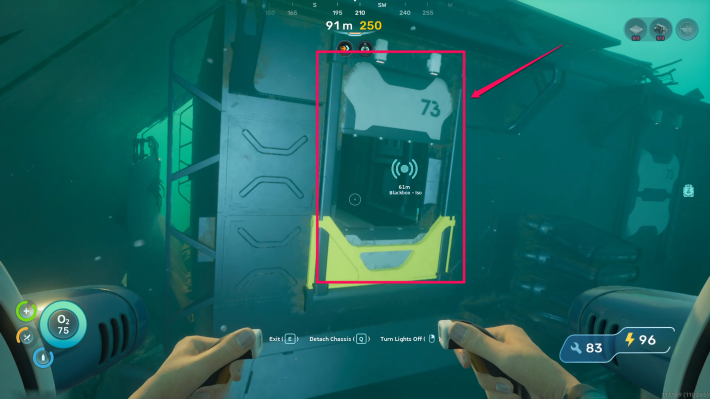
Swim around the wreck until you find the entrance marked with the number "73" near the upper-right side of the opening.
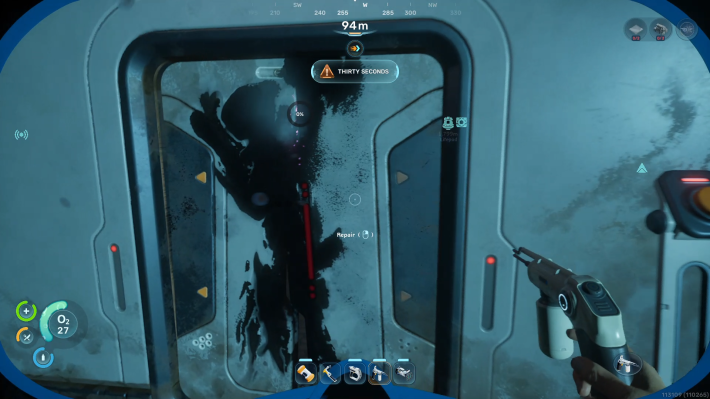
Once inside, immediately turn right and use your Repair Tool on the damaged door to open the sealed door.

Proceed through the opened doors. Inside the second room, head left to scan the Improved Fins blueprint. Iso's Blackbox can also be found further ahead on the desk.

In the room where the Blackbox is located, look to its right to spot a circular hatch in the floor and dive inside.

Swim along the pipe until you reach an opening illuminated by a noticeable red light.
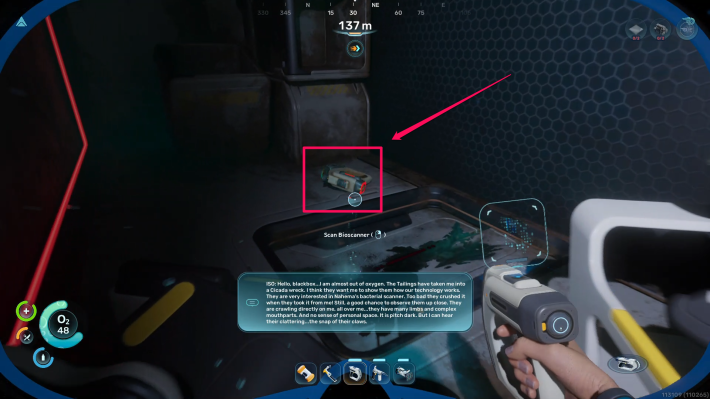
Dive down through the red-lit shaft to find the Bioscanner fragment resting on the deck. Scan it to unlock the blueprint.

Repair the nearby broken door to unlock a convenient shortcut leading directly outside the wreck.
How to Craft the Bioscanner
Craft at the Modification Station

Since the Bioscanner is treated as a direct Scanner upgrade, you must use a Modification Station to craft it. Unequip your regular Scanner and combine it with several mid-game materials found near the Alien Ruins biome.
Required Materials for the Bioscanner
| Materials | Quantity | How to Get |
| Scanner | 1 | Crafted at the Fabricator |
| Enameled Glass | 2 | Crafted at the Fabricator |
| Conduit Crystal | 3 | Found near the Alien Ruins biome |
How to Use the Bioscanner
Scan Alien Organisms for Permanent Buffs
Once equipped, your main goal with the Bioscanner is to scan rare alien flora and fauna to fulfill Biomod research requirements at the Welcome Center's Bio Lab. Biomods act as powerful active and passive mutations that significantly improve your exploration capabilities.
Unlock Powerful Biomods and Buffs
Using the Bioscanner on certain deep-sea organisms unlocks advanced abilities like emitting a sonar pulse to detect nearby resources through Sonic Echo, or generating electric discharges to defend yourself from predators.
Best BiomodsCreatures Must Be Re-Scanned
Even if you already scanned a creature using the standard Scanner, you will still need to scan it again with the Bioscanner to complete its Biomod research requirements.
Related Articles
Recommended Guides
 Walkthrough (Early to Late-Game) Walkthrough (Early to Late-Game) |  Where to Go and What to Do Next Where to Go and What to Do Next |  Tadpole Pens: How to Open the Locked Door Tadpole Pens: How to Open the Locked Door |
 Plant Farming Guide Plant Farming Guide |  Cooking and Recipes Guide Cooking and Recipes Guide |  Best Biomods Best Biomods |
 Best Tadpole Upgrades Best Tadpole Upgrades |  Metal Farm Guide Metal Farm Guide |
| Progression & Priorities | ||
|---|---|---|
 Early Game Early Game |  Mid-Game Mid-Game |  Endgame Endgame |
Lists
 All Leviathans All Leviathans |  All Items List All Items List |  Biomes & PoI List Biomes & PoI List |
 Blackbox List Blackbox List |  Recipe Data Cards (Blueprints) Recipe Data Cards (Blueprints) |  Vehicle List Vehicle List |
 Buildings & Facilities List Buildings & Facilities List |  Best Base Locations Best Base Locations |  Best Tools to Craft Best Tools to Craft |
 Salt
Salt Silver
 Copper
 Lead
Lead Lucifer Rotsac
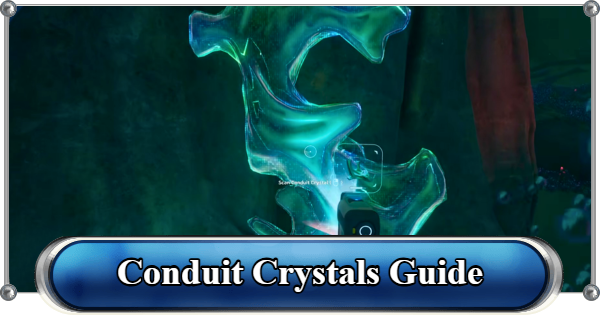 Conduit Crystals
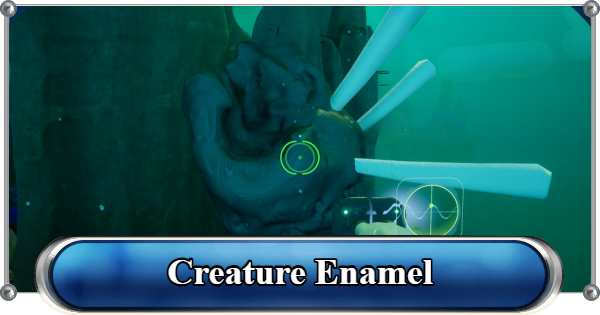 Creature Enamel
 Enameled Glass
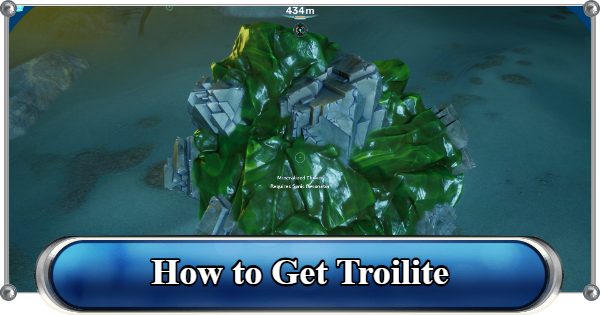 Troilite
 Celestine
 Multiplayer Guide
 How to Eat Food (Digestion)
 How to Craft Items
 Drinking Water Guide
 How to Craft Air Tank?
 How to Get Basic Fins
 Scanner Station Guide
 How to Manage Your Oxygen?
 Base Guide
 Alien Ruins
 How to Use Coordinates
 Tadpole Guide
 How to Get More Storage
 How to Get a Rebreather
 Night Survival Guide
 How to Heal
 Angel Comb Guide
 How to Power Your Base
 How to Recharge Batteries and Tools
 How to Get the Repair Tool
 World Tree Guide
 Flashlight Guide
 Strong Acid Guide
 How to Get Heat Tolerance
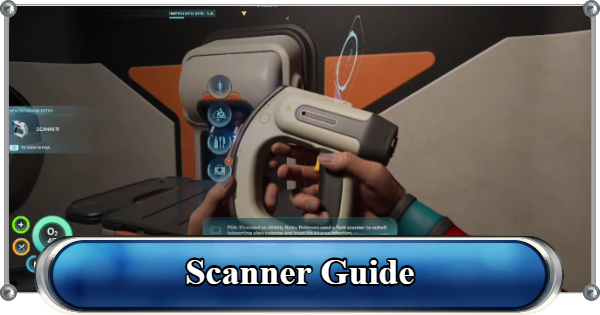 Scanner Guide
 How to Get Tadpole Depth Module Mk. 2
 How to Get a Wakemaker
 How to Get Fibrous Pulp
 How to Get a Wiring Kit
 How to Get Advanced Wiring Kit
 How to Get the Entangled Power Cell
 How to Refund Bases
 Specs Requirements
 New Game Features
 Is There Crossplay?
 Supported Devices
 Update & Roadmap
 How Long to Beat?
 Can You Play Subnautica 2 on PS5 and PS4?
 Is Subnautica 2 on Xbox?
 Is Subnautica 2 on Steam?
 Is Subnautica 2 on Switch?










