

Scanner Station guide in Subnautica 2. See how to unlock and craft the Scanner Station, how to scan for items, and how to search for items within a 300m range.
Table of Contents
How to Unlock Scanner Station
Scan the Scanner Station Fragment


To unlock the blueprint for the Scanner Station in Subnautica 2, you must scan a Scanner Station Fragment found in the open world. Multiple fragments exist, but the closest one is located Northeast of the Lifepod at Camp One,.
How to Find the Scanner Station Fragment

Head northeast from the Lifepod and swim for about 240 meters. Once you arrive, you'll find a cluster of destroyed shelters, this is Camp One. Look for the crevice between the two largest wrecked structures, then enter a passage below. The Scanner Station Fragment is located inside the room.
| Tip! | Camp One also has other scannable fragments and Blackboxes nearby, so it's worth exploring the area thoroughly while you're there. |
|---|
How to Build a Scanner Station
Craft Using the Habitat Builder

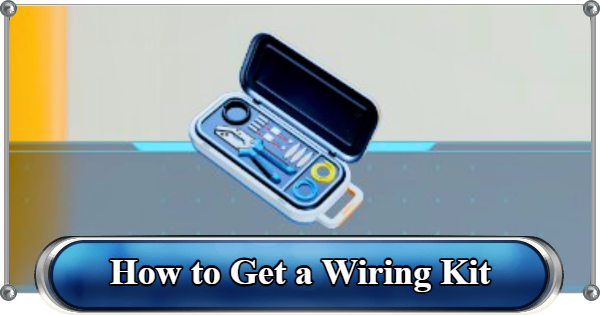
After obtaining the blueprint, you can build the Scanner Station as a facility for your base using the Habitat Builder. You'll need x1 System Chip, x3 Titanium and x1 Wiring Kit.
How to Scan for Items
- Interact with the Scanner Station
- Select Item to Scan and Locate
- Go to the Marked Location
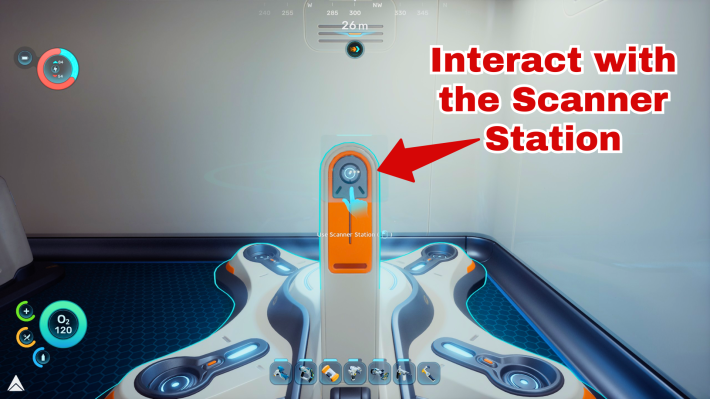
Once your Scanner Station is powered and built, interact with it.
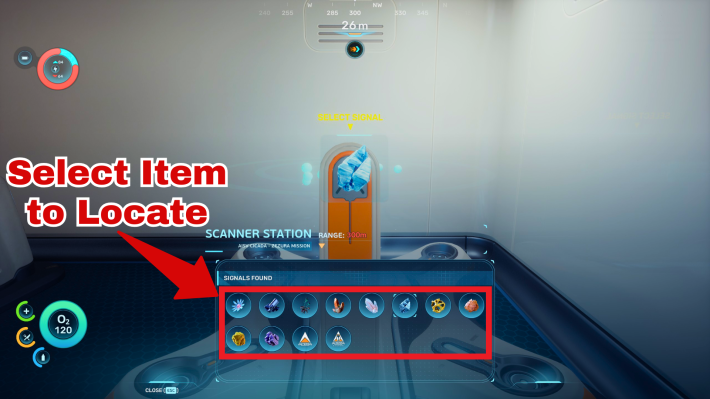
Choose the specific resource (like Silver or tech fragments) you want to locate. Click on one of the signals to track the resource.
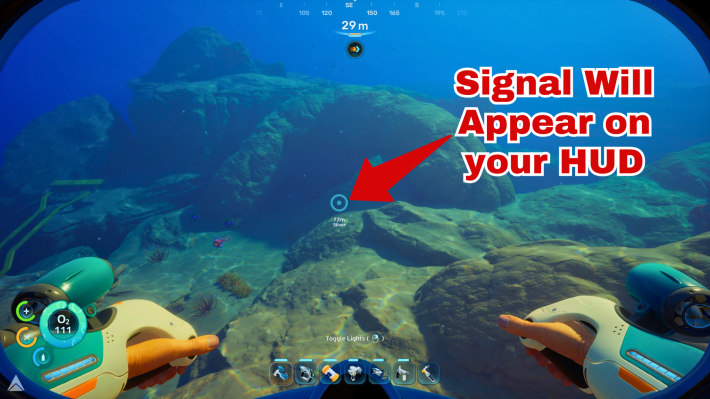
The location of the selected items will appear on the station's 3D map. Note that the signals represent the general area; you will need to search nearby to find the exact resource node.
| Tip! | You can also scan Alterra bases and Bloom Infestations using the Scanner Station |
|---|
What is the Scanner Station?
Mainly Used to Locate Resources
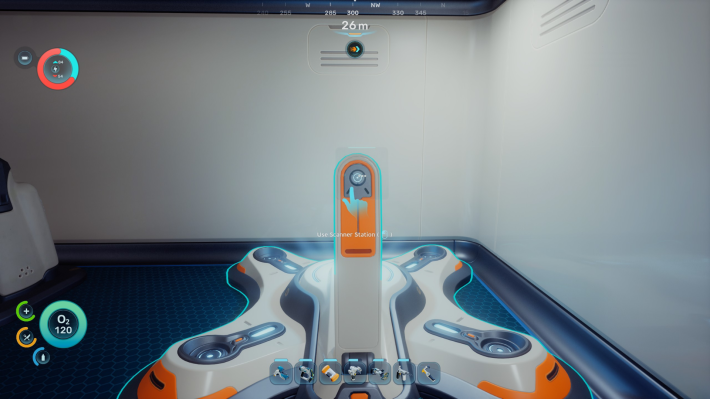
The Scanner Station is a vital base module that detects specific resources within a 300m range in any direction.
Instead of relying on luck or coordinates, this tool highlights items on its internal display. It’s the best way to overcome early‑game material bottlenecks and track down the tech you need for deeper exploration.
Requires Energy While Scanning
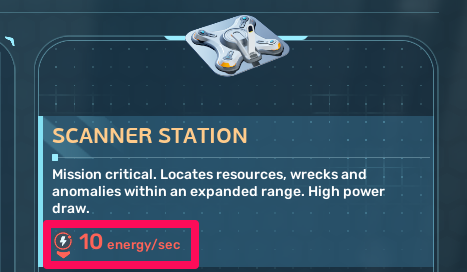
The Scanner Station requires 10 Energy to remain active while scanning. Make sure your base has enough power to keep it running continuously.
How to Power Your BaseRelated Articles
Recommended Guides
 Walkthrough (Early to Late-Game) Walkthrough (Early to Late-Game) |  Where to Go and What to Do Next Where to Go and What to Do Next |  Tadpole Pens: How to Open the Locked Door Tadpole Pens: How to Open the Locked Door |
 Plant Farming Guide Plant Farming Guide |  Cooking and Recipes Guide Cooking and Recipes Guide |  Best Biomods Best Biomods |
 Best Tadpole Upgrades Best Tadpole Upgrades |  Metal Farm Guide Metal Farm Guide |
| Progression & Priorities | ||
|---|---|---|
 Early Game Early Game |  Mid-Game Mid-Game |  Endgame Endgame |
Lists
 All Leviathans All Leviathans |  All Items List All Items List |  Biomes & PoI List Biomes & PoI List |
 Blackbox List Blackbox List |  Recipe Data Cards (Blueprints) Recipe Data Cards (Blueprints) |  Vehicle List Vehicle List |
 Buildings & Facilities List Buildings & Facilities List |  Best Base Locations Best Base Locations |  Best Tools to Craft Best Tools to Craft |
 Salt
Salt Silver
 Copper
 Lead
Lead Lucifer Rotsac
 Conduit Crystals
 Creature Enamel
 Enameled Glass
 Troilite
 Celestine
 Multiplayer Guide
 How to Eat Food (Digestion)
 How to Craft Items
 Drinking Water Guide
 How to Craft Air Tank?
 How to Get Basic Fins
 How to Manage Your Oxygen?
 Base Guide
 Alien Ruins
 How to Use Coordinates
 Tadpole Guide
 How to Get More Storage
 How to Get a Rebreather
 Bioscanner Guide
 Night Survival Guide
 How to Heal
 Angel Comb Guide
 How to Power Your Base
 How to Recharge Batteries and Tools
 How to Get the Repair Tool
 World Tree Guide
 Flashlight Guide
 Strong Acid Guide
 How to Get Heat Tolerance
 Scanner Guide
 How to Get Tadpole Depth Module Mk. 2
 How to Get a Wakemaker
 How to Get Fibrous Pulp
 How to Get a Wiring Kit
 How to Get Advanced Wiring Kit
 How to Get the Entangled Power Cell
 How to Refund Bases
 Specs Requirements
 New Game Features
 Is There Crossplay?
 Supported Devices
 Update & Roadmap
 How Long to Beat?
 Can You Play Subnautica 2 on PS5 and PS4?
 Is Subnautica 2 on Xbox?
 Is Subnautica 2 on Steam?
 Is Subnautica 2 on Switch?










