

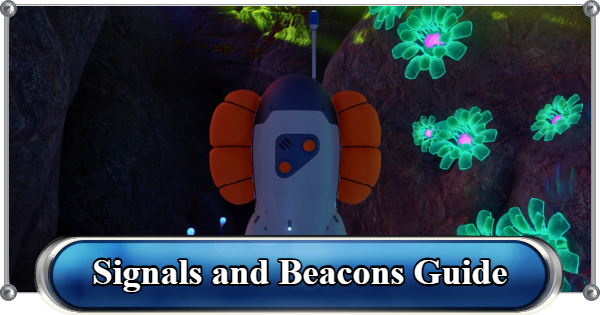
Learn how to unlock Beacons in Subnautica 2, where to find all fragments, how to mark locations, and how to use Signals to navigate without a map.
Table of Contents
What Are Beacons in Subnautica 2?


Subnautica 2 has no traditional map. Beacons are how you mark locations you want to return to. Place one anywhere and it creates a permanent icon on your HUD that you can rename and toggle on or off.
| Tip! | Beacons cost only x1 Copper and x1 Titanium and can be deconstructed with the Habitat Builder to recover all materials. |
|---|
All Beacon Fragment Locations
| Fragment Location |
|---|
 Fragment 1 Fragment 1117m South of the Lifepod Near the Welcome Center, under a wreckage. |
 Fragment 2 Fragment 264m Southeast of the Lifepod A cave near the Welcome Center, marked by a current pushing upwards. |
 Fragment 3 Fragment 3134m Southwest of the Lifepod Located beneath a cliff. Follow the line of wreckage to the left of the Welcome Center to reach it. Scan for Sand Spears and Coral Crabs near the area. |
Scanning two Beacon fragments unlocks the blueprint. All fragments are close to the Lifepod.
How to Craft and Place a Beacon

| Tool Required | Recipe | Found Under |
|---|---|---|
| Habitat Builder | x1 Copper x1 Titanium | Utility Tab |
To place a Beacon, equip the Habitat Builder, open the Utility tab, select the Beacon, and place it at your desired location. Hold Left Click, RT, or R2 to confirm placement.

Once placed, swim close and select Set Label to rename it.
| Tip! | You can carry a Beacon to move it, but it slows your movement and prevents you to use other tools. It is faster to deconstruct it with the Habitat Builder and rebuild it elsewhere. |
|---|
What Is a Signal

Signals are the built-in markers tied to objectives, the Lifepod, and Black Box locations. They appear as HUD icons and can be toggled on or off individually without deleting them.
How to Set a Signal

To configure Signals, open your PDA and go to the Signals tab at the top. Uncheck any marker to hide it. Check it again to bring it back. This works for quest markers, base markers, and Black Box signals.

You can also change the label for each signal and choose a color to mark them.
Navigation Tips
Use the Lifepod As Your Zero Point

All early routes are most useful when described relative to the Lifepod. It is your permanent anchor for the first hours of the game.
Mark Before You Descend

Always place a Beacon at the entry point before going into a deep route. Marking entryways lets you navigate easily to certain spots, especially in dangerous biomes.
Use the Pathfinder Biomod

Unlocked at the Welcome Center Biolab, Pathfinder leaves a temporary visible trail behind you. Useful for winding cave systems where the exit stops being obvious after two turns.
How to Show and Use Coordinates| Notice! | Subnautica 2 is in Early Access. Beacon fragment locations and signal behavior may change in future updates. |
|---|
Related Articles
Recommended Guides
 Walkthrough (Early to Late-Game) Walkthrough (Early to Late-Game) |  Where to Go and What to Do Next Where to Go and What to Do Next |  Tadpole Pens: How to Open the Locked Door Tadpole Pens: How to Open the Locked Door |
 Plant Farming Guide Plant Farming Guide |  Cooking and Recipes Guide Cooking and Recipes Guide |  Best Biomods Best Biomods |
 Best Tadpole Upgrades Best Tadpole Upgrades |  Metal Farm Guide Metal Farm Guide |
| Progression & Priorities | ||
|---|---|---|
 Early Game Early Game |  Mid-Game Mid-Game |  Endgame Endgame |
Lists
 All Leviathans All Leviathans |  All Items List All Items List |  Biomes & PoI List Biomes & PoI List |
 Blackbox List Blackbox List |  Recipe Data Cards (Blueprints) Recipe Data Cards (Blueprints) |  Vehicle List Vehicle List |
 Buildings & Facilities List Buildings & Facilities List |  Best Base Locations Best Base Locations |  Best Tools to Craft Best Tools to Craft |
 Salt
Salt Silver
 Copper
 Lead
Lead Lucifer Rotsac
 Conduit Crystals
 Creature Enamel
 Enameled Glass
 Troilite
 Celestine
 Multiplayer Guide
 How to Eat Food (Digestion)
 How to Craft Items
 Drinking Water Guide
 How to Craft Air Tank?
 How to Get Basic Fins
 Scanner Station Guide
 How to Manage Your Oxygen?
 Base Guide
 Alien Ruins
 How to Use Coordinates
 Tadpole Guide
 How to Get More Storage
 How to Get a Rebreather
 Bioscanner Guide
 Night Survival Guide
 How to Heal
 Angel Comb Guide
 How to Power Your Base
 How to Recharge Batteries and Tools
 How to Get the Repair Tool
 World Tree Guide
 Flashlight Guide
 Strong Acid Guide
 How to Get Heat Tolerance
 Scanner Guide
 How to Get Tadpole Depth Module Mk. 2
 How to Get a Wakemaker
 How to Get Fibrous Pulp
 How to Get a Wiring Kit
 How to Get Advanced Wiring Kit
 How to Get the Entangled Power Cell
 How to Refund Bases
 Specs Requirements
 New Game Features
 Is There Crossplay?
 Supported Devices
 Update & Roadmap
 How Long to Beat?
 Can You Play Subnautica 2 on PS5 and PS4?
 Is Subnautica 2 on Xbox?
 Is Subnautica 2 on Steam?
 Is Subnautica 2 on Switch?










