

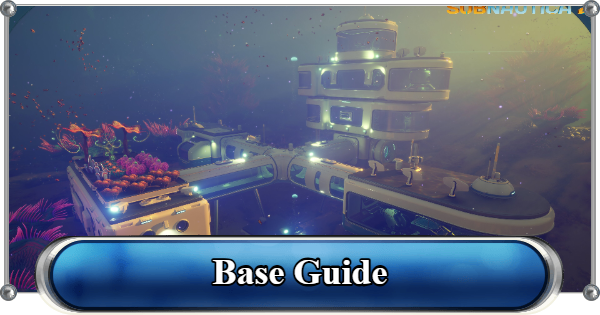
Learn how to build the ultimate base in Subnautica 2! Our complete guide covers the Habitat Builder, the best base locations, and how to power up your underwater headquarters.
Table of Contents
Base Building
How to Build Base
Craft Habitat Builder


To start building, you will need the Habitat Builder. You can craft it in the Fabricator with the required materials. This tool allows you to place rooms, corridors, foundations, and other base modules underwater.
Habitat Builder Recipe
| Tool | Details |
|---|---|
| Habitat Builder | Titanium x2 Glass x1 Basic Battery x1 Copper Wire x1 |
Select Location to Build Base

Choosing the right location is important because it affects how safe, efficient, and resource-rich your base will be. Look for areas with nearby essential resources, and manageable threats to make building and expansion easier.
▶ Check Base Best LocationsAlso Determine With Base Size in Mind
| Starter Base | Upgraded Base |
|---|---|
 | 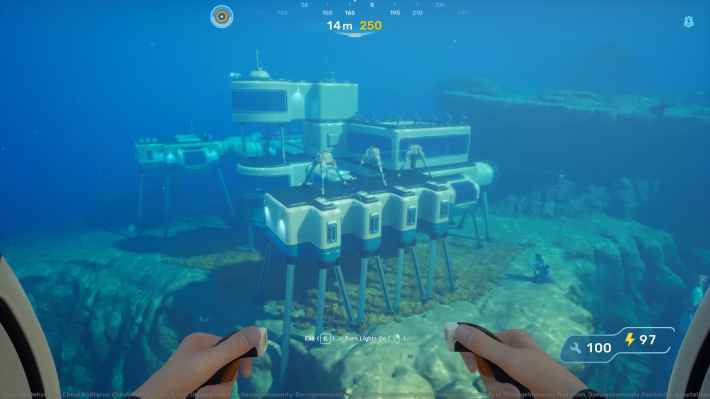 |
A larger base allows for more storage, power systems, and specialized rooms, while a smaller base is easier to build and maintain but offers fewer capabilities.
Plan Layout to Avoid Overcrowding

The number of items you can place inside a base depends on its size and available space. Keep in mind that smaller rooms have limited capacity, so careful planning is needed to avoid overcrowding.
Place Structures
Open the build menu, and select the structure you want to place. Position it on suitable terrain, confirm placement, and continue adding modules as your base grows.
Base Structures

You can find Base Pieces in the Builder Tool, which provide structural options for base construction, including both standard components and advanced modules.
Remove Parts Using Deconstruct Mode

Use Deconstruct Mode with the Habitat Builder to safely remove unwanted base parts and recover some of the materials used during construction.
Power Up Your Base
Base facilities require energy to function. Early in the game, the simplest way to generate power is by building Solar Panels on the exterior of your base.
Base Power Source
| Type | Details |
|---|---|
| Solar Panels | Get energy from sunlight |
| Hydroelectric Turbines | Generate energy from underwater currents |
| Thermal Plants | Use heat from volcanic and geothermal areas |
| Bioreactors | Burn organic material for steady power |
Each base power source offers a different balance of efficiency, reliability, and availability depending on your environment and progression.
Best Power SourceUse Two or More Energy Supply
This setup reduces the risk of power shortages and keeps essential base functions running even when one source becomes less effective due to environmental conditions.
Best Base Locations
Choosing the best location for your base is crucial as it determines your proximity to essential resources, potential threats, and viable power sources. Whether you prefer safe shallow biomes to start or resource-rich deep caves for expansion, finding the perfect spot will make survival much easier. Check out our dedicated guide below for the best spots!
Best Base LocationsBase Uses
How to Use Base
Shelter for Pioneer

A base provides a safe environment with oxygen and protection from underwater hazards.
Headquarters for Co-Op

It can be used as a shared base for building and playing with friends, allowing multiple players to collaborate in real time to construct, expand, and manage the same underwater facility.
Multiplayer GuideRespawn Point
A base can also be used as a respawn point to reduce travel time after death, helping you quickly recover any lost items and continue your progress.
Death GuideFarming Resources

A base can streamline returns after harvesting resources from nearby biomes, making repeated collection runs faster and more efficient.
Grow Your Own Garden

Using specialized farming modules, you can plant to have a steady supply of food and crafting materials, helping support long-term survival and reducing the need for constant resource gathering.
All Items & Resources ListStore Collected Resources

You can also add storage to your base to secure collected materials and quickly access them whenever you need them for crafting or building.
Crafting Equipment and Items
As your base grows, you can add advanced crafting stations to create better gear, turning it into a full workshop for progression and survival.
Free Up Inventory Space
This also helps create more space in your character’s inventory, making exploration and resource gathering more efficient.
What is a Base?
Customizable Buildings
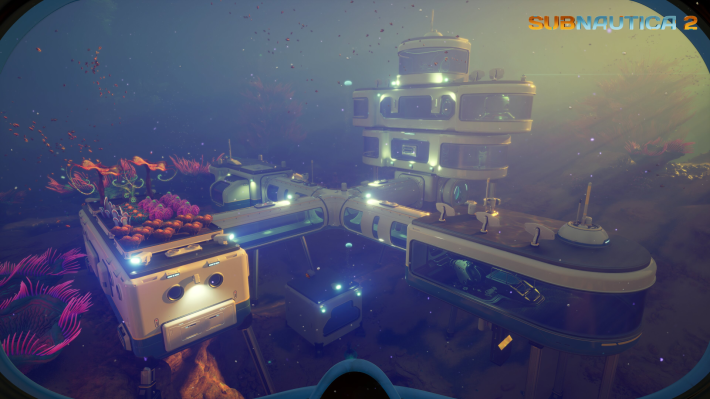
A base in Subnautica 2 can serve as an alternative to the Lifepod and the Welcome Center, giving you a secure place to store resources, generate power, and support your early exploration.
Related Articles
Recommended Guides
 Walkthrough (Early to Late-Game) Walkthrough (Early to Late-Game) |  Where to Go and What to Do Next Where to Go and What to Do Next |  Tadpole Pens: How to Open the Locked Door Tadpole Pens: How to Open the Locked Door |
 Plant Farming Guide Plant Farming Guide |  Cooking and Recipes Guide Cooking and Recipes Guide |  Best Biomods Best Biomods |
 Best Tadpole Upgrades Best Tadpole Upgrades |  Metal Farm Guide Metal Farm Guide |
| Progression & Priorities | ||
|---|---|---|
 Early Game Early Game |  Mid-Game Mid-Game |  Endgame Endgame |
Lists
 All Leviathans All Leviathans |  All Items List All Items List |  Biomes & PoI List Biomes & PoI List |
 Blackbox List Blackbox List |  Recipe Data Cards (Blueprints) Recipe Data Cards (Blueprints) |  Vehicle List Vehicle List |
 Buildings & Facilities List Buildings & Facilities List |  Best Base Locations Best Base Locations |  Best Tools to Craft Best Tools to Craft |
 Salt
Salt Silver
 Copper
 Lead
Lead Lucifer Rotsac
 Conduit Crystals
 Creature Enamel
 Enameled Glass
 Troilite
 Celestine
 Multiplayer Guide
 How to Eat Food (Digestion)
 How to Craft Items
 Drinking Water Guide
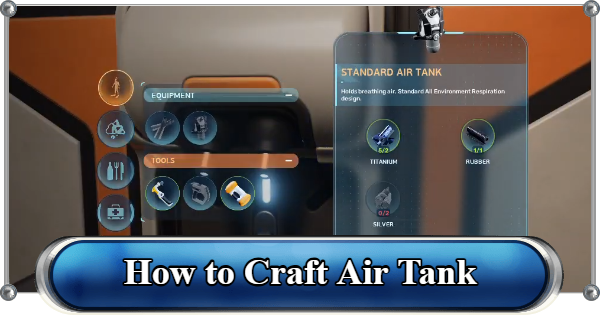 How to Craft Air Tank?
 How to Get Basic Fins
 Scanner Station Guide
 How to Manage Your Oxygen?
 Alien Ruins
 How to Use Coordinates
 Tadpole Guide
 How to Get More Storage
 How to Get a Rebreather
 Bioscanner Guide
 Night Survival Guide
 How to Heal
 Angel Comb Guide
 How to Power Your Base
 How to Recharge Batteries and Tools
 How to Get the Repair Tool
 World Tree Guide
 Flashlight Guide
 Strong Acid Guide
 How to Get Heat Tolerance
 Scanner Guide
 How to Get Tadpole Depth Module Mk. 2
 How to Get a Wakemaker
 How to Get Fibrous Pulp
 How to Get a Wiring Kit
 How to Get Advanced Wiring Kit
 How to Get the Entangled Power Cell
 How to Refund Bases
 Specs Requirements
 New Game Features
 Is There Crossplay?
 Supported Devices
 Update & Roadmap
 How Long to Beat?
 Can You Play Subnautica 2 on PS5 and PS4?
 Is Subnautica 2 on Xbox?
 Is Subnautica 2 on Steam?
 Is Subnautica 2 on Switch?










