

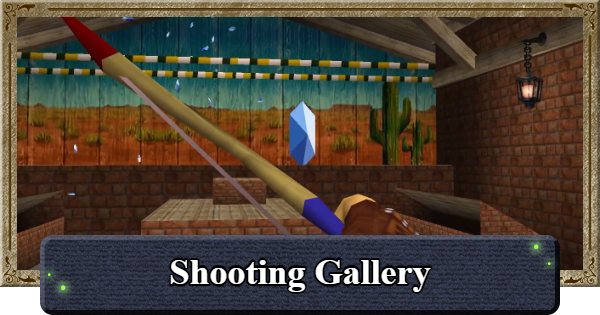
Mini-game Guide for Shooting Gallery in The Legend of Zelda: Ocarina of Time. Covering the Shooting Gallery minigame location, how to play, tips, trivia, and rewards.
Mini-game ListShooting Gallery Location
As a Child: Castle Town / As an Adult: Kakariko Village
| As a Child | As an Adult |
|---|---|
  |  |
You can play the Shooting Gallery in The Legend of Zelda: Ocarina of Time at Castle Town as a child, or at the Shooting Gallery in Kakariko Village as an adult. The location changes depending on the era, so be sure to visit the right one for the prize you want.
How to Play Shooting Gallery and Tips
- Shoot All the Rupees That Appear
- The Pattern is Fixed in the Past
- Patterns Appear Randomly in the Future - Deku Seeds Have a Downward Trajectory
Shoot All the Rupees That Appear

| Entry Fee | 20 Rupees per Try |
|---|---|
| Rules | Shoot All 10 Targets within 15 Shots |
| Controls | B to Aim / Left-Stick to Target / B to Fire |
The Shooting Gallery in Ocarina of Time is a minigame where you must hit all 10 targets within 15 shots. Win a prize by hitting all 10 targets, and you can also play as both Child and Adult Link.
The Pattern is Fixed in the Past
| 1 | 1 Green Rupee flies up from the center bottom |
|---|---|
| 2 | 1 Blue Rupee appears on each side of the stage, left then right - They appear as the previous one switches out |
| 3 | 1 Green Rupee shoots upward from the center bottom |
| 4 | 1 Blue Rupee appears from each side of the stage - Almost simultaneously |
| 5 | 2 Red Rupees travel along a rope from right to left |
| 6 | 2 Red Rupees travel along a rope from left to right - The interval differs from Step 5 |
In the Child era of the Shooting Gallery, the order in which Rupees (targets) appear is fixed every time. Once you're familiar with the Rupee spawn pattern, the mini-game becomes much easier, just keep trying until you get it.
Patterns Appear Randomly in the Future
In the Future as Adult Link, the Rupees appear randomly from among the patterns used in the Past version. The patterns are the same, but they won't always appear in the same order, so it's important to recognize the pattern and adjust accordingly.
Deku Seeds Have a Downward Trajectory

The Slingshot's projectiles land slightly below the center of the bands. If you're missing a lot, align your shot by aiming slightly higher than your target.
Target Shooting in the Lost Woods
Can Also Play Shooting Game in Lost Woods

| Rule | Hit the Target's Center 3 times in a Row |
|---|---|
| Reward | Deku Seed Bag |
You can also try a simplified version of the target shooting minigame in the Lost Woods in The Legend of Zelda: Ocarina of Time. Hit the center of the target 3 times in a row to score 300 points, and you'll receive a Deku Seed Bag as the reward.
Shooting Gallery Rewards
| Clear/Condition | Reward |
|---|---|
| First Time | Seed Bag Capacity Up (Child) Quiver Capacity Up (Adult) |
| 2nd Time Onward | 50 Rupees |
| Hit 8 or More Targets | Free Replay |
In the Shooting Gallery in The Legend of Zelda: Ocarina of Time, your first clear increases the Deku Seed Bag capacity as a child, or the Quiver capacity as an adult. You need to have obtained the Bow to receive the Quiver reward, and if you don't have the Bow, the prize is 50 Rupees instead.
Ocarina of Time Related Articles

 Shooting Gallery Shooting Gallery |  Treasure Chest Shop Treasure Chest Shop |
 Fishing Pond Fishing Pond |  Graveyard Digging Tour Graveyard Digging Tour |
 Cucco Game Cucco Game |  Bombchu Bowling Alley Bombchu Bowling Alley |
 Frog Ocarina Game Frog Ocarina Game |  Dampe's Race Dampe's Race |
 Obstacle Course Obstacle Course |  Horseback Archery Horseback Archery |
 Marathon Marathon |












