

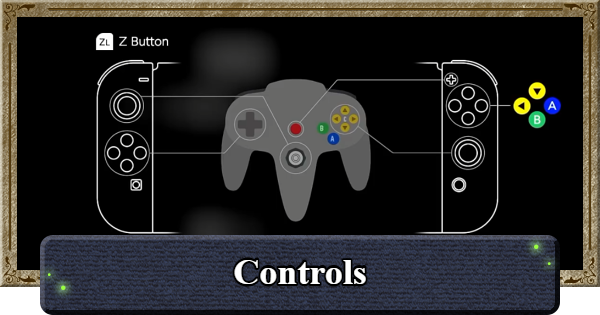
This article lists all the controls in The Legend of Zelda: Ocarina of Time, including for Link's attacks, guarding, Epona's controls, and how to change button mapping in Switch.
Table of Contents
Basic Switch Controls
Link's Controls
| Tap to Jump | ||
|---|---|---|
| ▼Movement | ▼Attack & Guard | ▼Other |
Movement
| Action | Button |
|---|---|
| Move | |
| Jump | Towards a Ledge |
| Leaping Jump | Towards a Ledge+ (Can jump farther) |
| Forward Roll | Up+ |
| Side Hop | Left, Right+ |
| Backflip | Down+ |
| Dive | (Hold) While in water |
Attack & Guard
| Action | Button |
|---|---|
| Horizontal Slash | |
| Vertical Slash | + |
| Thrust | +Up+ |
| Spin Attack | Hold→Release One rotation+ |
| Jump Attack | During a jump (Can jump farther) |
| Leaping Attack | Towards a Ledge++ (Can jump farther) |
| Ready Shield | |
| Guard Attack | + |
| Sheathe Weapon |
Other
| Action | Button |
|---|---|
| Z-Targeting (Face Forward) | |
| Toggle Map Display ON/OFF | |
| Item Menu | |
| Menu | |
| Talk / Examine / Open / etc. | |
| Use C-Item (Down) | |
| Use C-Item (Left) | |
| Change Camera / Talk to Navi | Up |
| Use C-Item | Left, Down, Right |
Epona's Controls
| Action | Button |
|---|---|
| Mount / Dismount | |
| Move | |
| Jump | Towards a Ledge/Fence |
| Accelerate | While moving |
| Shoot |
How to Change Button Controls
In System Settings


You can change the button mapping anytime through the System Settings or by pressing the (-) button while in-game. This lets you choose the controls that are most comfortable for you.
Ocarina of Time Related Articles

Recommended Guides
| Story Walkthrough | Boss Guide | Side Quests | Minigames |
| Equipment | Items | Ocarina Songs | Piece of Heart |
| Gold Skulltulas | Magic Beans | Scarecrow's Song | Post-Game Content |
 Switch 2 Remake News
 How to Play on Switch











