Check out The Seven Deadly Sins: Origin (7DSO) early game guide to learn how to get free characters, solve field puzzles, and farm Star Memories.
Should You Reroll?
Possible for Smartphone


| Number of Rerolls in one Playthrough |
|---|
| - Meliodas Pickup Gacha: 9 times |
| - Regular Gacha: 38 times |
On the mobile version, you can reroll by logging in as a guest. It's easy because you can do a total of 47 pulls in about 15 minutes per attempt, and you can restart simply by logging out.
How to RerollPS5 and Steam Requires Patience
To reroll on PC and PS5, you will need multiple PS/Steam accounts. This requires a lot more effort than the mobile version, so it is not recommended.
Get Over 200 Draws

As you progress through the game, you can obtain free Star Fragments and Draw Tickets, and by playing for over 100 hours, it's possible to draw more than 200 times. Take your time and dive into the various content such as Quests and exploration.
Early Game Progression Guide
Progress Tutorials and Story
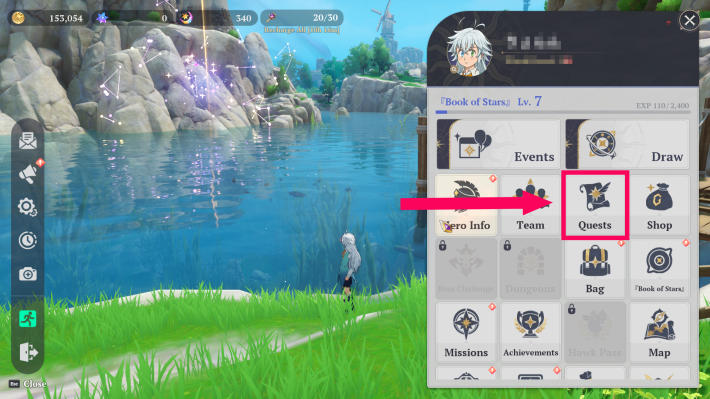
As you progress through the main story, new features, mechanics, and dungeons will gradually unlock. You can check the details and rewards for your main quests in the Quests menu. These quests grant beginners the necessary resources to push through the early game without getting stuck.
Main Story Walkthrough GuideObjectives Are Marked With a "?"
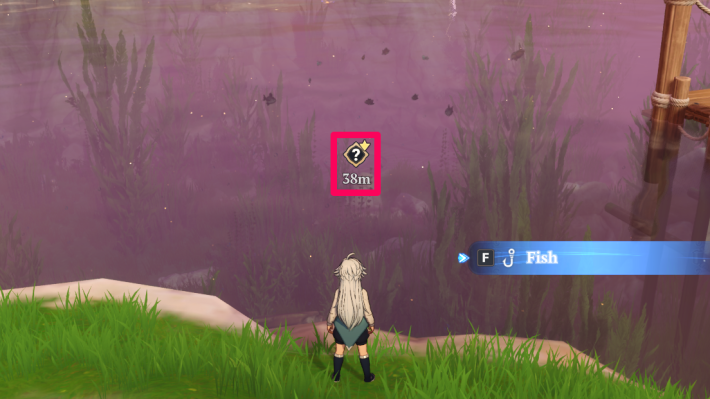
Your next objective and destination are always marked with a "?" on the map and minimap. If you're ever unsure of where to go, just head in that direction! Your current active quest is also conveniently displayed in the top-left corner of the screen.
Unlock the Draw Feature in Act 1
The Draw (Gacha) system in 7DS: Origin unlocks once you reach Act 1, Chapter 10 of the main story. This takes roughly 15 minutes from the start of your adventure. Just stick to the tutorial and follow the story beats, and you'll unlock it in no time.
Unlock Pets

Progressing through the story will eventually reward you with a Glider and a rideable Pet. These make traversing the massive open world exponentially easier. Before taking long detours to explore every nook and cranny of the map, it is highly recommended that you unlock these traversal features first.
How to Get PetsHow to Unlock Pets & Mounts
| Pet/Mount | Unlock Timing |
|---|---|
| Glider | Act 1, Chapter 22 |
| Ride Pet | Act 1, Chapter 27 |
| Flight Pet | Act 1, Chapter 39 (Temporary) |
| Summon Pet | Act 1, Chapter 48 |
Form a Full Party of 4
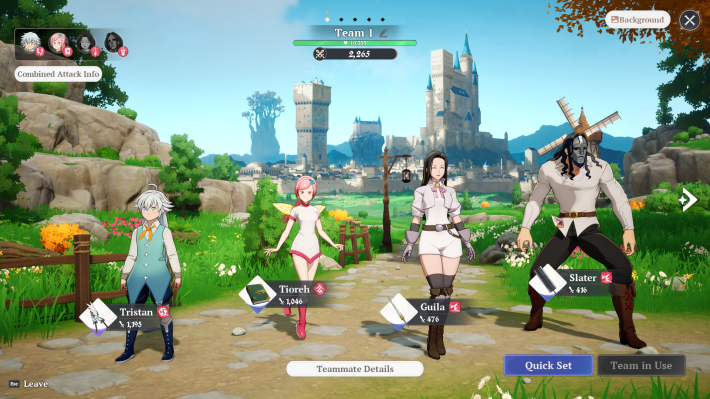
In 7DS: Origin, your total HP is determined by the combined HP of all 4 characters in your current party. You can actually obtain 4 free characters without ever using the Draw system just by progressing through the story, so make that your immediate priority.
How to Get Free Characters
| Character / How to Obtain | Features |
|---|---|
| Tristan Starting Character | - A Supporter who builds up Fire Burst. - Enhances allies' Fire attribute damage. |
| Tioreh Act 1, Chapter 2 | - A Debuffer who lowers enemy Defense and Attack. - Boasts a wide attack range and area of effect (AoE). |
| Slater Act 1, Chapter 10 | - An Attacker whose damage increases with Fire Burst. - Deals increased skill damage to stunned enemies. |
| Howzer Act 1, Chapter 39 | - A Wind Attacker whose damage increases with Burst. - Inflicts additional damage and Bleed via Gust. |
| Guila Event Release Celebration Login Bonus | - An Attacker who can deal high damage during Burst - A supporter who makes it easy to utilize Fire Elements Burst |
Level Up Your Book of Stars

You can increase your Book of Stars level by progressing the main story and unlocking new regions on the map. For every 10 levels you gain, your maximum capacity for Cube Keys increases by 5, so be sure to level it up consistently to maximize your daily loot.
Keep an Eye Out for Star Fragments

You can also level up your Book of Stars by collecting Star Fragments hidden in various locations across the field. You can track the number of remaining fragments in a specific area by checking the top-left corner of the map screen.
How to Level Up Book of StarsGet up to 500 Star Fragments Weekly

Once a week, you can obtain a large number of Star Fragments depending on your Book of Stars level. If you raise the Book of Stars to its max level of 50, you can get up to 500 fragments. The reset happens every Sunday at 11:00 PM (PST), so be careful not to miss collecting them
Exploration Tips
Activate Every Warp Point
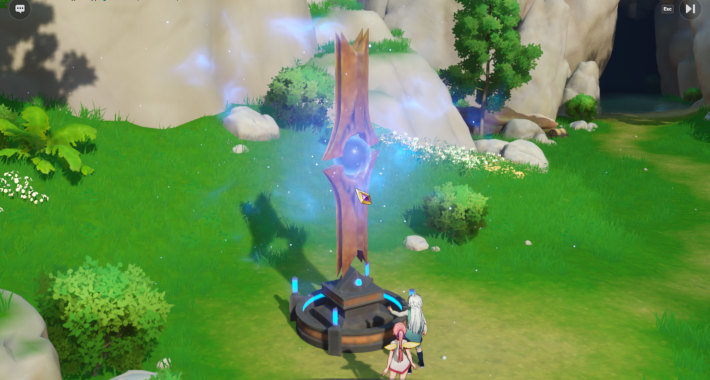
The world of Britannia is vast. Whenever you spot a Warp Point, go out of your way to interact with it and unlock it. Not only does this save you massive amounts of travel time via fast travel, but it also reveals the detailed map of that specific region.
Warp Points Are Visible on the Map

Warp Point locations are visible on your map even if the surrounding area is still unexplored. Use them as guiding markers when venturing into the unknown! However, remember that the enemy strength is tied to the specific location, not your World Level, meaning some areas are inherently much more dangerous than others.
Solve Puzzles Using the Book of Stars
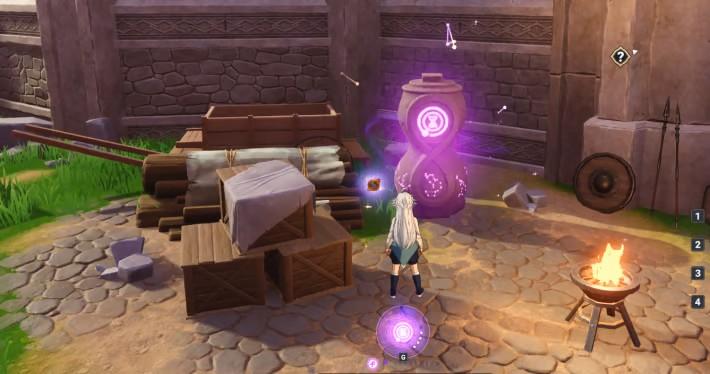
You will encounter multiple puzzles scattered across the field that require the Book of Stars to solve. Recharge your Book of Stars using nearby stones to interact with these devices and uncover hidden areas or loot.
You Can Repair Broken Objects
Puzzles utilizing the Book of Stars include repairing broken structures and moving objects to the correct place. These abilities are thoroughly explained during the main story tutorials, so pay close attention when they are introduced!
Use the Correct Elemental Attacks
| Steps | |
|---|---|
| 1. | Move the pedestal in front of the treasure chest or puzzle device using the Book of Stars. |
| 2. | Hit the pedestal with an attack of the corresponding element to charge its energy. |
| 3. | When the energy is full, the puzzle activates and the treasure chest unlocks. |
Treasure chests are hidden all over the world. Many of them are locked behind elemental puzzles that require moving a nearby pedestal using the Book of Stars, then attacking that pedestal with a specific element. Opening these chests is vital, as they often contain Star Memories, which are the currency needed for Character draws.
Examples of Unlocking Chests
| Puzzle Type | How to Open |
|---|---|
| Defeat all surrounding enemies to break the seal on the chest. | |
 | Defeat the nearby Golem, then use the Book of Stars to slot the Locus Stone into the object. |
Gather Materials Consistently

Ores and plant life can be used extensively in Crafting and Cooking. Make it a habit to gather them as you travel! Keep in mind that some resource nodes, like large ore deposits and trees, require you to physically attack them to break them down for collection.
How to Harvest Different Items
| Item Type | How to Obtain |
|---|---|
 | Foraged Items (Plants/Herbs) Approach the item on the ground and press "F" to pick it up or tap collect on mobile. |
 | Wood Attack the tree several times until it falls over. Then press "F" to collect the logs or tap collect on mobile. |
 | Ore Attack the ore deposit several times to shatter it. Then press "F" to collect the chunks or tap collect on mobile. |
Characters Useful for Exploration

5-Star Mannie and Drake, and 4-Star Dreyfus and Hendrickson have very useful Adventure Skills for exploration, so make good use of them if you get them.
Characters For Exploration
| Character | Benefit |
|---|---|
| Mannie | Just having her in your possession displays the location of 'Star Fragments' on the map. |
| Drake | Just having him in your possession displays the location of 'Chests' on the map. |
| Dreyfus | When added to the Party and used as the active character, 'Mining points' are displayed on the map. *The type of mineral is not displayed |
| Hendrickson | When added to the Party and used as the active character, 'Gathering points' are displayed on the map. *The type of collected item is not displayed |
Utilize Crafting, Cooking, and Fishing

As you explore, don't neglect your life skills! Through Crafting and Cooking, you can produce potent potions and meals that restore your HP during tough battles. Potions are crafted at a Workbench using materials like Dandelion Roots, while food can be prepared at any Campfire using the ingredients you've hunted or foraged.
Purchase Potions From Merchants

You can buy various supplies from "Merchants" located in towns, though their stock is limited by a daily purchase cap. Merchants often sell potions that are significantly more effective than your early-game crafted items, so don't hesitate to stock up if you are struggling with boss encounters.
Always register your recovery items to your Quick Slots ahead of time! You can assign items to your Quick Slots directly from your Bag. Doing so allows you to instantly pop a heal in the heat of combat without opening menus.
| Related Articles | ||
|---|---|---|
| How to Craft | How to Fish | How to Cook |
Things to Remember
Save Star Memories for Draws

Spending your Star Memories exclusively on Character Draws should be your top priority. This is especially true for limited-time Rate-Up Draws, which frequently feature meta-defining, powerful characters.
Heal via Statue of Healing or Use Consumables
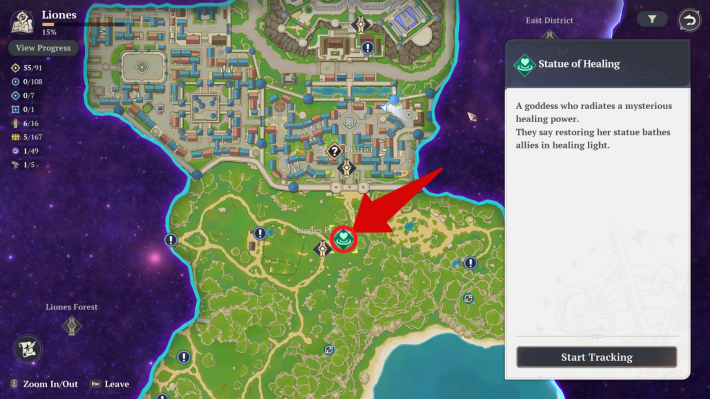
You can quickly recover your HP for free by visiting the Stone Monuments scattered across the field, or by eating food and drinking potions. Stone Monuments heal your entire party just by standing near them, without consuming any of your items, and that alone makes unlocking Warp Points a priority!
Upgrade Your Characters and Gear
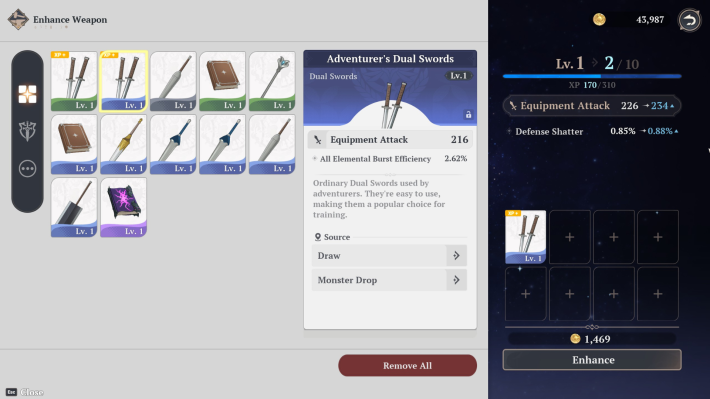
Never neglect your upgrades. Enhancing your weapons and pushing your character's Mastery higher is important. That's because boosting your raw stats will allow you to power through the story quests easily.
List of Core Enhancements
| Target | Enhancement Method |
|---|---|
| Character | Mastery Enhancement Potential Release (Awakening via Duplicates) |
| Weapon | Enhance Enchantment Limit Break (SR rarity or higher) |
| Armor | Enhancement |
Reaching Character Mastery 30

Raising a character's Mastery to Level 30 unlocks their second and third weapon slots. Until you hit Mastery 30, you are restricted to equipping only one weapon type. Because of this massive power spike and flexibility, your primary goal when enhancing characters should be to rush them to Mastery 30.
How to Level Mastery FastSalvage Unused Equipment for Materials

The Workbench isn't just for creating items, it can also be used to salvage them for materials. Once you've finished enhancing your primary weapons, you should dismantle your surplus, lower-tier gear to extract valuable crafting materials.
However, since spare equipment can also be fed into other gear as enhancement fodder, we only recommend dismantling equipment if your current gear is already fully upgraded and you desperately need the crafting materials.
The crystals you obtain from dismantling equipment are strictly required as core materials when crafting new, higher-tier equipment!
Craft Powerful Equipment
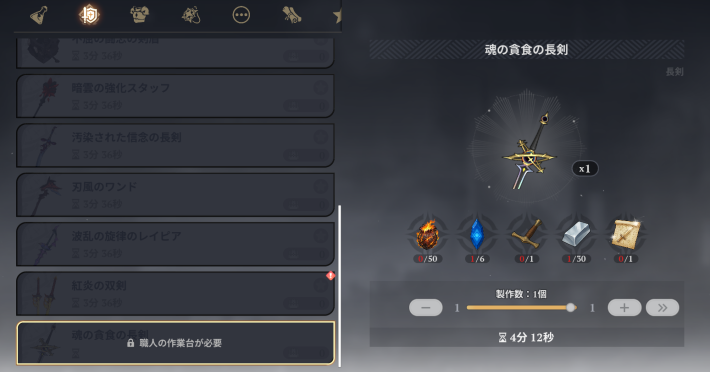
While 4-Star equipment can be obtained from draws, powerful 5-Star equipment must be created through Crafting by gathering Materials. Crafting 5-Star equipment requires a large amount of Materials, so explore as much as possible when you have time . Enhancing the workbench is also important.
Spend Keys to Open Rewards

Cube Keys are stamina items that replenish every day at 11:00 AM (PST). They are required to open the purple loot boxes that drop after defeating bosses. Because these chests drop high-value items like equipment, make absolutely sure to spend all your keys on boss fights daily!
Configure Your Controller Settings

If you're playing the PC version with a controller, we highly recommend diving into the settings menu before you start. Rebinding the button layout to something you find comfortable ensures you can navigate combat and exploration much more smoothly right out of the gate.
Related Articles