
This guide explains how to level up the Book of Stars in 7DS Origin (The Seven Deadly Sins: Origin). Including Book of Stars leveling benefits, and how to raise your World Level.
Book of Stars Boss - Twigo Guide
Table of Contents
How to Level Up the Book of Stars
Progress Main Story and Side Quests
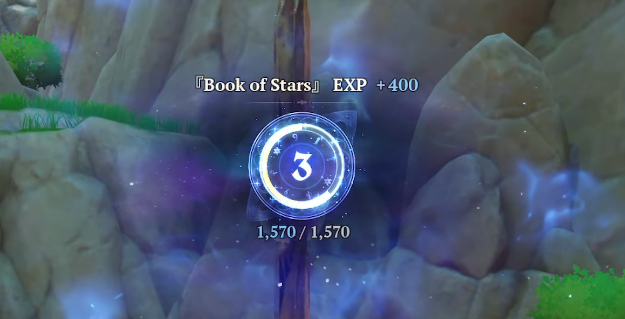

Progress through the main story and side quests to earn Book of Stars EXP. The main story is especially efficient, as it requires less exploration and grants a large amount of EXP at once.
Unlock Warp Points to Expand the Map
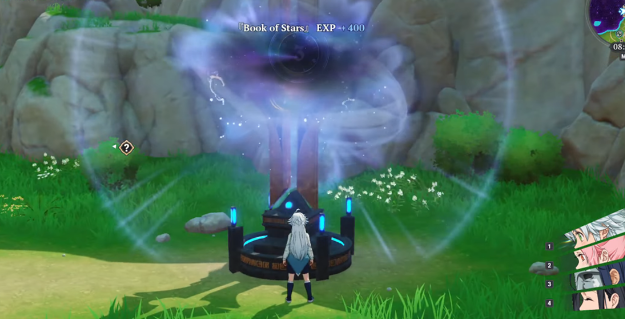
You can also earn Book of Stars EXP by unlocking fast travel points. Unlocking the map makes exploration easier, so be sure to visit Warp Points as you progress through the story.
Collect Star Fragments

Collecting Star Fragments found throughout the field grants 150 EXP per fragment. They are also required for tasks such as gathering 30 Star Fragments and completing Stage 2 of the Path of Heroes mission, so make a habit of collecting them whenever you see them.
All Star Fragments Map & Locations
Easier to Collect with Mannie

If you have Mannie, Star Fragments will appear on both your map and minimap. They appear even if she is not in your active team, and you can search a wider area than the minimap shows. If you have Mannie, check your map frequently to locate them.
Cannot Be Raised by Other Means
Currently, the only ways to raise your Book of Stars level are by completing quests, unlocking Warp Points, and collecting Star Fragments.
Benefits of Leveling Up the Book of Stars
Unlocks Cooking

The cooking feature unlocks at Book of Stars Level 3. You can reach Level 3 relatively quickly by progressing through the story, but note that cooking is not available at the very start of the game.
Receive Star Fragments
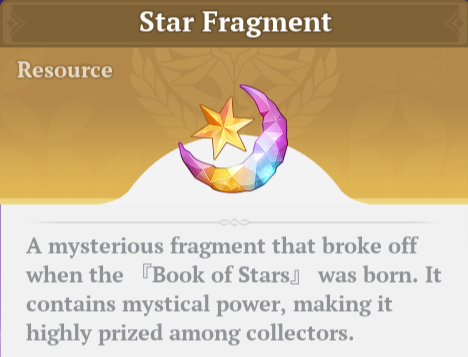
You earn 100 Star Fragments for each Book of Stars level you gain. Star Fragments is a valuable currency for gacha and shop purchases, so be sure to claim your rewards whenever your level increases.
Star Fragments - How to Farm and Use
Receive Star Fragments Weekly

| Reset Time | Every Monday at 7:00 AM UTC |
In Starlight Watch, you can receive Star Fragments as a weekly reward in an amount based on your current level. Since you can only receive the reward once a week, you should wait to claim it until the last possible moment before the next claim period, after you have leveled up as much as possible.
Increases Limit for Cube Keys

Every 10 levels, the amount of Cube Keys you can hold increases by 5, up to a maximum of 55. Cube Keys are used to claim rewards from Elite and Field Bosses, so increasing the limit makes it easier to farm items from bosses.
Levels and Cube Key Cap
| Book of Stars Level | Cube Key Limit |
| Initial | Max 30 |
| Level 10 | +5 / Max 35 |
| Level 20 | +5 / Max 40 |
| Level 30 | +5 / Max 45 |
| Level 40 | +5 / Max 50 |
| Level 50 | +5 / Max 55 |
You Can Raise the World Level
When your Book of Stars level reaches 15, the first Book of Stars Dungeon is unlocked. Clearing it allows you to increase your World Level.
How to Raise Your World Level

To raise your World Level, you must level up your Book of Stars and clear the "Book of Stars Dungeon". A new dungeon unlocks each time your Book of Stars reaches a specific level, allowing you to increase your World Level up to a maximum of 4.
Clear the Book of Stars Dungeons
| Book of Stars Dungeon | Unlocked Content |
| Silent Haven (Book of Stars Level 15) | World Level 2 "Book of Stars" Levels 16-30 |
| Celestial Echo (Book of Stars Level 30) | World Level 3 "Book of Stars" Levels 31-40 |
| Veil of Visions (Book of Stars Level 40) | World Level 4 "Book of Stars" Levels 41-50 |
When your Book of Stars level reaches 15, 30, and 40, a "Book of Stars" Dungeon unlocks at each milestone. Defeating the dungeon boss raises the Book of Stars level cap and automatically increases the World Level.
You can attempt "Book of Stars" Dungeons multiple times until you clear them, but once a dungeon is cleared, it cannot be re-challenged.
Change World Level
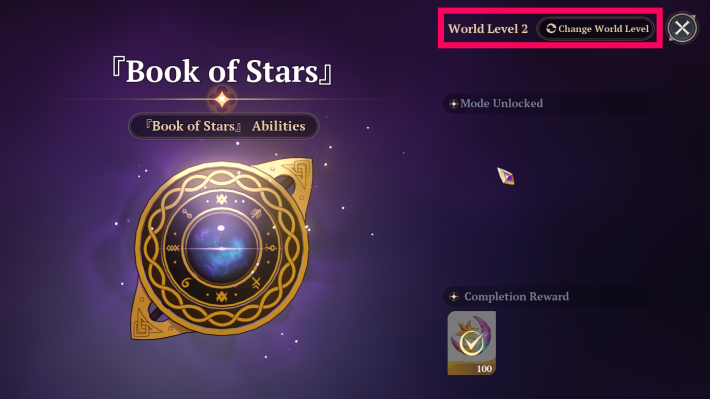
You can change the World Level at any time by opening the "Book of Stars" in the menu and selecting "Change World Level" at the top-right of the screen. You can change the World Level again after 5 seconds, so you can change it whenever convenient.
Benefits of Raising the World Level
Each time you raise the World Level, monsters become stronger, and rewards improve. If you can defeat tougher monsters, increasing the World Level allows for more efficient item collection.
Related Articles