

Learn how to fix lag and crashes in 7DSO (The Seven Deadly Sins: Origin). Find out what causes the game to crash or lag, and how to resolve these issues.
Table of Contents
How to Fix Game Lag
Lower the In-Game Graphics Settings


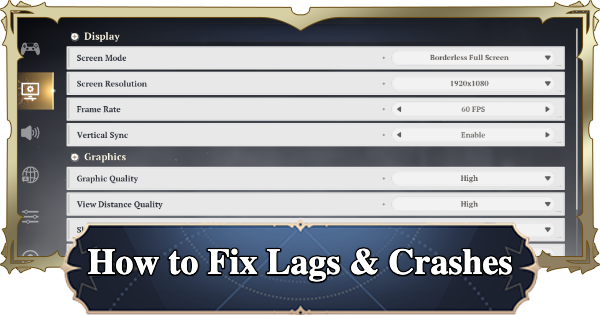
If the game is lagging, go to Settings and lower the Display and Graphics settings. Higher settings put more strain on your device and cause lag, so check your current settings.
Lower the Frame Rate

When adjusting Screen Resolution and Frame Rate, it's recommended to lower the graphics quality first. A higher Frame Rate makes action controls more responsive, so keep it as high as possible.
Frame rate is the number of images displayed per second. Higher values result in smoother visuals but increase the load on your device.
Adjust the Vertical Sync

Vertical Sync is a feature that adjusts the Frame Rate to reduce screen tearing. However, depending on your setup, enabling it may actually cause more stuttering, so if you notice display issues during gameplay, try changing this setting.
Restart Your Device/Console/PC
If the game is lagging, try restarting your device. This resets the tasks your device is running, so give it a try if you're experiencing stuttering or other performance issues.
Check Your Internet Connection
Check your internet connection and speed. Stuttering may occur if you've hit your data cap or if too many devices are connected to your Wi-Fi at the same time.
Try Restarting Your Router
If possible, try restarting and power cycling your Wi-Fi router. Turn off the router, unplug the power cord, wait for a while, then plug it back in and power it on. This is especially effective when your connection is unstable or feels slow.
Switch to a Different Device
If the lag persists, consider switching to a different device/console. If the current device that you are using does not meet the required specs, the game may not run properly.
Causes of Crashes and Lag
Insufficient Device Specs

Crashes and lag are most likely caused by insufficient device specs. Review each setting and adjust it to find the optimal configuration for your current device.
Slow Internet Connection Speed
If your current internet connection speed is slow, it may cause the game to lag. If you're connected to Wi-Fi, try reducing the number of devices connected at the same time.
Related Articles














