
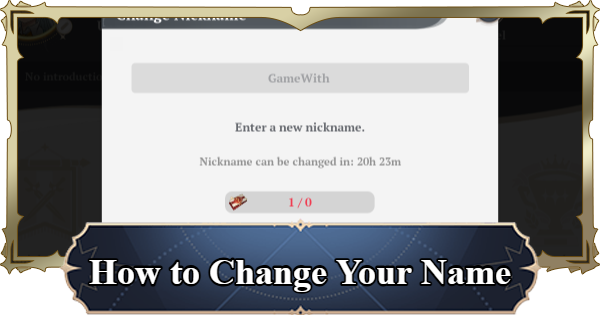
You can change your name in Seven Deadly Sins: Origin (7DSO) from the Profile menu. Read on for a step-by-step guide on changing your name, as well as additional information!
Table Of Contents
How To Change Name?
- Open the Menu
- Tap the Profile Icon
- Tap the Edit button
- Confirm your new name


To change your name in 7DS Origin, you will first need to open the menu. You can do this by tapping the button in the top-right corner, or by pressing the Esc key on PC.
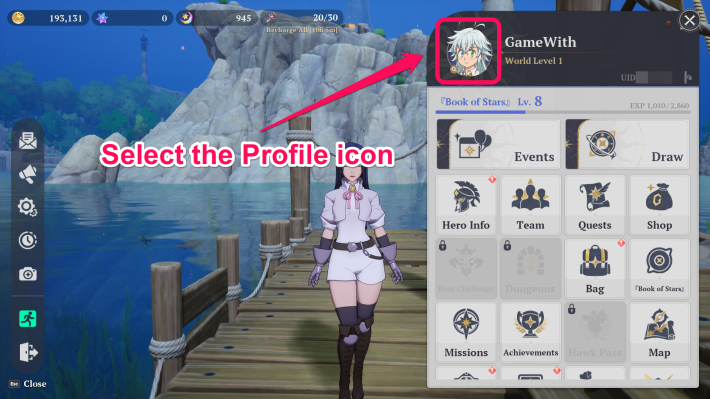
Tap the profile icon on the top left corner of the menu to open the profile screen.

Tap the edit button beside your name to open the text input screen.


Enter your new name in the field and then press "Confirm" to lock in your new name.
Important Notes when Changing Names
You Need An Item to Change Names

To finalize your new name, you need to consume a Nickname Change Voucher.
Your Name is Visible to Other Players
Your chosen name will be displayed on the Friends screen and other menus. Because of this, make sure to pick a suitable name for other players to see.
How to Get Nickname Change Voucher
Obtained By Crafting

| How to Get Nickname Change Voucher | |
| Acquired from | Crafting (Sturdy Workbench) |
| Crafting Materials | - Dew Crystal x100 - Wood x30 - Fish Oil x30 - Tempting Mushroom x30 |
The Nickname Change Voucher can only be obtained through crafting at a Sturdy Workbench or higher. Required materials include Dew Crystal, Wood, Fish Oil, and Tempting Mushroom.
Related Articles