

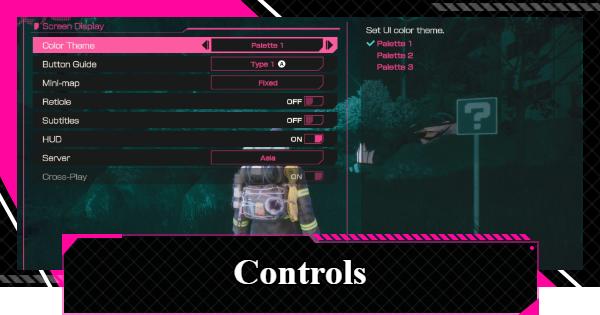
Controls guide for LET IT DIE: INFERNO. See the list of controls for PS5, Xbox, and Keyboard + Mouse, and how to change button display type in LID.
Table of Contents
Basic Controls
Basic Gamepad Controls
| Action | Controls (PS5) | Controls (Xbox) |
| Move | L Stick | L Stick |
| Dash | L Stick + L3 | L Stick + Click L Stick |
| Crouch, SP Radar | L3 | Click L Stick |
| Jump | × | A |
| Dodge | 〇 | B |
| Interact | □ | X |
| Right Hand Normal Attack | R1 | RB |
| Right Hand Deathblow | △ + R1 | Y + RB |
| Left Hand Normal Attack | L1 | LB |
| Left Hand Deathblow | △ + L1 | Y + LB |
| Guard | L2 | LT |
| Skill | R2 | RT |
| Next Item Selection | D-Pad Right | D-Pad Right |
| Previous Item Selection | D-Pad Left | D-Pad Left |
| Use Item | D-Pad Up | D-Pad Up |
| Map | D-Pad Down | D-Pad Down |
| Emote | Hold D-Pad Down | Hold D-Pad Down |
| Reset Camera | Click R3 | Click R Stick |
While there are some similarities between the PS5 and Xbox controls, they are different.
Basic Keyboard + Mouse Controls
| Action | Controls |
| Move | WASD |
| Dash | Shift |
| Crouch, SP Radar | C |
| Jump | Space |
| Dodge | CTRL |
| Interact | F |
| Right Hand Normal Attack | Click Right Mouse |
| Right Hand Deathblow | 2 |
| Left Hand Normal Attack | Click Left Mouse |
| Left Hand Deathblow | 1 |
| Guard | Mouse Wheel Button |
| Skill | 3 |
| Next Item Selection | E |
| Previous Item Selection | Q |
| Use Item | 4 |
| Map | M |
| Emote | V |
| Reset Camera | Z |
Keyboard + mouse controls might take longer to learn compared to a gamepad. However, since you can customize your key settings, it will be easier to control once you get used to them. You can use "BACKSPACE" to go back, "ESC" for the settings screen, and "TAB" for the Backpack.
Change Button Display Types
Can Be Changed to Match Your Controller


For Steam players, you can adjust button display types in settings. Choose between PlayStation (○△□×) and Xbox (ABXY) layouts to match your controller.
Remap Controls for Keyboard-Only Use
The default settings assume mouse use. If you play with the keyboard only, press "ESC" and rebind controls first. By default, Normal Attack and Guard are on the mouse, so reconfigure before starting the tutorial.
 Timothy










