

Storage is your safest inventory! Learn exactly how to expand your capacity in Let It Die: Inferno using Kill Coins, and find the minimum Raider Rank needed for each upgrade level.
Table of Contents
How to Use Storage
Storage is for Stashing Items

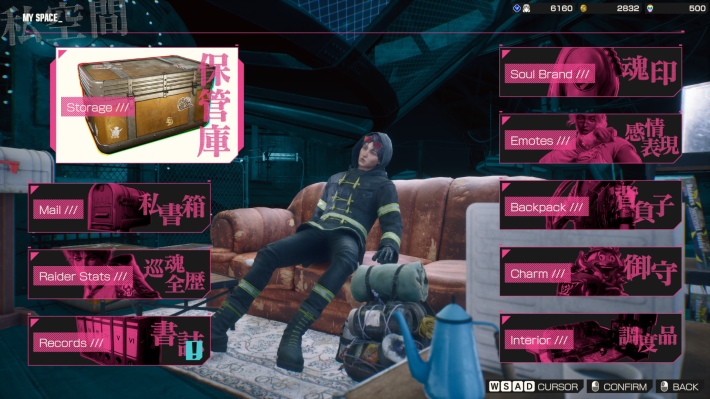
The Storage is your long‑term inventory located in My Space. Your Backpack only has a limited capacity, so move crafting materials, spare equipment, and weapons you do not need on your current run into the Storage to keep your loadout flexible and gather more loot.
What You Can Do in MySpaceItems Worth Keeping in Storage
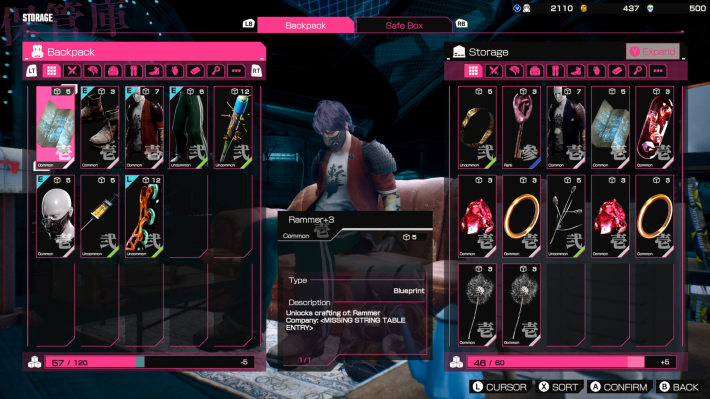
When you collect multiple weapons, such as the Wheel Blade, Katana, or Bat during exploration, you can place extras in Storage so that you can recover them quickly after a death. Save any Rare, Epic, or Legendary weapons, along with valuable crafting materials, to use later.
How to Get Weapons and ArmorSell Directly From Storage
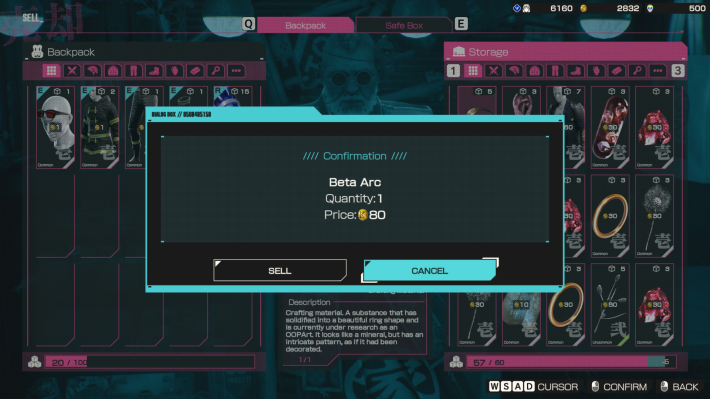
At Pro Shop Kazoku, you can sell items straight from your Backpack, Safe Box, or Storage.
Pro Shop Kazoku GuideHow to Expand Storage
Storage Expansion Requires Kill Coins
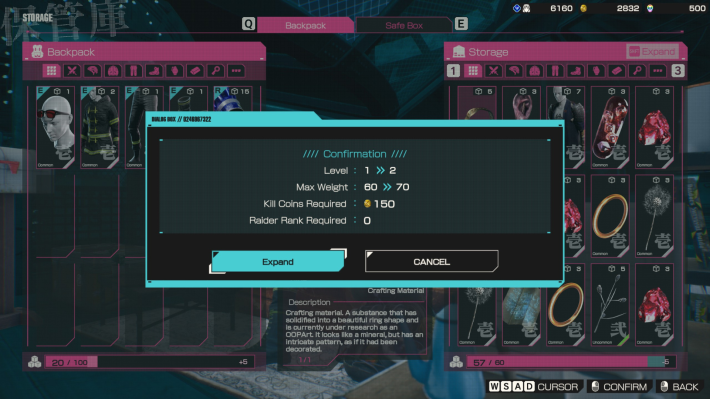
Open the Storage screen and press △ on a controller or Shift on the keyboard to upgrade your Storage. Each expansion costs Kill Coins. Higher levels also require a minimum Raider Rank. For example, upgrading to a 150 Weight Limit will require you to have a Level 28 Raider Rank along with 2600 coins.
Required Kill Coins and Raider Rank for Expansion
| Level | Required Kill Coins | Required Raider Rank | Weight Limit |
|---|---|---|---|
| 0 | - | - | 150 |
| 1 | 50 | None | 160 |
| 2 | 150 | None | 170 |
| 3 | 350 | None | 180 |
| 4 | 600 | 5 | 190 |
| 5 | 850 | 5 | 200 |
| 6 | 1000 | 5 | 210 |
| 7 | 1350 | 10 | 220 |
| 8 | 1600 | 10 | 230 |
| 9 | 2100 | 10 | 240 |
| 10 | 2600 | 10 | 250 |
| 11 | 3100 | 15 | 260 |
| 12 | 3600 | 15 | 270 |
| 13 | 4200 | 20 | 280 |
| 14 | 4900 | 20 | 290 |
| 15 | 5000 | 25 | 300 |
| 16 | 6000 | 25 | 310 |
| 17 | 8000 | 30 | 320 |
| 18 | 10000 | 35 | 330 |
| 19 | 15000 | 40 | 340 |
| 20 | 25000 | 45 | 350 |
| 21 | 35000 | 50 | 360 |
| 22 | 45000 | 50 | 370 |
| 23 | 55000 | 50 | 380 |
| 24 | 65000 | 50 | 390 |
| 25 | 75000 | 50 | 400 |
*Max Weight values are based on the Standard Edition. The Deluxe Edition provides an additional +50, while the Ultimate Edition adds +100.
Expanding your Storage increases the Weight limit, allowing you to store more materials and equipment. At level 0, the limit is 150, and upgrading it to the maximum level of 25 raises it to 400.
 Tip! Tip! | The maximum level has been increased and adjusted in the Season 2 update. |
|---|











