

This guide explains how to use the Map in LET IT DIE: INFERNO, covering map reading, icon meanings, mini-map usage, and a complete list of mini-map icons in LID.
Table of Contents
How to Read the Full Map
Open Map: D-pad Down / M Key
Press Down on the D-pad (or M on keyboard) during Exploration to view the Map of your current dungeon.
Map Overview & Tips
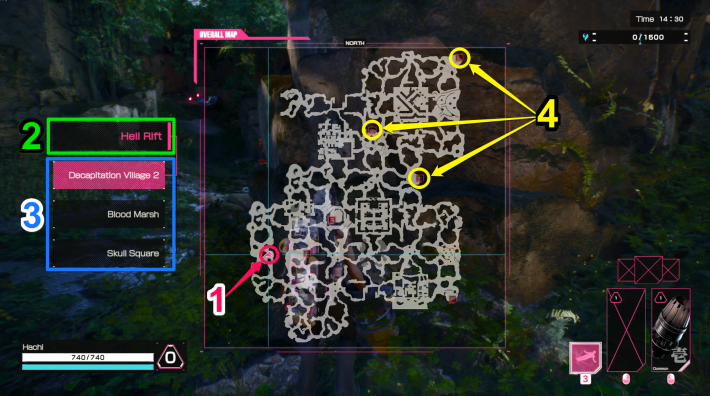

| Number | Details |
| 1 | Your location |
| 2 | Name of the stage you are currently exploring |
| 3 | Area Names (1st, 2nd, Boss) |
| 4 | Judgment Gates: Next Floor or Boss Access |
On the Map, you can view your current position as well as Judgment Gates, including gates that lead to the next floor or the boss Area.
 Note! Note! | In the 12/18/2025 (PST) update, the visibility of various icons was improved. |
|---|
Square Zones in Map
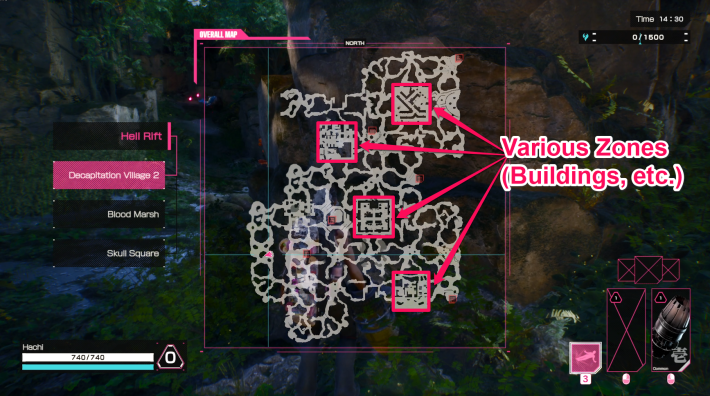
Square zones on the Map contain buildings and structures, making them more likely locations for Escape Pods. Check the Map and head to the nearest square zone first.
How to Read the Mini-map
Mini-map Overview & Tips
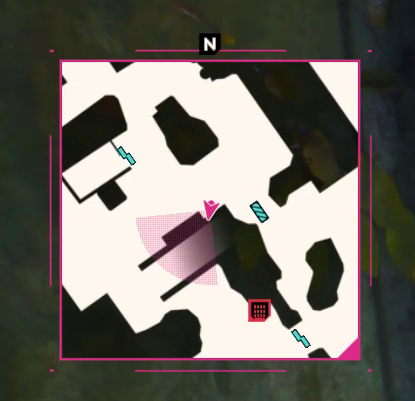
The Mini-map appears in the upper-left corner of the screen, showing detailed icons for features such as the direction and location of Judgment Gates, openable Doors, Escape Pods, and Weeping Skulls.
List of Mini-map Icons
| Icon | Icon Meaning |
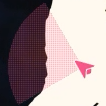 | Your Direction and Field of View |
 | Non-player Character (NPC) |
 | Escape Pod How to Find Escape Pod |
 | Judgment Gates How to Find Judgment Gates |
 | Weeping Skull How to Find Weeping Skulls |
 | Springcap How to Use Spring Caps |
 | Doors/Flesh Door How to Use Doors |
 | Rotting Carcass How to Destroy Rotting Carcass |
How the Map Works
Town Names Link to Map Layout

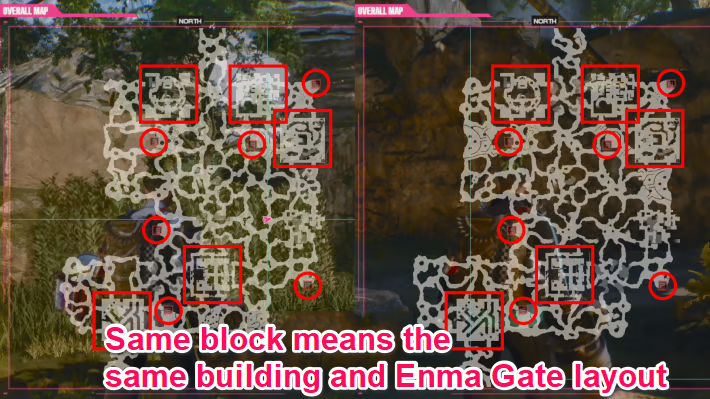
The town names of the areas you explore are directly linked to the overall map layout. Maps that share the same town name will always have identical building placements and Judgment Gate locations. The only elements that change are the connecting paths between buildings, which shift depending on the timing of your Exploration.
Large Central Structure in Area 2

In both the Hell Rift and Demon Gate Labyrinth, Area 2 features a massive central structure. It contains the Judgment Gates to the boss Area, with Escape Pods spawning nearby. Other Raiders often gather in this spot, so stay alert for their movements.
Identifying Building Types on the Map

You can identify the types of buildings in each Area by checking the Map. In both the Hell Rift and Demon Gate Labyrinth, the placement of Weeping Skulls and the common Escape Pod spawn points around buildings are identical. Learning these patterns makes it much easier to plan your escape routes.











