

| Combat Tips | |
| Deathblow | Guard Breaks |
| Dodge | Ranged Attacks |
This guide explains How to Guard and Perform Counterattacks in LET IT DIE: INFERNO. It also covers Guard and counterattack mechanics, and important things to watch out for in LID.
Table of Contents
How to Guard
Hold the L2 Button to Guard

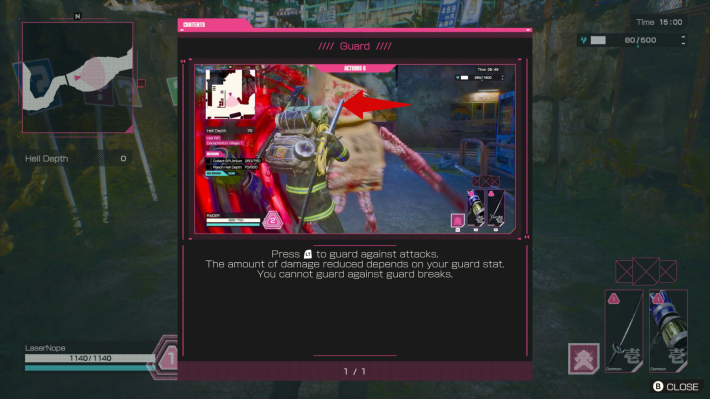
When using a controller, you can guard by holding L2. While guarding, incoming damage is greatly reduced, allowing you to safely block most enemy attacks.
Controls GuideOn Mouse & Keyboard: Press the Wheel Button
If you’re using a mouse and keyboard, press the mouse wheel button to guard.
Understanding Guard Mechanics
Damage Reduction While Guarding

Equipping armor with guard-boosting effects directly reduces the damage you take while guarding. Higher-rarity or stronger pieces let you withstand heavier attacks and survive longer during close-range encounters.
Stamina Drains Continuously While Guarding

Guarding steadily drains stamina. Once an enemy’s attack ends, release your guard immediately to recover stamina and prepare for the next exchange.
Vulnerable to Guard Breaks

Guarding does not work against Guard Break attacks. When a Guard Break lands, you’ll be briefly stunned and left open to follow-up hits. Study the movements and attack patterns of humanoids, bosses, and other Raiders, then switch between guarding and dodging while carefully managing your remaining stamina.
Combat Tips and Strategy GuidePerforming a Guard Break

Press both attack buttons at the same time to execute a Guard Break. When activated, your character glows red, making the move easy to distinguish from standard attacks.
Guard Breaks GuideStagger Enemies to Create an Opening
Landing a Guard Break on a guarding enemy (excluding bosses) forces them into a staggered state. While staggered, they remain exposed until their gauge recovers, which gives you the perfect opportunity to unleash your attacks.
How to Counterattack
Attack Immediately After Guarding
After successfully guarding an enemy attack, press R1 or L1 on a controller, or click the left or right mouse button when using keyboard and mouse, to perform a counterattack.
A Successful Counterattack Creates an Opening
A successful counterattack staggers the enemy, leaving them open for a short window. Use this moment to press the advantage with combos or skills.











