

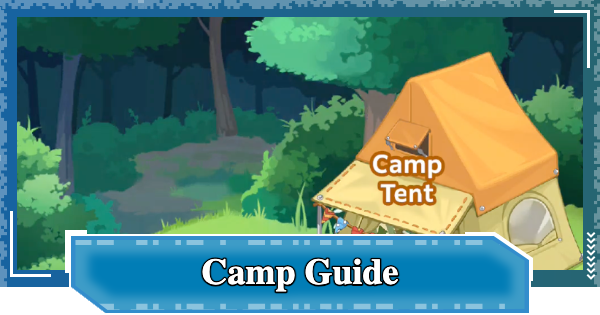
This Camp (Guild) guide for Digimon UP. It covers how to unlock and join a Camp, its features, available activities, rewards, and everything else you need to know.
Table of Contents
What is a Camp (Guild)?
Player Guilds


A Camp in Digimon UP is a player-created guild available to players on the same server. Joining a Camp grants access to exclusive Camp Dungeons, the Camp Shop, member support features, and Camp chat.
How to Choose a ServerHow to Unlock Camp & Other Details
Unlocked Upon Attempting Stage 50

| How to Unlock | When attempting Stage 50 |
|---|
Camps are unlocked when you challenge Stage 50, allowing you to create or join one. Since Camp Dungeons and the Camp Shop are only available to Camp members, it's recommended to join a Camp as soon as you unlock the feature.
List of Camp Dungeon
| Dungeon | How to Unlock |
|---|---|
| Piximon's Drill Site | After joining a Camp |
| Leomon's Dojo | After joining a Camp |
Check-In Daily for Rewards

You can You can check in once per day at the Camp Tent to receive rewards. Each check-in also contributes EXP toward the Camp's level, so be sure to check in after logging in to help your Camp grow.
Daily To-Do ListSupport Camp Members

From the Support section of the Camp Tent, you can help reduce the waiting time for other members' activities up to 10 times per day. Tap the 'Help!' button during level-ups or Training to request assistance from your Camp members.
How to Level Up and Use Hologram DeviceCheck-In Resets Daily
Camp Check In and other Camp activities reset daily at 3:00 P.M. (Server Time). Camp Check-In is once a day, Support is 10 times a day, and Dungeon challenges are twice a day.
Purchase From the Camp Shop

Camps have an exclusive shop that you can only access by being part of a camp. You need Camp Coins to purchase from them, which you can only get by doing Camp activities.
| Note! | Items with a 1-Day mark reset daily at 3:00 P.M. |
|---|
Camp Reward Overview
| Type | Obtainable Items / Use |
|---|---|
| Check-in | |
| Support | *Up to 10 times a dayCamp Coin ×50 - Purchase items at the shop |
| Piximon's Drill Site | [Participation Rewards]Hologram Ticket - Activate the Hologram Device DigiPlate- Enhance SP Support's Base Buddy Soul- Enhance Buddy's Base Camp Coin- Purchase items at the shop [Reward Box Only] Bit- Level up the Hologram Device Skill Card Summon Ticket- Skill Card Supporter Summon Ticket- Support Digimon |
| Leomon's Dojo |
How to Join a Camp
Join an Existing Camp

▲ You can also search for Camp names or refresh the list through the bottom left of the screen
Tap the Camp Tent then the Join tab to get to the Camp List. Note that some camps will auto accept when you join while some will require the camp leader's approval first.
| Note | If the button shows Request in the camp, it means that joining the came will be up for approval first. |
|---|
How to Create Your Own Camp
| 1 | ▼ Tap the Camp Tent & Select "Create" |
|---|---|
| 2 | ▼ Input the Camp Name |
| 3 | ▼ Decide on a Camp Flag |
| 4 | ▼ Set the Joining Conditions |
| 5 | ▼ Pay 100 DigiEmerald to Complete |
1. Tap the Camp Tent & Select "Create"

If you want create your camp, start the process by tapping the Camp Tent and selecting "Create".
2. Input the Camp Name

Next, input the name you want your Camp to have.
3. Decide on a Camp Flag

▲ Can be changed freely after establishment.
Choose from one of the 8 types of flags for your Camp.
4. Set the Joining Conditions

▲ Can be changed at any time after Camp is created.
Next, set the joining conditions for you camp. This can include join conditions, such as approval or auto-accept, minimum level, primary language, etc.
5. Pay 100 DigiEmerald to Complete

| Establishment Cost | DigiEmerald ×100 |
|---|
Once you've completed the Camp Details, tap the create button and pay the required 100 DigiEmerald fee to finish your Camp creation!
Camp Dungeon Types and Features
| 1 | ▼ Piximon's Drill Site |
|---|---|
| 2 | ▼ Leomon's Dojo |
Piximon's Drill Site

| How to Unlock | After joining a Camp |
|---|
In this dungeon, you will face against Piximon with the goal of dealing as much damage as you can to it. You will get participation rewards, as well a 10% chance to get a reward box for every 5,000K total damage dealt by members.
Piximon's Drill Site Overview

| Challenge Attempts | Twice a day - The second time can be auto-cleared to save time |
|---|---|
| Time Limit | 39 seconds |
| Obtainable Rewards | [Participation Rewards]Hologram TicketDigiPlateBuddy SoulCamp Coin [Reward Box Only] BitSkill Card Summon TicketSupporter Summon Ticket |
| How to Proceed | 1: Tap Challenge 2: Ends when time limit is reached or HP reaches 0 |
| Rules | - Deal as much damage as possible within the time limit - Ends when the Partner's HP runs out - Challenge attempts are not consumed even if you retreat - Auto-clear is possible if you have cleared it once - Earn a Reward Box with a 10% chance for every 5,000K damage - Earned Reward Boxes are distributed the next day - There is a damage ranking within the Camp |
| Note | The expiration date for receiving distributed Reward Boxes is 1 day |
Leomon's Dojo

| How to Unlock | After joining a Camp |
|---|
Similar to Piximon's dungeon, in Leomon's Dojo, you need to deal as much damage as you can to Leomon. You get a participation rewards, as well as a 10% chance for a reward box with every 5,000K of total damage dealt by members.
Leomon's Dojo Overview

| Challenge Attempts | Twice a day - The second time can be auto-cleared to save time |
|---|---|
| Time Limit | 39 seconds |
| Obtainable Rewards | [Participation Rewards]Hologram TicketDigiPlateBuddy SoulCamp Coin [Reward Box Only] BitSkill Card Summon TicketSupporter Summon Ticket |
| How to Proceed | 1: Tap Challenge 2: Ends when time limit is reached or HP reaches 0 |
| Features | - Deal as much damage as possible within the time limit - Ends when the Partner's HP runs out - Challenge attempts are not consumed even if you retreat - Auto-clear is possible if you have cleared it once - Earn a Reward Box with a 10% chance for every 5,000K damage - Earned Reward Boxes are distributed the next day - There is a damage ranking within the Camp |
| Note | The expiration date for receiving distributed Reward Boxes is 1 day |
Digimon UP Related Articles
Return to HomeRecommended Articles
 How to Reroll
 Early Game Guide
 Recommended Partners
 Daily Tasks Guide
 How to Choose Server
 How to Create Character
 How to Change Name
 Idle Rewards
 Unlock Condition List
 Guide Quest
 Hologram Device
 Mission Guide
 Stage Progression
 How to Add Friends
 To-Do When Stuck
 How to Speed Up Battles
 Account Linking
 Customization Guide
 Gacha List
 Event List
 Latest Updates
Training Guide
 Training Guide Training Guide |  Raising Tamer Lv. Raising Tamer Lv. |  How to Raise Rank How to Raise Rank |
 Partner Training Partner Training |  Get Best Equipment Get Best Equipment |  Skill Cards Guide Skill Cards Guide |
 Get Support Digimon Get Support Digimon |  Buddies Guide Buddies Guide |  Get SP Support Get SP Support |
 Digivice Guide Digivice Guide |  Use Tactical Memory Use Tactical Memory |
 Dungeon Guide
 PVP Guide
 Camp Guide
 Digital World Search
 Ad Skip Pass
 Battle Pass
 Digimon List
 Skill Card List
 Equipment List











