

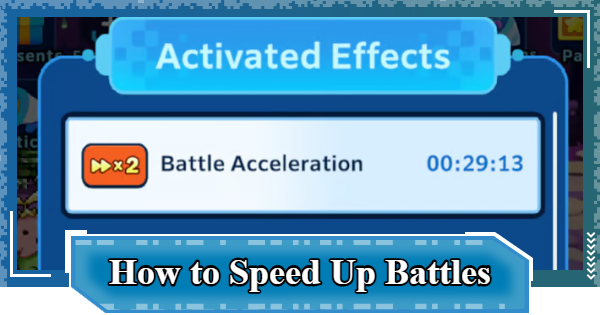
This article shows how to speed up battles in Digimon UP. Including important notes, how to set battles to 2x speed in Digimon UP, when to use it, and what to be careful of.
Table of Contents
How to Double Battle Speed
Watch Ads Twice a Day


Watching ads temporarily doubles the speed of stage battles up to twice a day. Each instance lasts 30-minutes. Also, you cannot watch a second ad while the current speed-up is still active.
Purchase a Battle Acceleration Pass

▲Can be purchased from Shop -> Battle Pass at the bottom right of the screen.
| Price | DigiDiamond x480 |
|---|
Purchasing a Battle Acceleration Pass will make the 2x speed effect for Stage Battles last for 30 days. Consider purchasing it if you want to use the 2x speed effect for a long period.
Best Time to Use 2x Speed
Use When You Can Stay Logged In
The speed boost deactivates when you're logged out, so it's best to use it when you can stay logged in for the whole duration (30min). Decide when to use it based on how long you expect to stay online.
Ideal for Quick Stage Clears

It's recommended to use the acceleration effect when you want to clear a large number of stages in a short amount of time. To maximize its value, activate it after significantly increasing your Battle Power, when you're able to progress through many stages at once.
| Note! | It's likely that you'll get stuck on a stage sooner than expected. |
|---|
Defeat Enemies Faster to Clear Mission

For things like Rank-Up Missions, it's also a good idea to use it to efficiently progress missions that require defeating a large number of enemies. To farm defeats, you need to repeatedly defeat Enemies on stages.
Tamer Rank GuideKeep Retrying Failed Stages
The damage you deal can vary greatly due to chance-based factors like critical hits and counterattacks, so you may be able to clear a stage you narrowly lost with a bit of luck. It's also recommended when repeatedly challenging the same stage.
What to Do When You Cannot WinImportant Notes
Switching to 1x Doesn't Stop the Timer

While the effect is active, you can freely switch between 2x and 1x speed. However, the remaining duration of the speed boost will continue to count down even when switching back to 1x speed. Since there's no benefit to switching back to 1x speed, it's better to keep the 2x boost active.
Time is Used While Logged Out

The acceleration effect's duration continues to decrease even while you're logged out, but you won't progress through stages unless you're online. To avoid wasting the effect, use it only when you can remain logged in.
Does Not Affect Idle Rewards

Regardless of whether you are logged in or not, the speed boost does not affect the amount of idle rewards. It only applies to the combat speed when progressing through stages.
How to Increase Idle RewardsDigimon UP Related Articles
Return to HomeRecommended Articles
 How to Reroll
 Early Game Guide
 Recommended Partners
 Daily Tasks Guide
 How to Choose Server
 How to Create Character
 How to Change Name
 Idle Rewards
 Unlock Condition List
 Guide Quest
 Hologram Device
 Mission Guide
 Stage Progression
 How to Add Friends
 To-Do When Stuck
 How to Speed Up Battles
 Account Linking
 Customization Guide
 Gacha List
 Event List
 Latest Updates
Training Guide
 Training Guide Training Guide |  Raising Tamer Lv. Raising Tamer Lv. |  How to Raise Rank How to Raise Rank |
 Partner Training Partner Training |  Get Best Equipment Get Best Equipment |  Skill Cards Guide Skill Cards Guide |
 Get Support Digimon Get Support Digimon |  Buddies Guide Buddies Guide |  Get SP Support Get SP Support |
 Digivice Guide Digivice Guide |  Use Tactical Memory Use Tactical Memory |
 Dungeon Guide
 PVP Guide
 Camp Guide
 Digital World Search
 Ad Skip Pass
 Battle Pass
 Digimon List
 Skill Card List
 Equipment List











