

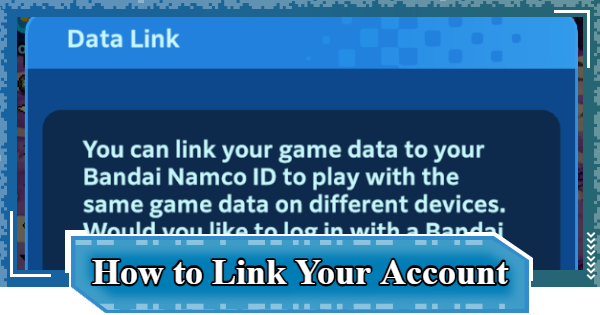
This article explains how to link your account (Data Link) in Digimon UP, including the steps and benefits of linking your account to Bandai Namco ID.
Early Game Tips and TricksHow to Link Your Account
| 1 | ▼Tap the Menu |
|---|---|
| 2 | ▼Tap Data Link |
| 3 | ▼Tap Link |
Tap the Menu


First, tap the menu on the right side of the screen.
Tap Data Link

Next, tap Data Link within the menu.
Tap Link

Check the explanation about the Data link, then tap Link.
Link Your Bandai Namco ID
A Bandai Namco ID is a membership system for conveniently using Bandai Namco's services. In addition to saving game Data, you can make online payments with Bandai Namco Coins and link with arcade games.
Bandai Namco ID Website (External)Benefits of Linking Your Account
Get a Partner Digimon Growth Ticket

When you complete the account link, you will clear one of the EX Missions and receive a "Partner Digimon Growth Ticket" as a reward. This ticket can be used to obtain your second partner and onwards.
How to Unlock Missions and Rewards| Note! | By using the Partner Digimon Growth Ticket, you can save Partner Digimon Growth Ticket. |
|---|
Play with the Same Game Data on Other Devices
You can carry over the same game Data when playing Digimon UP on a different device. This is also useful when changing models, such as from iOS to Android.
Protect Your Data from Unexpected Accidents
You can protect your game Data from unforeseen accidents, such as accidentally deleting the app. Also, even if you quit the game and delete the app, you can continue playing from your previous Data when you return.
Is a Backup Necessary?
No Backup Needed
There is no backup function, and there is no need to perform backups yourself. The game Data is saved automatically, and as long as you can log in to your Bandai Namco ID, you can immediately continue playing on another device.
Digimon UP Related Articles
Return to HomeRecommended Articles
 How to Reroll
 Early Game Guide
 Recommended Partners
 Daily Tasks Guide
 How to Choose Server
 How to Create Character
 How to Change Name
 Idle Rewards
 Unlock Condition List
 Guide Quest
 Hologram Device
 Mission Guide
 Stage Progression
 How to Add Friends
 To-Do When Stuck
 How to Speed Up Battles
 Account Linking
 Customization Guide
 Gacha List
 Event List
 Latest Updates
Training Guide
 Training Guide Training Guide |  Raising Tamer Lv. Raising Tamer Lv. |  How to Raise Rank How to Raise Rank |
 Partner Training Partner Training |  Get Best Equipment Get Best Equipment |  Skill Cards Guide Skill Cards Guide |
 Get Support Digimon Get Support Digimon |  Buddies Guide Buddies Guide |  Get SP Support Get SP Support |
 Digivice Guide Digivice Guide |  Use Tactical Memory Use Tactical Memory |
 Dungeon Guide
 PVP Guide
 Camp Guide
 Digital World Search
 Ad Skip Pass
 Battle Pass
 Digimon List
 Skill Card List
 Equipment List











